
 Facebook Container
Prevent Facebook from tracking…
Firefox

Time-Sync EN
rakshith111 · Firefox
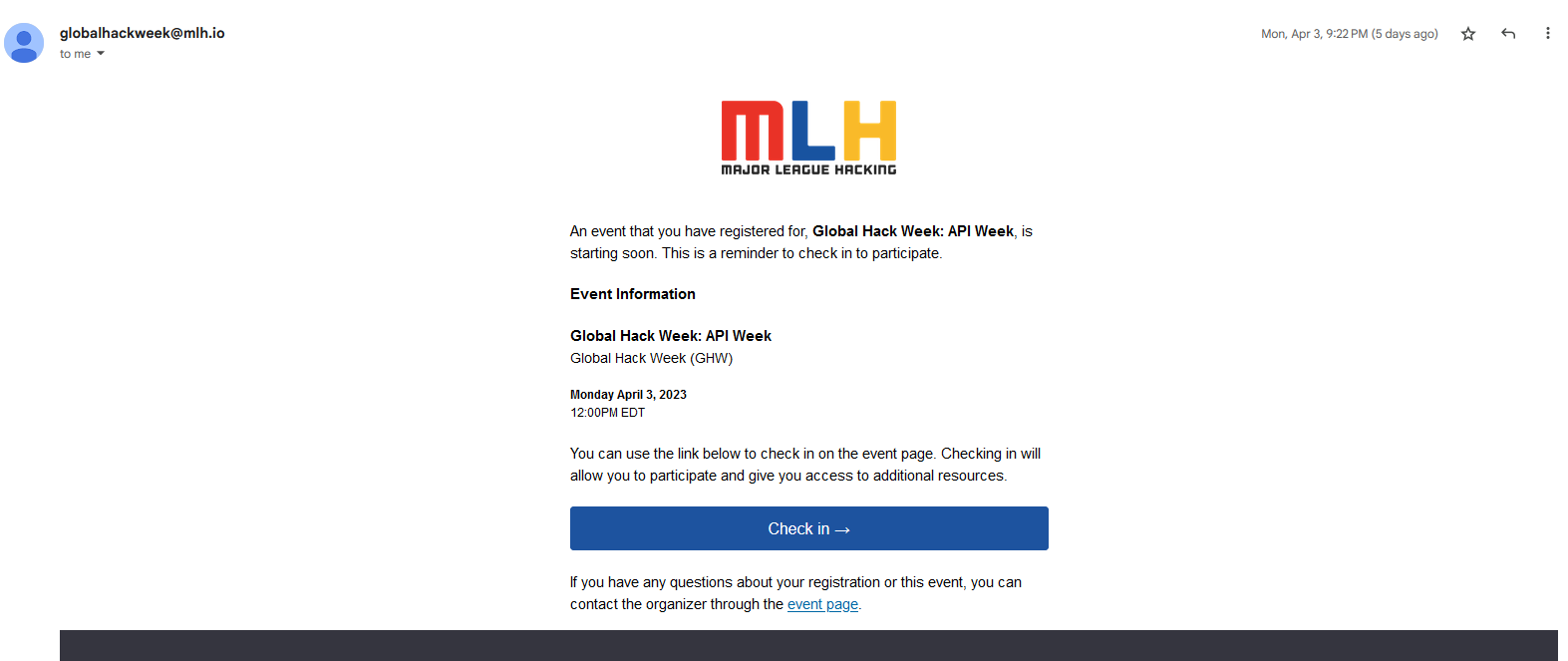
Auto Time Sync is a Firefox plugin that automatically converts dates and times on web pages to the user's local timezone or a preferred timezone in a fixed format. Select text and right-click to manually or toggle Auto Convert for seamless browsing.
5.0/5
3 人评分
44用户
v1.0.8当前版本
权限提示
该扩展申请访问所有网站(
<all_urls>),意味着它可以读取你在任意站点的页面内容,包括已登录的页面。这是许多扩展正常工作的必要条件,但也值得你确认来源可信。
截图
简介
Features
- Automatic date/time conversion: Converts any date/time format and timezone on web pages to the user's local time.
- Auto-conversion toggle: Users can enable/disable auto-conversion according to their preferences.
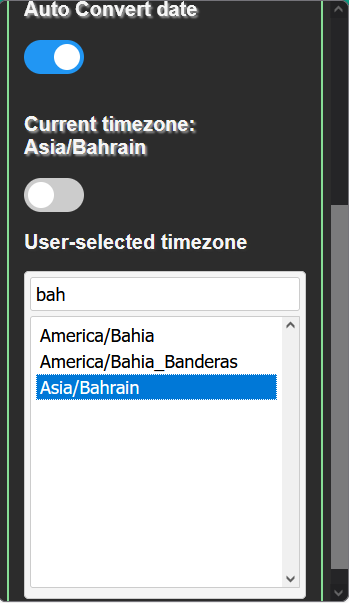
- Local and user-selected timezones: Users can choose between local timezones or select a specific timezone for conversion. (Can search by toggling to user-selected and double click the timezone you want)
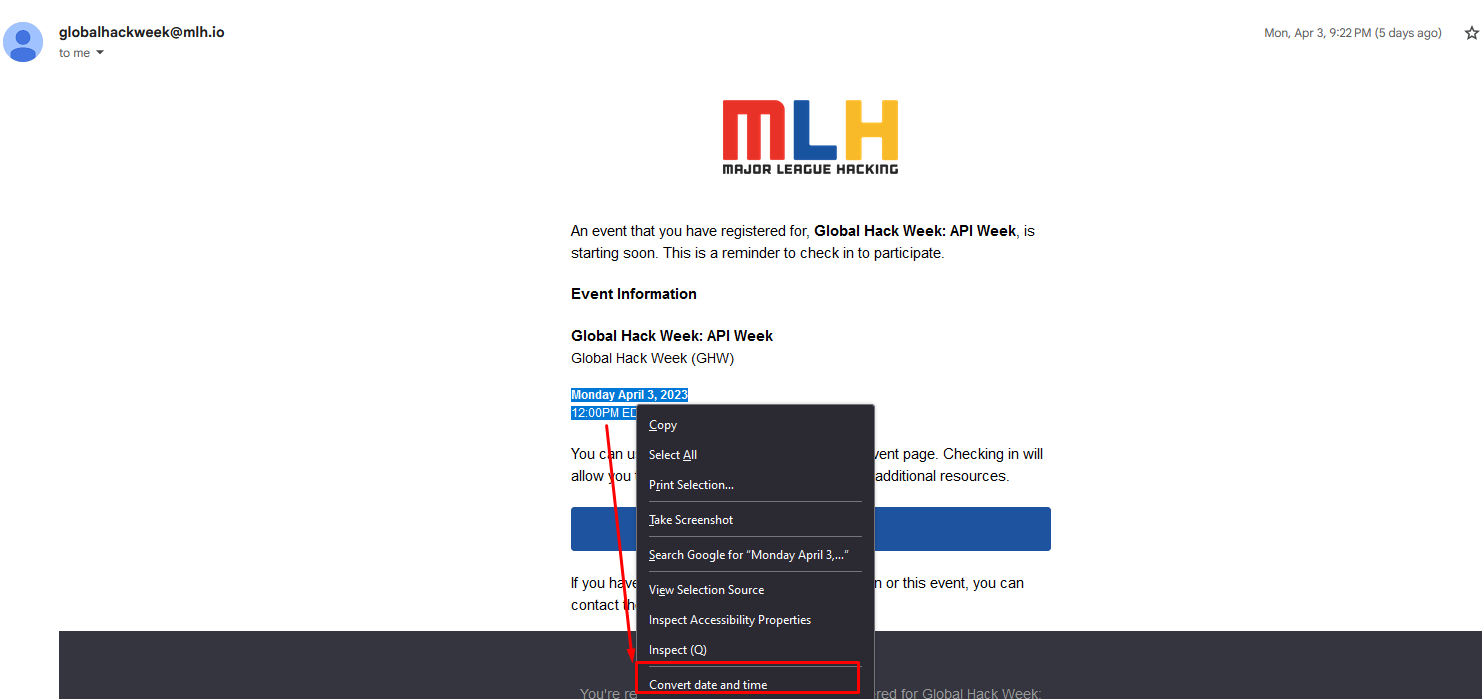
- Right-click conversion: Select any text on a page and right-click to convert it to local time if the text is a valid date.
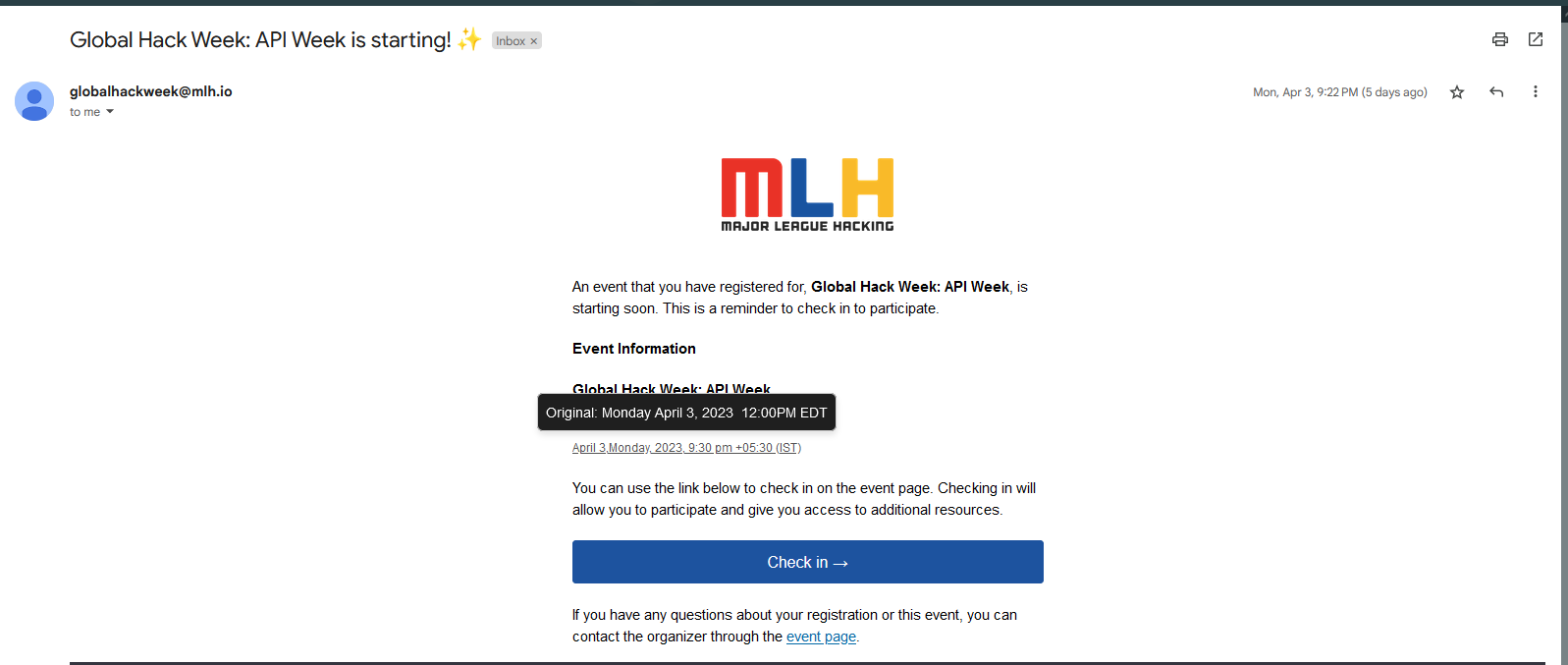
- Original date/time display: Hover over any text to see the original date/time before conversion.
- Comprehensive timezone support: Lists all timezones and provides a search functionality for easy timezone selection.
- Natural language processing: Uses advanced libraries to parse and convert various date formats and timezones.
- Custom whitelisting option to disallow auto convert script
USAGE
- Select any text on the page and right click to convert it to local time, it will only convert if the text is a valid date
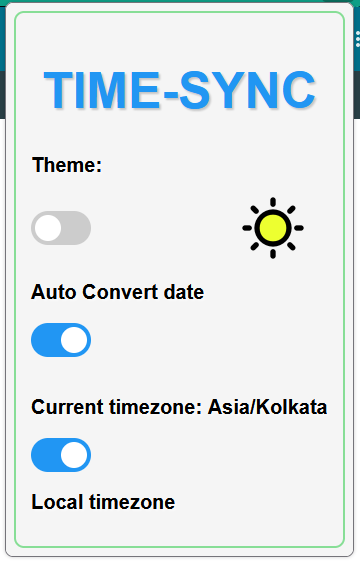
- Click on the plugin icon to open the popup
- Toggle the `Auto Convert` switch to enable/disable auto conversion
- Toggle the `Local Timezones` switch to enable/disable local timezones
- If enabled, the plugin will only convert timezones to local timezone (enabled by default)
- If disabled, the plugin will convert any timezone to the selected timezone
- Select any timezone from the list or search for it by typing in the search bar and double click to select it
- Hover over any text on the page to see the Original date.
- Go to the Options page to add/remove domains to the whitelist to control whether the auto converter should run on the domain
Time-Sync 是做什么的
Time-Sync 是一款面向 Firefox 的语言辅助类扩展,主要用来划词翻译、语法校对、词典查询。官方对它的介绍是:Auto Time Sync is a Firefox plugin that automatically converts dates and times on web pages to the user's local timezone or a preferred timezone in a fixed format. Select text and right-click to manually or toggle Auto Convert for seamless browsing.在Firefox 附加组件商店(AMO)上,它当前版本 1.0.8,评分 5(3 人评价),约 44 名用户。
适合什么人用
从功能定位看,Time-Sync 更适合需要阅读外文资料或写英文内容的用户。如果你平时只是偶尔遇到相关需求,用浏览器自带功能也能凑合;但如果这件事每天都发生,装一个专门处理它的扩展通常比手动操作省事得多。需要注意的是它作用于所有网站,装上后建议先观察一两天,确认不影响常用站点的正常使用。
怎么安装 Time-Sync
- 打开Firefox 附加组件商店(AMO)上的官方页面;
- 点「添加到浏览器」并确认权限提示;
- 装好后在扩展列表里固定图标,方便随时开关。
本站只做索引与介绍,安装包来自官方商店。如果商店页面提示当前地区不可用,说明该扩展未在你所在区域上架。
常见问题
Time-Sync 是免费的吗?
Time-Sync 在Firefox 附加组件商店(AMO)免费提供下载。它是浏览器扩展,装上就能直接用,不需要注册账号。
Time-Sync 安全吗?
它只申请了 0 项权限,范围比较克制,没有申请「读取所有网站数据」这种大权限。
Time-Sync 支持哪些浏览器?
当前收录的版本来自Firefox 附加组件商店(AMO),适用于 Firefox。同一个扩展在其他商店可能有对应版本,但功能与版本号不一定相同。
怎么卸载 Time-Sync?
在扩展管理页找到 Time-Sync,点移除即可。它在本地保存的设置会一起清掉,不会残留数据。
权限清单 来自 manifest.json 原文
站点访问 1
<all_urls>
接口权限 3
activeTabcontextMenusstorage
标签 点标签看同类扩展
Facebook Container
Prevent Facebook from tracking…
Firefox
 Firefox Multi-Account Containers
Firefox Multi-Account Containe…
Firefox
 Simple Tab Groups
Create, modify, and quickly ch…
Firefox
 Group Speed Dial
🟦 适合高级用户的带有 ✅ 高级功能的终极快速拨号! 📈 在…
Firefox
 FoxyTab
Collection of Tab Related Acti…
Firefox
 Temporary Containers
Open tabs, websites, and links…
Firefox
 Google Container
THIS IS NOT AN OFFICIAL ADDON …
Firefox
 Always active Window (Always Visible)
Pretend that all browser windo…
Firefox