

 Return YouTube Dislike
Returns ability to see dislike…
Firefox

ChatAI for Google & AI Image Generator EN
Fusion Chat · Firefox
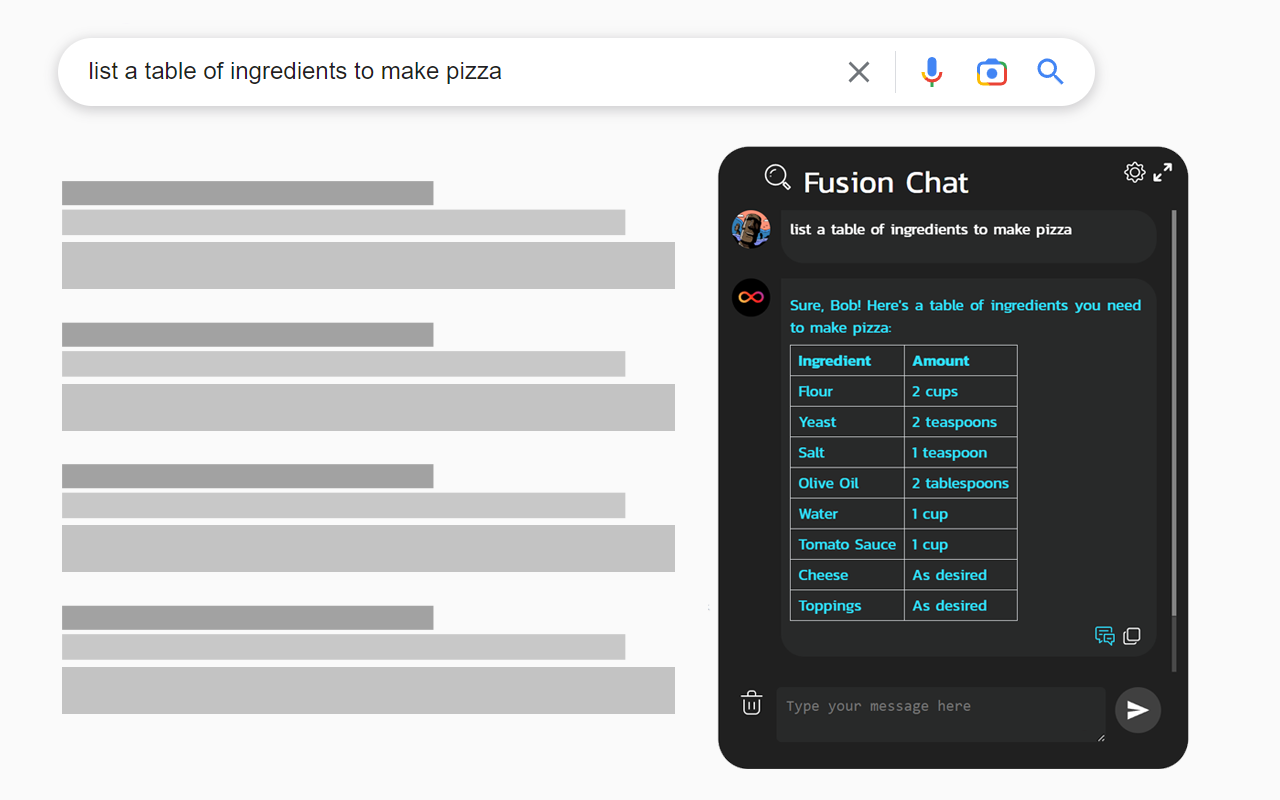
Chat AI for Google, Bing includes AI Image Generator. Chat with AI when you search🔍 and Generate AI images.🖼️
3.6/5
13 人评分
439用户
v1.4.1当前版本
权限提示
该扩展申请访问所有网站(
<all_urls>),意味着它可以读取你在任意站点的页面内容,包括已登录的页面。这是许多扩展正常工作的必要条件,但也值得你确认来源可信。
截图
简介
ChatAI for Google adds Chat AI Assistant to your browser and search engine such as:
1️⃣Google
2️⃣Bing,
3️⃣Yahoo
4️⃣Baidu, DuckDuckGo and more
It has the following main features:
1️ Search Engine Integration
➤ Add Chat AI to your Searches
🔍 Chat with AI every time you search for something
2️⃣ AI image generator
➤Generate images using AI
🖼️ Bring your imagination to life by generating images using AI
3️ Helper Popup
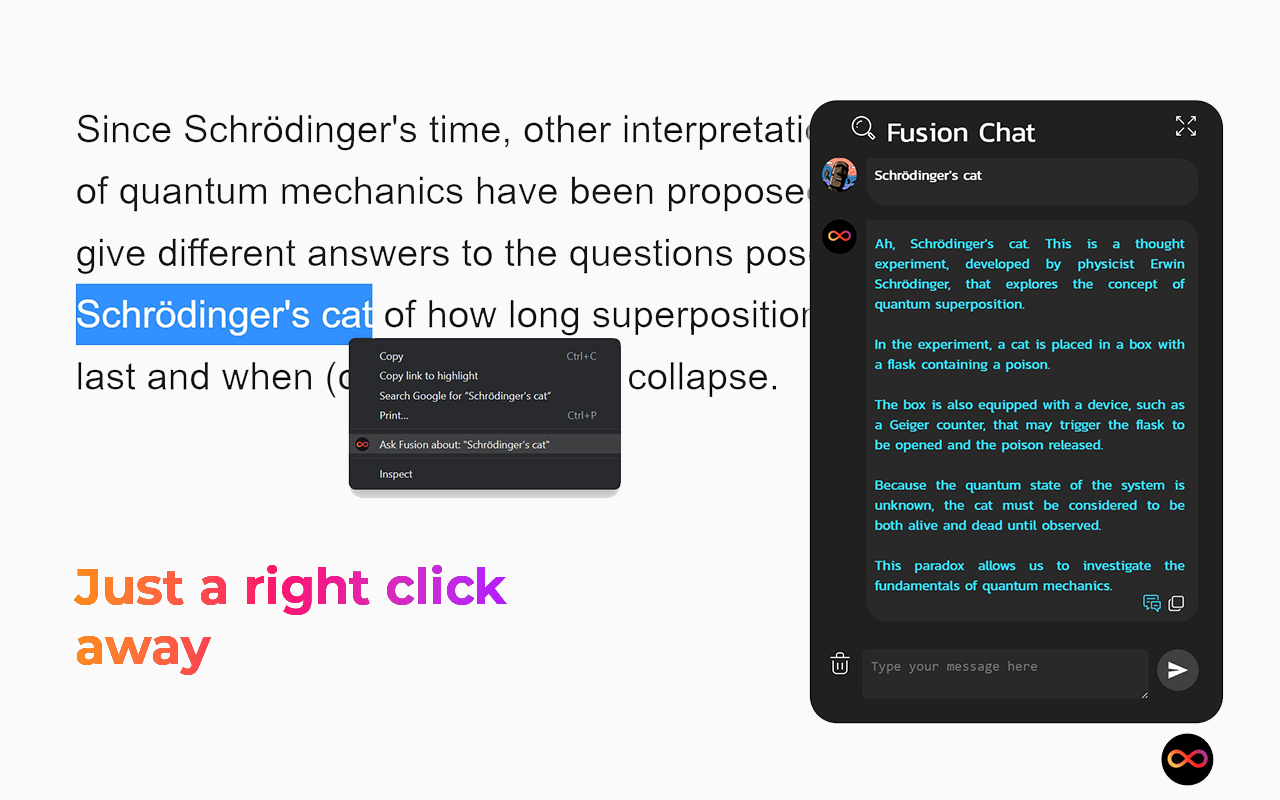
➤ Call fusion on any page you want by just doing the following:
✅ Click on the page and select Call Fusion
✅ Right Click on highlighted text and select Ask Fusion about: "...
✅ Use the handy shortcut Ctrl+Q (Q - for question)
4️⃣ Document Composer
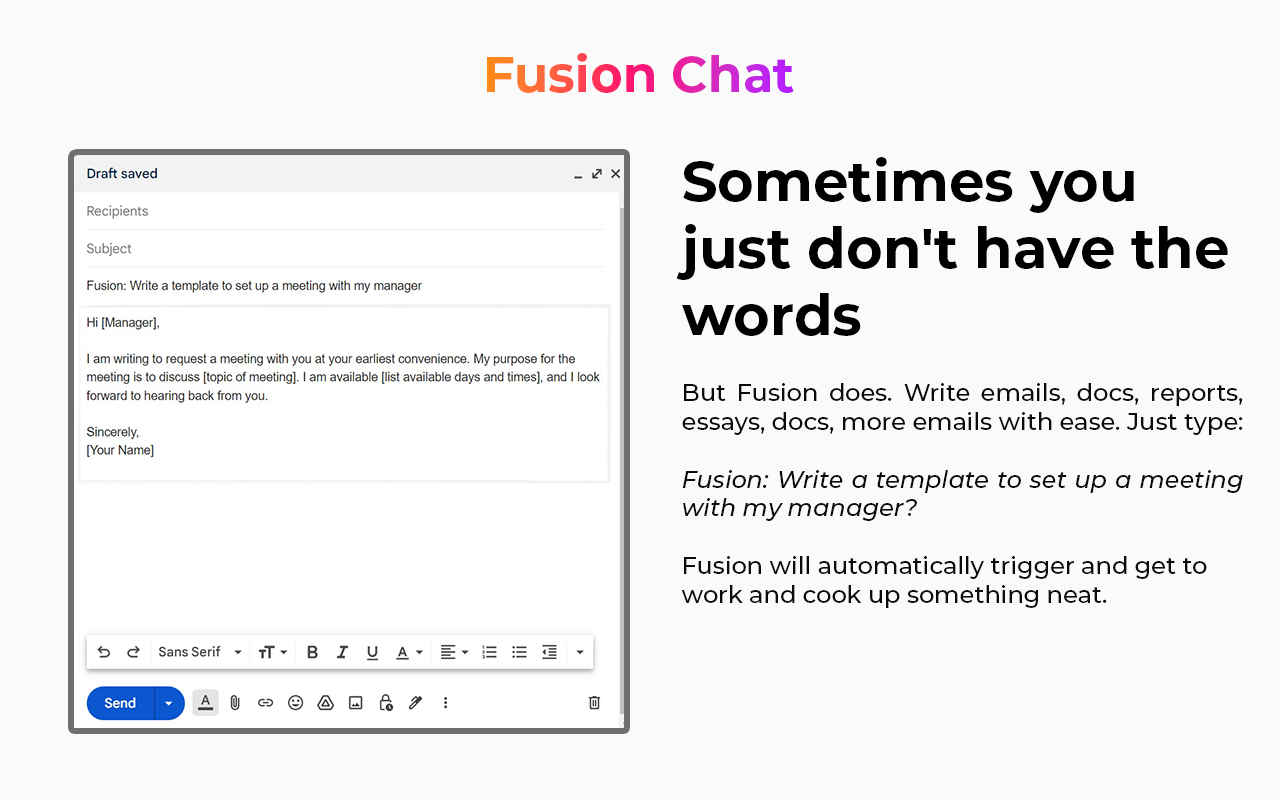
➤Easily compose document or get inspiration for document, emails and even essays by asking Fusion for help. Just type
Fusion: [Prompt] ?
then press Enter Key. Fusion will start generating a response based on the Prompt given. Which is extremely helpful for generating emails, reports, essays and other documents.
➤ Where can I use it
This extension is designed to work seamlessly in your browser, no copy-pasting required. Use it in Google Docs, Email, Social media, and across the web. The following are popular places where Fusion Chat works
🔍 Popular Search Engines: Google, Bing etc
📰 Google Docs
📖Email
📰 LinkedIn
🎥Instagram
📰Twitter
🎥YouTube
📰Facebook
📰And any other site
➤ Fusion works by interfacing with large language models is developed on GPT-4 which are large language models that are trained on large text that enable the models to inhibit human-like intelligence when responding to prompts.
➤ Terms and Conditions
By installing the extension, you agree to and acknowledge:
www.fusionchat.ai/privacy.html
www.fusionchat.ai/terms.html
ChatAI for Google & AI Image Generator 是做什么的
ChatAI for Google & AI Image Generator 是一款面向 Firefox 的开发者工具类扩展,主要用来调试页面、查看样式与请求、测试接口、辅助前端开发。官方对它的介绍是:Chat AI for Google, Bing includes AI Image Generator. Chat with AI when you search🔍 and Generate AI images.🖼️在Firefox 附加组件商店(AMO)上,它当前版本 1.4.1,评分 3.62(13 人评价),约 439 名用户。
适合什么人用
从功能定位看,ChatAI for Google & AI Image Generator 更适合前端工程师、测试与需要经常查看页面结构的用户。如果你平时只是偶尔遇到相关需求,用浏览器自带功能也能凑合;但如果这件事每天都发生,装一个专门处理它的扩展通常比手动操作省事得多。需要注意的是它作用于所有网站,装上后建议先观察一两天,确认不影响常用站点的正常使用。
怎么安装 ChatAI for Google & AI Image Generator
- 打开Firefox 附加组件商店(AMO)上的官方页面;
- 点「添加到浏览器」并确认权限提示;
- 装好后在扩展列表里固定图标,方便随时开关。
本站只做索引与介绍,安装包来自官方商店。如果商店页面提示当前地区不可用,说明该扩展未在你所在区域上架。
常见问题
ChatAI for Google & AI Image Generator 是免费的吗?
ChatAI for Google & AI Image Generator 在Firefox 附加组件商店(AMO)免费提供下载。它是浏览器扩展,装上就能直接用,不需要注册账号。
ChatAI for Google & AI Image Generator 安全吗?
它只申请了 0 项权限,范围比较克制,没有申请「读取所有网站数据」这种大权限。
ChatAI for Google & AI Image Generator 支持哪些浏览器?
当前收录的版本来自Firefox 附加组件商店(AMO),适用于 Firefox。同一个扩展在其他商店可能有对应版本,但功能与版本号不一定相同。
怎么卸载 ChatAI for Google & AI Image Generator?
在扩展管理页找到 ChatAI for Google & AI Image Generator,点移除即可。它在本地保存的设置会一起清掉,不会残留数据。
权限清单 来自 manifest.json 原文
站点访问 1
<all_urls>
接口权限 2
contextMenusstorage
标签 点标签看同类扩展
Return YouTube Dislike
Returns ability to see dislike…
Firefox
 To Google Translate 谷歌快译
右键单击一段文本,点击它旁边的“翻译”图标,即可翻译或收听它…
Firefox
 TWP - Translate Web Pages
使用 Google、Bing 或 Yandex 实时翻译页面…
Firefox
 Search by Image
A powerful reverse image searc…
Firefox
 整页截图工具 — FireShot
FireShot 可捕获整页截图、可见区域以及超出屏幕范围的…
Firefox
 Google学术搜索按钮
可让您在浏览网页时查询学术文章。
Firefox
 DocsAfterDark: Dark Mode for Google Docs
Beyond dark mode for Google Do…
Firefox
 Indie Wiki Buddy
Helping you discover quality, …
Firefox