
Winger - A Window Manager EN
Lionel Wong · Firefox
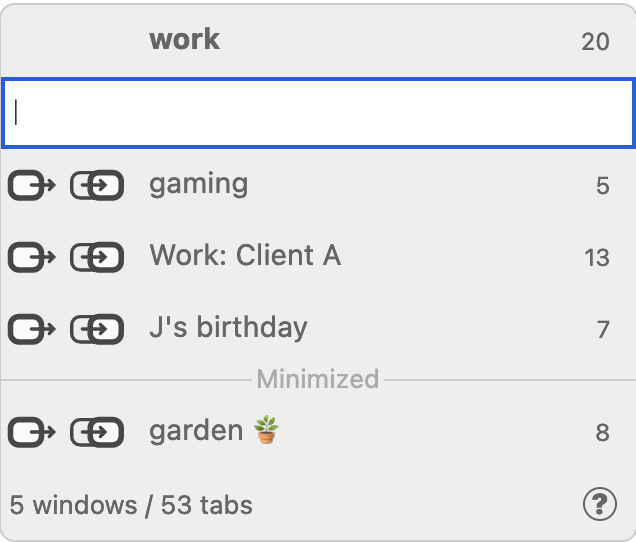
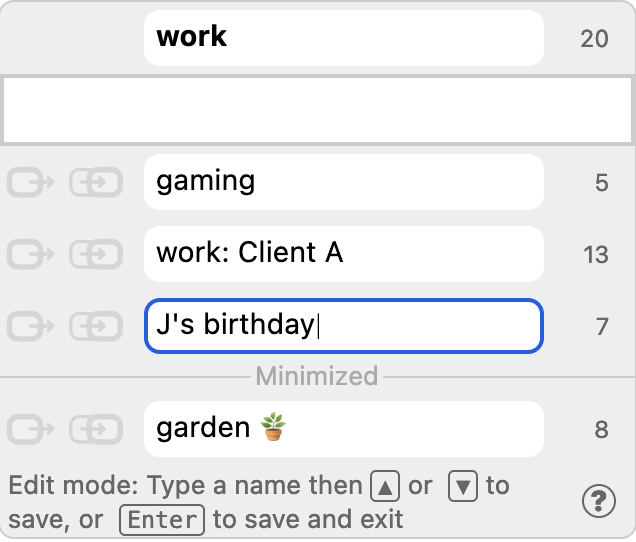
Name windows, move tabs between windows, stash windows away, and more. Use multiple windows with ease, making them a truly viable way to organize lots of tabs.
截图
简介
Divide-and-conquer tabs with windows that you name by topic, task, project, anything you wish.
Highlights
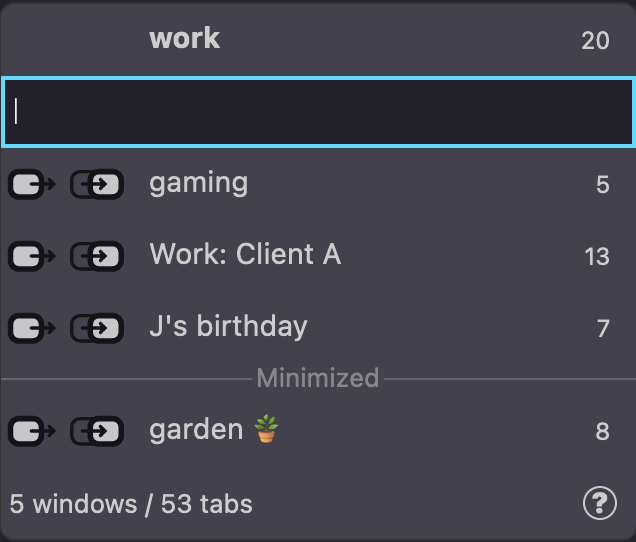
- Panel fully navigable with arrow keys. Can open via keyboard shortcut (default: F1).
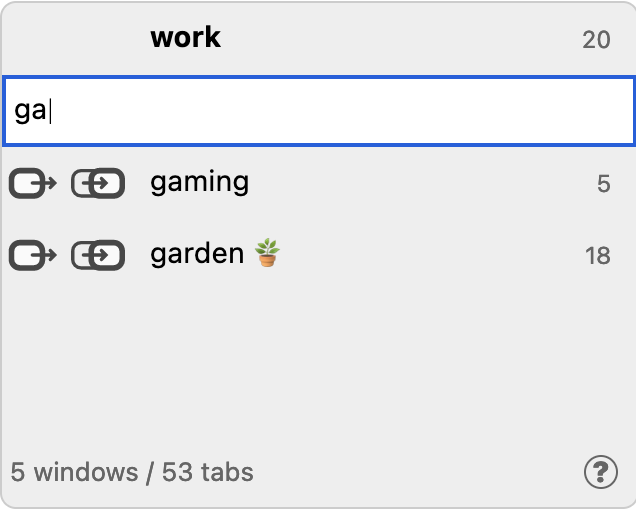
- Instead of hunting around for windows, start typing a name to pinpoint the one you want.
- Memorable autocompleting slash commands available in the panel, e.g. /help.
- Most common functions in the panel – switch windows, send/bring tabs between windows, name windows, help page – are a click away.
- Private window support: Tabs normally cannot move between private and normal windows, but Winger can automatically reopen them in windows you send/bring them to.
- Minimizing is meaningful! Minimized windows are grouped lower in the panel for an additional dimension to window organisation.
- Right-click on a tab or a link on a page to get the Send to Window context menu as another way to send/bring tabs.
- Stash windows you want to save and close; unstash anytime. Stashes preserve details like pinned tabs, "tab trees", tab groups and containers.
- Stashes are stored as bookmarks in folders, accessible outside Winger and even between devices via bookmark syncing.
- More comprehensive information and lots of tips in Winger Help!
Why manage windows?
Using multiple browser windows has long been a fine way to create groups of tabs, using an already familiar context, with familiar browser-level and OS-level features (open, open private, close, minimize, move between desktops/workspaces, etc), and that is already easy to create (drag tabs off the tab strip, Ctrl/Cmd+N, etc). Winger provides extra features that reduce friction, increase usefulness and improve user experience. Window management done well begets viable tab management.
Windows are the "original tab groups" that continue to be practical even after native tab groups arrived in Firefox in May 2025; if not as a substitute that some prefer, then as an additional layer of tab organisation, a "workspaces" analogue and a "tab group grouper".
Can I use another window naming extension with Winger?
You probably don't need another one, but if you insist, here's how.
FYI, you can use the /extractallnames command (see /help for more info) to copy over names from the title prefaces set by another extension, and then you can remove that extension if you don't need it anymore.
Can I use a vertical/tree tabs extension with Winger?
Yes of course. Just note that some extensions (like Tree Style Tab) may apply automatic behaviours to actions (including Winger's) that you might not expect; e.g. when you send/bring a tab that has "descendants", all those tabs would also come along with it. Do check their settings and documentation.
Is Winger's stashing like the Tab Stash extension?
They are similar, both being bookmarks-based, but diverge significantly in approaches to state/property restoration and UI/UX. You can use them both, even integrate them by making Winger's stash home folder be the same as the Tab Stash folder (Winger settings: set the root to "Other Bookmarks" and subfolder name to "Tab Stash").
Required permissions
- Access browser tabs – To access tab urls for reproducing tabs into/out of private windows; tab urls and titles for the stash/unstash feature
- Access recently closed tabs – Refers to access to browser sessions, for storing window names that will persist across them
Optional permissions (Requested when relevant feature is enabled)
- Read and modify bookmarks – For the stash/unstash feature to create/remove bookmarks
No permissions provide Winger any access to web page content.
Winger - A Window Manager 是做什么的
Winger - A Window Manager 是一款面向 Firefox 的书签管理类扩展,主要用来整理书签、查重、批量导入导出。官方对它的介绍是:Name windows, move tabs between windows, stash windows away, and more. Use multiple windows with ease, making them a truly viable way to organize lots of tabs.在Firefox 附加组件商店(AMO)上,它当前版本 2.13.0,评分 4.74(68 人评价),约 897 名用户。
适合什么人用
从功能定位看,Winger - A Window Manager 更适合收藏了大量网页、需要定期整理的用户。如果你平时只是偶尔遇到相关需求,用浏览器自带功能也能凑合;但如果这件事每天都发生,装一个专门处理它的扩展通常比手动操作省事得多。
怎么安装 Winger - A Window Manager
- 打开Firefox 附加组件商店(AMO)上的官方页面;
- 点「添加到浏览器」并确认权限提示;
- 装好后在扩展列表里固定图标,方便随时开关。
本站只做索引与介绍,安装包来自官方商店。如果商店页面提示当前地区不可用,说明该扩展未在你所在区域上架。
常见问题
Winger - A Window Manager 是免费的吗?
Winger - A Window Manager 在Firefox 附加组件商店(AMO)免费提供下载。它是浏览器扩展,装上就能直接用,不需要注册账号。
Winger - A Window Manager 安全吗?
它只申请了 0 项权限,范围比较克制,没有申请「读取所有网站数据」这种大权限。
Winger - A Window Manager 支持哪些浏览器?
当前收录的版本来自Firefox 附加组件商店(AMO),适用于 Firefox。同一个扩展在其他商店可能有对应版本,但功能与版本号不一定相同。
怎么卸载 Winger - A Window Manager?
在扩展管理页找到 Winger - A Window Manager,点移除即可。它在本地保存的设置会一起清掉,不会残留数据。
权限清单 来自 manifest.json 原文
接口权限 8
alarmscontextualIdentitiescookiesmenussessionsstoragetabGroupstabs
接口权限(可选) 1
bookmarks