
 Return YouTube Dislike
Returns ability to see dislike…
Firefox

Unicodify – Text transformer EN
rugk · Firefox
Easily and quickly transform text to “Unicode fonts” 𝐟𝐨𝐫 𝔢𝔵𝔞𝔪𝔭𝔩𝔢 𝚕𝚒𝚔𝚎 𝘵𝘩𝘪𝘴 as text characters and change the casing of texts.
5.0/5
9 人评分
90用户
v0.9当前版本
权限提示
该扩展申请访问所有网站(
<all_urls>),意味着它可以读取你在任意站点的页面内容,包括已登录的页面。这是许多扩展正常工作的必要条件,但也值得你确认来源可信。
截图
简介
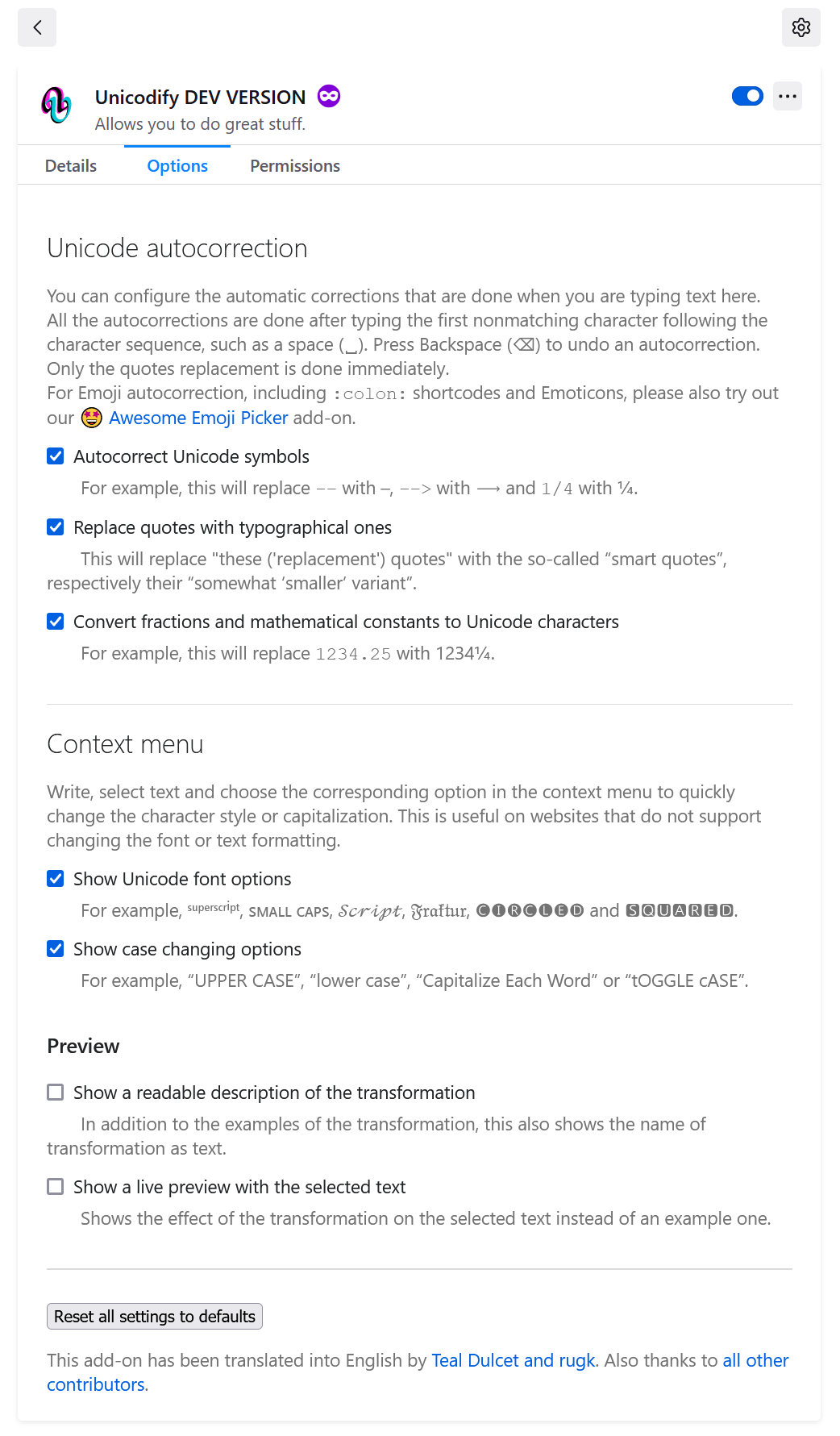
This is a (Firefox and Thunderbird) add-on (WebExtension) that allows you to convert text into more than 40 different font styles and casing changes.
You can enable and disable any features in the options and adjust more settings regarding the behavior of the add-on.
😊 Convert text to any style you want! 😊
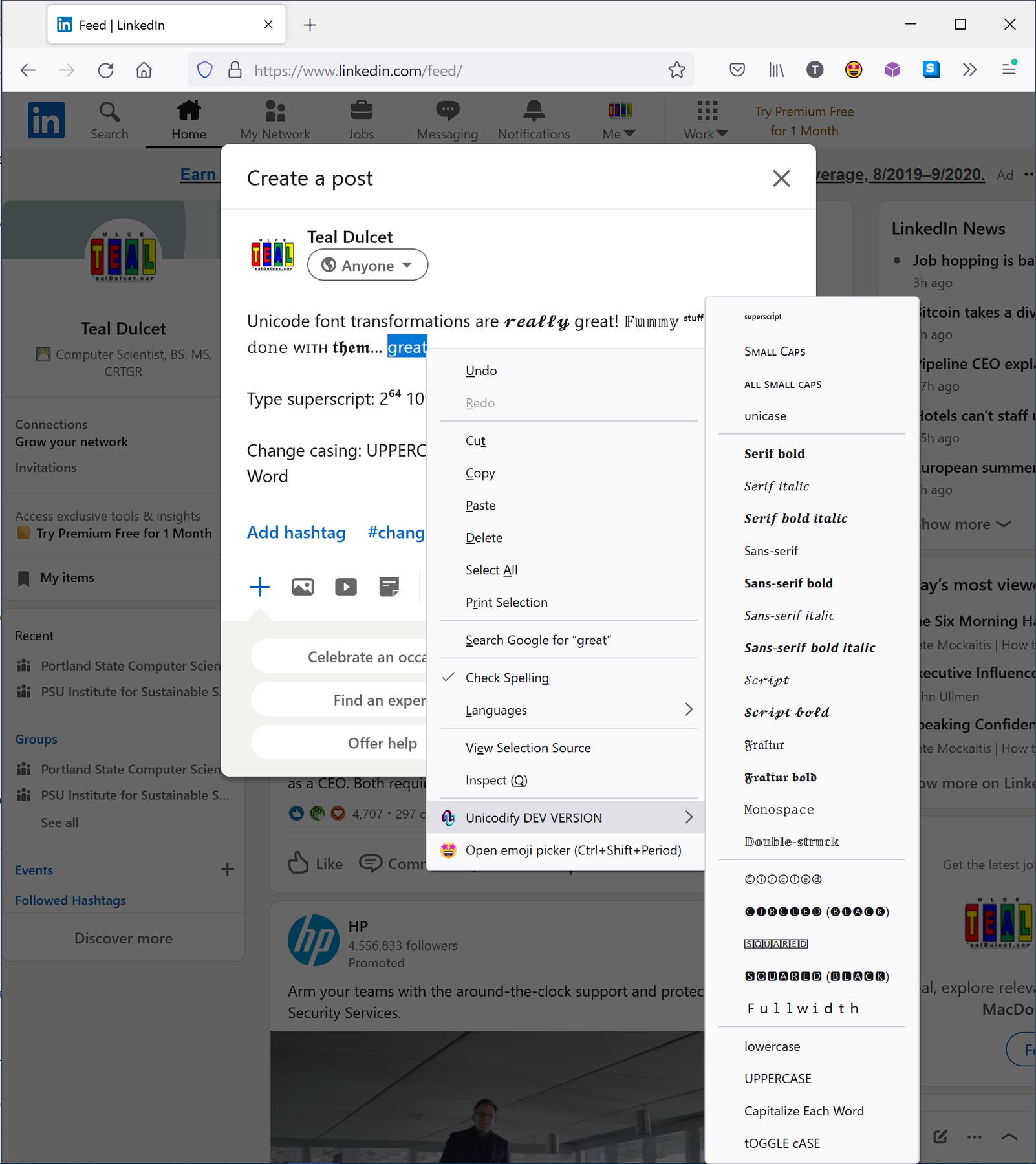
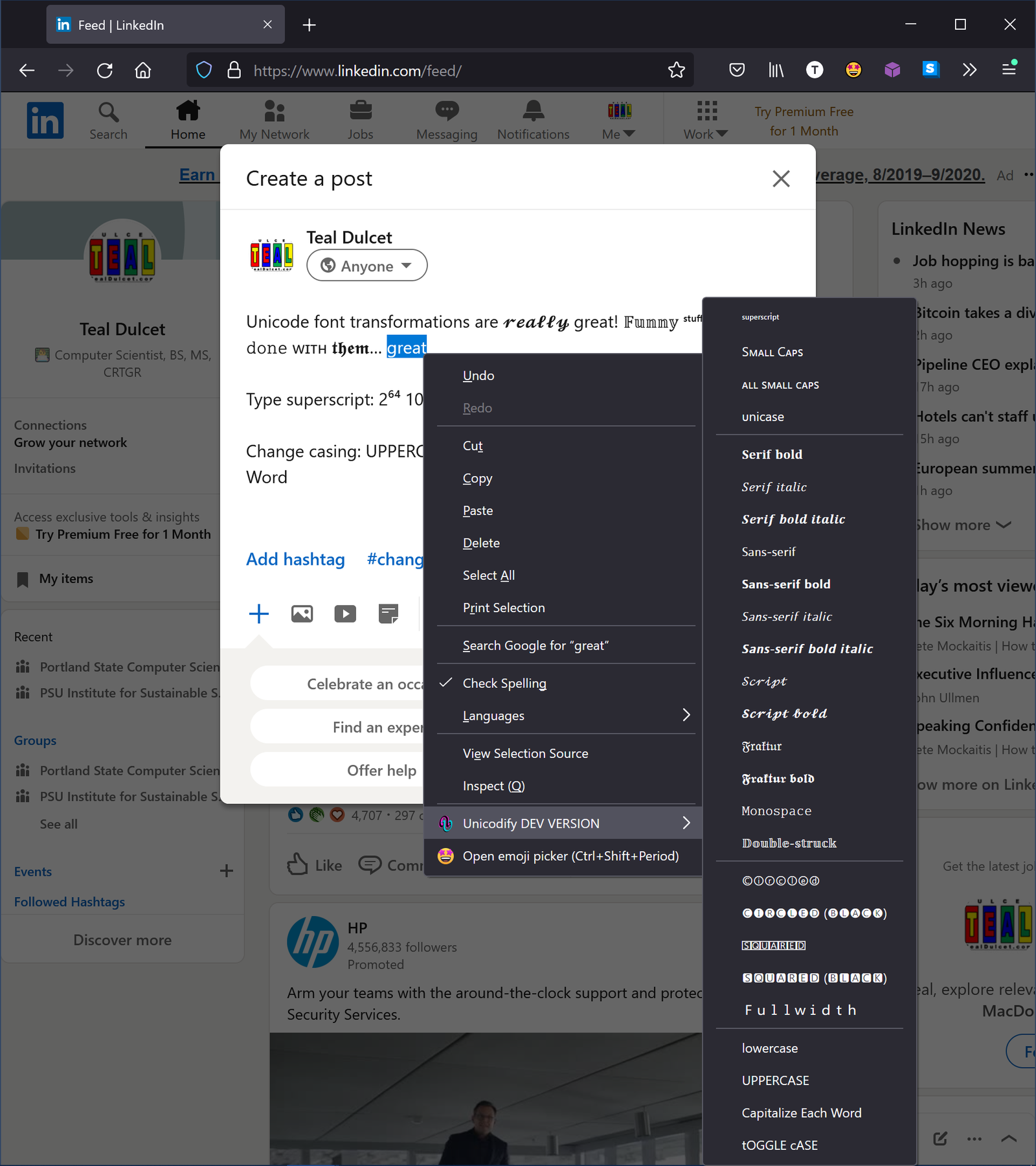
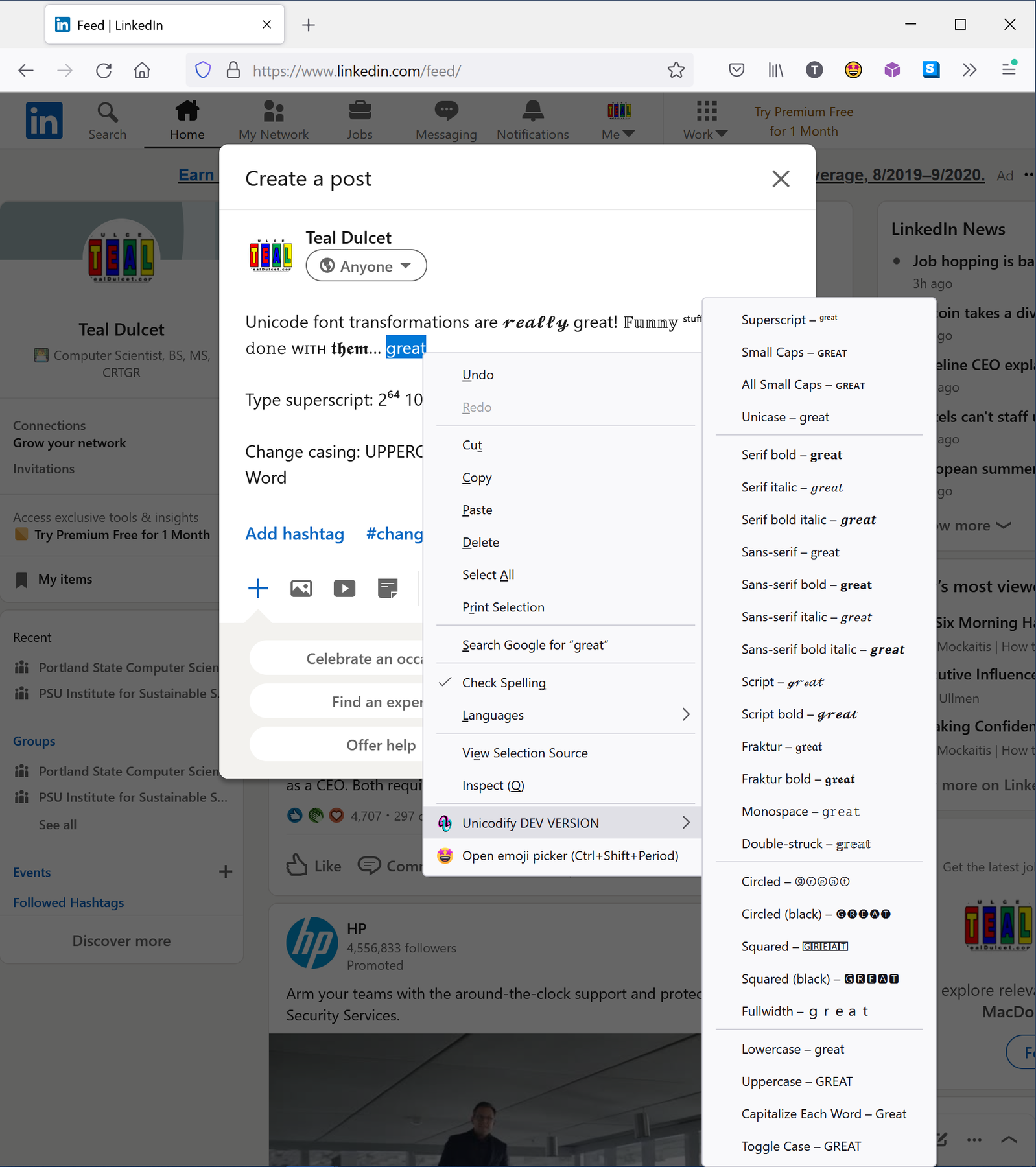
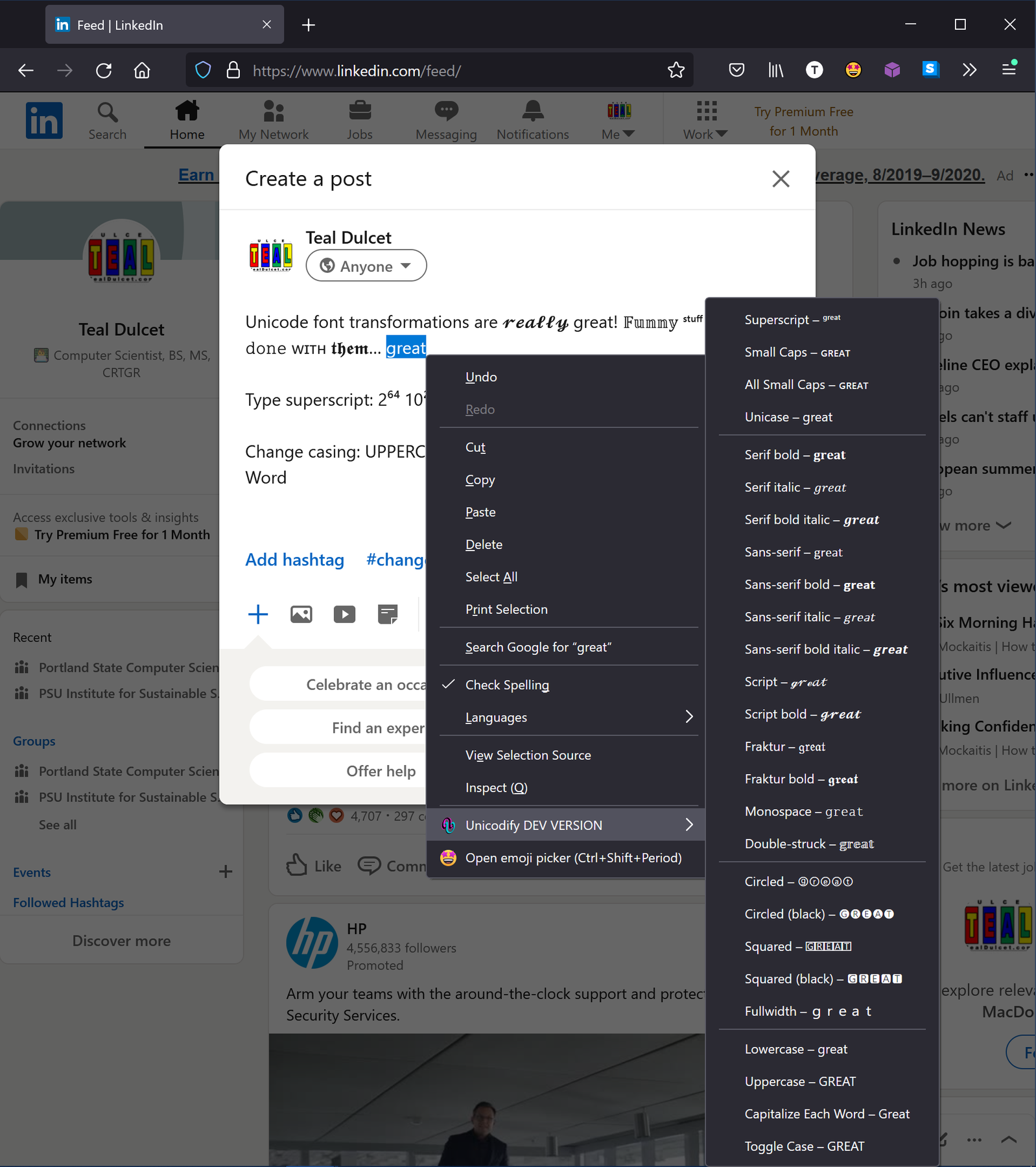
Just select text, right-click and let Unicodify convert the text into styles like:
- Lowercase
- Uppercase
- Capitalize Each Word
- Toggle Case
- Superscript
- Small Caps
- Unicase
- Serif
- Sans-serif
- Bold
- Italic
- Script
- Fraktur
- Monospace
- Double-struck
- Circled
- Squared
- Fullwidth
This is useful on websites that do not support changing the font or text formatting.
📢 More Features 📢
- *Unicode autocorrection as you type:
- Autocorrect Unicode symbols (i.e. hyphens
--with –, fractions1/4with ¼, etc.). Supports more
than 85 symbols. - Use Unicode smart quotes ('single quotes' with ‘Unicode single quotes’ and "double quotes" with “Unicode double quotes”)
- Convert fractions and mathematical constants to Unicode characters (i.e.
1234.25
with 1234¼, etc.). Supports all Unicode fraction characters, Pi and e constants. - Supports undoing autocorrections
- Autocorrect Unicode symbols (i.e. hyphens
- Context menu with selected/highlighted text:
- Unicode font conversion (i.e. ꜱᴍᴀʟʟ ᴄᴀᴘꜱ, 𝒮𝒸𝓇𝒾𝓅𝓉, 𝔉𝔯𝔞𝔨𝔱𝔲𝔯, etc.). Supports more than 20 fonts.
- Change casing (i.e. UPPER CASE, lower case, tOGGLE cASE, etc.). Supports all locales.
- Optionally show a live preview.
- Support websites as best as possible by providing website-specific workarounds or fallbacks, if needed. (if there is a problem, please report it)
- Very fast, even when typing on large documents.
- Supports the light/dark mode of your system automatically.
- Settings automatically synced between all browser instances and devices (Firefox and Chrome only).
- Follows the Firefox and Thunderbird Photon Design.
- Puts your privacy first and does not send data anywhere.
- Compatible with Firefox for Android.
- Translated into several languages. Contribute your own language!
- Settings can be managed by your administrator.
* ℹ️ The Unicode autocorrection feature is experimental and must be first enabled in the settings.
📝 Development 📝
The add-on is free/libre open-source software and developed on GitHub. Fork it on GitHub and contribute.
There are some easy issues to start with.
This extension works with modern Firefox and Thunderbird v112 or higher.
🙋♀️ Contribute 🙋♀️
You can easily get involved in this project and help. Here are some ideas:
- 📃 Translate this add-on into multiple languages!
- 🐛 Fix some easy issues and get started in add-on development (or just try out the development version)
- 💡 Or check out some other add-on issues (or translate them).
Or, in any cas…
Unicodify – Text transformer 是做什么的
Unicodify – Text transformer 是一款面向 Firefox 的资讯订阅类扩展,主要用来订阅 RSS、聚合新闻、跟踪博客更新。官方对它的介绍是:Easily and quickly transform text to “Unicode fonts” 𝐟𝐨𝐫 𝔢𝔵𝔞𝔪𝔭𝔩𝔢 𝚕𝚒𝚔𝚎 𝘵𝘩𝘪𝘴 as text characters and change the casing of texts.在Firefox 附加组件商店(AMO)上,它当前版本 0.9,评分 5(9 人评价),约 90 名用户。
适合什么人用
从功能定位看,Unicodify – Text transformer 更适合想摆脱算法推荐、自己掌控信息源的用户。如果你平时只是偶尔遇到相关需求,用浏览器自带功能也能凑合;但如果这件事每天都发生,装一个专门处理它的扩展通常比手动操作省事得多。需要注意的是它作用于所有网站,装上后建议先观察一两天,确认不影响常用站点的正常使用。
怎么安装 Unicodify – Text transformer
- 打开Firefox 附加组件商店(AMO)上的官方页面;
- 点「添加到浏览器」并确认权限提示;
- 装好后在扩展列表里固定图标,方便随时开关。
本站只做索引与介绍,安装包来自官方商店。如果商店页面提示当前地区不可用,说明该扩展未在你所在区域上架。
常见问题
Unicodify – Text transformer 是免费的吗?
Unicodify – Text transformer 在Firefox 附加组件商店(AMO)免费提供下载。它是浏览器扩展,装上就能直接用,不需要注册账号。
Unicodify – Text transformer 安全吗?
它只申请了 0 项权限,范围比较克制,没有申请「读取所有网站数据」这种大权限。
Unicodify – Text transformer 支持哪些浏览器?
当前收录的版本来自Firefox 附加组件商店(AMO),适用于 Firefox。同一个扩展在其他商店可能有对应版本,但功能与版本号不一定相同。
怎么卸载 Unicodify – Text transformer?
在扩展管理页找到 Unicodify – Text transformer,点移除即可。它在本地保存的设置会一起清掉,不会残留数据。
权限清单 来自 manifest.json 原文
站点访问 1
<all_urls>
接口权限 4
menusnotificationsstoragetabs
标签 点标签看同类扩展
Return YouTube Dislike
Returns ability to see dislike…
Firefox
 Facebook Container
Prevent Facebook from tracking…
Firefox
 Enhancer for YouTube™
控制并提升您的 YouTube 用户体验!
Firefox
 Easy Youtube Video Downloader Express
A simple extension for superfa…
Firefox
 Firefox Multi-Account Containers
Firefox Multi-Account Containe…
Firefox
 整页截图工具 — FireShot
FireShot 可捕获整页截图、可见区域以及超出屏幕范围的…
Firefox
 7TV
Improve your viewing experienc…
Firefox
 SteamDB
在 Steam 商店和社区页面中添加 SteamDB 链接和…
Firefox