 BetterTTV
Enhances Twitch and YouTube wi…
Firefox

Alternate Player for Twitch.tv EN
Alexander Choporov (CoolCmd) · Firefox
Alternate player of live broadcasts for Twitch.tv website.
4.3/5
900 人评分
4.3万用户
v2026.6.21当前版本
截图
简介
Advantages of the player:
• Less stops during playback: if necessary, the player settings can be tuned to your Internet connection.
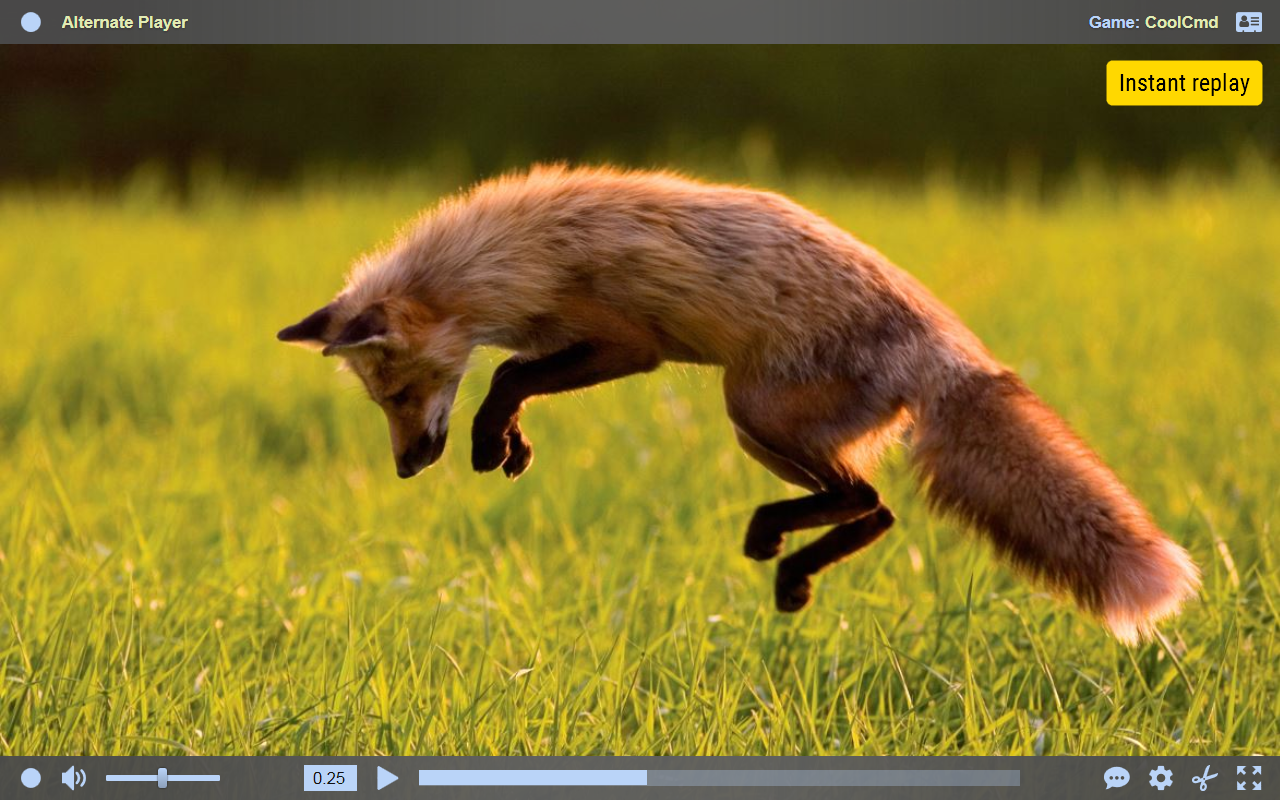
• Instant replay of the last minutes of the live broadcast, optionally with increased/reduced speed or frame-by-frame.
• Hides Twitch ads. Ads that streamer embeds directly into the stream will be shown.
• “Audio only” mode. Ideal for music listening.
• The extension automatically opens chests with bonus points in chat.
• You can set the size and location of the chat, even while in full-screen mode.
• You can completely disable the chat: it will not consume computer resources, and you will not be in the chatters list.
• Changes volume by mouse wheel.
• You can colorize the player interface to your liking.
• Takes up less RAM.
• Rapid start-up of the player. This is especially noticeable on slower computers.
• Allows you to disable stretching the small video to the player size.
• Allows you to continue viewing the broadcast in another player, for example Media Player Classic, VLC Media Player, or MX Player.
• Large number of useful (and not so) settings.
The extension requires your permission to access several domains where Twitch stores its video. The list of domains may expand over time.
The player can playback only live broadcasts and does not affect playback of videos.
I do not recommend using the extension without a mouse, because touch screen support is incomplete.
Extension is tested only in the Firefox browser. Operability of extension in other browsers based on the same engine, for example Tor Browser and Pale Moon, is not guaranteed.
If you have problems with the extension, first click “Useful information” in the player menu. If you still have questions after reading, click “Contact the extension developer” in the player menu. If you cannot start the player, send an e-mail to the extension developer. The e-mail address is located somewhere on this page.
This extension is not an official Twitch application. The extension was created by independent developer, who is not affiliated with Twitch Interactive, Inc company in any way. The extension inserts part of the Twitch.tv website — chat — into extension player.
The extension is also available for Google Chrome and Microsoft Edge browsers.
Alternate Player for Twitch.tv 是做什么的
Alternate Player for Twitch.tv 是一款面向 Firefox 的影音图像类扩展,主要用来处理图片、调节音量、增强播放器功能。官方对它的介绍是:Alternate player of live broadcasts for Twitch.tv website.在Firefox 附加组件商店(AMO)上,它当前版本 2026.6.21,评分 4.25(900 人评价),约 42,828 名用户。
适合什么人用
从功能定位看,Alternate Player for Twitch.tv 更适合经常在网页上看视频、听音乐或处理图片的用户。如果你平时只是偶尔遇到相关需求,用浏览器自带功能也能凑合;但如果这件事每天都发生,装一个专门处理它的扩展通常比手动操作省事得多。
怎么安装 Alternate Player for Twitch.tv
- 打开Firefox 附加组件商店(AMO)上的官方页面;
- 点「添加到浏览器」并确认权限提示;
- 装好后在扩展列表里固定图标,方便随时开关。
本站只做索引与介绍,安装包来自官方商店。如果商店页面提示当前地区不可用,说明该扩展未在你所在区域上架。
常见问题
Alternate Player for Twitch.tv 是免费的吗?
Alternate Player for Twitch.tv 在Firefox 附加组件商店(AMO)免费提供下载。它是浏览器扩展,装上就能直接用,不需要注册账号。
Alternate Player for Twitch.tv 安全吗?
它只申请了 0 项权限,范围比较克制,没有申请「读取所有网站数据」这种大权限。
Alternate Player for Twitch.tv 支持哪些浏览器?
当前收录的版本来自Firefox 附加组件商店(AMO),适用于 Firefox。同一个扩展在其他商店可能有对应版本,但功能与版本号不一定相同。
怎么卸载 Alternate Player for Twitch.tv?
在扩展管理页找到 Alternate Player for Twitch.tv,点移除即可。它在本地保存的设置会一起清掉,不会残留数据。
权限清单 来自 manifest.json 原文
接口权限 5
clipboardWritecookiesstoragewebRequestwebRequestBlocking
标签 点标签看同类扩展
BetterTTV
Enhances Twitch and YouTube wi…
Firefox
 7TV
Improve your viewing experienc…
Firefox
 FrankerFaceZ
The Twitch Enhancement Suite -…
Firefox
 Improve YouTube! (Open-Source for YouTube)
Make YouTube tidy & powerf…
Firefox
 关灯看视频
观看视频时调暗页面,仿佛置身电影院
Firefox
 Watch2Gether
With Watch2Gether you can watc…
Firefox
 Librezam
使用Shazam API的开源音乐识别扩展(也支持Audd、…
Firefox
 Netflix Party is now Teleparty
Watch Netflix, Youtube, Disney…
Firefox