

 Video Download Helper
Download videos from the web. …
Firefox

Tweaks for YouTube EN
InzkDev · Firefox
Seek, navigate chapters, control volume, speed, and more with mouse and keyboard shortcuts. Adjust player controls, progress bar, subtitles, process audio, show playlist duration, take video snapshot, set initial volume, speed, resolution, and more.
4.6/5
201 人评分
8千用户
v3.94.0当前版本
截图
简介
Browser extension for YouTube (including embedded videos), YouTube Music, and Google Drive videos
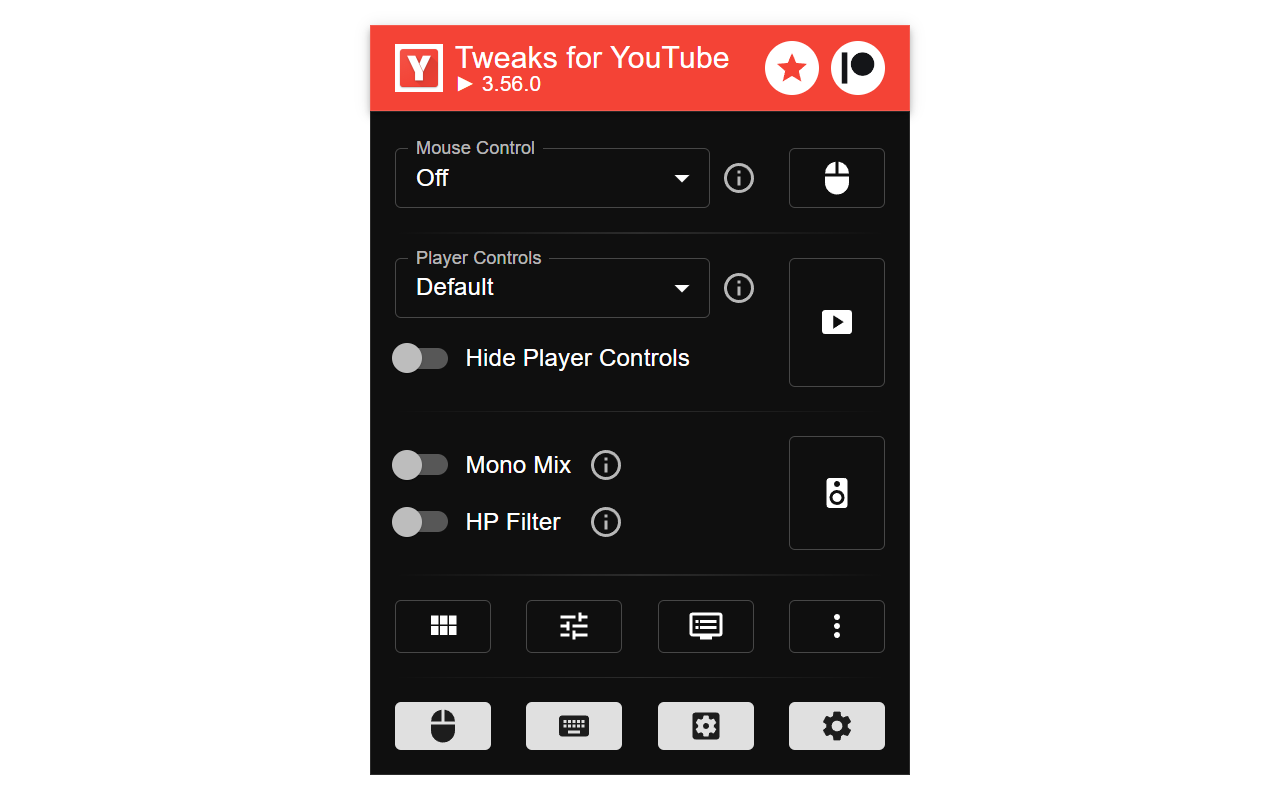
100+ features available! Features are turned off by default - explore the extension's Popup and Options page and enable the ones you need. After installation, reload all YouTube pages!
Fast forward, rewind, navigate chapters, control volume, speed, and more (50+ actions) with an unlimited number of custom mouse controls (hover over different areas of the video and use mouse wheels or buttons) and keyboard shortcuts. Use global keyboard shortcuts to control active video from any app.
Turn on the "Auto Gain" feature to balance sound levels across different videos by making quieter videos louder. One of the audio channels is quieter or missing? Just turn on the "Mono Mix". Use the "High Pass Filter" to make muddy audio with too much bass clearer. If the volume is still too low, there is a "Boost Volume" feature.
Make player controls always visible, hidden, visible only on mouse hover, or show only a minimalist progress bar. Auto-hide them in less than the default 3 seconds. Customize volume and time display and base time on the current playback rate.
Complete features list: inzk.dev/tweaks-for-youtube/features
Support me on Patreon: patreon.com/inzkdev
Permissions
ContextMenus - for the "Search YouTube" feature
Storage - for storing extension settings
Site Access
- www.youtube.com
- music.youtube.com
- www.youtube-nocookie.com - for embedded videos in privacy-enhanced mode
- youtube.googleapis.com - for Google Drive videos
Privacy Policy
This extension does not collect personal data from users, and it does not send any user data to a remote server. The only data it collects are extension settings, and this is stored locally on your PC.
This is an independent project and has no relationship to YouTube™ or Google LLC.
Features (check the website for a complete list)
Mouse Control
- interact with the video player, shorts player, or miniplayer using any mouse button or wheel
- 50+ actions available, such as:
- seek (units available: second, frame, chapter, %)
- adjust or set volume, toggle mute
- adjust or set playback rate (from 0.1x to 16x)
- adjust video quality, subtitle's font size, take a video snapshot, save to playlist, show comments in the sidebar, and many more
Video Chapters Navigation
- use the middle, right mouse button, or double click anywhere on the chapter container on the progress bar, and the chapter will start playing from the beginning
Content Filters
- hide watched videos, shorts, upcoming, live, mix, and other video types and sections on various pages
Clean Player
- remove annotations, cards, watermark, end screen, video title, heatmap, ambient mode, buttons, overlays
Clean Page
- remove logo yoodle, reminders, hints, surveys, nudges, thumbnail overlays, some ads, and other page elements
Hide Comments, Sidebar, or Related Videos In Sidebar
Hide All Action Indicator Animations
- hide icons and animations that show up when you change volume, speed, etc.
Dim Watched Videos
- make watched videos more distinctive
Custom Rich Grid Layout
- customize layout on the home and subscriptions pages, and channel's videos and live tabs
- options: Decrease container width, Decrease font size, Hide avatars, Number of items per row
Chat Visibility
- show chat replay, auto-hide live chat, or disable the chat section
Channel Trailer
- Disable autoplay
- Hide trailer section
Disable Inline Playback
- don't play videos when you hover over them on the home or other pages
Initial Active Channel Page Tab
- when opening the page, navigate directly to the videos, shorts, live, or other tabs
Shorts Player - Overlay
- hide the top overlay (play/pause and volume controls)
- hide the bottom overlay (subscribe button and info)
- make overlays visible only on mouse hover
Shorts Player - Convert Title To A Link To Normal Player
- click on the video title to open short video in the normal video player
Shorts In Normal Player
- shorts will seamlessly open in the normal video player
Autoplay Next Short
- automatically play the next short video when one ends
Loop Shorts
- automatically turn on/off loop (auto-repeat) on current and every new short
Convert Channel Name To Link (available in Chromium-based browsers)
- in the playlist, queue, or related videos, click on the channel name, and the page will open in the new tab after a second or two (this feature might not work in all browsers)
Show Full-Size Thumbnails And Avatars
- Ctrl+Click on any thumbnail or avatar image to show the full-size version
Show Playlist Duration
Video Filter
- adjust the video brightness and contrast (0 - 200%)
Zen Mode
- dim, blur, and grayscale all sections except the video player on watch page
- a section becomes visible on mouse hover, and all sections become visible when you start scrolling down
Replace Mute Button With Volume Level
- show volume level (e.g., 50%) instead of the mute/unmute button in the player
- you can still click on it to mute/unmute
Enable C…
Tweaks for YouTube 是做什么的
Tweaks for YouTube 是一款面向 Firefox 的外观主题类扩展,主要用来更换浏览器配色、给网页加深色模式、调整界面观感。官方对它的介绍是:Seek, navigate chapters, control volume, speed, and more with mouse and keyboard shortcuts. Adjust player controls, progress bar, subtitles, process audio, show playlist duration, take video snapshot, set initial volume, speed, resolution, and more.在Firefox 附加组件商店(AMO)上,它当前版本 3.94.0,评分 4.58(201 人评价),约 7,996 名用户。
适合什么人用
从功能定位看,Tweaks for YouTube 更适合长时间对着屏幕、希望降低眼睛负担的用户。如果你平时只是偶尔遇到相关需求,用浏览器自带功能也能凑合;但如果这件事每天都发生,装一个专门处理它的扩展通常比手动操作省事得多。
怎么安装 Tweaks for YouTube
- 打开Firefox 附加组件商店(AMO)上的官方页面;
- 点「添加到浏览器」并确认权限提示;
- 装好后在扩展列表里固定图标,方便随时开关。
本站只做索引与介绍,安装包来自官方商店。如果商店页面提示当前地区不可用,说明该扩展未在你所在区域上架。
常见问题
Tweaks for YouTube 是免费的吗?
Tweaks for YouTube 在Firefox 附加组件商店(AMO)免费提供下载。它是浏览器扩展,装上就能直接用,不需要注册账号。
Tweaks for YouTube 安全吗?
它只申请了 0 项权限,范围比较克制,没有申请「读取所有网站数据」这种大权限。
Tweaks for YouTube 支持哪些浏览器?
当前收录的版本来自Firefox 附加组件商店(AMO),适用于 Firefox。同一个扩展在其他商店可能有对应版本,但功能与版本号不一定相同。
怎么卸载 Tweaks for YouTube?
在扩展管理页找到 Tweaks for YouTube,点移除即可。它在本地保存的设置会一起清掉,不会残留数据。
权限清单 来自 manifest.json 原文
接口权限 2
contextMenusstorage
标签 点标签看同类扩展
Video Download Helper
Download videos from the web. …
Firefox
 Ghostery – 隐私广告拦截工具
Ghostery 是强大的隐私保护扩展程序。拦截广告,停止跟…
Firefox
 Return YouTube Dislike
Returns ability to see dislike…
Firefox
 SponsorBlock - Skip Sponsorships on YouTube
Easily skip YouTube video spon…
Firefox
 Enhancer for YouTube™
控制并提升您的 YouTube 用户体验!
Firefox
 BetterTTV
Enhances Twitch and YouTube wi…
Firefox
 Easy Youtube Video Downloader Express
A simple extension for superfa…
Firefox
 YouTube NonStop
Tired of getting that "Video p…
Firefox