
Theme Font & Size Changer EN
Baris Derin · Firefox
Theme Font & Size Changer lets you change the global font size and font family used for the user interface in Firefox. Design your browser with your favorite font.
<all_urls>),意味着它可以读取你在任意站点的页面内容,包括已登录的页面。这是许多扩展正常工作的必要条件,但也值得你确认来源可信。
截图

简介
THUNDERBIRD USERS PLEASE SWITCH TO THE NEW THUNDERBIRD VERSION BY BELOW URL:
https://addons.mozilla.org/en-US/firefox/addon/theme-font-size-changer-for-tb/
Theme Font & Size Changer is a simple browser tool that lets you change the font size and font family of Firefox and several other Mozilla products. It is especially valuable tool for visually impaired people and wide screen users.
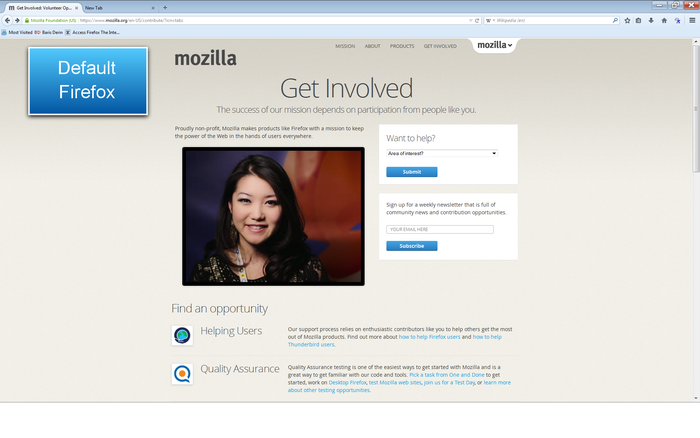
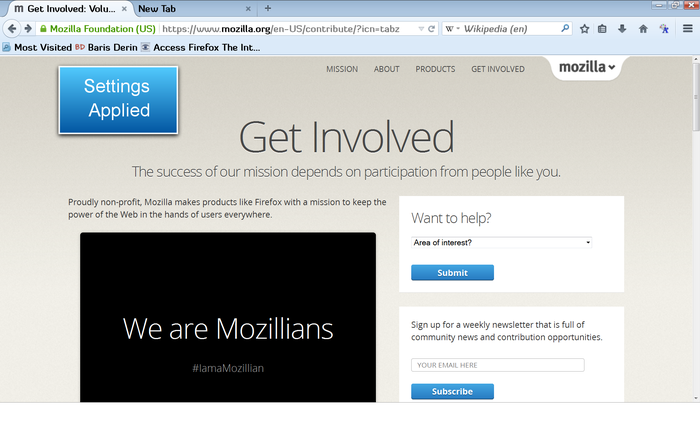
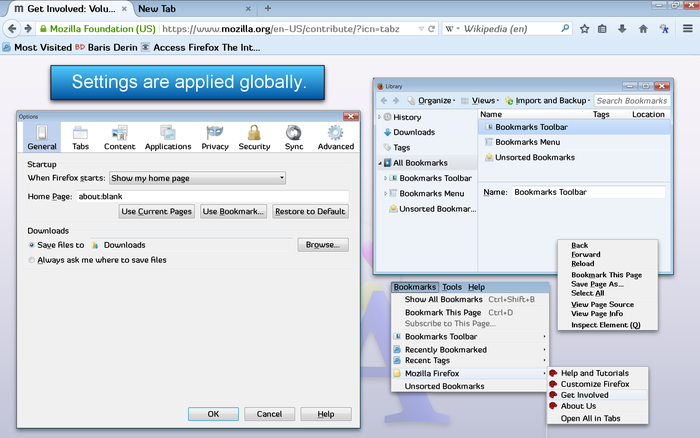
Different from add-ons that enlarge and reduce text on web pages, Theme Font & Size Changer changes the font size and font family in all windows, menus, toolbars, etc within Firefox itself. All font size, font family, and other changes are applied instantly and they are saved permanently and through sessions. You may assign your favorite font into your browser interface and change its size as you wish.
It was initially created to be an accessibility aid for persons with visual impairments and for those without perfect eyesight, but it's also useful for Firefox users with high resolution settings and wide screens.
While Theme Font & Size Changer was written to be used with Firefox default theme, it does work with other non-default themes, but you may come across issues where some elements within Firefox retain the (non-default) font size setting that the theme developer chose for their theme.
There are two places that you can manage the global font size and font family of Firefox via Theme Font & Size Changer:
- Toolbar Button: Click on the Theme Font & Size Changer button to open up Theme Font & Size Changer settings panel.
- Tools Option: Choose Tools menu from Firefox Menu Bar and click on the Theme Font & Size Changer option. It will open up Theme Font & Size Changer settings panel.
Theme Font & Size Changer Settings
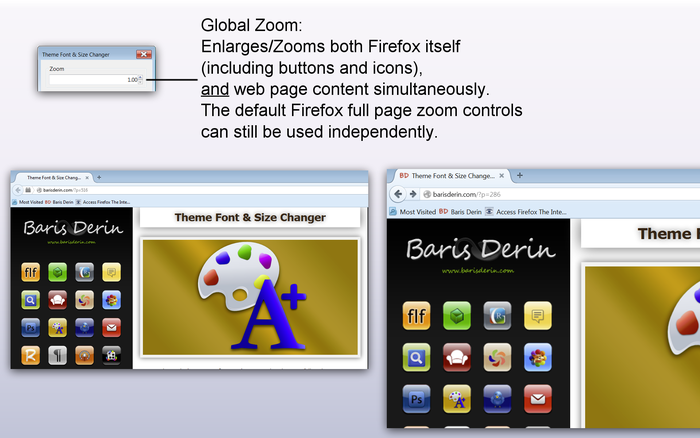
- Zoom:
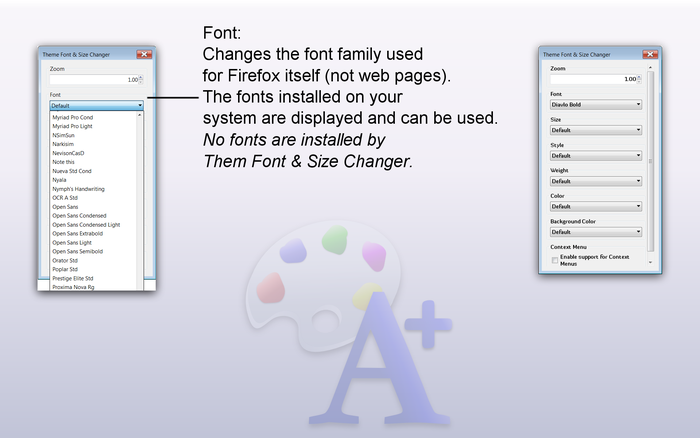
- Font:
- No fonts are installed by Them Font & Size Changer
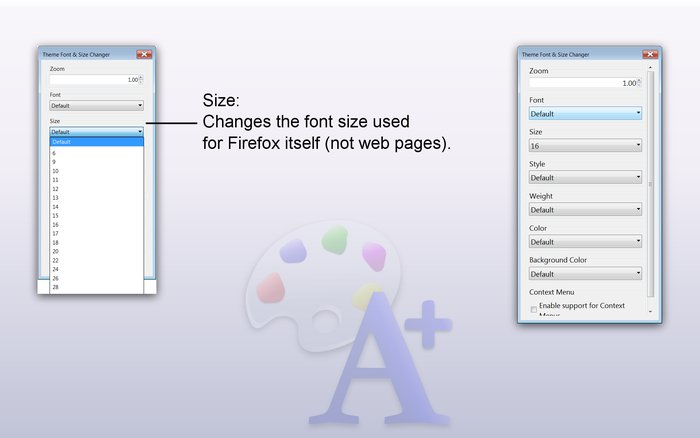
- Size:
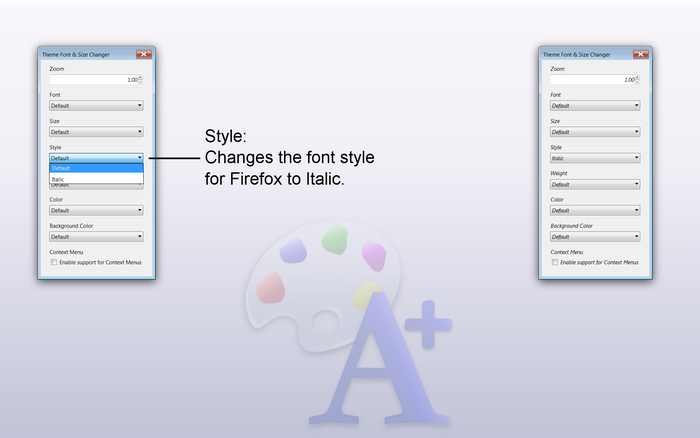
- Style:
- Weight:
- Color:
- Background Color:
- Context Menu:
This is a global zoom feature that enlarges/zooms both Firefox itself (including buttons and icons), and web page content simultaneously.
The default Firefox full page zoom controls can still be used independently.
--------------------------------
Changes the font family used for Firefox itself (not web pages).
The fonts installed on your system are displayed and can be used.
--------------------------------
Changes the font size used for Firefox itself (not web pages).
--------------------------------
Changes the font style for Firefox to Italic.
--------------------------------
Changes the font weight for Firefox to Bold.
--------------------------------
Changes the font color for Firefox.
--------------------------------
Changes the background color of the top toolbars.
--------------------------------
Applies Background Color selection to context menus.
Theme Font & Size Changer also allows you to change the global font size and font family for the user interface in Thunderbird and SeaMonkey.
FIREFOX USERS:
- The Theme Font & Size Changer button is added to the right side of the Navigation Toolbar by default. You can move it to any toolbar that you wish including the Status Bar by right clicking on a toolbar, selecting Customize, and dragging the icon to the toolbar of your choice.
---------------------------------------------------------------
THUNDERBIRD USERS:
- Statusbar Bar Button: Click on the Theme Font & Size Changer button inside your Thunderbird status-bar.
- Tools Option: Choose Tools menu from Thunderbird Menu Bar and click on the Theme Font & Size Changer option. It will open up Theme Font & Size Changer settings panel.
Installation for Thunderbird:
Please follow Tools > Add-ons pathway from Thunderbird Menu at the top.
Add-ons page will open up.
Click Extensions at the left sidebar.
Click Search box at the top right and type Theme Font Size Changer. Press Enter.
Find the Theme Font & Size Changer add-on in the search results.
Click Install button.
---------------------------------------------------------------
SEAMONKEY USERS:
- Statusbar Bar Button: Click on the Theme Font & Size Changer button inside your Thunderbird status-bar.
- Toolbar Button: It is optional so it is not visible as default. If you want to place a Toolbar Button, right click on a toolbar button like Home Button, then choose Customize option. A window will pop up. Find the Theme Font & Size Changer button, then click and…
Theme Font & Size Changer 是做什么的
Theme Font & Size Changer 是一款面向 Firefox 的外观主题类扩展,主要用来更换浏览器配色、给网页加深色模式、调整界面观感。官方对它的介绍是:Theme Font & Size Changer lets you change the global font size and font family used for the user interface in Firefox. Design your browser with your favorite font.在Firefox 附加组件商店(AMO)上,它当前版本 62.1resigned1,评分 2.21(226 人评价),约 4,841 名用户。
适合什么人用
从功能定位看,Theme Font & Size Changer 更适合长时间对着屏幕、希望降低眼睛负担的用户。如果你平时只是偶尔遇到相关需求,用浏览器自带功能也能凑合;但如果这件事每天都发生,装一个专门处理它的扩展通常比手动操作省事得多。需要注意的是它作用于所有网站,装上后建议先观察一两天,确认不影响常用站点的正常使用。
怎么安装 Theme Font & Size Changer
- 打开Firefox 附加组件商店(AMO)上的官方页面;
- 点「添加到浏览器」并确认权限提示;
- 装好后在扩展列表里固定图标,方便随时开关。
本站只做索引与介绍,安装包来自官方商店。如果商店页面提示当前地区不可用,说明该扩展未在你所在区域上架。
常见问题
Theme Font & Size Changer 是免费的吗?
Theme Font & Size Changer 在Firefox 附加组件商店(AMO)免费提供下载。它是浏览器扩展,装上就能直接用,不需要注册账号。
Theme Font & Size Changer 安全吗?
它只申请了 0 项权限,范围比较克制,没有申请「读取所有网站数据」这种大权限。
Theme Font & Size Changer 支持哪些浏览器?
当前收录的版本来自Firefox 附加组件商店(AMO),适用于 Firefox。同一个扩展在其他商店可能有对应版本,但功能与版本号不一定相同。
怎么卸载 Theme Font & Size Changer?
在扩展管理页找到 Theme Font & Size Changer,点移除即可。它在本地保存的设置会一起清掉,不会残留数据。
权限清单 来自 manifest.json 原文
站点访问 3
<all_urls>http://*/*https://*/*
接口权限 8
activeTabcontextMenusdownloadsmanagementmenusstoragetabstheme