


 Google学术搜索按钮
可让您在浏览网页时查询学术文章。
Firefox

Testudo Plus Plus EN
SuperCoolDude · Firefox
A streamlined process for reviewing course and professor evaluations as a browser extension on Testudo's Schedule of Classes. *** After navigating to https://app.testudo.umd.edu/soc/, right-click the extension icon and enable "Always Allow" ***
89用户
v1.1.0当前版本
截图
简介
This chrome extension helps UMD students better navigate the 'Schedule of Classes' on https://app.testudo.umd.edu/soc/. It allows users to make easier, faster, and better decisions based on data provided by PlanetTerp. Rather than navigating between tabs to properly vet prospective instructors based on their ratings and student reviews, you can conduct all of that natively within the webpage. With a sleek interface, matching design, and smooth transitions, Testudo++ feels like it's supposed to belong there. It's able to provide the additional information students value to determine whether they want to register for a specific course or professor.
Features:
- Displays average course GPA
- Course link navigates you to the corresponding PlanetTerp course website
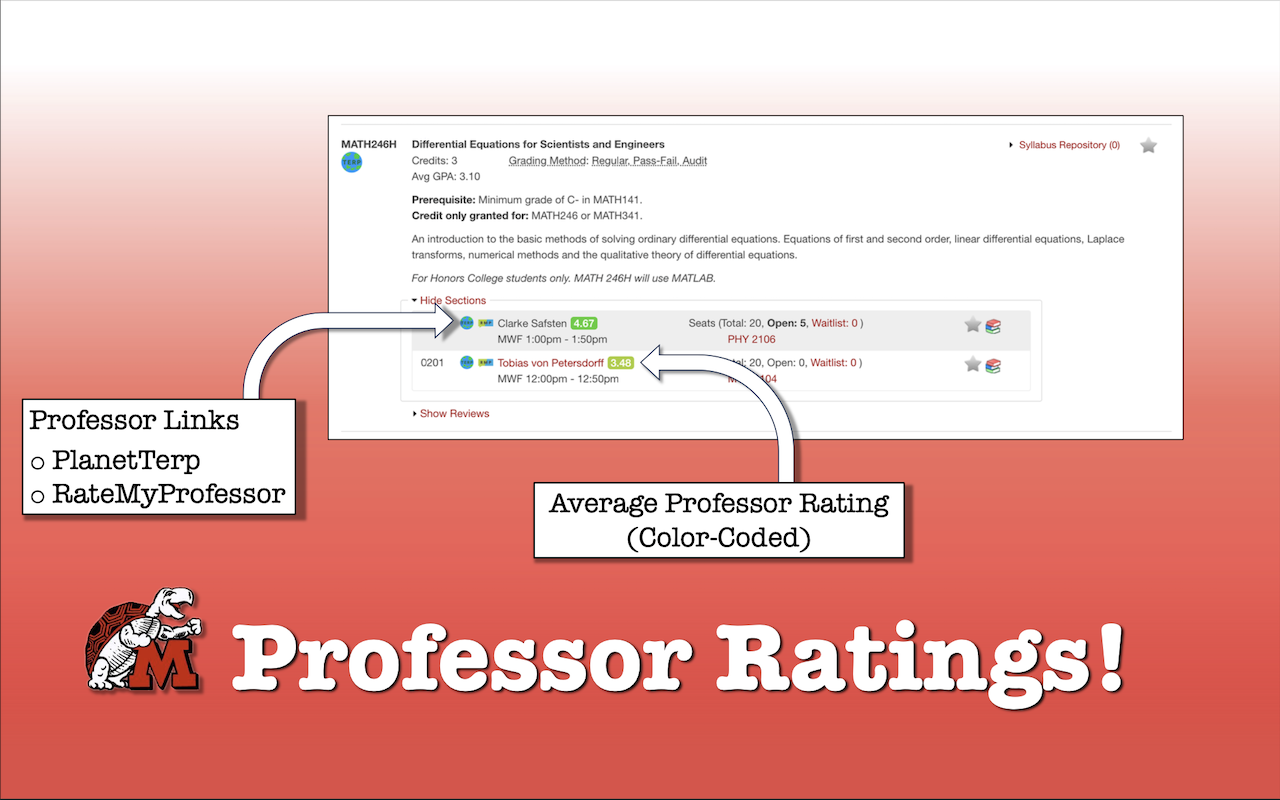
- Professor links
- PlanetTerp link navigates you to the corresponding PlanetTerp professor page
- RateMyProfessor link navigates you to the corresponding RateMyProfessor professor page
- Professor ratings show the average student ratings given to that professor
- Intuitive matching color gradient to indicate positive/negative scale (green, yellow, red)
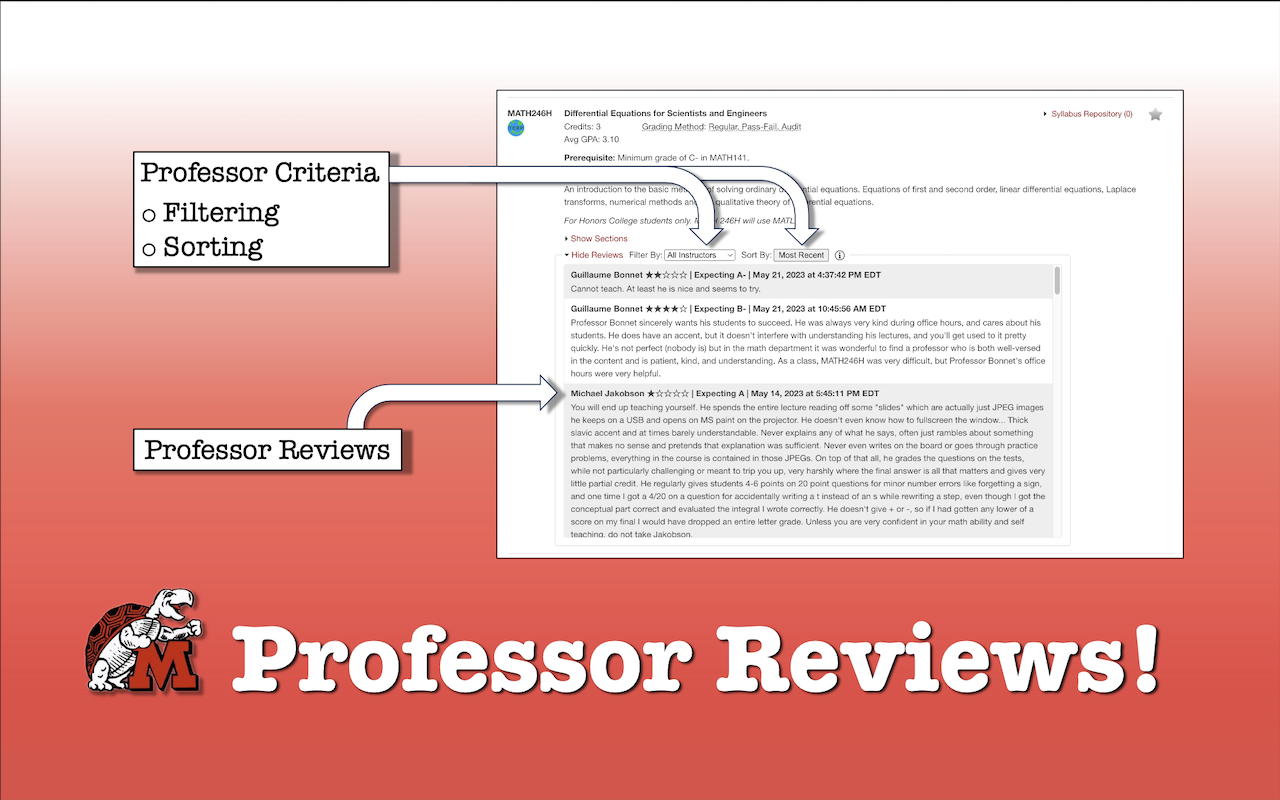
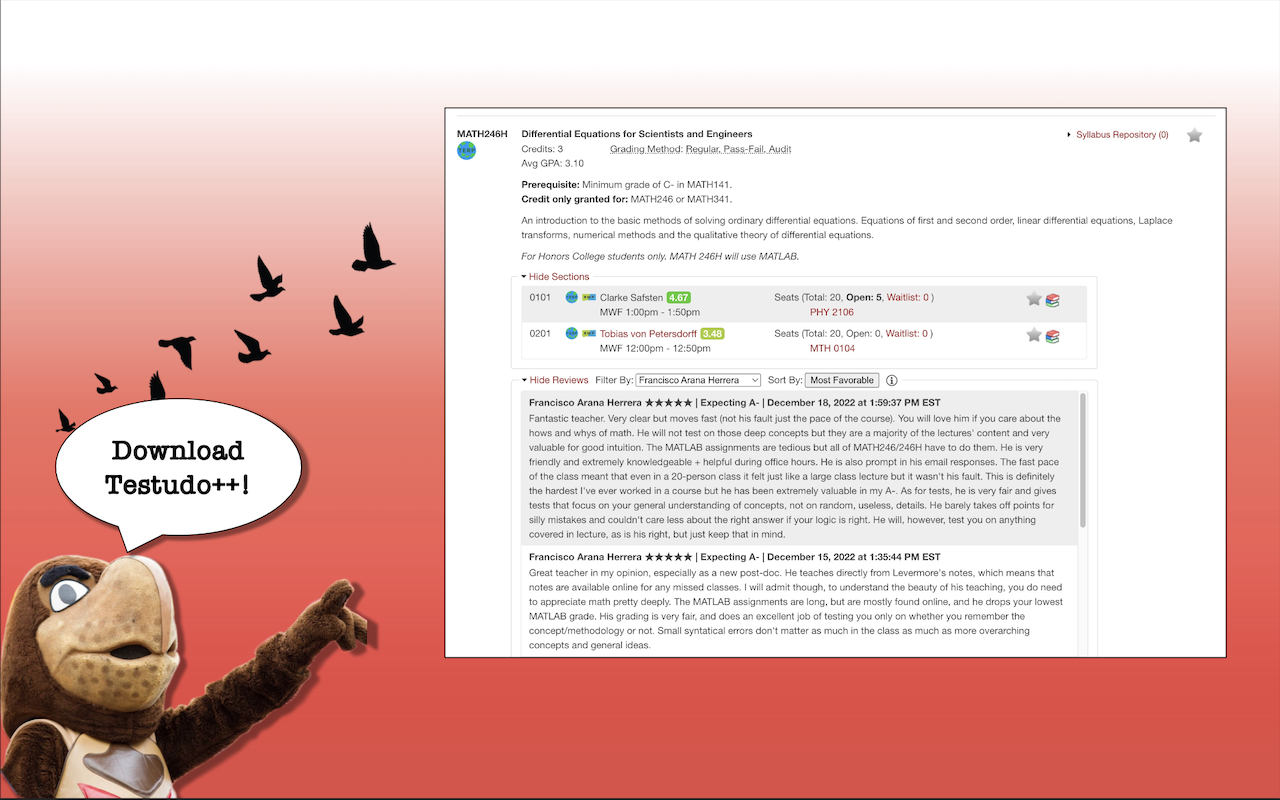
- Scrollable professor reviews window
- Able to filter by professor
- Organized by active/inactive instructor status
- View by grouping
- Sorted alphabetically
- Able to sort by 'Most Recent', 'Most Critical', and 'Most Favorable'
- Additional information popup window
v1.1 Update:
- Ability to sort course listing by GPA or Credit Count
- Button to share a clean link of specific courses
Testudo Plus Plus 是做什么的
Testudo Plus Plus 是一款面向 Firefox 的搜索增强类扩展,主要用来补充搜索结果、切换搜索引擎、过滤无效结果。官方对它的介绍是:A streamlined process for reviewing course and professor evaluations as a browser extension on Testudo's Schedule of Classes. *** After navigating to https://app.testudo.umd.edu/soc/, right-click the extension icon and enable "Always Allow" ***在Firefox 附加组件商店(AMO)上,它当前版本 1.1.0,约 89 名用户。
适合什么人用
从功能定位看,Testudo Plus Plus 更适合每天大量搜索、希望结果更干净准确的用户。如果你平时只是偶尔遇到相关需求,用浏览器自带功能也能凑合;但如果这件事每天都发生,装一个专门处理它的扩展通常比手动操作省事得多。
怎么安装 Testudo Plus Plus
- 打开Firefox 附加组件商店(AMO)上的官方页面;
- 点「添加到浏览器」并确认权限提示;
- 装好后在扩展列表里固定图标,方便随时开关。
本站只做索引与介绍,安装包来自官方商店。如果商店页面提示当前地区不可用,说明该扩展未在你所在区域上架。
常见问题
Testudo Plus Plus 是免费的吗?
Testudo Plus Plus 在Firefox 附加组件商店(AMO)免费提供下载。它是浏览器扩展,装上就能直接用,不需要注册账号。
Testudo Plus Plus 安全吗?
它只申请了 0 项权限,范围比较克制,没有申请「读取所有网站数据」这种大权限。
Testudo Plus Plus 支持哪些浏览器?
当前收录的版本来自Firefox 附加组件商店(AMO),适用于 Firefox。同一个扩展在其他商店可能有对应版本,但功能与版本号不一定相同。
怎么卸载 Testudo Plus Plus?
在扩展管理页找到 Testudo Plus Plus,点移除即可。它在本地保存的设置会一起清掉,不会残留数据。
权限清单 来自 manifest.json 原文
接口权限 2
backgroundtabs
标签 点标签看同类扩展
Google学术搜索按钮
可让您在浏览网页时查询学术文章。
Firefox
 Unpaywall
Get free text of research pape…
Firefox
 Web Archives
View archived and cached versi…
Firefox
 PrintFriendly - Print, PDF & Full Page Screenshot
Make web pages printer-friendl…
Firefox
 Pix Companion
Browser extension for Pix
Firefox
 LibKey Nomad
One-click access to millions o…
Firefox
 Linguist - web pages translator
翻译网页,选中文本并翻译,Netflix字幕,私人信息,朗读…
Firefox
 Notefox: websites notes
Take notes on every website in…
Firefox