
Tab Group Switch EN
TK · Firefox
Save tab groups and switch between them.
截图
简介
Warning:When switching groups, this add-on will completely close and reload tabs instead of just hiding/showing them. Form data, scrolling position, and tab history will be lost.
This add-on was created as a sort of middle ground between bookmarks and the old Panorama tab groups in order to save resources but still get some of the functionality of tab groups.
-----------------------------------------------------------------------------------------------
Tab Group Switch saves open tabs into tab groups, which you can switch between and edit.
You can add new tabs to existing groups, update a group with currently open tabs, and export saved data to a local file.
Turn on the autosave feature to automatically save all open tabs every set interval, making the add-on act as a simple session manager.
------------------- HOW TO USE -------------------
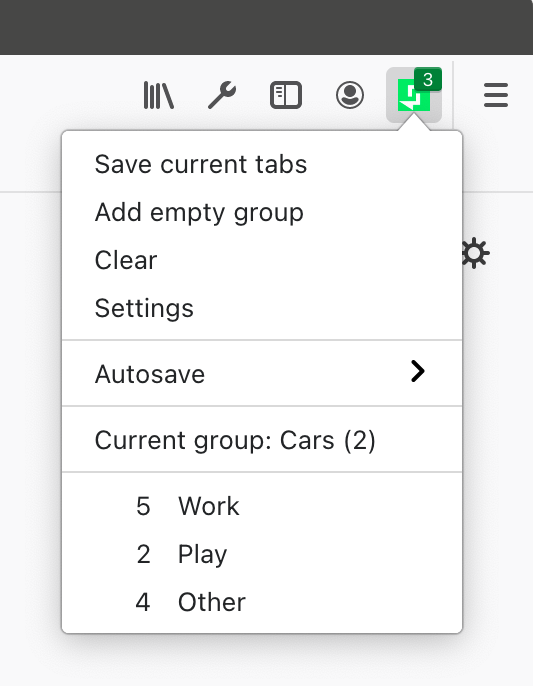
Main Menu
"Save current tabs" will save all the currently open tabs into a new group. By default, the group name will be the title of the of the active (focused) tab.
"Add empty group" will create a group named "No name" with zero tabs.
"Clear" will delete all saved groups in the main menu.
"Autosave" will open a menu that lists groups that have been saved automatically if you have the autosave setting turned on.
"Current group" indicates the name of the currently open group. The name can be changed by clicking on the item, typing in a new name, and then pressing Enter or clicking outside the textbox.
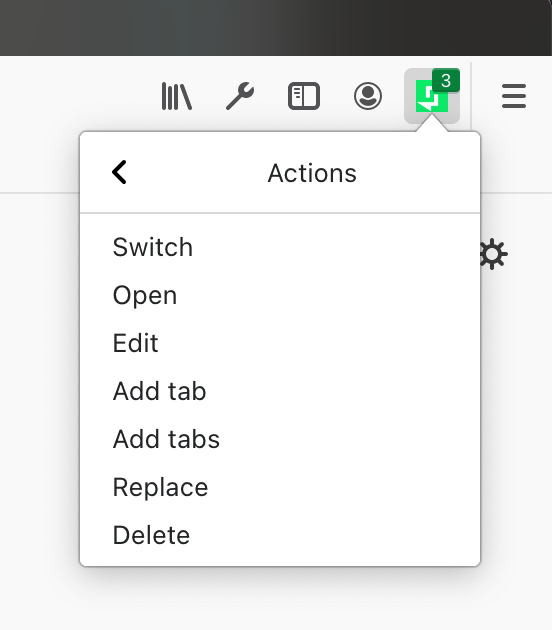
Click on a group to perform one of the following actions:
- Switch: Saves currently open tabs to a new group in the main menu (group name is set to the current group name), closes them, then opens the tabs of the selected group.
- Open: Opens the tabs of the selected group next to currently open tabs.
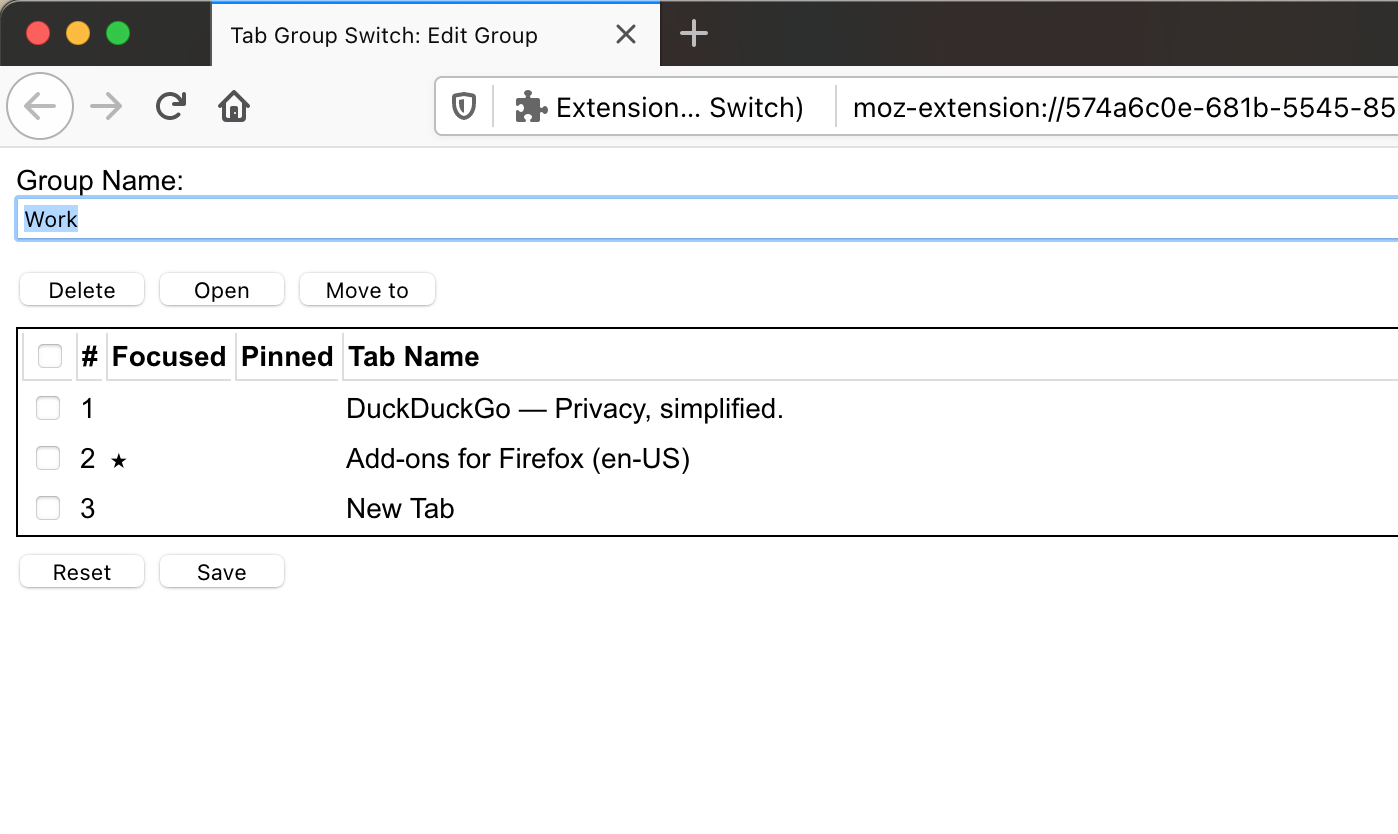
- Edit: Opens the group editor. You can modify the group name and the tabs within the group.
- Add tab: Adds the currently active (focused) tab to the selected group.
- Add tabs: Adds all open tabs to the selected group.
- Replace: Replaces the tabs in the selected group with currently open tabs.
- Delete: Deletes the selected group.
Edit Group
- The starred tab indicates the last focused tab when the group was saved to the group list or switched out. The starred tab is focused when you switch to that group the next time. The focused tab can be changed by double clicking on a cell underneath "Focused."
- The pinned tab indicates whether the tab will be pinned when you switch to that group the next time. The pinned status of a tab can be changed by double clicking on a cell underneath "Pinned."
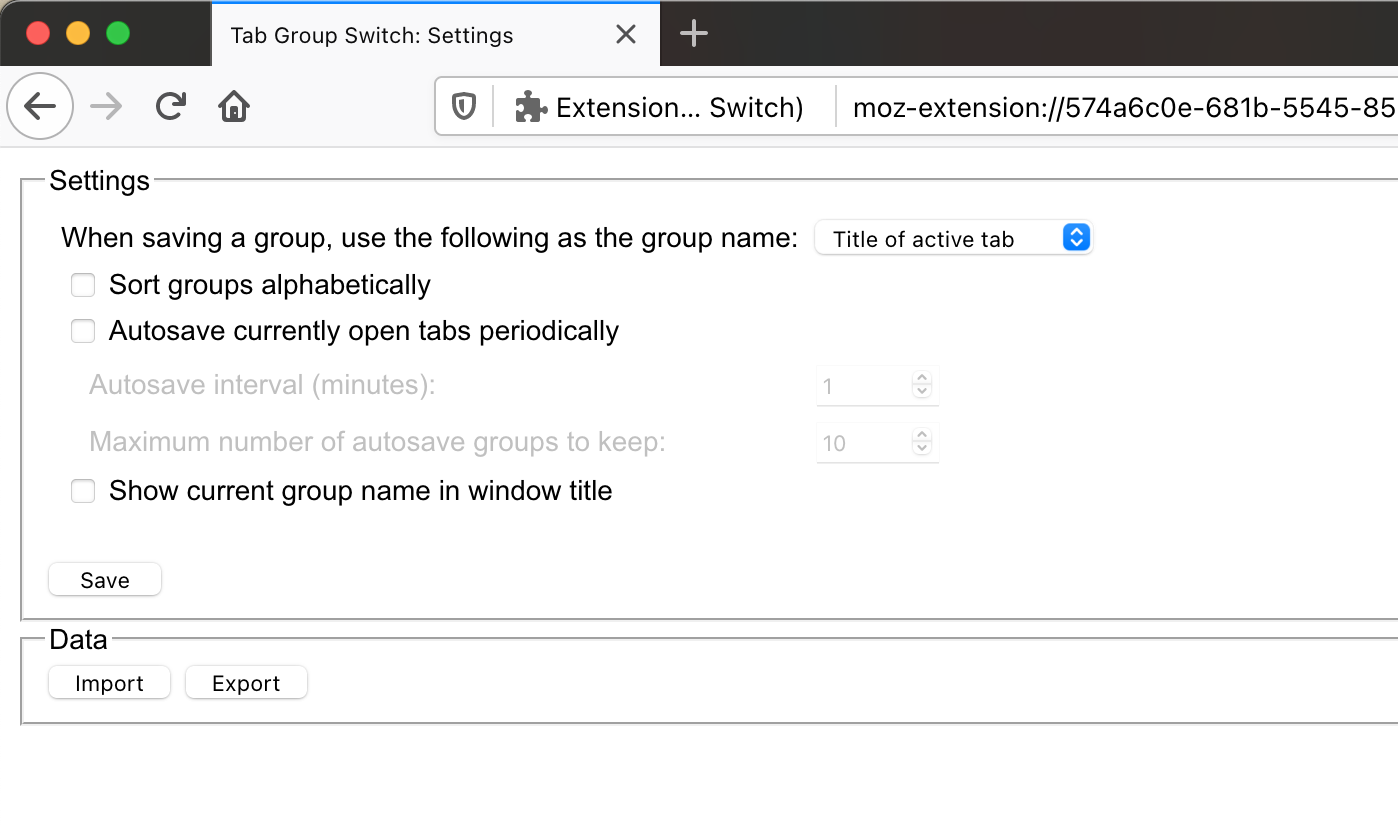
Settings
"Export" will save all saved groups to a local .tgs file.
"Import" will accept a previously exported .tgs file and append groups in the file to the main menu.
******** NOTE ********
Some URLs can be saved and viewed in the group editor, but not opened due to API restrictions. These include chrome:, javascript:, data:, file:, and some about: URLs. You will get an error notification if you try to open one.
---------------------------------------------------------------------------------------------
Known bugs:
- Does not work well with multiple windows. For now, tabs in all windows will be saved when you save a new group or switch groups, and the current group name will be the same across windows.
Necessary permissions
- alarms: for autosaving tabs at set intervals
- downloads: to export backup file to disk
- notifications: to show a warning if a tab could not be opened
- storage: for storing tab data locally
- tabs: for tab handling
Tab Group Switch 是做什么的
Tab Group Switch 是一款面向 Firefox 的外观主题类扩展,主要用来更换浏览器配色、给网页加深色模式、调整界面观感。官方对它的介绍是:Save tab groups and switch between them.在Firefox 附加组件商店(AMO)上,它当前版本 2.2.0,评分 3.02(48 人评价),约 150 名用户。
适合什么人用
从功能定位看,Tab Group Switch 更适合长时间对着屏幕、希望降低眼睛负担的用户。如果你平时只是偶尔遇到相关需求,用浏览器自带功能也能凑合;但如果这件事每天都发生,装一个专门处理它的扩展通常比手动操作省事得多。
怎么安装 Tab Group Switch
- 打开Firefox 附加组件商店(AMO)上的官方页面;
- 点「添加到浏览器」并确认权限提示;
- 装好后在扩展列表里固定图标,方便随时开关。
本站只做索引与介绍,安装包来自官方商店。如果商店页面提示当前地区不可用,说明该扩展未在你所在区域上架。
常见问题
Tab Group Switch 是免费的吗?
Tab Group Switch 在Firefox 附加组件商店(AMO)免费提供下载。它是浏览器扩展,装上就能直接用,不需要注册账号。
Tab Group Switch 安全吗?
它只申请了 0 项权限,范围比较克制,没有申请「读取所有网站数据」这种大权限。
Tab Group Switch 支持哪些浏览器?
当前收录的版本来自Firefox 附加组件商店(AMO),适用于 Firefox。同一个扩展在其他商店可能有对应版本,但功能与版本号不一定相同。
怎么卸载 Tab Group Switch?
在扩展管理页找到 Tab Group Switch,点移除即可。它在本地保存的设置会一起清掉,不会残留数据。
权限清单 来自 manifest.json 原文
接口权限 5
alarmsdownloadsnotificationsstoragetabs