
Simplify Gmail EN
Michael Leggett · Firefox
Your time and attention matter -- Simplify Gmail enhances Gmail to boost productivity, strengthen privacy, and reduce stress. From the co-founder of Google Inbox.
截图



简介
SUPERCHARGE GMAIL WITH SIMPLIFY
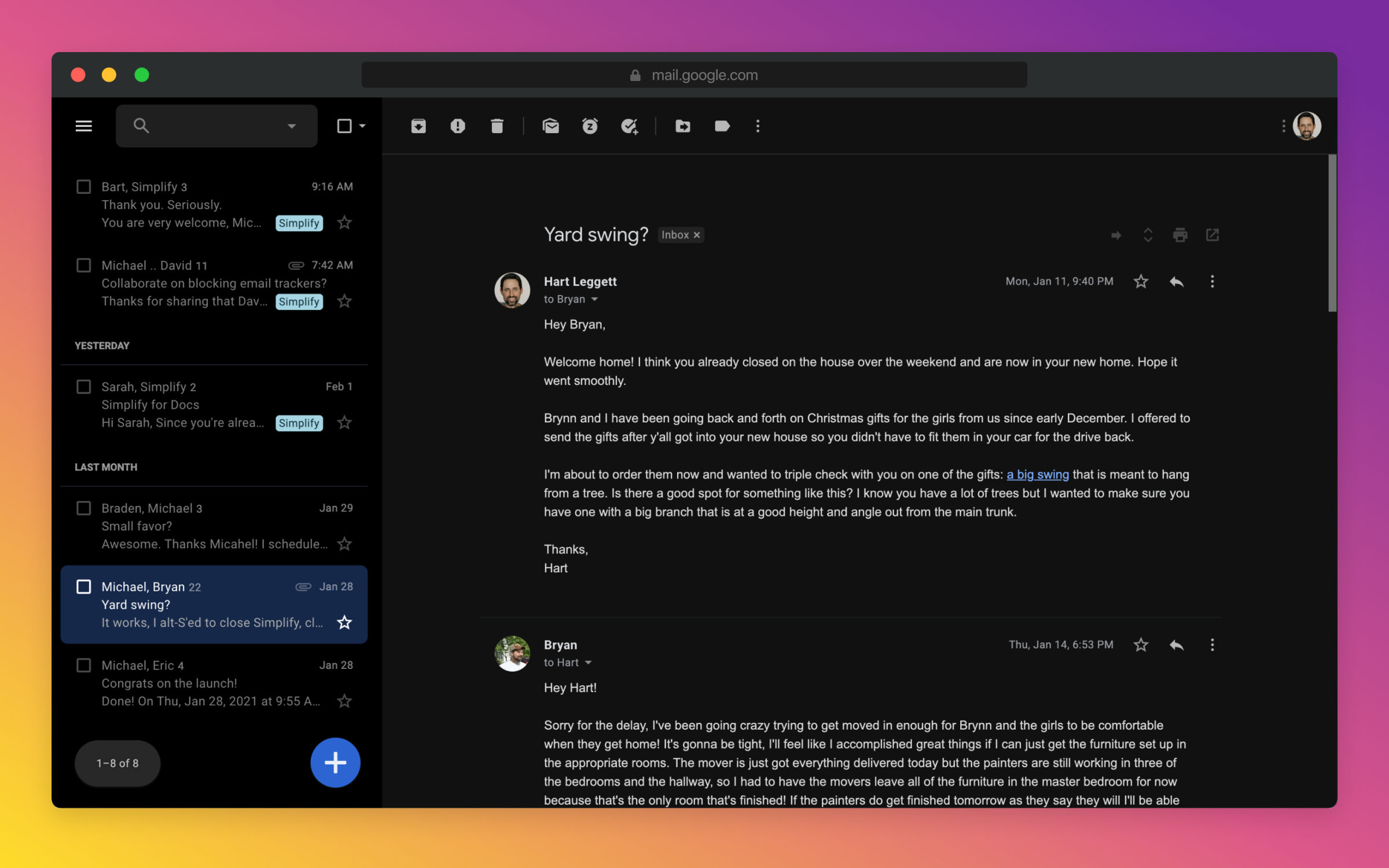
Brought to you by the co-founder and design lead for Google Inbox, Simplify Gmail is a browser extension for desktop Gmail that boosts productivity, strengthens privacy, and reduces️ stress by:
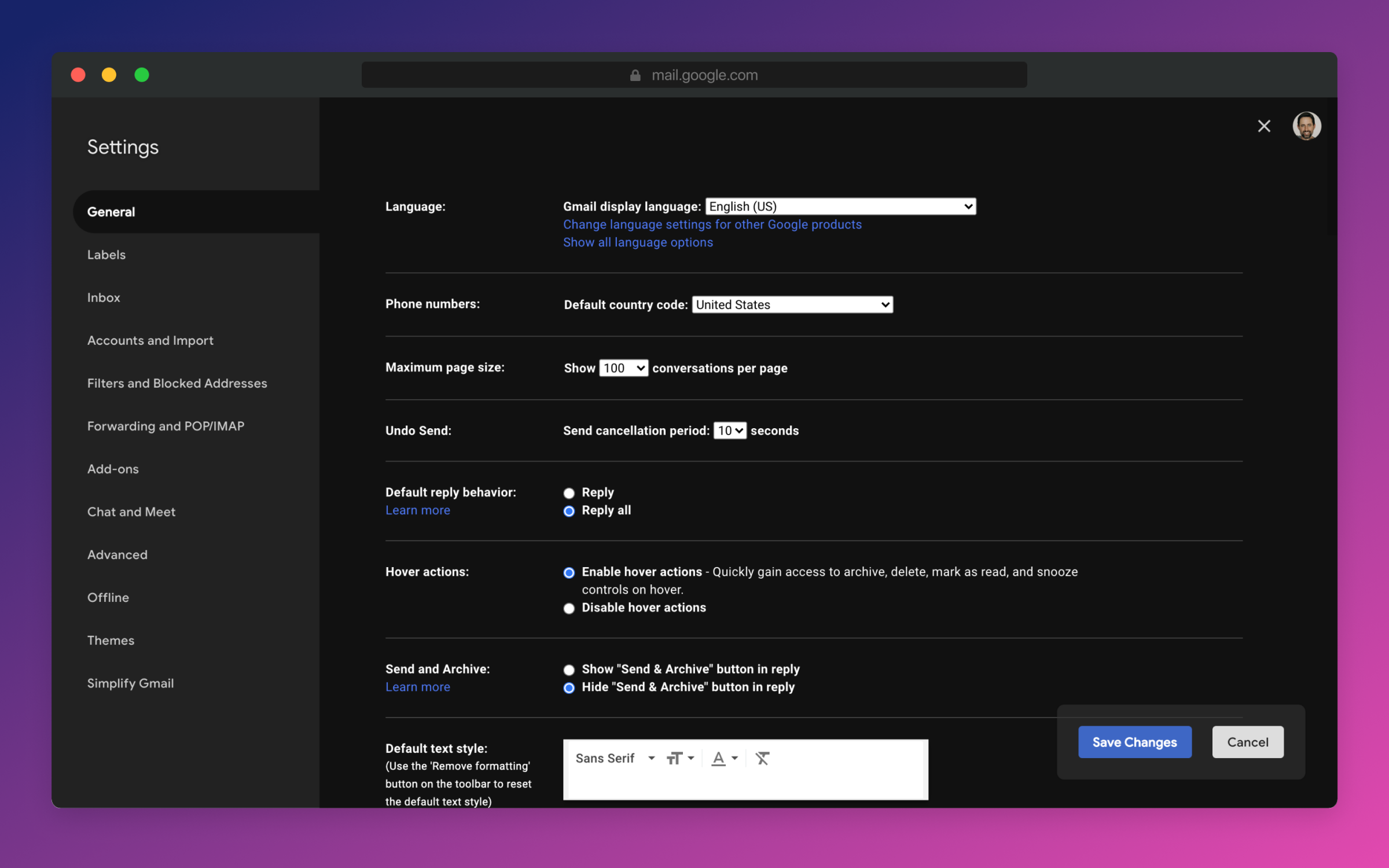
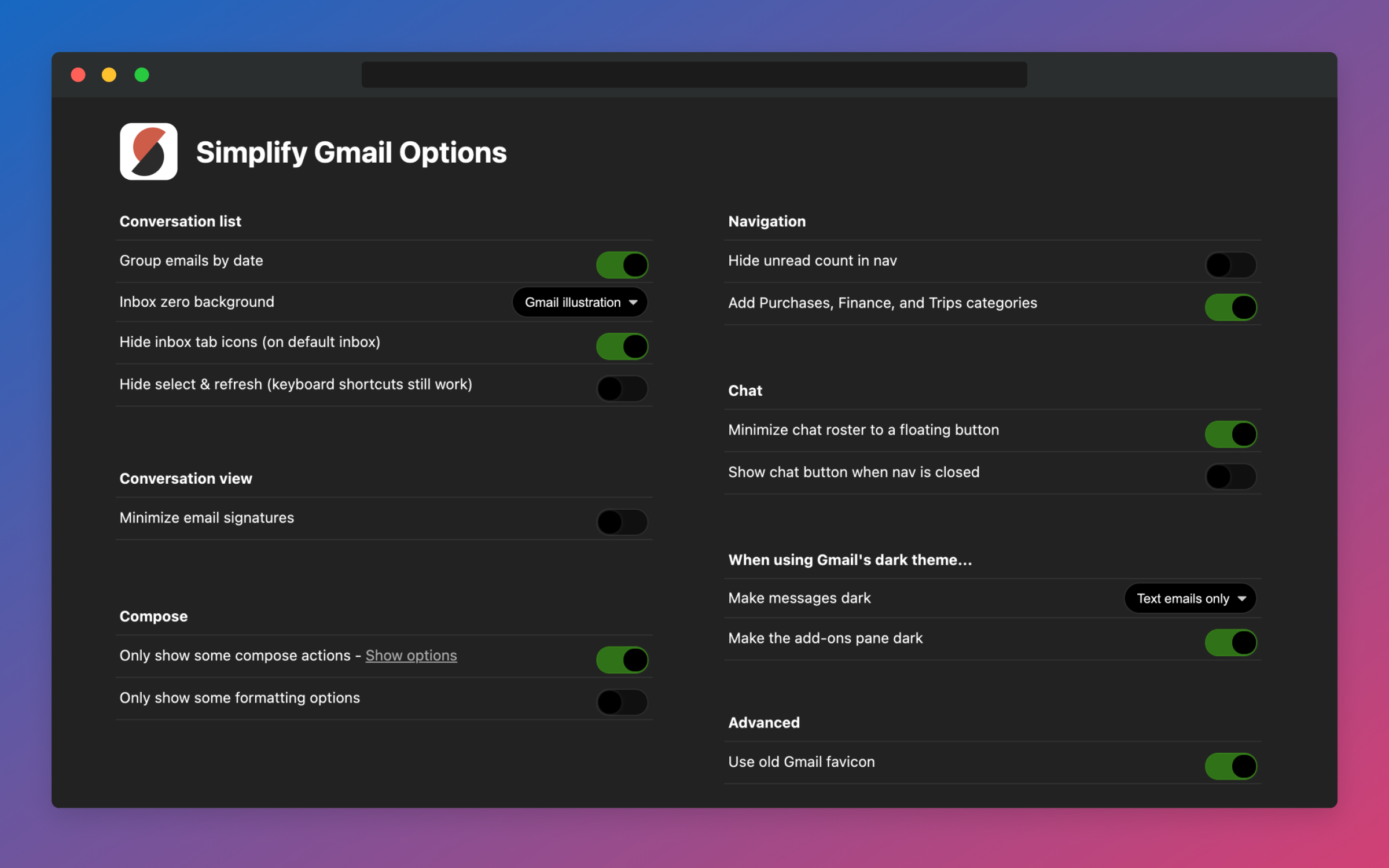
✔️ BETTER DESIGN: Hundreds of improvements (small and large) to streamline, simplify, and enhance Gmail’s design and functionality. Hide the features you don’t use, customize the ones you do including setting the list and message width and fonts.
✔️ BUNDLES: Group conversations with the same label or category into a single row in your inbox for easier bulk reading and processing.
✔️ SAVED SEARCHES: Add commonly used searches or bookmark any message to your nav for easy access. Simplify includes 24 useful searches by default like Travel, Purchases, Archived, Attachments, Notes to self, PDFs, Photos, and more.
✔️ PAUSE INBOX: Pause new mail or hide the inbox entirely for deep focus. Optionally disable notifications when the inbox is paused or hidden.
✔️ BLOCK TRACKERS: Simplify blocks over 250 email spy trackers (more than any other tracker blocker extension).
✔️ KEYBOARD SHORTCUTS: Navigate faster with your arrow keys, Enter (to open, then to reply), and Escape (close a message, then to return to inbox). Use familiar shortcuts like Ctrl+A / ⌘A to select all or Ctrl+Z / ⌘Z to undo. Press "?" in Gmail to see all shortcuts. Also includes advanced shortcuts like [ I ] to reply to an intro and move the sender to BCC.
✔️ DARK MODE: Auto-switch with OS with options to invert all of Gmail’s UI and some or all messages.
✔️ GROUP BY DATE: Group messages list by date with bulk actions to one-click archive or delete.
✔️ INBOX ZERO BACKGROUND: Choose a different background to get when you reach inbox zero.
✔️ AUTO-CC/BCC: Set addresses to add to every new message and/or reply
And much more...
_________________________________________________________
PAID PLAN REQUIRED AFTER 1 MONTH TRIAL
Comes with a free 1-month trial after which a paid plan is required. Learn more and sign up when you're ready at https://simpl.fyi/plans -- Feel free to email me at hi@simpl.fyi if you want to extend your trial a week to decide.
_________________________________________________________
WHO MADE THIS?
Simplify was made by Michael Leggett (leggett.org), Gmail's lead designer from 2008 to 2012 and the co-founder of Google Inbox. With the unfortunate demise of Google Inbox, Leggett wanted bring the simplified email experience to Gmail. Thus, Simplify Gmail was born on April 2, 2019.
_________________________________________________________
IS IT SAFE?
You should always be super careful what extensions or apps you use with your email.
✔️ Simplify always puts your security and privacy first.
✔️ The code for Simplify is entirely stored on your computer (no remote code) and is for the sole purpose of improving and enhancing Gmail's user interface and functionality.
✖️ Simplify does NOT request full access to your email (no API permissions required).
✖️ None of your data is collected, stored, or sent to Simplify.
✖️ Simplify has no tracking or analytics software.
✖️ Simplify will never have ads. Ever.
_________________________________________________________
PRIVACY POLICY
Simplify's products have no ads, no analytics, no trackers, no cookies, and do not send or receive personal information of any kind from your account or device.
Your privacy and the security of your account and data is of the utmost importance to us. We aim to make software worth paying for and taking the strictest stance on privacy possible.
_________________________________________________________
HAVE FEEDBACK OR QUESTIONS?
There are over 100,000 unique combinations of Gmail’s options, features, and user states. Add in other 3rd party add-ons, different languages, browsers, screen sizes, and more and it grows to over a billion. Simplify strives to support them all, along with the more popular 3rd party extensions and add-ons. I wrote more about the complexity of building on top of Gmail here: https://on.simpl.fyi/p/complexity-of-simplify -- You can send feedback or report issues via https://simpl.fyi/support (I usually respond within one business day).
Simplify Gmail 是做什么的
Simplify Gmail 是一款面向 Firefox 的外观主题类扩展,主要用来更换浏览器配色、给网页加深色模式、调整界面观感。官方对它的介绍是:Your time and attention matter -- Simplify Gmail enhances Gmail to boost productivity, strengthen privacy, and reduce stress. From the co-founder of Google Inbox.在Firefox 附加组件商店(AMO)上,它当前版本 3.4.13,评分 4.65(141 人评价),约 852 名用户。
适合什么人用
从功能定位看,Simplify Gmail 更适合长时间对着屏幕、希望降低眼睛负担的用户。如果你平时只是偶尔遇到相关需求,用浏览器自带功能也能凑合;但如果这件事每天都发生,装一个专门处理它的扩展通常比手动操作省事得多。
怎么安装 Simplify Gmail
- 打开Firefox 附加组件商店(AMO)上的官方页面;
- 点「添加到浏览器」并确认权限提示;
- 装好后在扩展列表里固定图标,方便随时开关。
本站只做索引与介绍,安装包来自官方商店。如果商店页面提示当前地区不可用,说明该扩展未在你所在区域上架。
常见问题
Simplify Gmail 是免费的吗?
Simplify Gmail 在Firefox 附加组件商店(AMO)免费提供下载。它是浏览器扩展,装上就能直接用,不需要注册账号。
Simplify Gmail 安全吗?
它只申请了 0 项权限,范围比较克制,没有申请「读取所有网站数据」这种大权限。
Simplify Gmail 支持哪些浏览器?
当前收录的版本来自Firefox 附加组件商店(AMO),适用于 Firefox。同一个扩展在其他商店可能有对应版本,但功能与版本号不一定相同。
怎么卸载 Simplify Gmail?
在扩展管理页找到 Simplify Gmail,点移除即可。它在本地保存的设置会一起清掉,不会残留数据。
权限清单 来自 manifest.json 原文
接口权限 2
declarativeNetRequestWithHostAccessstorage
接口权限(可选) 1
downloads