

 uBlock Origin
一款高效的网络请求过滤工具,占用极低的内存和 CPU。
Firefox

PassBrow: Browser Password/Site Blocking EN
Laisson R. Silveira · Firefox
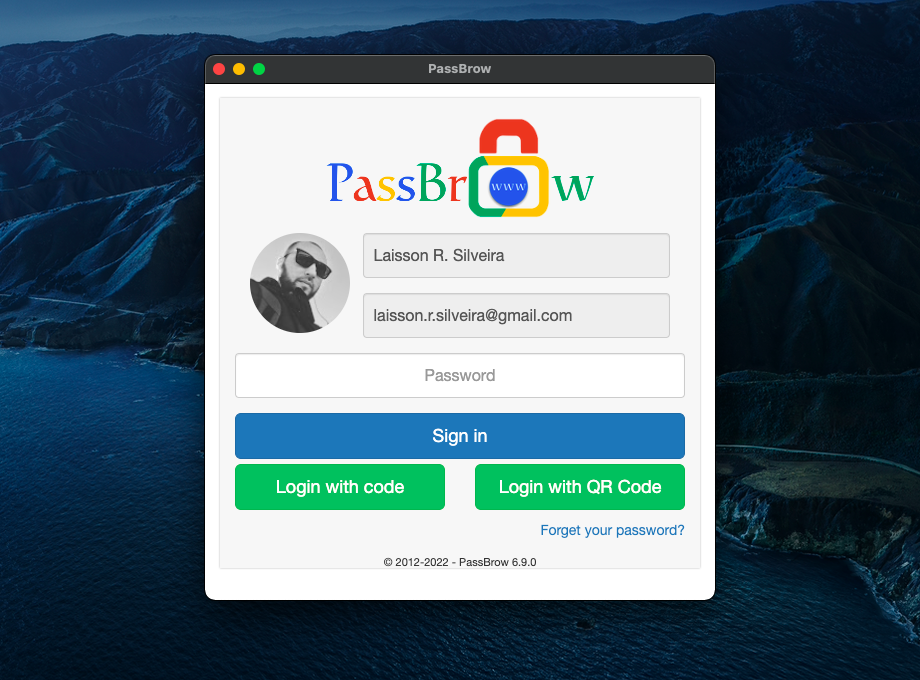
Protect your browser with a synced password on any browser using the same account and keep any site you want blocked. Also you can generate passwords.
2.5/5
8 人评分
223用户
v6.10.9当前版本
截图
简介
Also available for Chrome, Edge, Chromium, Brava and Opera browsers.
-------------
PassBrow is offered in trial mode, being able to use its main functionality (protect the browser with a password) 10 times a day in the free version and unlimited in the paid version. It is possible to unlock using a code, sent to the email or using the code generated by PassBrow-Authenticator. With PassBrow-Authenticator it is also possible to read the QR Code generated in the extension, all of the above options being optional.
In the free and paid version, it is also possible, through the extension's popup, to generate alphanumeric passwords and with some special characters.
In its paid version, all features are released:
- disable browser lock without having to remove password
- lock with keyboard shortcut
- auto lock after some time
- lock if browser is inactive
- lock using Omnibox
- hide personal data in login and license
- protect extension popup with password
- password protect extensions page
- enable logging of some user activities for security and query
And another very important feature
- blocking or redirecting any website/domain
Payment can be made on the extension's options page, with Stripe, PayPal, Google Pay (through Stripe), MercadoPago or PicPay options. The value is currently USD 1.99 or R$ 10.00, and after payment the use is lifetime.
-------------
PassBrow blocks access to the Chrome browser, allowing no access to browser data, bookmarks, settings, internet, etc.
It is very simple to use, just access the extension options and register a new password. After that, you can lock Chrome by reopening the browser, clicking the Lock pop-up button, pressing the shortcut key Ctrl+Shift+9 or Command+Shift+9, typing 'pb lock' in the address bar, or accessing the Lock Browser option from the menu of context.
Another very interesting option is to be able to block access to certain sites by accessing browser options and adding to the list the sites you want to block.
* PassBrow is developed particularly, having no ties to the company Google Inc. *
*** PRIVACY POLICY ***
Access here: https://www.passbrow.com/privacy-policy
*** RELEASE NOTES ***
Access here: https://www.passbrow.com/releases
*** CONTACT ***
Access here: https://www.passbrow.com/contact
*** FAQ ***
Access here: https://www.passbrow.com/faq
*** PassBrow Authenticator ***
Access here: https://www.passbrow.com/authenticator
*** ISSUES ***
Access here: https://bitbucket.org/laisson_silveira/passbrow-extension/issues
*** PASSWORD GENERATOR ***
https://www.passbrow.com/password-generator
*** LOG ACTIVITY ***
https://www.passbrow.com/log-activity
*** SITE BLOCK ***
https://www.passbrow.com/sites-blocker
PassBrow: Browser Password/Site Blocking 是做什么的
PassBrow: Browser Password/Site Blocking 是一款面向 Firefox 的隐私与安全类扩展,主要用来拦截追踪器、屏蔽广告、管理 Cookie、加固浏览器指纹。官方对它的介绍是:Protect your browser with a synced password on any browser using the same account and keep any site you want blocked. Also you can generate passwords.在Firefox 附加组件商店(AMO)上,它当前版本 6.10.9,评分 2.5(8 人评价),约 223 名用户。
适合什么人用
从功能定位看,PassBrow: Browser Password/Site Blocking 更适合在意上网被跟踪、希望减少广告干扰的用户。如果你平时只是偶尔遇到相关需求,用浏览器自带功能也能凑合;但如果这件事每天都发生,装一个专门处理它的扩展通常比手动操作省事得多。
怎么安装 PassBrow: Browser Password/Site Blocking
- 打开Firefox 附加组件商店(AMO)上的官方页面;
- 点「添加到浏览器」并确认权限提示;
- 装好后在扩展列表里固定图标,方便随时开关。
本站只做索引与介绍,安装包来自官方商店。如果商店页面提示当前地区不可用,说明该扩展未在你所在区域上架。
常见问题
PassBrow: Browser Password/Site Blocking 是免费的吗?
PassBrow: Browser Password/Site Blocking 在Firefox 附加组件商店(AMO)免费提供下载。它是浏览器扩展,装上就能直接用,不需要注册账号。
PassBrow: Browser Password/Site Blocking 安全吗?
它只申请了 0 项权限,范围比较克制,没有申请「读取所有网站数据」这种大权限。
PassBrow: Browser Password/Site Blocking 支持哪些浏览器?
当前收录的版本来自Firefox 附加组件商店(AMO),适用于 Firefox。同一个扩展在其他商店可能有对应版本,但功能与版本号不一定相同。
怎么卸载 PassBrow: Browser Password/Site Blocking?
在扩展管理页找到 PassBrow: Browser Password/Site Blocking,点移除即可。它在本地保存的设置会一起清掉,不会残留数据。
权限清单 来自 manifest.json 原文
接口权限 6
contextMenusidlenotificationsstoragetabsunlimitedStorage
标签 点标签看同类扩展
uBlock Origin
一款高效的网络请求过滤工具,占用极低的内存和 CPU。
Firefox
 AdGuard AdBlocker
AdGuard 广告拦截器可有效的拦截所有网页上的所有类型的…
Firefox
 AdBlocker Ultimate
Completely remove ALL ads. No …
Firefox
 Bitwarden – 免费密码管理器
安全免费的跨平台密码管理器
Firefox
 Malwarebytes Browser Guard
Fast and safe browsing that pr…
Firefox
 Firefox Multi-Account Containers
Firefox Multi-Account Containe…
Firefox
 LastPass Password Manager
LastPass是一款让您的上网浏览更便捷更安全的免费在线密…
Firefox
 1Password: Password Manager
The best way to experience 1Pa…
Firefox