

 uBlock Origin
一款高效的网络请求过滤工具,占用极低的内存和 CPU。
Firefox

Proton Pass EN
Proton · Firefox
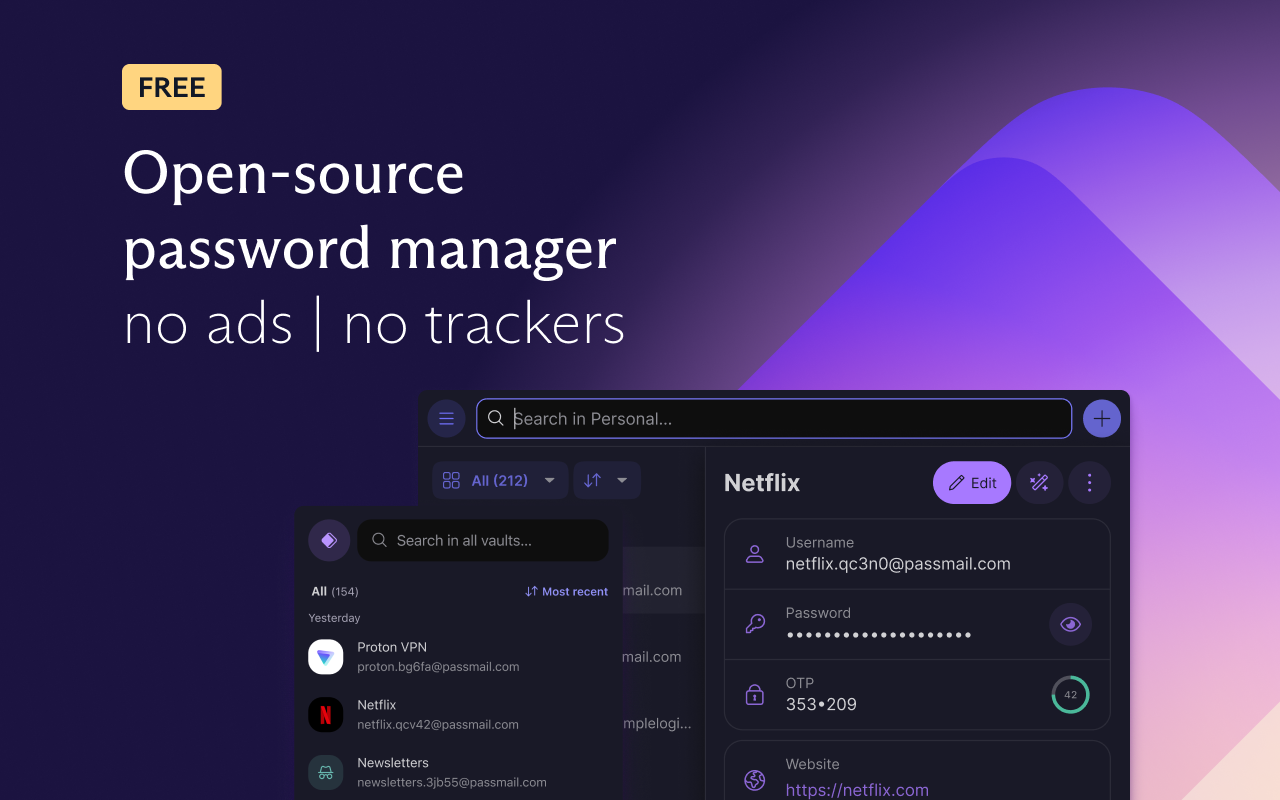
Free and unlimited password manager to keep your login credentials safe and manage them directly in your browser.
4.8/5
3.7千 人评分
19.4万用户
v1.41.1当前版本
权限提示
该扩展申请访问所有网站(
<all_urls>),意味着它可以读取你在任意站点的页面内容,包括已登录的页面。这是许多扩展正常工作的必要条件,但也值得你确认来源可信。
截图
简介
Get the password manager created by the former scientists who met at CERN behind Proton Mail, the world’s largest encrypted email provider. Proton Pass is open-source, end-to-end encrypted, and protected by Swiss privacy laws.
Pass offers more than other free password managers and has no ads or data collection. You can use it for free forever on all your devices to create and store unlimited passwords, autofill logins, generate 2FA codes, create email aliases, secure your notes, and more.
* Protect your logins and their metadata with battle-tested end-to-end encryption
While many other password managers only encrypt your password, Proton Pass uses end-to-end encryption on all your stored login details (including your username, the website address, and more).
* Audit Pass’s open-source code
Like all other Proton services, Pass is open source and built on the principle of trust through transparency. As scientists, we know that transparency and peer review lead to better security. All Proton Pass apps are open source, meaning anyone can verify our security claims for themselves.
* How can Proton Pass be free forever?
We offer Pass for free because everyone deserves online privacy and security. This is possible thanks to our supportive community on paid plans. If you would like to support our work and get access to premium features, consider upgrading your plan.
* Protect more than just your passwords.
Join over 100 million people who have signed up for Proton’s privacy ecosystem, which includes Proton Mail, Proton Drive, Proton Calendar, Proton VPN, and more. Take back control of your privacy online with our encrypted email, calendar, file storage, and VPN.
With Proton Pass, you can:
- Store and auto-sync unlimited logins on unlimited devices: You can create, store, and manage your credentials from anywhere with our browser extension and apps for Android and iPhone.
- Sign in faster with Proton Pass autofill: You no longer need to copy and paste your username and password. Easily and securely log in with Proton Pass autofill technology.
- Avoid weak passwords: With our built-in secure password generator, you can easily generate strong, unique, and random passwords based on the security requirements for every website you sign up to.
- Safely store encrypted notes: You can save private notes in Pass and access them on all your devices.
- Create unique email addresses with hide-my-email aliases: Proton Pass helps you hide your personal email address with email aliases. Keep spam out of your inbox, avoid being tracked everywhere, and protect yourself from data breaches.
- Make 2FA easy with our built-in authenticator: With Pass’s integrated 2FA authenticator, using 2FA is finally fast and convenient. Easily add a 2FA code for any website and use it when you log in.
- Easily organize and share your sensitive data with vaults (paid feature): Manage your logins, secure notes, and email aliases with vaults. In the next version of Pass, you’ll be able to share vaults with your family, friends, or colleagues.
- Quick offline access to your login data: Access your stored passwords and notes in Pass from wherever you are, even when you don’t have internet connection.
- Secure your Pass account with additional security measures: Protect all your data with another layer of protection, either with TOTP or U2F/FIDO2 security keys.
For more information, visit: https://proton.me/pass
Learn more about Proton: https://proton.me
Proton Pass 是做什么的
Proton Pass 是一款面向 Firefox 的隐私与安全类扩展,主要用来拦截追踪器、屏蔽广告、管理 Cookie、加固浏览器指纹。官方对它的介绍是:Free and unlimited password manager to keep your login credentials safe and manage them directly in your browser.在Firefox 附加组件商店(AMO)上,它当前版本 1.41.1,评分 4.77(3704 人评价),约 194,095 名用户。
适合什么人用
从功能定位看,Proton Pass 更适合在意上网被跟踪、希望减少广告干扰的用户。如果你平时只是偶尔遇到相关需求,用浏览器自带功能也能凑合;但如果这件事每天都发生,装一个专门处理它的扩展通常比手动操作省事得多。需要注意的是它作用于所有网站,装上后建议先观察一两天,确认不影响常用站点的正常使用。
怎么安装 Proton Pass
- 打开Firefox 附加组件商店(AMO)上的官方页面;
- 点「添加到浏览器」并确认权限提示;
- 装好后在扩展列表里固定图标,方便随时开关。
本站只做索引与介绍,安装包来自官方商店。如果商店页面提示当前地区不可用,说明该扩展未在你所在区域上架。
常见问题
Proton Pass 是免费的吗?
Proton Pass 在Firefox 附加组件商店(AMO)免费提供下载。它是浏览器扩展,装上就能直接用,不需要注册账号。
Proton Pass 安全吗?
它只申请了 0 项权限,范围比较克制,没有申请「读取所有网站数据」这种大权限。
Proton Pass 支持哪些浏览器?
当前收录的版本来自Firefox 附加组件商店(AMO),适用于 Firefox。同一个扩展在其他商店可能有对应版本,但功能与版本号不一定相同。
怎么卸载 Proton Pass?
在扩展管理页找到 Proton Pass,点移除即可。它在本地保存的设置会一起清掉,不会残留数据。
权限清单 来自 manifest.json 原文
站点访问 2
http://*/*https://*/*
接口权限 8
activeTabalarmsscriptingstorageunlimitedStoragewebNavigationwebRequestwebRequestBlocking
接口权限(可选) 5
clipboardReadclipboardWritenativeMessagingprivacywebRequestAuthProvider
标签 点标签看同类扩展
uBlock Origin
一款高效的网络请求过滤工具,占用极低的内存和 CPU。
Firefox
 AdGuard AdBlocker
AdGuard 广告拦截器可有效的拦截所有网页上的所有类型的…
Firefox
 AdBlocker Ultimate
Completely remove ALL ads. No …
Firefox
 Bitwarden – 免费密码管理器
安全免费的跨平台密码管理器
Firefox
 Malwarebytes Browser Guard
Fast and safe browsing that pr…
Firefox
 Firefox Multi-Account Containers
Firefox Multi-Account Containe…
Firefox
 LastPass Password Manager
LastPass是一款让您的上网浏览更便捷更安全的免费在线密…
Firefox
 1Password: Password Manager
The best way to experience 1Pa…
Firefox