
Outlook Web App Notifications EN
Mihai Chezan · Firefox
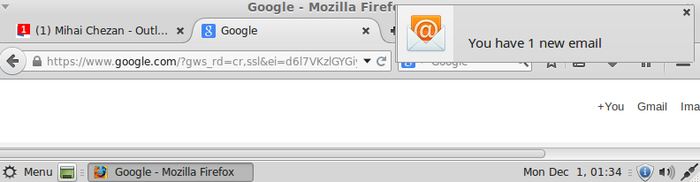
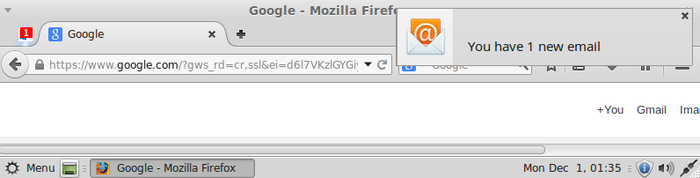
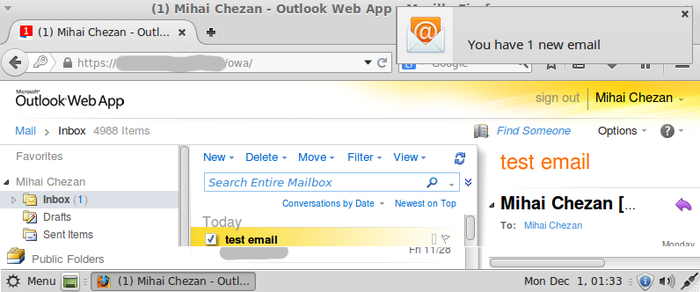
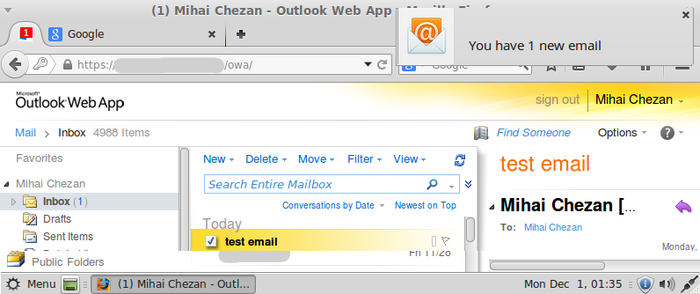
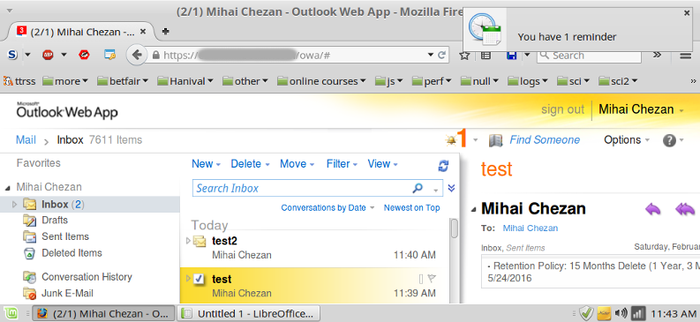
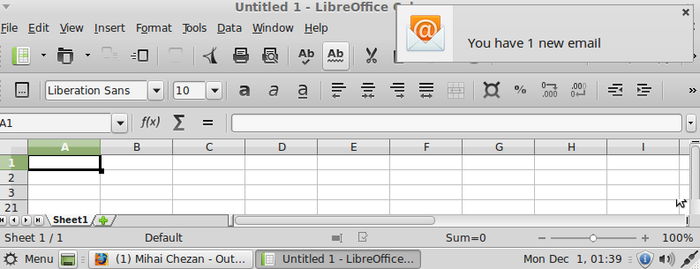
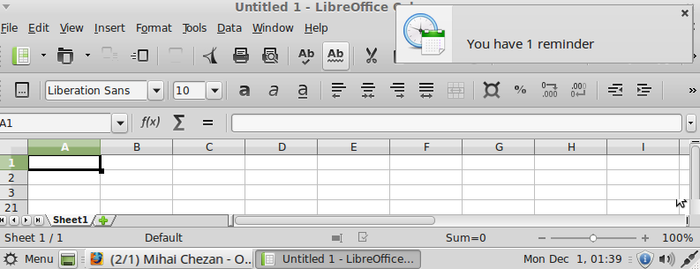
Add system notifications capability to OWA (Outlook Web App). No configuration needed. System notifications about new emails or reminders are shown, the fav icon and OWA tab title are also updated with the unread email/reminder count.
截图
简介
The extension is activated if you have an OWA tab open or when you open a new tab and log into OWA. No configuration needed. The extension doesn't need any OWA account information, doesn't read any private data and doesn't connect to the internet to send any data.
How it works: when new email or reminder arrives into OWA a system notification about this event will be shown. Also the fav icon and document title of the OWA tab are updated to show the number of unread emails/reminders. The fav icon is updated so that you have visual cues when OWA tab is pinned. Document title is updated so that even if Firefox is not the active window, you will see in the taskbar the number of unread emails/reminders. This helps in situations when you are not at the computer when new emails or reminders arrive and so you don't see the notifications and when you come back you just have to glance over the taskbar to see if there are any unread emails or reminders - no need to remember to activate Firefox window to check emails every time you come back to your computer.
How it really works: for each tab open that has the url in the form "http[s]://anything/owa/anything" or "https://outlook.live.com/mail/anything" or "https://outlook.office365.com/mail/anything" or "https://outlook.office.com/mail/anything" a timer task is set to fire every 1 second by default (configurable). The task counts the number of unread emails or reminders (using some css selectors) and if the count is different than the last one it updates the fav icon and document title and also if it's greater it shows a notification with the number of new unread emails/reminders.
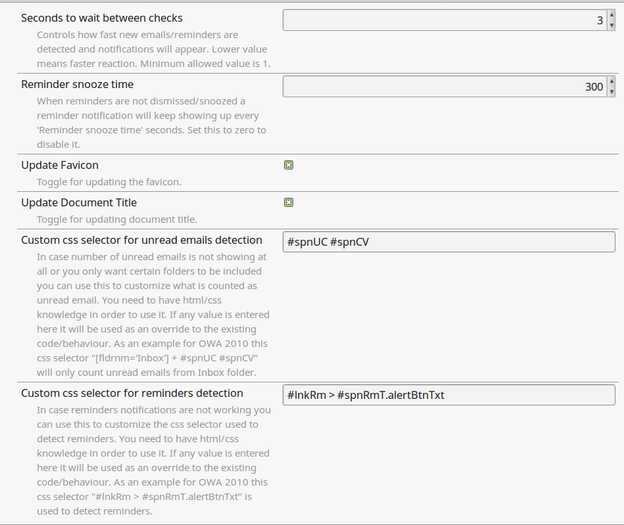
With the release of version 1.6.0 users can define their own css selectors for unread emails and reminders detection. A use for this could be for example to monitor only some folders for unread emails.
For OWA 2010 the css selector to monitor only Folder1 and Folder2 is:
[fldrnm='Folder1'] + #spnUC #spnCV, [fldrnm='Folder2'] + #spnUC #spnCV
To get the same result for OWA 2013 the css selector is:
[aria-label='Folder Pane'] [title='Folder1'] ~ [id*='.ucount'], [aria-label='Folder Pane'] [title='Folder2'] ~ [id*='.ucount']
In case of X-OWA-ClientBuildVersion:"15.0.847.41" to monitor only Inbox the css selector is:
span[title="Inbox"] ~ ._n_07
or for Office365 (suggested by Jefferson Scher here https://github.com/mihai-chezan/owa_notifications_firefox_extension/issues/11 )
span[title="Inbox"] + div>span
All the predefined css selectors assume you are using English (US). If that is not the case, you might have to adjust them for your language (see https://github.com/mihai-chezan/owa_notifications_firefox_extension/issues/24#issuecomment-519866710).
Note: this started as a fork of OWA_firefox_addon by Phil Baranovskiy.
Outlook Web App Notifications 是做什么的
Outlook Web App Notifications 是一款面向 Firefox 的社交通讯类扩展,主要用来增强社交网站功能、管理消息与通知。官方对它的介绍是:Add system notifications capability to OWA (Outlook Web App). No configuration needed. System notifications about new emails or reminders are shown, the fav icon and OWA tab title are also updated with the unread email/reminder count.在Firefox 附加组件商店(AMO)上,它当前版本 1.9.7,评分 3.92(38 人评价),约 808 名用户。
适合什么人用
从功能定位看,Outlook Web App Notifications 更适合重度使用社交平台的用户。如果你平时只是偶尔遇到相关需求,用浏览器自带功能也能凑合;但如果这件事每天都发生,装一个专门处理它的扩展通常比手动操作省事得多。
怎么安装 Outlook Web App Notifications
- 打开Firefox 附加组件商店(AMO)上的官方页面;
- 点「添加到浏览器」并确认权限提示;
- 装好后在扩展列表里固定图标,方便随时开关。
本站只做索引与介绍,安装包来自官方商店。如果商店页面提示当前地区不可用,说明该扩展未在你所在区域上架。
常见问题
Outlook Web App Notifications 是免费的吗?
Outlook Web App Notifications 在Firefox 附加组件商店(AMO)免费提供下载。它是浏览器扩展,装上就能直接用,不需要注册账号。
Outlook Web App Notifications 安全吗?
它只申请了 0 项权限,范围比较克制,没有申请「读取所有网站数据」这种大权限。
Outlook Web App Notifications 支持哪些浏览器?
当前收录的版本来自Firefox 附加组件商店(AMO),适用于 Firefox。同一个扩展在其他商店可能有对应版本,但功能与版本号不一定相同。
怎么卸载 Outlook Web App Notifications?
在扩展管理页找到 Outlook Web App Notifications,点移除即可。它在本地保存的设置会一起清掉,不会残留数据。
权限清单 来自 manifest.json 原文
接口权限 2
notificationsstorage