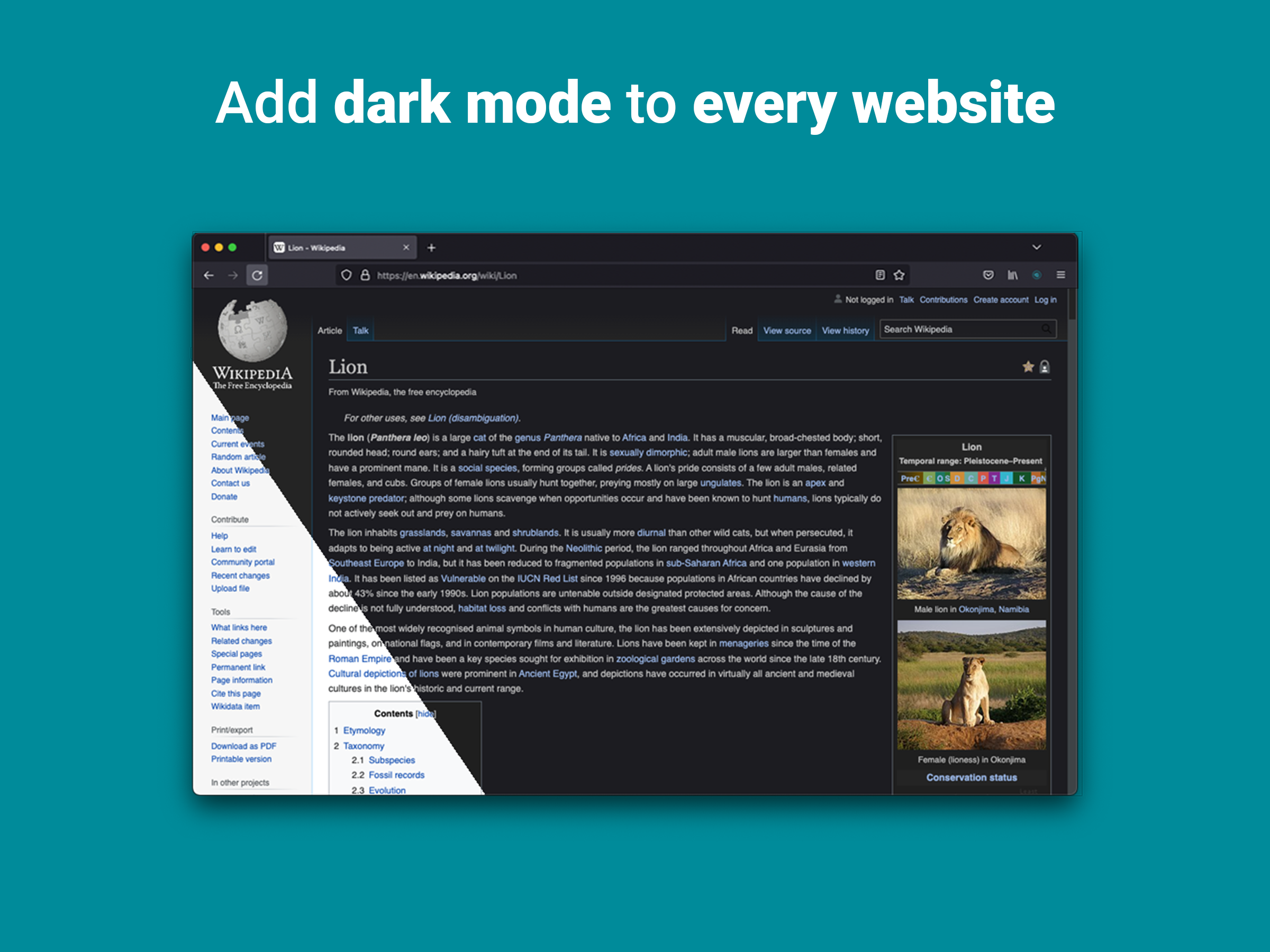


 Dark Reader
适用于任何网站的黑暗主题。关爱眼睛,就使用 Dark Rea…
Firefox

Dark Mode - Night Eye EN
Night Eye · Firefox
With Dark Mode - Night Eye, you can easily switch websites between dark and light mode as desired to take care of your eyes and reduce eye strain. Make your online experience more comfortable and enjoyable with this simple and convenient tool.
3.6/5
384 人评分
6.1千用户
v6.1.1当前版本
权限提示
该扩展申请访问所有网站(
<all_urls>),意味着它可以读取你在任意站点的页面内容,包括已登录的页面。这是许多扩展正常工作的必要条件,但也值得你确认来源可信。
截图
简介
Dark Mode - Night Eye allows you to enable dark mode on nearly all websites, improving readability and reducing eye strain in low light environments. It also offers customization options such as brightness, contrast, and saturation adjustments, as well as a blue light filter to protect the eyes. Plus, with the ability to control built-in dark themes on supported websites, you'll have complete control over your online experience.
Trusted by more than 1 000 000 users across all major browser, Night Eye is the right choice for your eyes. Smart conversion, no ads, no data mining, helpful support!
We update the extensions regularly on a monthly basis for the past 3 years and plan to do that for a very long time ahead.
If the website has built-in dark theme, you can control it directly from Night Eye and if it doesn't (like Gmail, Google Docs, Office Online, Github and millions others), Night Eye will convert the colors to provide you with smooth and consistent dark mode.
For Those with Privacy Concern
Firefox will alert you that the extension may read and change all your data on the websites that you visit.
Here is the whole story:
This extension analyses the colors of each webpage and converts them in order to give you a smooth and consistent dark mode. There is no other way the extension can convert the colors without the privilege to access them.
However, we never collect any of your data. Our business model relies on subscriptions and not on storing and selling your data. Last but not least, we are also internet users and don’t want to be evil.
Our extension is fully compatible with the latest manifest V3. There is only some restrictions.
Follow us on Twitter to keep up with the latest news around Night Eye and what we are planning ahead - https://twitter.com/nighteye_ext
————————
FREE FOREVER PLAN
Night Eye Lite is here - completely free forever version of Night Eye.
In a nutshell - Night Eye Lite can be used on up to 5 websites. For example - Google.com, Gmail.com and etc. You can manage the list of those 5 websites at any time. No ads, no hidden stuff - free forever.
More details can be found here - https://nighteye.app/lite-free-dark-mode-extension/
Before going to Lite, we would like to invite you to try out Night Eye Pro for free for 3 months - no credit card, no payment asked - simply install and try it out.
After the trial period of Night Eye Pro expires, you will be asked to pay to continue using it or go with the completely free version - Night Eye Lite.
More details about our pricing - https://nighteye.app/how-to-start/
————————
SOME FEATURES
➤ OS/Browser Color scheme integration - sync Night Eye with your macOS/Windows dark themes
➤ Deep integration with websites that have their own built-in dark themes.
➤ Schedule dark mode to turn on and off
➤ Custom dark mode for PDFs
➤ Export/Import data between your browsers
————————
CHANGELOG
We strive to bring you the best possible dark mode experience. In this update we’ve made several improvements and added one major feature - OS/Browser color scheme integration.
You can monitor all our updates and what we do at https://nighteye.app/changelog
————————
AVAILABLE MODES
The extension allows you to quickly switch the three available modes
➤ Dark - Go into complete dark mode. All colors, small images and icons will be converted to give you the smoothest dark experience possible.
➤ Filtered - The websites’ colors will not be changed, but you can still adjust brightness, contrast, warmth and more.
➤ Normal - Get back to the normal browsing experience.
————————
CUSTOMIZATION OPTIONS
Any modifications you make such as contrast level adjustment, blue light filter and etc. can be applied to a single website or globally.
➤ Images - Night Eye analyses and converts only the small images and icons in a website to give you even smoother experience. Facebook posts and other significant media is not converted.
➤ Brightness / Saturation / Contrast - Adjust the brightness, the contrast and the saturation to match the recommended healthy levels and protect your eyes. The default setting for each is 50%, but you can customize each to the preferred levels
➤ Blue Light - Take care of your eyes by eliminating the blue light coming from your screen. Highly recommended especially during late night browsing. Simply slide to the preferred level of warmth.
➤ Dim - Extremely useful if you are working in dark space/room and the screen is the only source of light in the room. The default setting is set to 50%, but you can customize it as you please.
————————
ALWAYS AVAILABLE SUPPORT
Built-in support system - we take pride into being available to provide reliable support and help you with any problems or issues you might experience with the extension.
————————
AVAILABLE ON
Night Eye is currently working on Google Chrome, Mozilla Firefox, Safari, Microsoft Edge, Opera, Vivaldi, Brave, Yandex and all other Chromium based browsers.
————————
WE CARE ABOUT PRIVACY
Instead of simply pointing you to our privacy policy. We would like to address this topic in the most understandable language here.
We do NOT collect anonymous usage data using an industry standard third party analytics (Google Analytics) while using the extension.
We only store the saved settings for each visited website of each Night Eye user in their localStorage (your computer). This relates to all adjustments made by the user to improve their browsing experienc…
Dark Mode - Night Eye 是做什么的
Dark Mode - Night Eye 是一款面向 Firefox 的开发者工具类扩展,主要用来调试页面、查看样式与请求、测试接口、辅助前端开发。官方对它的介绍是:With Dark Mode - Night Eye, you can easily switch websites between dark and light mode as desired to take care of your eyes and reduce eye strain. Make your online experience more comfortable and enjoyable with this simple and convenient tool.在Firefox 附加组件商店(AMO)上,它当前版本 6.1.1,评分 3.57(384 人评价),约 6,096 名用户。
适合什么人用
从功能定位看,Dark Mode - Night Eye 更适合前端工程师、测试与需要经常查看页面结构的用户。如果你平时只是偶尔遇到相关需求,用浏览器自带功能也能凑合;但如果这件事每天都发生,装一个专门处理它的扩展通常比手动操作省事得多。需要注意的是它作用于所有网站,装上后建议先观察一两天,确认不影响常用站点的正常使用。
怎么安装 Dark Mode - Night Eye
- 打开Firefox 附加组件商店(AMO)上的官方页面;
- 点「添加到浏览器」并确认权限提示;
- 装好后在扩展列表里固定图标,方便随时开关。
本站只做索引与介绍,安装包来自官方商店。如果商店页面提示当前地区不可用,说明该扩展未在你所在区域上架。
常见问题
Dark Mode - Night Eye 是免费的吗?
Dark Mode - Night Eye 在Firefox 附加组件商店(AMO)免费提供下载。它是浏览器扩展,装上就能直接用,不需要注册账号。
Dark Mode - Night Eye 安全吗?
它只申请了 0 项权限,范围比较克制,没有申请「读取所有网站数据」这种大权限。
Dark Mode - Night Eye 支持哪些浏览器?
当前收录的版本来自Firefox 附加组件商店(AMO),适用于 Firefox。同一个扩展在其他商店可能有对应版本,但功能与版本号不一定相同。
怎么卸载 Dark Mode - Night Eye?
在扩展管理页找到 Dark Mode - Night Eye,点移除即可。它在本地保存的设置会一起清掉,不会残留数据。
权限清单 来自 manifest.json 原文
站点访问 2
*://*/*<all_urls>
接口权限 4
activeTabcontextMenusstoragetabs
标签 点标签看同类扩展
Dark Reader
适用于任何网站的黑暗主题。关爱眼睛,就使用 Dark Rea…
Firefox
 Enhancer for YouTube™
控制并提升您的 YouTube 用户体验!
Firefox
 Malwarebytes Browser Guard
Fast and safe browsing that pr…
Firefox
 Cookie-Editor
 lets you efficie…
Firefox
 Firefox Color
Build, save and share beautifu…
Firefox
 Improve YouTube! (Open-Source for YouTube)
Make YouTube tidy & powerf…
Firefox
 DocsAfterDark: Dark Mode for Google Docs
Beyond dark mode for Google Do…
Firefox
 Mozilla VPN Extension
Get more from Mozilla VPN with…
Firefox