
New Tab Tweaker EN
rharel · Firefox
Make a new tab your own with custom background color, wallpapers, redirection, and other tweaks.
截图
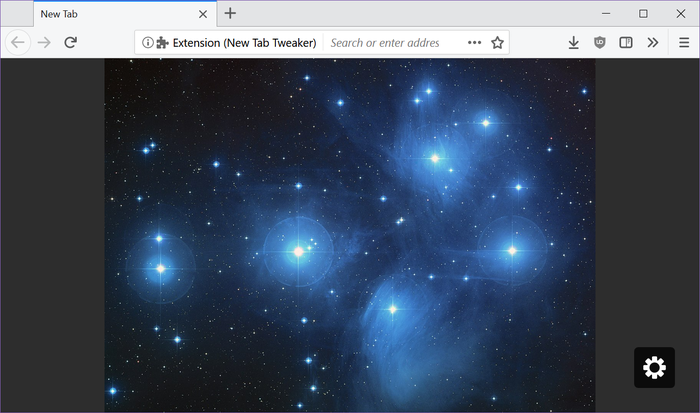
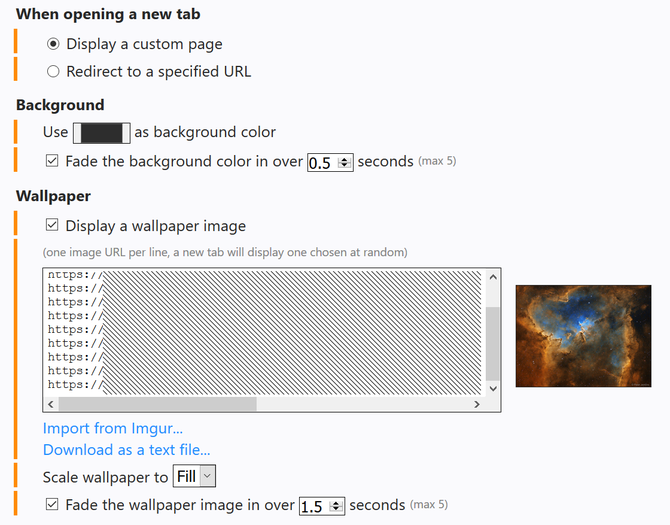
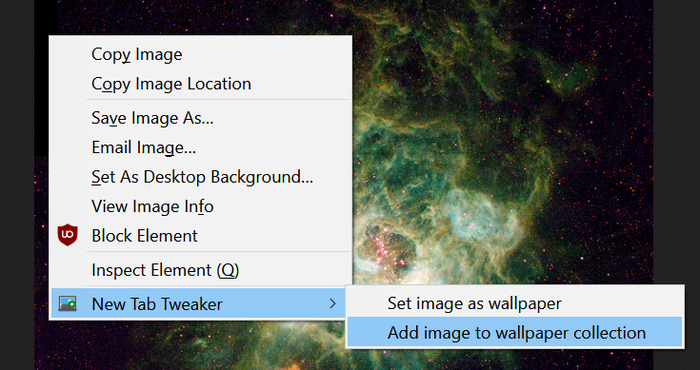
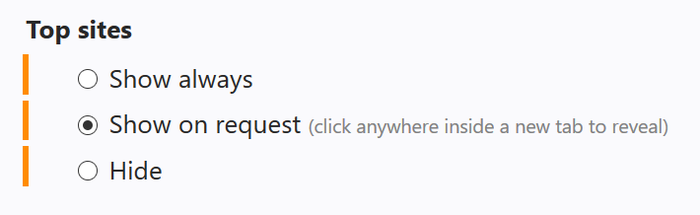
简介
Do you find yourself gazing upon Firefox's default bland-and-boring 'New Tab' page far more often that you do the wonderful wallpaper you oh so carefully chose to decorate your Desktop with? If so, then this is the add-on for you!
Features
- Custom background color.
- Custom wallpaper image(s).
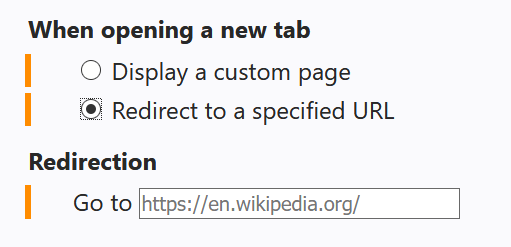
- Custom redirection.
- Custom top site visibility.
How to use local files as wallpapers
Firefox currently does not allow WebExtensions to access 'file:///...' URLs. However, until that becomes possible, New Tab Tweaker does support the following workaround:
- Install HTTP File Server (HFS)
- Host your wallpaper directory on HFS.
- Add the following line to the wallpaper URLs textbox in New Tab Tweaker's options (without quotes):
'[list] http://localhost/[WP]/?tpl=list'. Where'[WP]'is the path to your wallpaper directory on HFS. If that directory contains sub-folders with images, replace'?tpl=list'with'?tpl=list&folders-filter=\&recursive'instead.
The URL above will instruct HFS to build a list of all files in your wallpaper directory. The [list] tag at the front of the line tells New Tab Tweaker to treat the URL not as an image, but as a list of URLs to images. One will be selected randomly from among them. You can configure HFS to launch at system start for your convenience.
Something's not working? Got a question and/or suggestion? Post it here.
New Tab Tweaker 是做什么的
New Tab Tweaker 是一款面向 Firefox 的外观主题类扩展,主要用来更换浏览器配色、给网页加深色模式、调整界面观感。官方对它的介绍是:Make a new tab your own with custom background color, wallpapers, redirection, and other tweaks.在Firefox 附加组件商店(AMO)上,它当前版本 1.7.2resigned1,评分 4.46(13 人评价),约 33 名用户。
适合什么人用
从功能定位看,New Tab Tweaker 更适合长时间对着屏幕、希望降低眼睛负担的用户。如果你平时只是偶尔遇到相关需求,用浏览器自带功能也能凑合;但如果这件事每天都发生,装一个专门处理它的扩展通常比手动操作省事得多。
怎么安装 New Tab Tweaker
- 打开Firefox 附加组件商店(AMO)上的官方页面;
- 点「添加到浏览器」并确认权限提示;
- 装好后在扩展列表里固定图标,方便随时开关。
本站只做索引与介绍,安装包来自官方商店。如果商店页面提示当前地区不可用,说明该扩展未在你所在区域上架。
常见问题
New Tab Tweaker 是免费的吗?
New Tab Tweaker 在Firefox 附加组件商店(AMO)免费提供下载。它是浏览器扩展,装上就能直接用,不需要注册账号。
New Tab Tweaker 安全吗?
它只申请了 0 项权限,范围比较克制,没有申请「读取所有网站数据」这种大权限。
New Tab Tweaker 支持哪些浏览器?
当前收录的版本来自Firefox 附加组件商店(AMO),适用于 Firefox。同一个扩展在其他商店可能有对应版本,但功能与版本号不一定相同。
怎么卸载 New Tab Tweaker?
在扩展管理页找到 New Tab Tweaker,点移除即可。它在本地保存的设置会一起清掉,不会残留数据。
权限清单 来自 manifest.json 原文
接口权限 4
contextMenusnotificationsstoragetopSites