
Google Keep - Full Screen Edit EN
Chris · Firefox
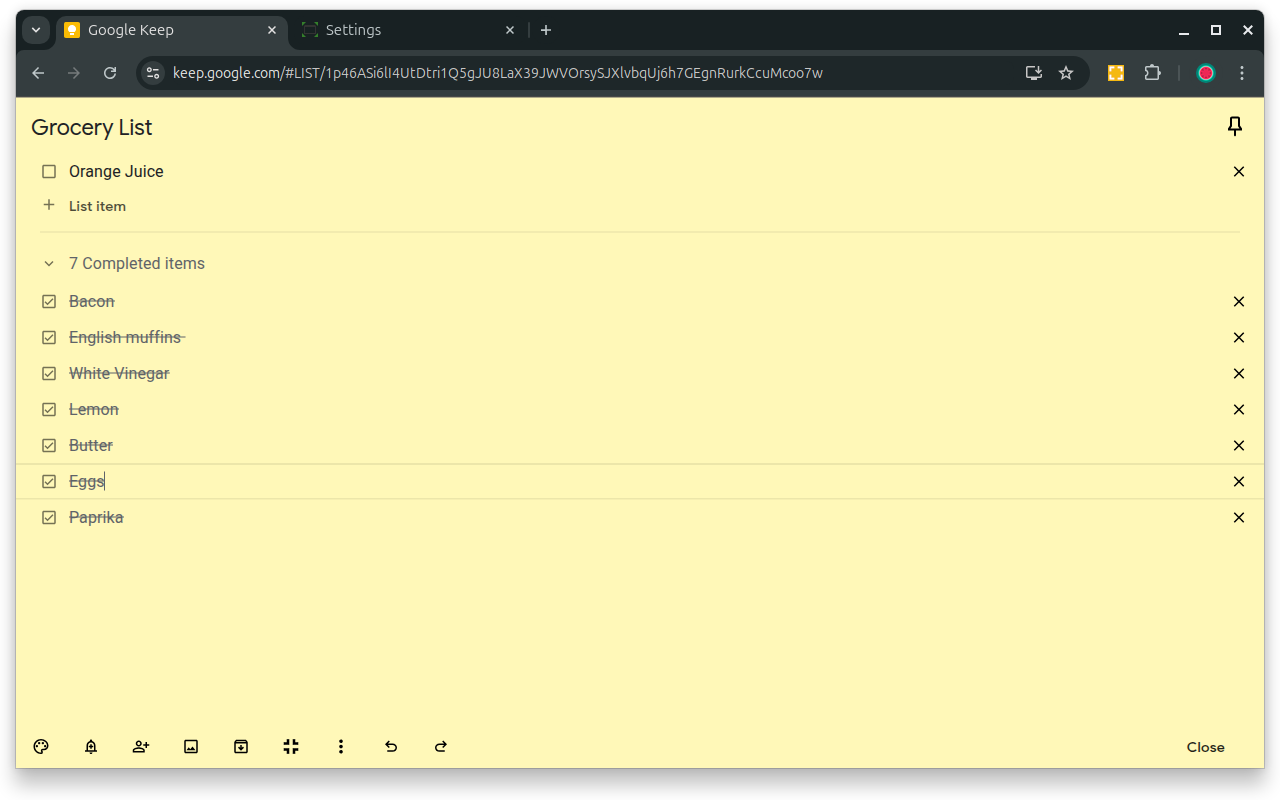
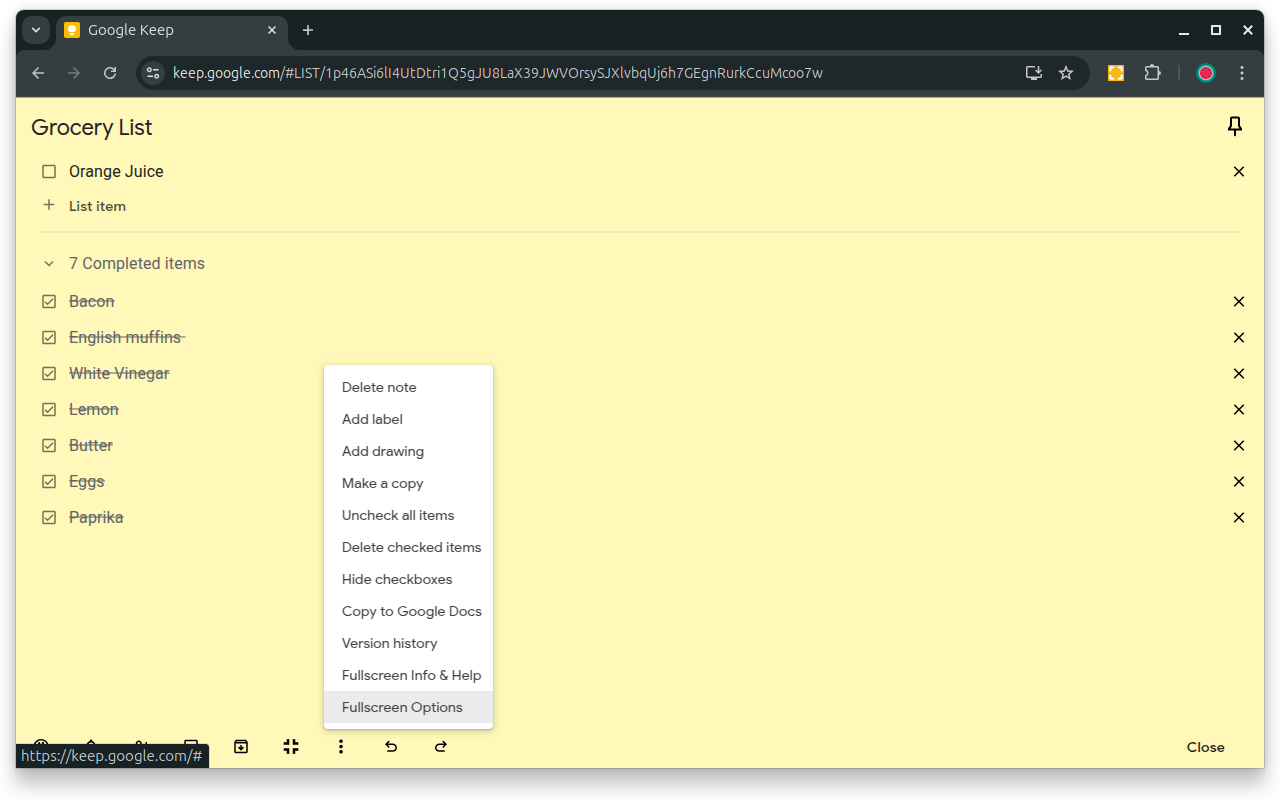
Makes note editing take up the full browser window Allows Google Keep editing to use the full browser window. Allows toggling full screen on and off.
截图


简介
VERSION 1.4.1
- Allows Google Keep editing to use the full browser window.
- Allows toggling full screen on and off by clicking on an icon added on the notes.
- Remembers full screen status across sessions
- Supports Dark Mode
- Works with non-English language settings
- Options page to customize behavior (width, padding, background)
- Customizable keyboard shortcut (Ctrl+Shift+F or Cmd+Shift+F by default) to toggle full screen on and off
- 🆕 Options allow fading out extra note items (menu, labels, etc) for even more distraction-free work and focus on the note content
- 🆕 Options allow customizing horizontal and vertical padding separately
- 🆕 Improved padding styling that works with labels, previews, etc.
- 🆕 Icons to help identify options
View Demo Here: https://cmp.onl/tjqC
WARNINGS & IMPORTANT NOTES
* Use this extension at your own risk. It shouldn't cause problems, but I can't make any guarantees. It's wise to keep critical notes backed up.
* This extension only works with the website version of Google Keep (ie. https://keep.google.com) - it won't work with the "app" version (the one you might install and launch from your app menu -ie. for offline use).
* At this time, clicking the extension icon itself does not toggle anything - click the full-screen icon added to the note itself (or use the keyboard shortcut) to toggle full-screen on and off.
INSTRUCTIONS
* Full-screen is enabled by default when you first install the extension.
* Use the full-screen icon at the bottom of the note to toggle full-screen on and off as needed.
* Alternatively, use the keyboard shortcut, which you can customize at "chrome://extensions/shortcuts"
* Your selection will be remembered between notes and sessions.
* Open the extension options (from a note menu, Keep menu, extension icon menu or extension page) to customize behavior.
Like the Extension?
Rate or review it here to help others find it: https://cmp.onl/tnEd
Found a bug? Have a suggestion?
Submit it here: https://cmp.onl/tngy
Source Code:
https://github.com/chrisputnam9/chrome-google-keep-full-screen
Thanks to all who have contributed reviews, suggestions, bug reports, etc. Special thanks to @MartinLichtblau, @tbrodbeck, @JnLlnd, @dylankenneally, @Paliec, @macdonaldster, @kellerbeing, @Palivec
Developer sustenance funding ($ support) is welcome
* https://ko-fi.com/chrisputnam9
* https://github.com/sponsors/chrisputnam9
Google Keep - Full Screen Edit 是做什么的
Google Keep - Full Screen Edit 是一款面向 Firefox 的外观主题类扩展,主要用来更换浏览器配色、给网页加深色模式、调整界面观感。官方对它的介绍是:Makes note editing take up the full browser window Allows Google Keep editing to use the full browser window. Allows toggling full screen on and off.在Firefox 附加组件商店(AMO)上,它当前版本 1.4.1,评分 5(7 人评价),约 197 名用户。
适合什么人用
从功能定位看,Google Keep - Full Screen Edit 更适合长时间对着屏幕、希望降低眼睛负担的用户。如果你平时只是偶尔遇到相关需求,用浏览器自带功能也能凑合;但如果这件事每天都发生,装一个专门处理它的扩展通常比手动操作省事得多。
怎么安装 Google Keep - Full Screen Edit
- 打开Firefox 附加组件商店(AMO)上的官方页面;
- 点「添加到浏览器」并确认权限提示;
- 装好后在扩展列表里固定图标,方便随时开关。
本站只做索引与介绍,安装包来自官方商店。如果商店页面提示当前地区不可用,说明该扩展未在你所在区域上架。
常见问题
Google Keep - Full Screen Edit 是免费的吗?
Google Keep - Full Screen Edit 在Firefox 附加组件商店(AMO)免费提供下载。它是浏览器扩展,装上就能直接用,不需要注册账号。
Google Keep - Full Screen Edit 安全吗?
它只申请了 0 项权限,范围比较克制,没有申请「读取所有网站数据」这种大权限。
Google Keep - Full Screen Edit 支持哪些浏览器?
当前收录的版本来自Firefox 附加组件商店(AMO),适用于 Firefox。同一个扩展在其他商店可能有对应版本,但功能与版本号不一定相同。
怎么卸载 Google Keep - Full Screen Edit?
在扩展管理页找到 Google Keep - Full Screen Edit,点移除即可。它在本地保存的设置会一起清掉,不会残留数据。
权限清单 来自 manifest.json 原文
接口权限 1
storage