



 Video Download Helper
Download videos from the web. …
Firefox

ChatGPT Optimizer - Improve AI EN
ChatGPT Optimizer - Boost Your AI Workflow · Firefox
Bring the Chat GPT interface and features on a new level!
2.3/5
8 人评分
196用户
v1.9.2当前版本
截图
简介
Bring the Chat GPT interface and features on a new level!
The ultimate productivity tool for ChatGPT. Enhances the interface and adds new features. Improve your workflow with a simple installation.
======
🚀 Click "support" to send feature requests
🤝 Current Features
- Copy buttons (Plain & HTML)
- "Scroll to latest" Button
- Prompt from Search Bar
- Type in "gpt" and click tab key to prompt
- New chat via command
- Windows/Linux/ChromeOS: Ctrl+Shift+O
- Mac: Command+Shift+O
- Collapsible navigation bar
- With a button or space bar click
- "Read Aloud" Button
- Stop Reading Button
- Play/Pause Read Aloud
- Open chats scrolled to the bottom
- Less prominent plan upgrade button
- Chars and word counter
- Copy the latest message via the shortcut
- Windows/Linux/ChromeOS: Ctrl+C
- Mac: Command+C
- Stop and Regenerate the Answer via the shortcut
- Stop: Ctrl+Escape
- Regenerate: Ctrl+Backspace
- Styled Text Selection
- Direct chat deletion with shortcut
- All Platforms: Control / Command or Shift + Delete Icon
- Cool Themes and improved selection
- 'Apple Messaging' Theme
- Direct focus on the text area to directly start typing
- Only copy text, and not HTML style when copying selection
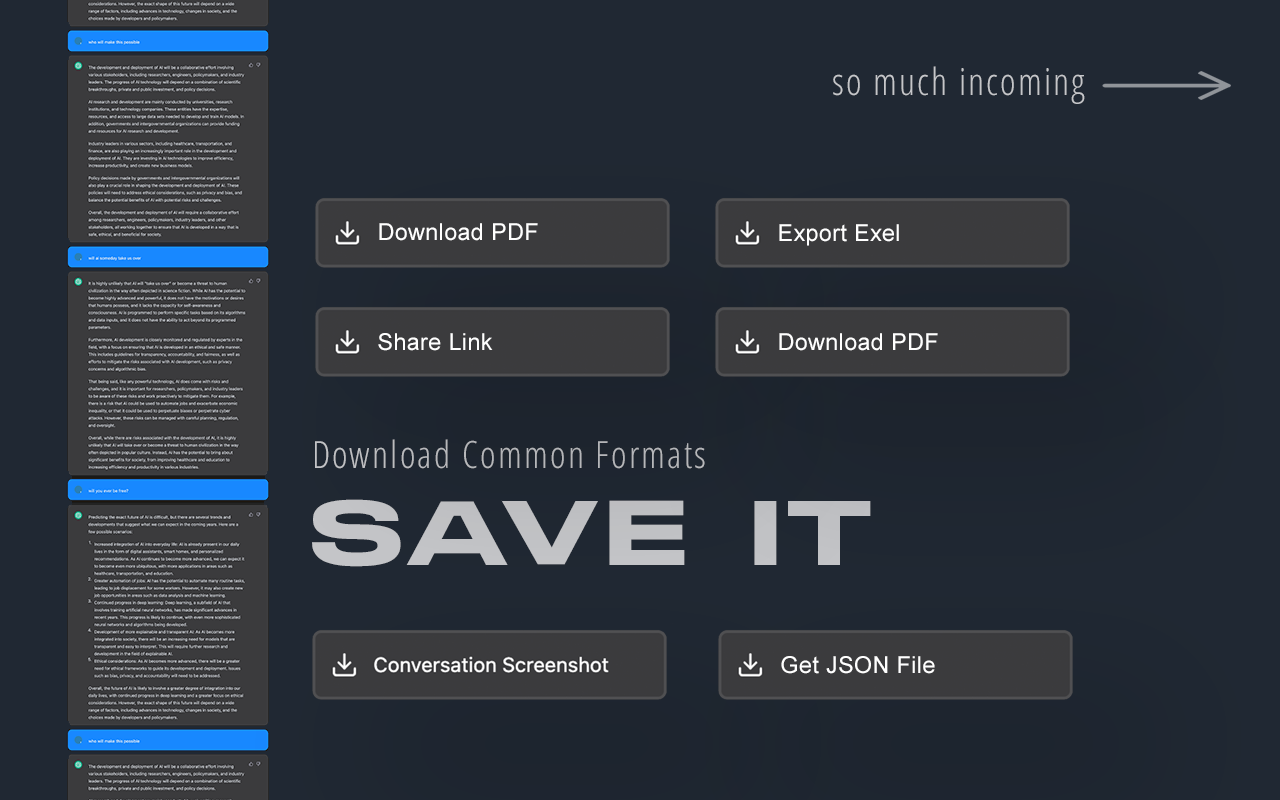
- Take Full Conversation Screenshot
- Download JSON of full Conversation
- Prompt Selection via Context Menu
- Prompt input max chars warning
- Document documents / Prompt with documents
- Access ChatGPT from extension popup
- Prompt History
- Skip "GPT On Capacity" Page
- Prompt Website Via Context Menu
- Get Prompting Charts
🧑💻 Next Features
- Full Conversation Screenshot
- Improve "Read Aloud"
- Read faster
- Play / Pause / Stop
- Multiple Themes
- Prompt Generator
📆 Planned Features
- GPT in Search Engines
- Google
- Bing
- DuckDuck Go
- Brave Search
- GPT in GMail
- GPT in LinkedIn
- Generate Post Content
- Improve Post Content
- Based on User Pages
- GPT in YouTube
- Video summarizer based on title and subtitles
- Enable / Disable Features
- Website about Extension
- Version Features
- FAQ & Help
- Contact
- More Information
- Prompt via Context Menu
- Multi Delete Chats
- Pass Status Down Page
Check if on the status page and try 10 times going to:
https://chat.openai.com
- Read Aloud
- Different Voices
- Quick Feature / Support Requests (For Extension)
💡 Description
Introducing the ultimate productivity booster for the official Chat GPT website - the ChatGPT Optimizer! This powerful tool will improve the way you use the website, by adding a host of new features that will boost your productivity and streamline your workflow.
The extension also offers a variety of other features that will make it easier for you to use GPT everywhere. This means you can use GPT's capabilities to improve your search results, compose better emails, and even enhance your LinkedIn profile.
With its user-friendly interface and powerful features, the GPT Extension is the perfect tool for anyone who wants to get the most out of GPT. So why wait? Download the GPT Extension now and start seeing the benefits for yourself!
Important: This extension isn't developed by Open AI or the Chat GPT team.
ChatGPT Optimizer - Improve AI 是做什么的
ChatGPT Optimizer - Improve AI 是一款面向 Firefox 的资讯订阅类扩展,主要用来订阅 RSS、聚合新闻、跟踪博客更新。官方对它的介绍是:Bring the Chat GPT interface and features on a new level!在Firefox 附加组件商店(AMO)上,它当前版本 1.9.2,评分 2.25(8 人评价),约 196 名用户。
适合什么人用
从功能定位看,ChatGPT Optimizer - Improve AI 更适合想摆脱算法推荐、自己掌控信息源的用户。如果你平时只是偶尔遇到相关需求,用浏览器自带功能也能凑合;但如果这件事每天都发生,装一个专门处理它的扩展通常比手动操作省事得多。
怎么安装 ChatGPT Optimizer - Improve AI
- 打开Firefox 附加组件商店(AMO)上的官方页面;
- 点「添加到浏览器」并确认权限提示;
- 装好后在扩展列表里固定图标,方便随时开关。
本站只做索引与介绍,安装包来自官方商店。如果商店页面提示当前地区不可用,说明该扩展未在你所在区域上架。
常见问题
ChatGPT Optimizer - Improve AI 是免费的吗?
ChatGPT Optimizer - Improve AI 在Firefox 附加组件商店(AMO)免费提供下载。它是浏览器扩展,装上就能直接用,不需要注册账号。
ChatGPT Optimizer - Improve AI 安全吗?
它只申请了 0 项权限,范围比较克制,没有申请「读取所有网站数据」这种大权限。
ChatGPT Optimizer - Improve AI 支持哪些浏览器?
当前收录的版本来自Firefox 附加组件商店(AMO),适用于 Firefox。同一个扩展在其他商店可能有对应版本,但功能与版本号不一定相同。
怎么卸载 ChatGPT Optimizer - Improve AI?
在扩展管理页找到 ChatGPT Optimizer - Improve AI,点移除即可。它在本地保存的设置会一起清掉,不会残留数据。
权限清单 来自 manifest.json 原文
接口权限 5
commandscontextMenusscriptingstoragetabs
标签 点标签看同类扩展
Video Download Helper
Download videos from the web. …
Firefox
 IDM Integration Module
Download files with Internet D…
Firefox
 Easy Youtube Video Downloader Express
A simple extension for superfa…
Firefox
 Download All Images
Easily save images with a wide…
Firefox
 SingleFile | 将完整的页面保存到一个 HTML 文件中
SingleFile 网页保存(Save Page)扩展,离…
Firefox
 Popup Blocker (strict)
Strictly block all popup reque…
Firefox
 Obsidian Web Clipper
Save and highlight web pages i…
Firefox
 Turbo Download Manager
A download manager with the ab…
Firefox