
Bionic Reader EN
Rain Jr. · Firefox
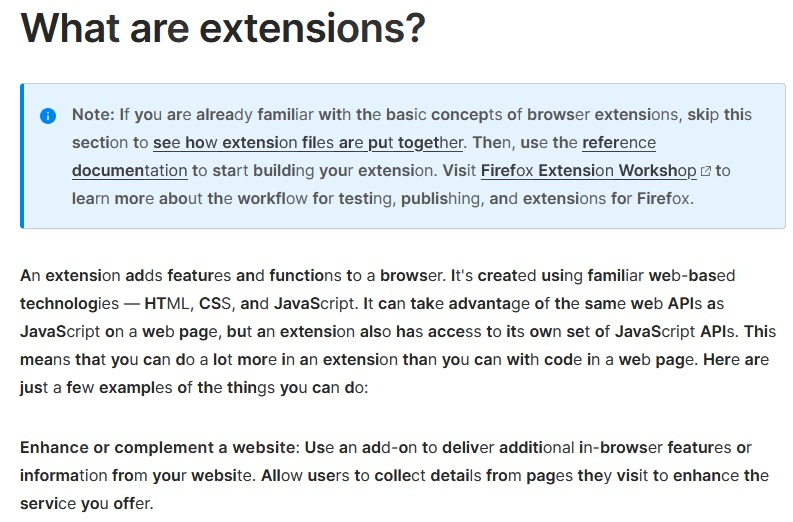
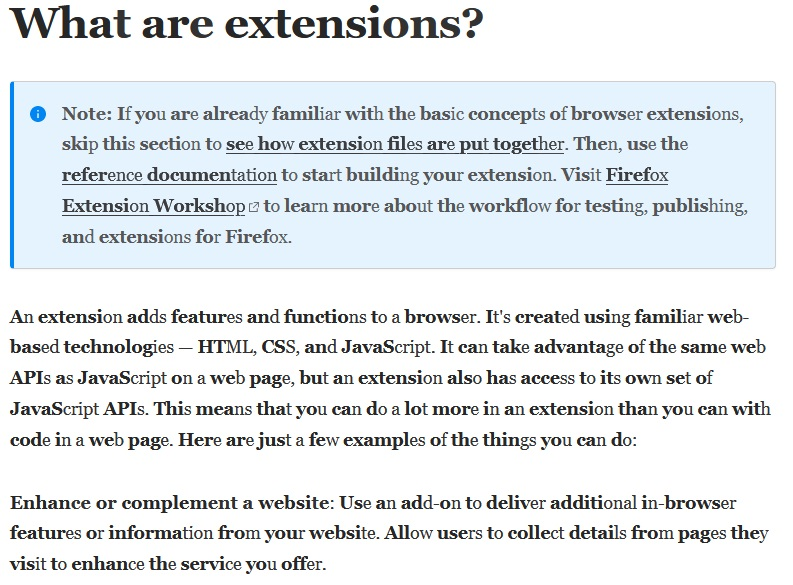
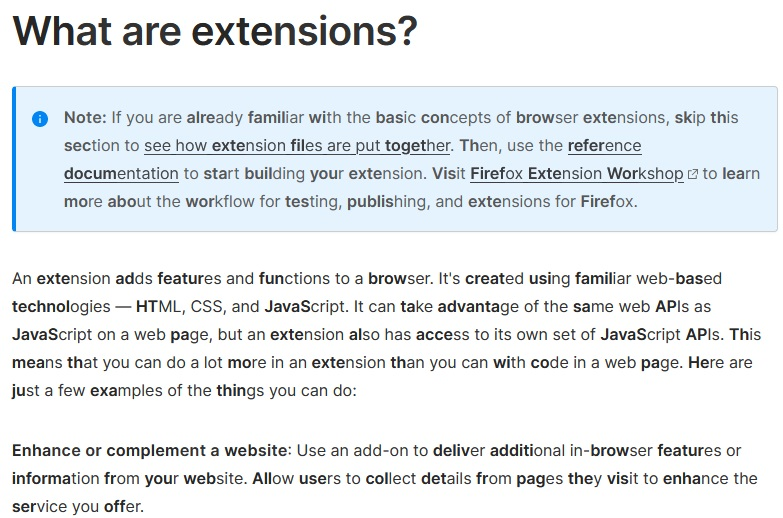
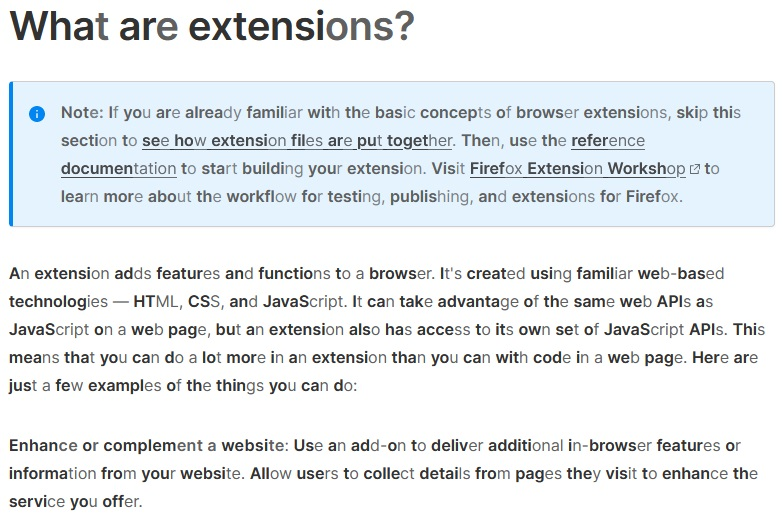
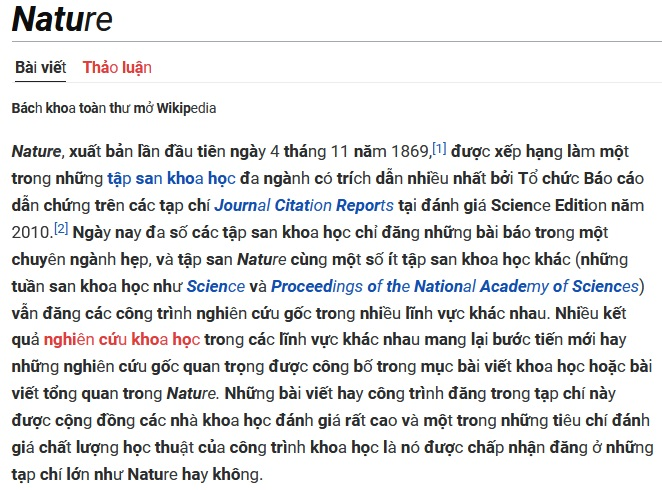
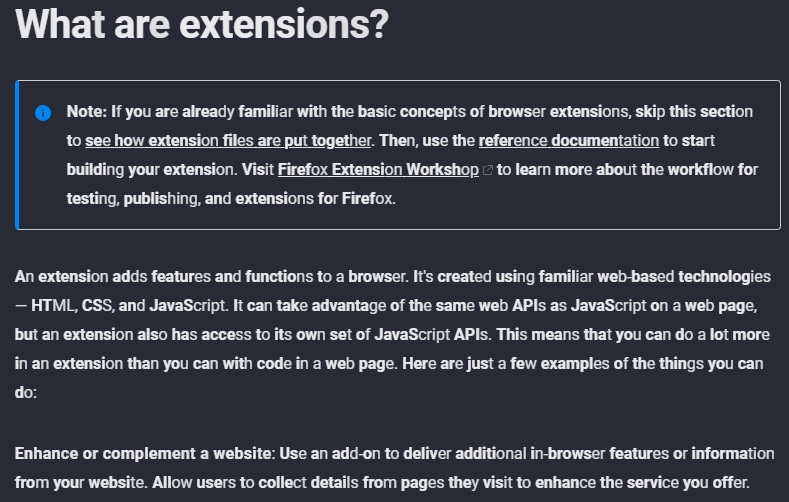
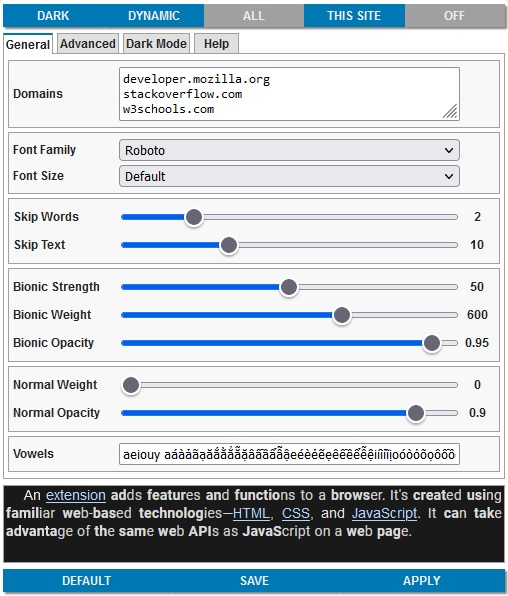
- Apply Bionic Reading style with adjustable strength to a webpage. - Adjustable vowels for different languages. - Adjustable font family, font size, font weight and font opacity. - Support Unicode characters. - Apply dark mode to a webpage.
<all_urls>),意味着它可以读取你在任意站点的页面内容,包括已登录的页面。这是许多扩展正常工作的必要条件,但也值得你确认来源可信。
截图
简介
***** IMPORTANT *****
- For anyone, who want to see the SOURCE CODE, just google something like "HOW TO VIEW FIREFOX EXTENSION SOURCE CODE". The extension webpage keeps all previous versions with changes log and you can extract the extension file (*.xpi) EASILY to get the source code. I see no reason to public this extension on websites like github,...
- Some websites may not work properly with this extension. They may use text node as a placeholder for other element and will break the page if we modified it.
- You can use shortcut keys to quickly turn on/off and control other options, in case you encounter any problem.
- Please adjust the text opacity in the options menu if you use dark mode, for better visibility.
1. Apply Bionic Reading style with adjustable strength to a webpage.
- You can skip short words and short text (do no apply Bionic Reading style).
- You can change the strength of bionic algorithm (more bold characters with higher value).
2. Adjustable vowels for different languages.
- You can input characters that will be treated as vowels for the algorithm. For example: a á à ả ã ạ.
3. Adjustable font family, font size, font weight and font opacity.
- You can adjust font's properties to read the text easier.
4. Support Unicode characters.
- The extension will work correctly with unicode text, instead of skipping or catching only English vowels.
- However, a combination like "a" and "`" is not the same as "à". I have no plan to support this for now, as it is rare to see on the web.
5. Apply dark mode to a webpage.
- You can click on the button on the Options GUI to apply dark mode to the whole webpage.
NOTICE:
- Some websites may block web-fonts to load. Thus, the extension may not display the selected font correctly. In that case, the similar font family in the same group will be used.
- Dark mode will not work with <iframe> elements inside the webpage. The source of <iframe> elements may be somewhere else, and not belong to the webpage that you are viewing.
Bionic Reader 是做什么的
Bionic Reader 是一款面向 Firefox 的外观主题类扩展,主要用来更换浏览器配色、给网页加深色模式、调整界面观感。官方对它的介绍是:- Apply Bionic Reading style with adjustable strength to a webpage. - Adjustable vowels for different languages. - Adjustable font family, font size, font weight and font opacity. - Support Unicode characters. - Apply dark mode to a webpage.在Firefox 附加组件商店(AMO)上,它当前版本 1.6.25,评分 3.87(60 人评价),约 3,610 名用户。
适合什么人用
从功能定位看,Bionic Reader 更适合长时间对着屏幕、希望降低眼睛负担的用户。如果你平时只是偶尔遇到相关需求,用浏览器自带功能也能凑合;但如果这件事每天都发生,装一个专门处理它的扩展通常比手动操作省事得多。需要注意的是它作用于所有网站,装上后建议先观察一两天,确认不影响常用站点的正常使用。
怎么安装 Bionic Reader
- 打开Firefox 附加组件商店(AMO)上的官方页面;
- 点「添加到浏览器」并确认权限提示;
- 装好后在扩展列表里固定图标,方便随时开关。
本站只做索引与介绍,安装包来自官方商店。如果商店页面提示当前地区不可用,说明该扩展未在你所在区域上架。
常见问题
Bionic Reader 是免费的吗?
Bionic Reader 在Firefox 附加组件商店(AMO)免费提供下载。它是浏览器扩展,装上就能直接用,不需要注册账号。
Bionic Reader 安全吗?
它只申请了 0 项权限,范围比较克制,没有申请「读取所有网站数据」这种大权限。
Bionic Reader 支持哪些浏览器?
当前收录的版本来自Firefox 附加组件商店(AMO),适用于 Firefox。同一个扩展在其他商店可能有对应版本,但功能与版本号不一定相同。
怎么卸载 Bionic Reader?
在扩展管理页找到 Bionic Reader,点移除即可。它在本地保存的设置会一起清掉,不会残留数据。
权限清单 来自 manifest.json 原文
站点访问 1
<all_urls>
接口权限 2
storagetabs