
Asana Navigator EN
Shun Sakurai · Firefox
Go back from inbox, jump to sibling subtasks, search in context, replace text in description, convert tasks to subtask or section.
截图
简介
Update May 2022:
- Migrated to manifest v3
- Convert task <> section feature is still not fully working
- Asana tabs are no longer reloaded when the extension is updated to a newer version. Please manually reload Asana tabs when it doesn't work well
=============== English ===============
This is an unofficial Google Chrome / Firefox extension to enhance navigation for Asana tasks. It has functionality to:
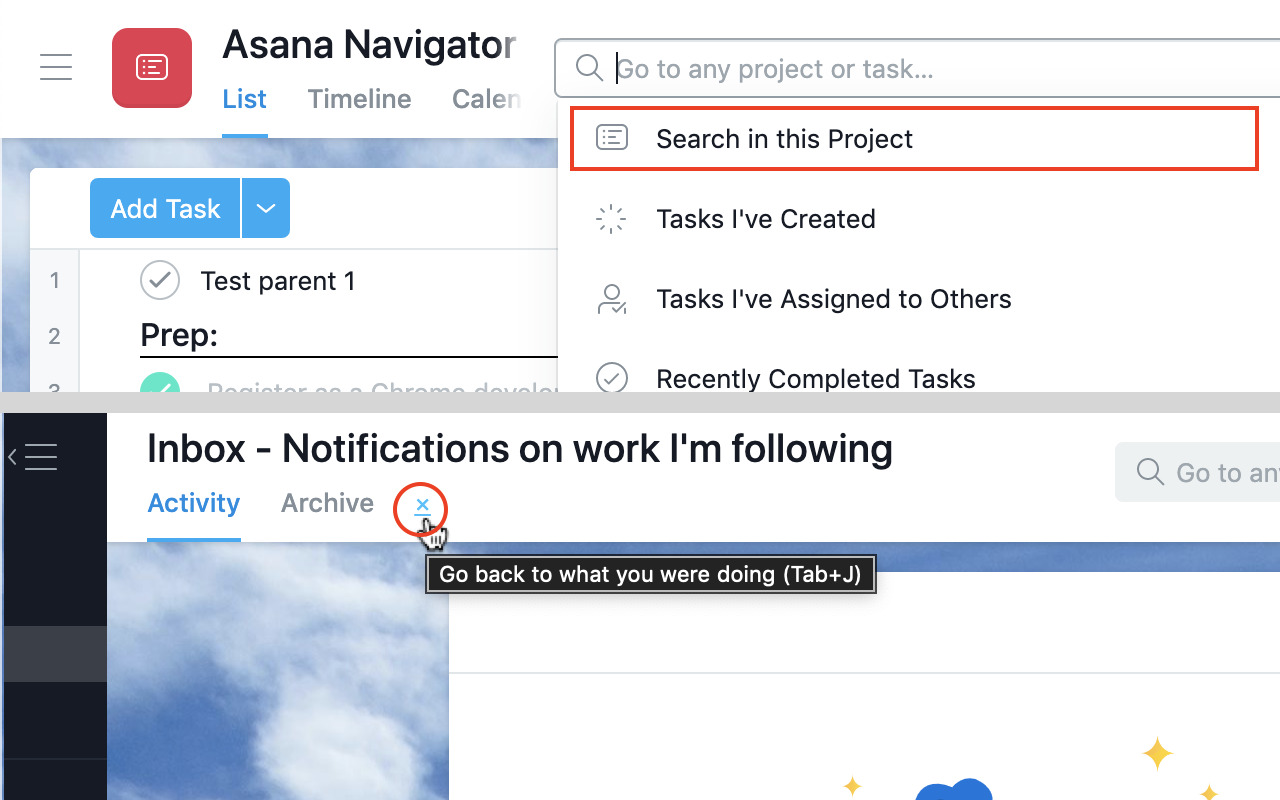
- Search tasks in the currently open project or user (Advanced search - Tab+/ or Tab+;)
- Go back to what you were doing before visiting Inbox (Tab+J)
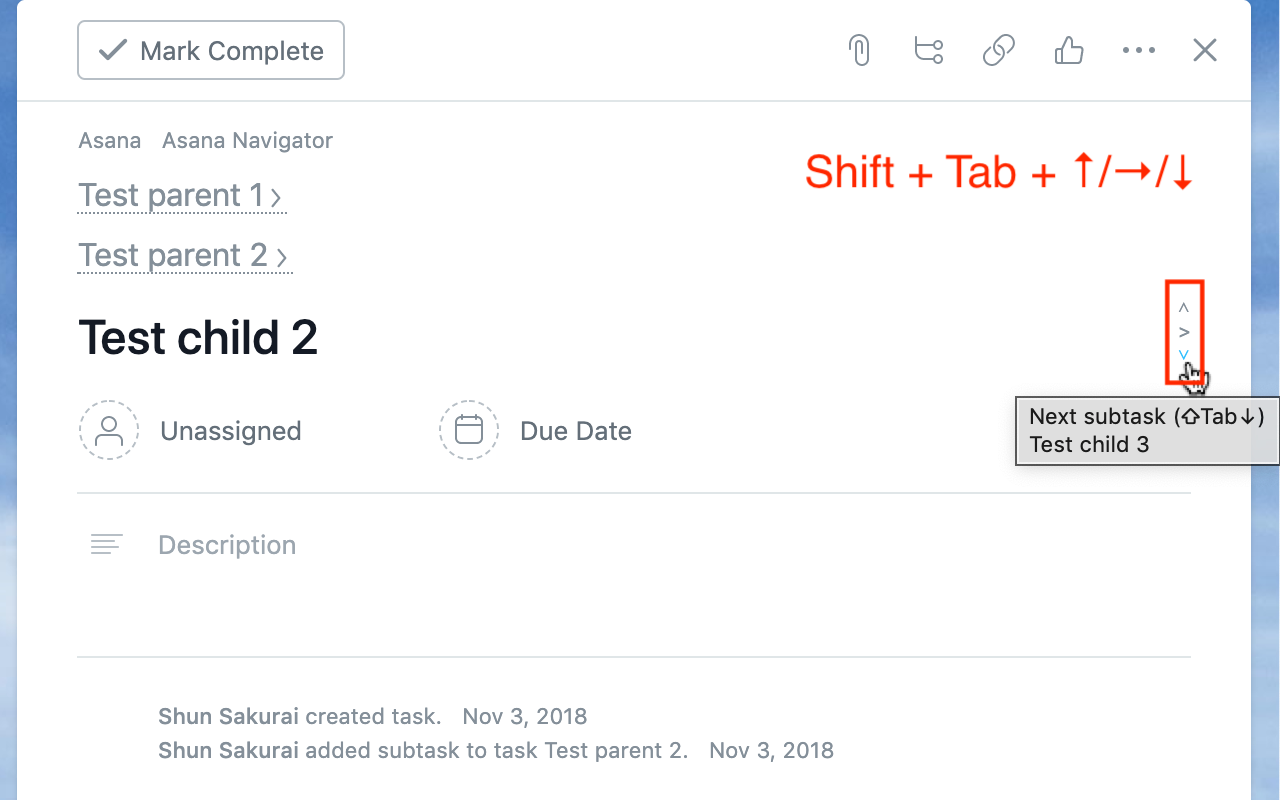
- Show arrows and jump to previous/next sibling subtasks (Shift+Tab+↑/↓)
- Show drop-down list of all sibling subtasks to jump to them (Shift+Tab+→)
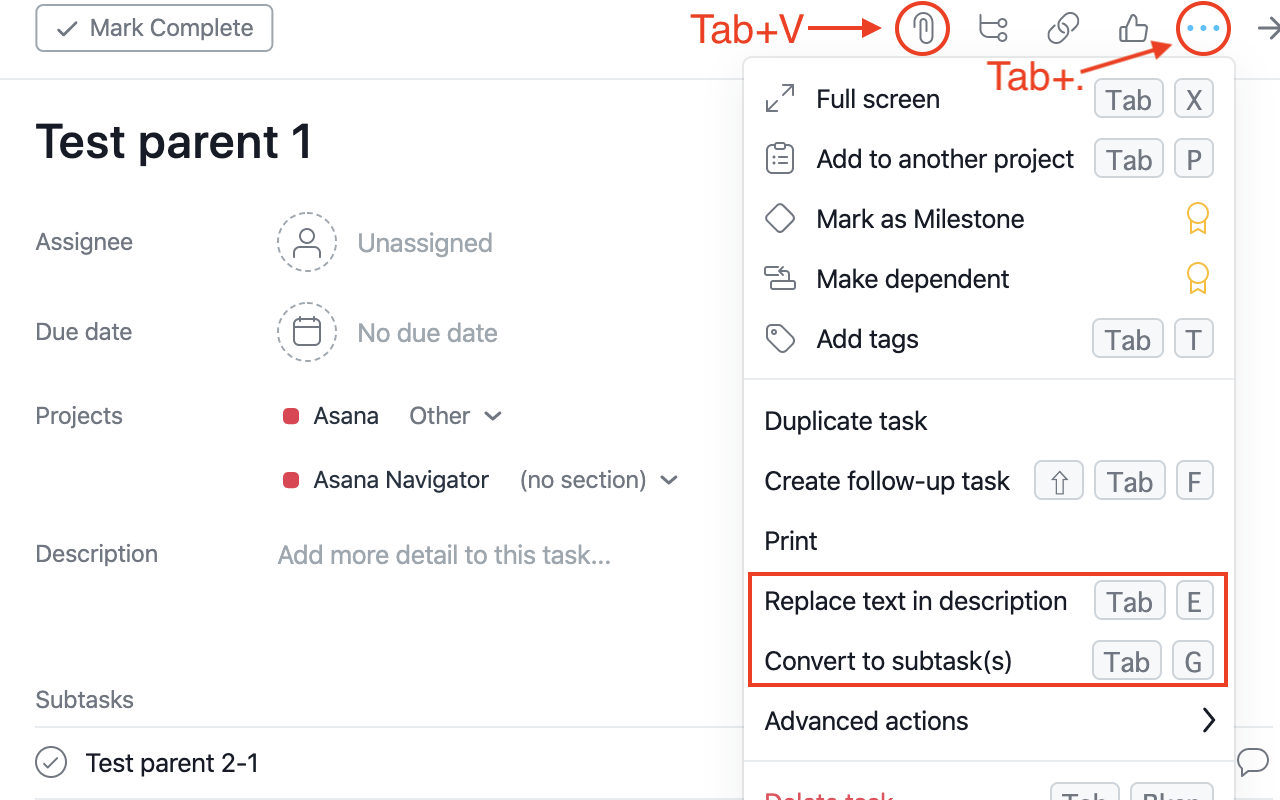
- Add keyboard shortcuts to attach files (Tab+V and Tab+1/2/3/4/5)
- Add keyboard shortcuts to open more actions (Tab+.)
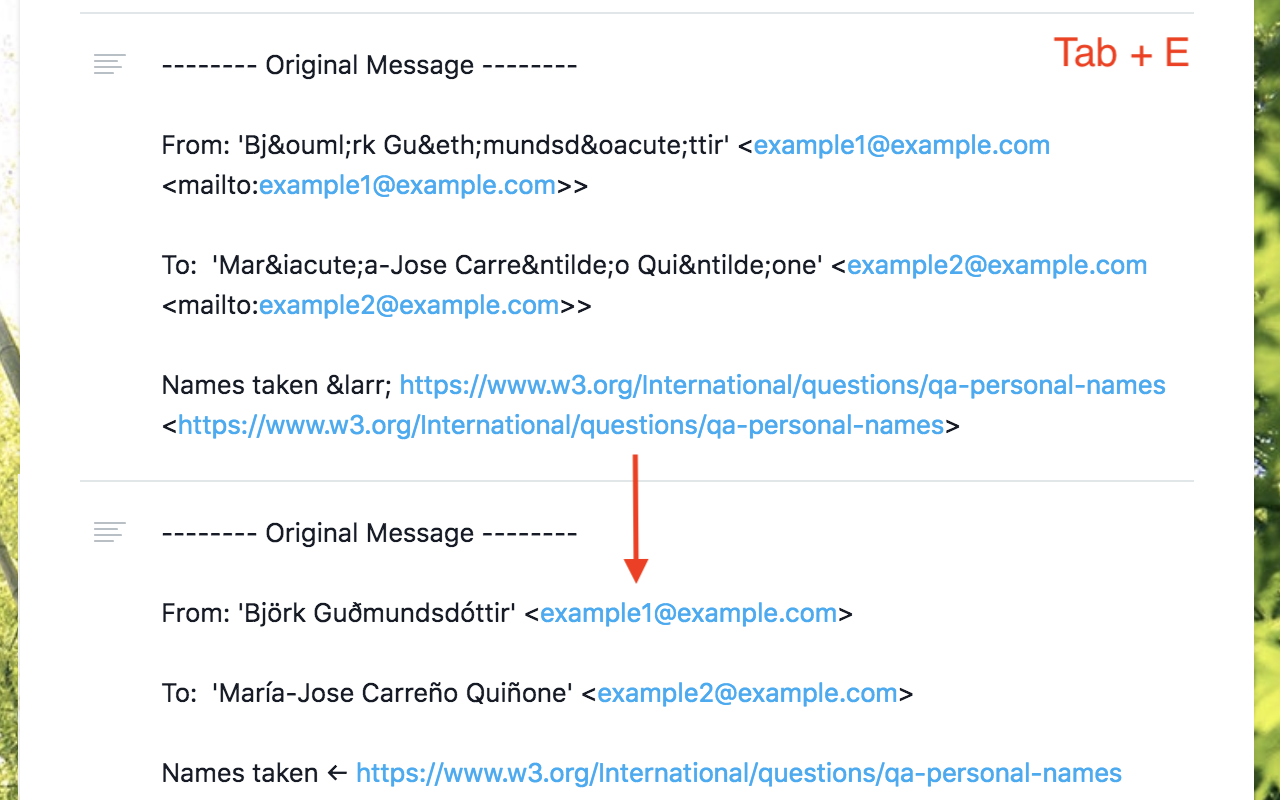
- Replace text in task description (Tab+E)
- Convert to subtask (set new parent task) (Tab+G)
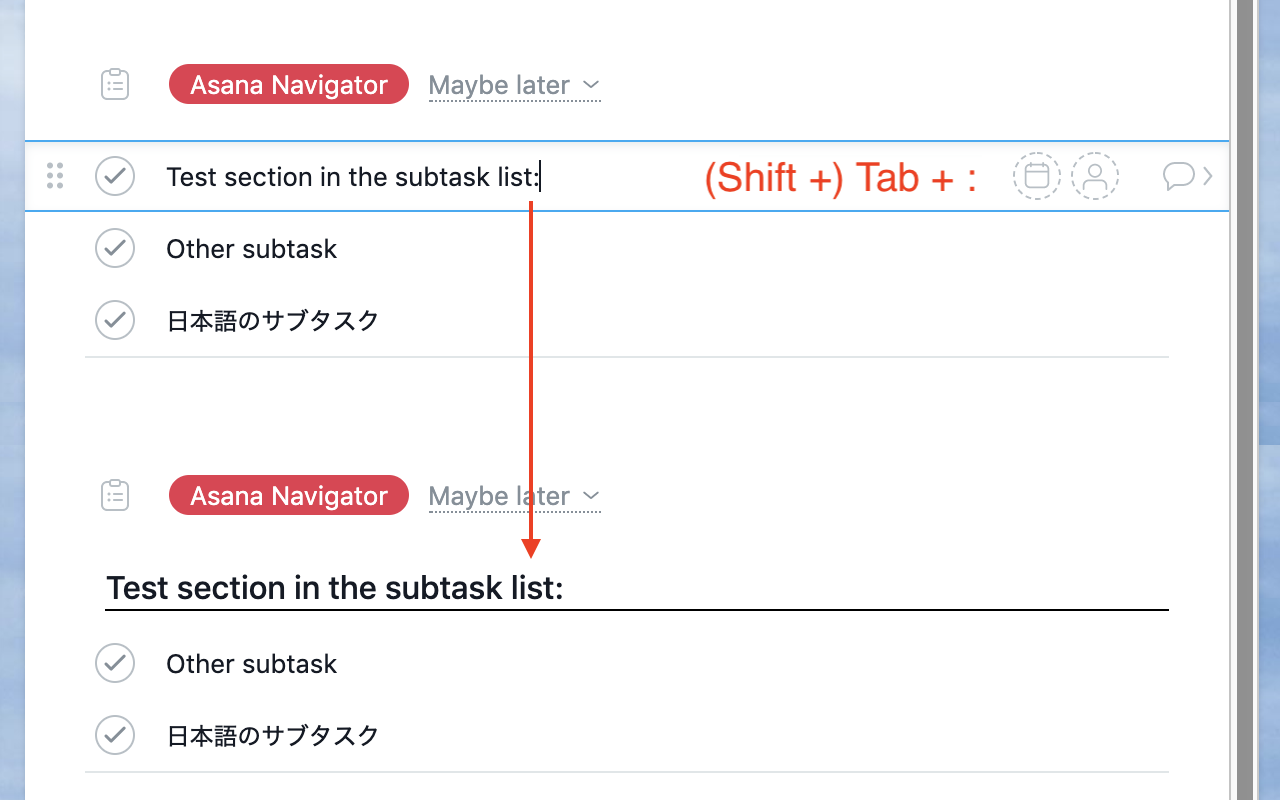
- Convert task to section and vice versa (Tab+: or Shift+Tab+:) Not fully working
- Show additional keyboard shortcuts in the list (only with Cmd/Ctrl+/)
All done seamlessly in Asana UI, in your localized language, using the same CSS used by Asana (at least I try as much as possible).
Each feature can be switched on/off in the extension options, which is accessible by going to chrome://extensions > Asana Navigator > Details > Extension options, or in Firefox, about:addons > Asana Navigator > Preferences.
If this extension doesn't work well, please try reloading the Asana task page.
This is an open source project and you can see the source code at: https://github.com/ShunSakurai/asana-navigator
Chrome extension: https://chrome.google.com/webstore/detail/asana-navigator/ckfdnhplhmbingcopckooenamecdckne
Asana Navigator 是做什么的
Asana Navigator 是一款面向 Firefox 的外观主题类扩展,主要用来更换浏览器配色、给网页加深色模式、调整界面观感。官方对它的介绍是:Go back from inbox, jump to sibling subtasks, search in context, replace text in description, convert tasks to subtask or section.在Firefox 附加组件商店(AMO)上,它当前版本 2.5.12,评分 5(1 人评价),约 58 名用户。
适合什么人用
从功能定位看,Asana Navigator 更适合长时间对着屏幕、希望降低眼睛负担的用户。如果你平时只是偶尔遇到相关需求,用浏览器自带功能也能凑合;但如果这件事每天都发生,装一个专门处理它的扩展通常比手动操作省事得多。
怎么安装 Asana Navigator
- 打开Firefox 附加组件商店(AMO)上的官方页面;
- 点「添加到浏览器」并确认权限提示;
- 装好后在扩展列表里固定图标,方便随时开关。
本站只做索引与介绍,安装包来自官方商店。如果商店页面提示当前地区不可用,说明该扩展未在你所在区域上架。
常见问题
Asana Navigator 是免费的吗?
Asana Navigator 在Firefox 附加组件商店(AMO)免费提供下载。它是浏览器扩展,装上就能直接用,不需要注册账号。
Asana Navigator 安全吗?
它只申请了 0 项权限,范围比较克制,没有申请「读取所有网站数据」这种大权限。
Asana Navigator 支持哪些浏览器?
当前收录的版本来自Firefox 附加组件商店(AMO),适用于 Firefox。同一个扩展在其他商店可能有对应版本,但功能与版本号不一定相同。
怎么卸载 Asana Navigator?
在扩展管理页找到 Asana Navigator,点移除即可。它在本地保存的设置会一起清掉,不会残留数据。
权限清单 来自 manifest.json 原文
接口权限 3
activeTabstoragetabs