

 Video Download Helper
Download videos from the web. …
Firefox

Ambient light for YouTube™ EN
Wezelkrozum · Firefox
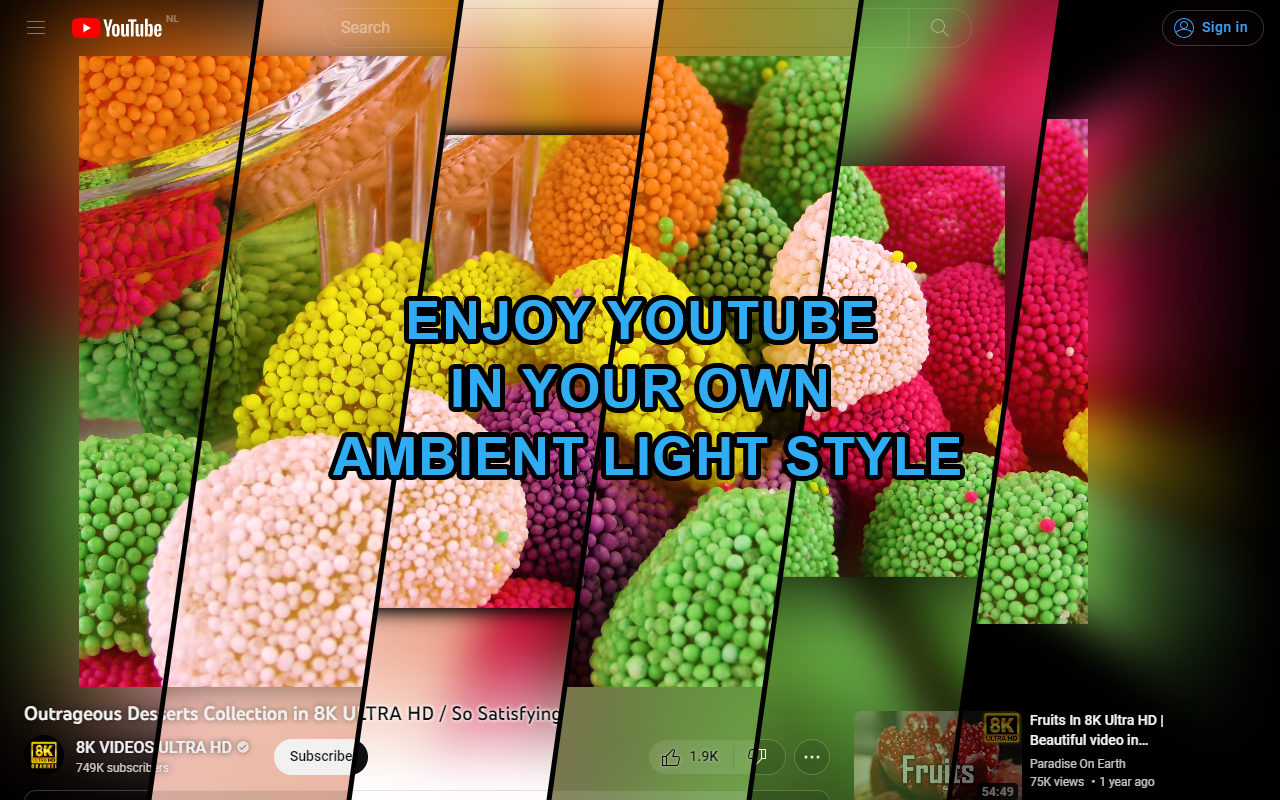
Immerse yourself in YouTube™ videos with ambient light!
4.9/5
84 人评分
4.9万用户
v2.38.17当前版本
截图
简介
This extension will surround YouTube™ videos with ambient light inside your browser. No need for extra hardware like lightstrips or smart lights like ambilight, it's all in your browser!
Tip:
Are you using a widescreen or portrait monitor? Enable both the "Remove black bars" and "Fill video to screen" features to automatically fill your monitor with any video that has black bars.
Features:
1. Ambient light
- Blur
- Spread
- Fade in duration
2. Remove black & colored bars
- Remove bars
- Remove sidebars
- Also remove colored bars
- Fill video to screen
3. Filters
- Brightness
- Contrast
- Vibrance
- Saturation
4. Video
- Size (scale/zoom)
- Shadow
5. Video page content
- Shadows on elements
- Buttons, boxes and images opacity
- Hide elements in theater mode
- Translucent header
6. Quality
- Limit framerate (per second)
- Resolution
7. General
- Appearance (theme): Light, Default, Dark
- Enable only in view mode(s): small, theater, fullscreen
- Enable in Picture-in-picture mode
- Enabled/Disabled
Advanced features:
1. Ambient light
- Edge size
- Fade out start
- Fade out curve
- Debanding (noise/dithering)
- Flicker reduction
- Smooth motion (Frame blending)
2. Directions
- Top, right, bottom, left
3. Remove black & colored bars
- Bar detection offset
- Bar detection average
- Bar size (manual control)
- Sidebar size (manual control)
- Reset bars next video
4. Video
- Sync video with ambient light
- Debanding (noise/dithering)
5. Video page content
- Hide scrollbar
6. Quality
- Synchronization: Display framerate, Video framerate
- WebGL renderer (Uses less power)
- Save energy on static videos
7. Stats
- Framerate stats
- Frametime stats
- Resolution and drawtime stats
Requirement:
A video card with a score of at least 1000 points in the PassMark G3D Mark benchmark is recommended.
Check your video card's score here: https://www.videocardbenchmark.net/gpu_list.php
With a score lower than 1000 the extension will still work but it is likely that the YouTube video page will be slow and/or stuttering.
Contribute:
You can view the source code and contribute to this open source project at https://github.com/WesselKroos/youtube-ambilight
Ambient light for YouTube™ 是做什么的
Ambient light for YouTube™ 是一款面向 Firefox 的外观主题类扩展,主要用来更换浏览器配色、给网页加深色模式、调整界面观感。官方对它的介绍是:Immerse yourself in YouTube™ videos with ambient light!在Firefox 附加组件商店(AMO)上,它当前版本 2.38.17,评分 4.89(84 人评价),约 49,085 名用户。
适合什么人用
从功能定位看,Ambient light for YouTube™ 更适合长时间对着屏幕、希望降低眼睛负担的用户。如果你平时只是偶尔遇到相关需求,用浏览器自带功能也能凑合;但如果这件事每天都发生,装一个专门处理它的扩展通常比手动操作省事得多。
怎么安装 Ambient light for YouTube™
- 打开Firefox 附加组件商店(AMO)上的官方页面;
- 点「添加到浏览器」并确认权限提示;
- 装好后在扩展列表里固定图标,方便随时开关。
本站只做索引与介绍,安装包来自官方商店。如果商店页面提示当前地区不可用,说明该扩展未在你所在区域上架。
常见问题
Ambient light for YouTube™ 是免费的吗?
Ambient light for YouTube™ 在Firefox 附加组件商店(AMO)免费提供下载。它是浏览器扩展,装上就能直接用,不需要注册账号。
Ambient light for YouTube™ 安全吗?
它只申请了 0 项权限,范围比较克制,没有申请「读取所有网站数据」这种大权限。
Ambient light for YouTube™ 支持哪些浏览器?
当前收录的版本来自Firefox 附加组件商店(AMO),适用于 Firefox。同一个扩展在其他商店可能有对应版本,但功能与版本号不一定相同。
怎么卸载 Ambient light for YouTube™?
在扩展管理页找到 Ambient light for YouTube™,点移除即可。它在本地保存的设置会一起清掉,不会残留数据。
权限清单 来自 manifest.json 原文
站点访问 3
https://www.youtube.com/*https://www.youtube.com/embed/*https://www.youtube.com/live_chat*
接口权限 1
storage
标签 点标签看同类扩展
Video Download Helper
Download videos from the web. …
Firefox
 Ghostery – 隐私广告拦截工具
Ghostery 是强大的隐私保护扩展程序。拦截广告,停止跟…
Firefox
 Return YouTube Dislike
Returns ability to see dislike…
Firefox
 SponsorBlock - Skip Sponsorships on YouTube
Easily skip YouTube video spon…
Firefox
 Enhancer for YouTube™
控制并提升您的 YouTube 用户体验!
Firefox
 BetterTTV
Enhances Twitch and YouTube wi…
Firefox
 Easy Youtube Video Downloader Express
A simple extension for superfa…
Firefox
 YouTube NonStop
Tired of getting that "Video p…
Firefox