
Save Outlook Emails as PDF by cloudHQ EN
cloudHQ · EEdge MV3
Save Outlook emails as PDF, HTML, TXT, or EML — with attachments included.
截图
简介
Save and back up your Microsoft Outlook emails as PDF (plus HTML, TXT, or EML) with a single click.
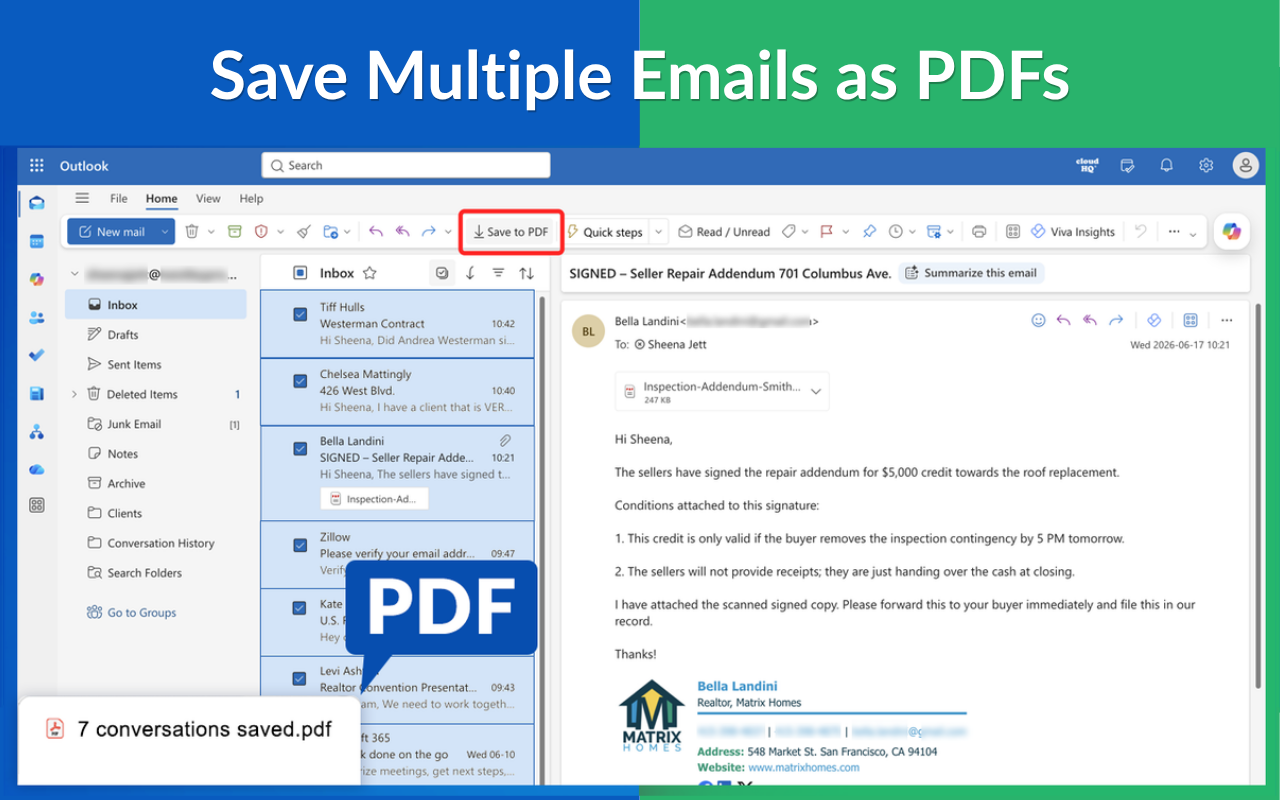
This extension adds a Save to PDF button to the Outlook ribbon (Home tab) in Outlook.com, Outlook on the Web, and Microsoft 365 Outlook. It supports personal Outlook accounts (outlook.com, hotmail.com, live.com) and Microsoft 365/Office 365 work accounts.
WHAT IT DOES
📄 Save any email as a PDF: select a message in Outlook and click Save to PDF. That’s it.
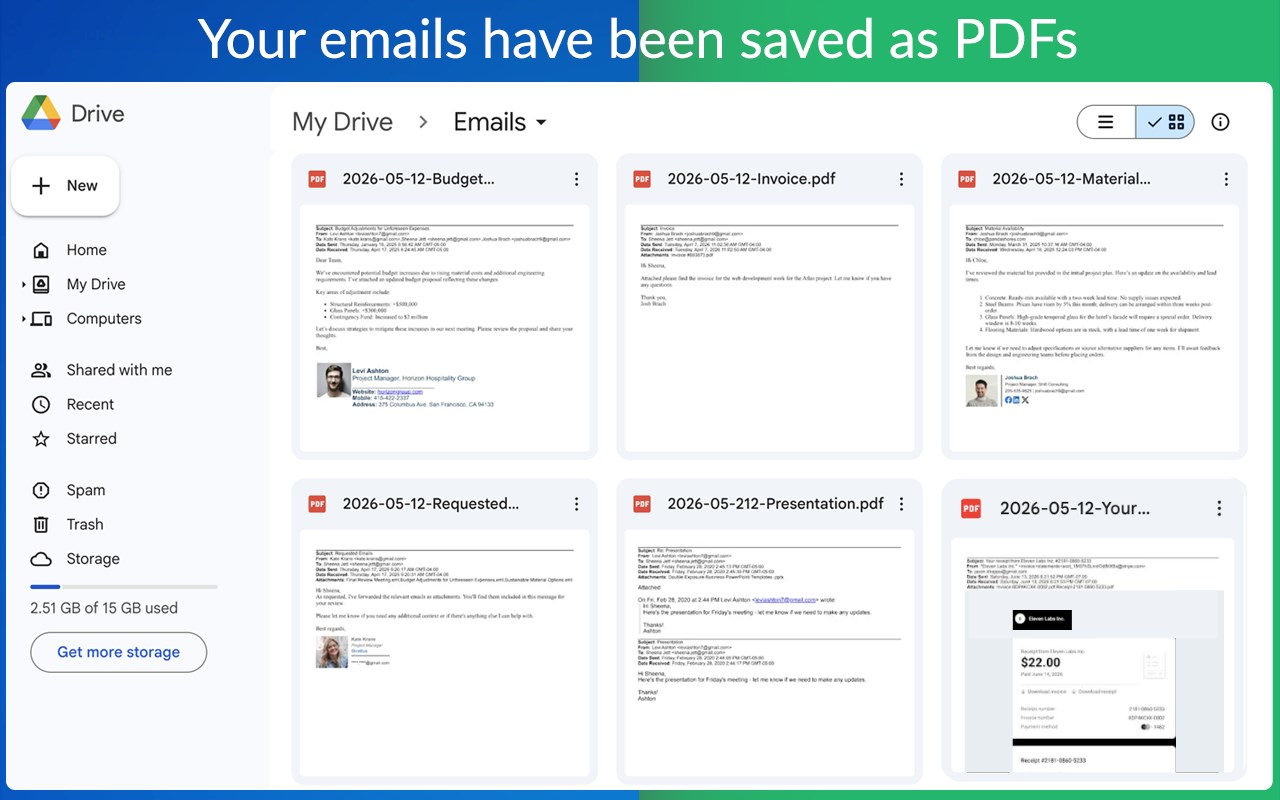
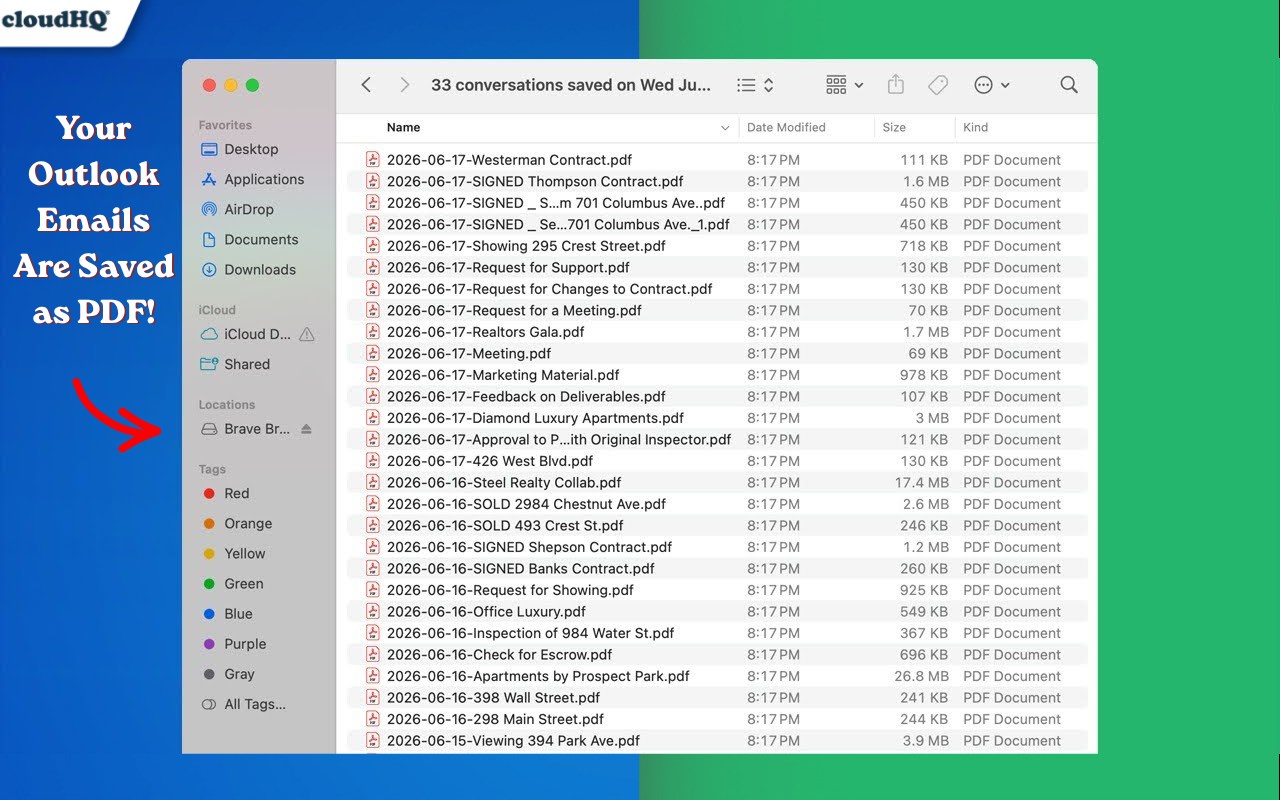
📦 Export emails in bulk: pick 5, 50, or 5,000 messages and download them all as a ZIP of PDFs.
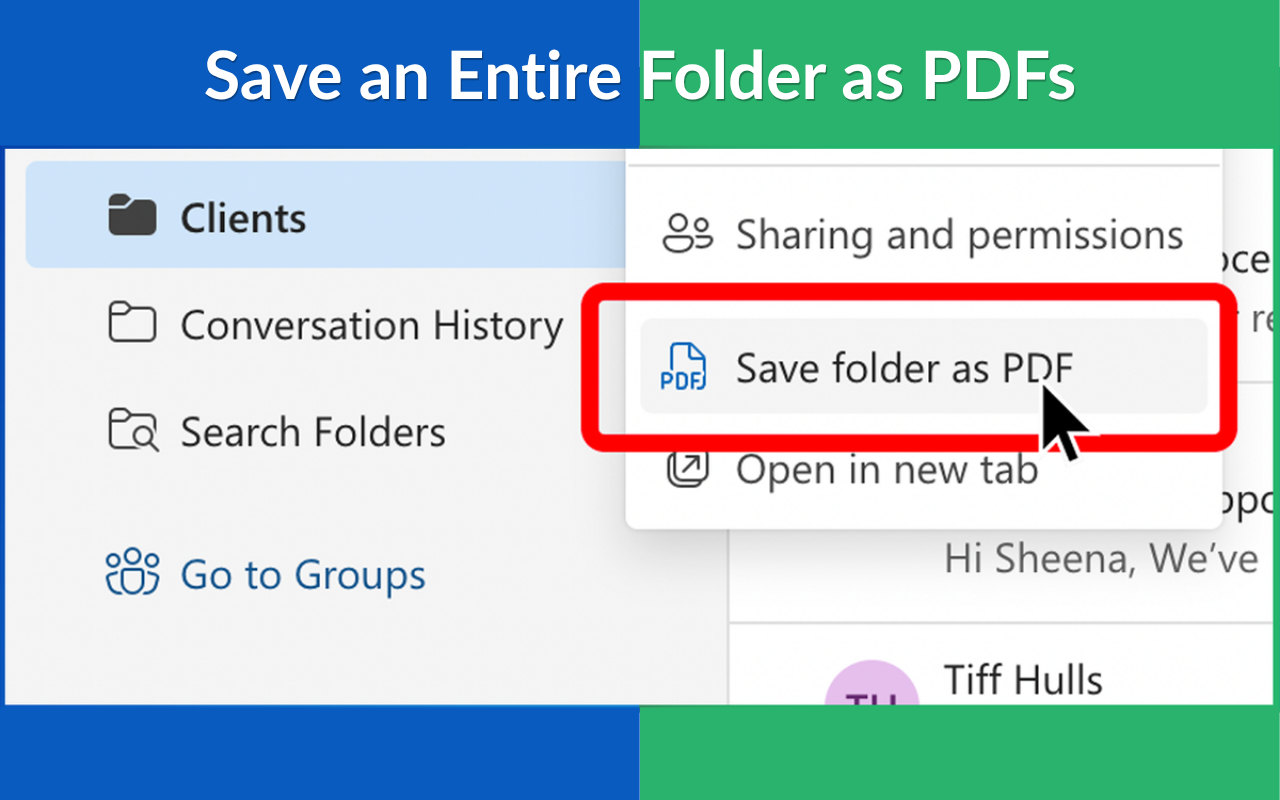
📚 Back up entire folders: archive your Inbox, Sent Items, or any custom folder (including all subfolders) via the dashboard wizard. The original folder structure is preserved inside the ZIP.
🧵 Conversation-aware: in conversation view, the entire thread is saved as a single PDF. Switch to single-message view to save each email separately.
🔁 Merge or separate: choose one PDF per email, or merge everything into a single PDF.
📎 Include attachments: embed attachments (docs, images, PDFs) in the exported PDF, or place them in a ZIP.
🔐 Add password protection: create encrypted, password-protected PDFs for sensitive emails.
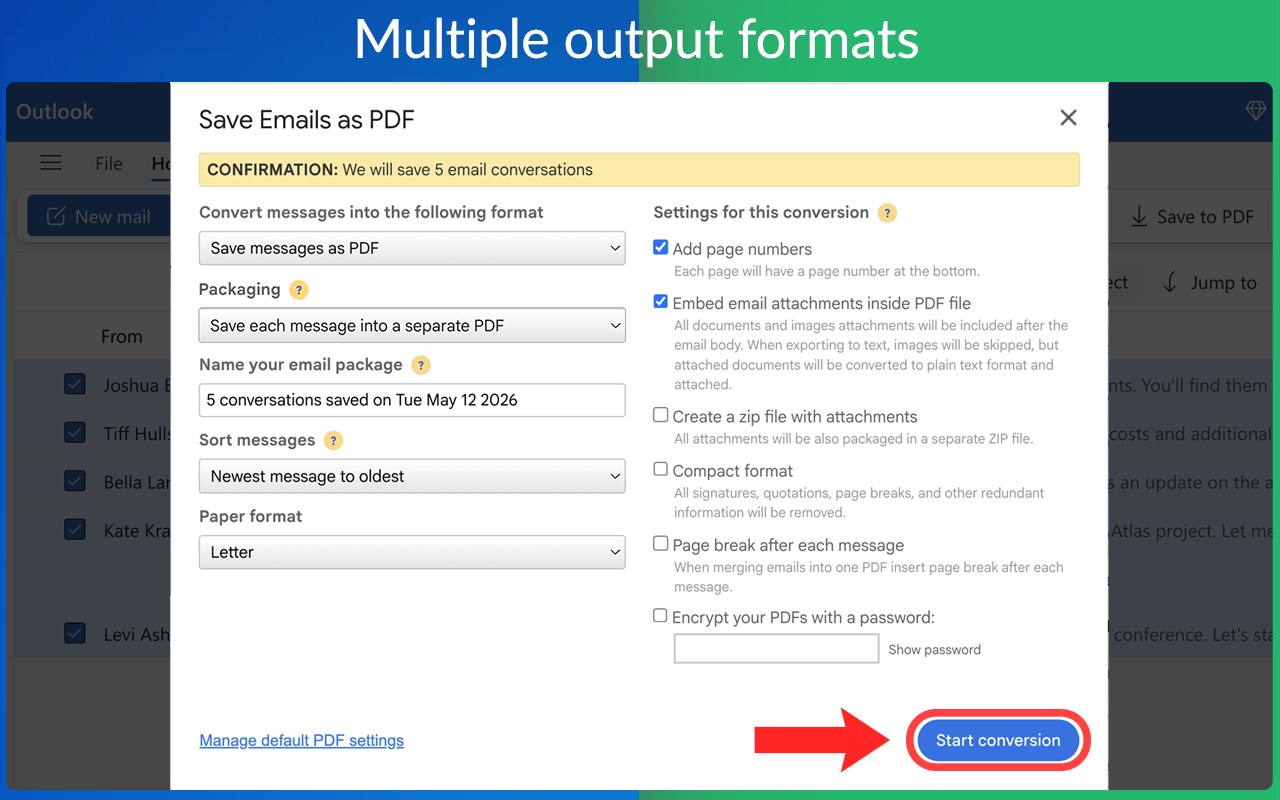
📑 Multiple formats: export to PDF, HTML, TXT, or EML .
HOW IT WORKS
1. Install the extension.
2. Open Outlook on the web (outlook.live.com, outlook.office.com, or outlook.office365.com).
3. Select one or more emails.
4. Click the Save to PDF button in the toolbar.
5. Choose options (format, merge, attachments, password) and select Start conversion.
6. Receive a download link by email when it’s ready, or wait on the dashboard and download immediately.
For a full mailbox backup, click the cloudHQ icon in the Edge toolbar and select Start the Wizard. Choose a folder (or your entire mailbox) and receive a ZIP containing every email in PDF, HTML, TXT, or EML, mirroring your folder hierarchy.
PERFECT FOR
⚖️ Legal teams: compile all emails for a case, client, or conversation into a court-ready PDF for easy sharing with counsel or your case-management system.
🏢 Compliance and legal hold: archive sensitive communications in PDF with attachments and metadata preserved.
📂 Project closeout: capture all project-related emails in one place instead of leaving them scattered.
🎓 Students and academics: keep permanent records of important threads with professors, advisors, or coauthors.
🚪 Offboarding: save personal correspondence before your work account is deactivated.
💼 Small businesses: maintain an offline backup of your mailbox for records, taxes, or peace of mind.
PRIVACY AND SECURITY YOUR DATA, YOUR CONTROL
• Your emails stay within Microsoft and cloudHQ. We never sell or share your data with advertisers or third parties.
• We do not retain your emails after conversion completes.
• You can revoke access anytime in your Microsoft account or by uninstalling the extension.
• Learn more: How cloudHQ handles your data https://support.cloudhq.net/category/security-privacy-encryption/
cloudHQ. Helping your productivity, one click at a time.
Website: https://www.save-outlook-emails-as-pdf.com/
Pricing: https://www.save-outlook-emails-as-pdf.com/pricing
Support: https://support.cloudhq.net/category/browser-extensions/save-emails-to-pdf/
Blog: https://blog.cloudhq.net/
----
“Save Outlook Emails as PDF by cloudHQ” is not affiliated with, endorsed by, or sponsored by Microsoft Corporation. Microsoft, Outlook, and the Outlook logo are trademarks of Microsoft Corporation.
cloudHQ is a trademark of cloudHQ LLC. https://www.cloudhq.net/trademark
Save Outlook Emails as PDF by cloudHQ 是做什么的
Save Outlook Emails as PDF by cloudHQ 是一款面向 Edge 的实用工具类扩展,主要用来解决浏览器里某类具体的小问题。官方对它的介绍是:Save Outlook emails as PDF, HTML, TXT, or EML — with attachments included.在微软 Edge 加载项商店上,它当前版本 1.0.0.11,评分 5(11 人评价),约 164 名用户。
适合什么人用
从功能定位看,Save Outlook Emails as PDF by cloudHQ 更适合想补上浏览器原生缺失功能的用户。如果你平时只是偶尔遇到相关需求,用浏览器自带功能也能凑合;但如果这件事每天都发生,装一个专门处理它的扩展通常比手动操作省事得多。
怎么安装 Save Outlook Emails as PDF by cloudHQ
- 打开微软 Edge 加载项商店上的官方页面;
- 点「添加到浏览器」并确认权限提示;
- 装好后在扩展列表里固定图标,方便随时开关。
本站只做索引与介绍,安装包来自官方商店。如果商店页面提示当前地区不可用,说明该扩展未在你所在区域上架。
常见问题
Save Outlook Emails as PDF by cloudHQ 是免费的吗?
Save Outlook Emails as PDF by cloudHQ 在微软 Edge 加载项商店免费提供下载。它是浏览器扩展,装上就能直接用,不需要注册账号。
Save Outlook Emails as PDF by cloudHQ 安全吗?
它只申请了 0 项权限,范围比较克制,没有申请「读取所有网站数据」这种大权限。
Save Outlook Emails as PDF by cloudHQ 支持哪些浏览器?
当前收录的版本来自微软 Edge 加载项商店,适用于 Edge。同一个扩展在其他商店可能有对应版本,但功能与版本号不一定相同。
怎么卸载 Save Outlook Emails as PDF by cloudHQ?
在扩展管理页找到 Save Outlook Emails as PDF by cloudHQ,点移除即可。它在本地保存的设置会一起清掉,不会残留数据。
权限清单 来自 manifest.json 原文
接口权限 2
backgroundstorage