
Save Emails as PDF by cloudHQ
cloudHQ · EEdge MV3
将 Gmail™ 电子邮件导出、转换和保存为 PDF 文档
截图
简介
Export, convert and save Gmail™ emails as a PDF document
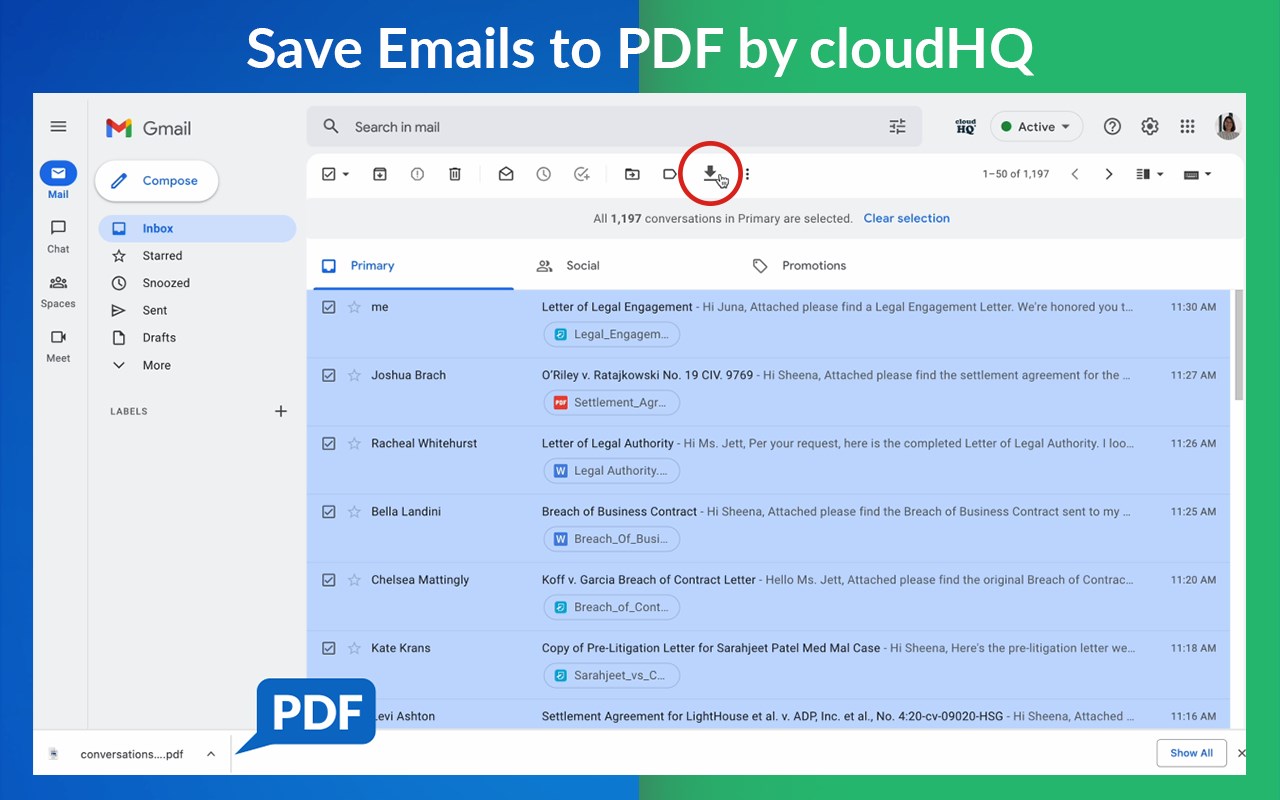
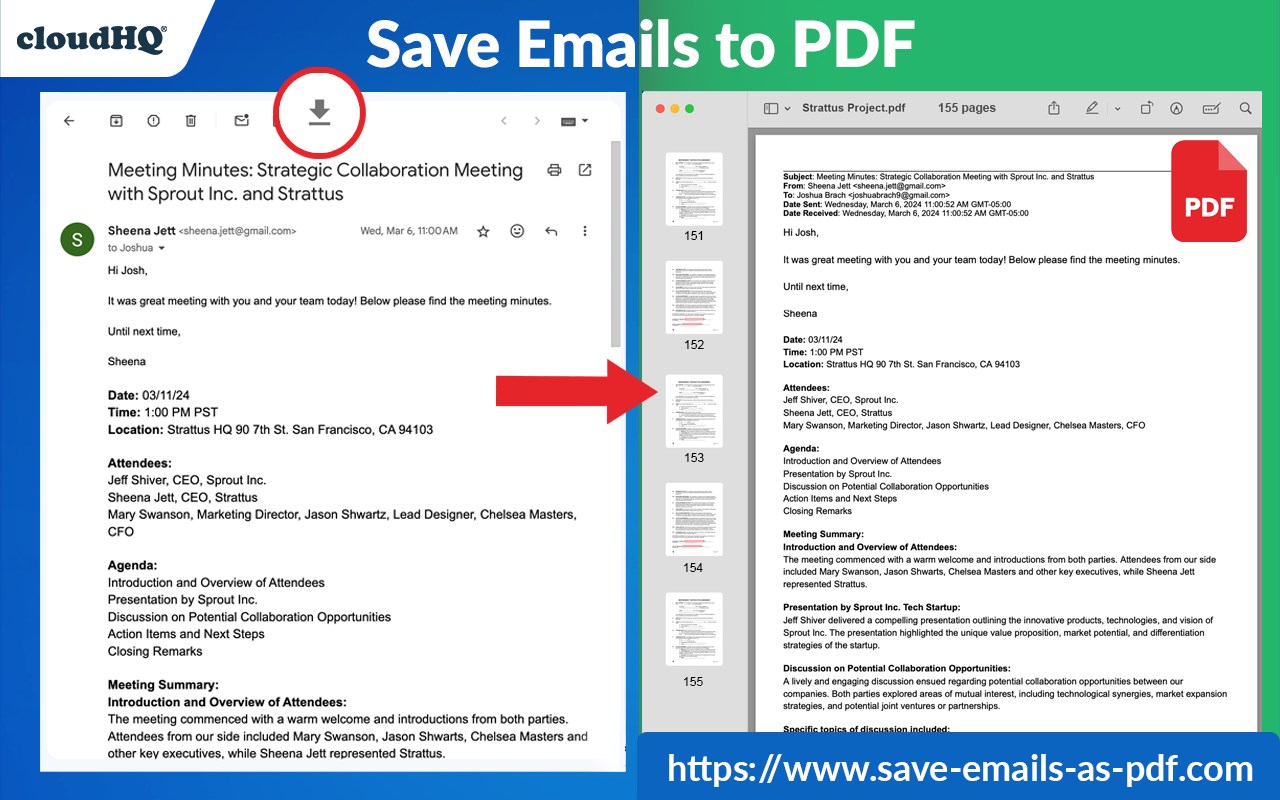
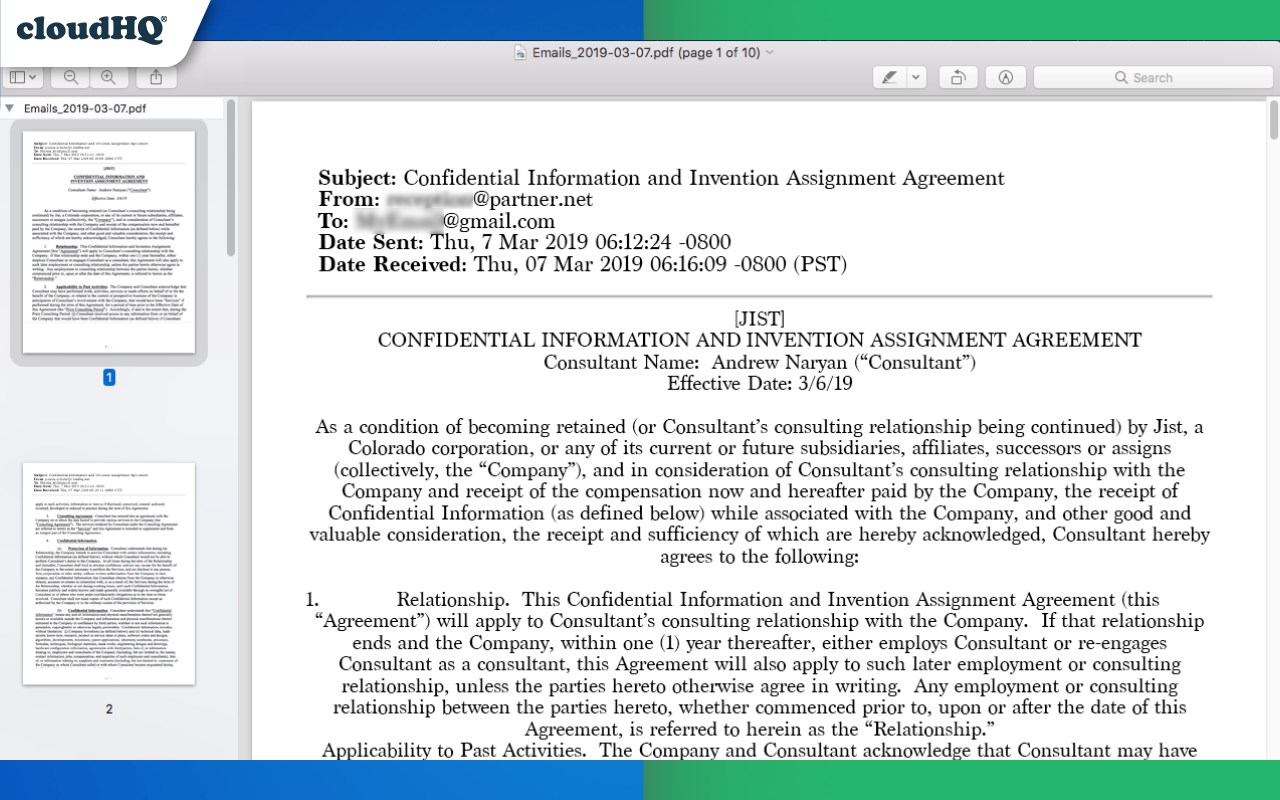
This extension lets you easily save Gmail emails and labels as a PDF document. Our service works in just 3 clicks, and you're done!
With this extension you can:
✔️ Create a hard copy backup of messages for your own records
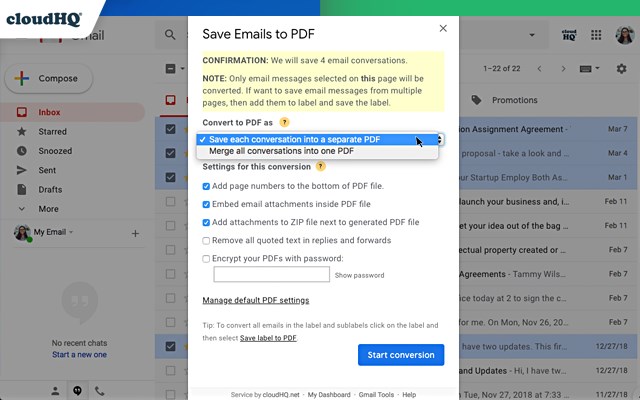
✔️ Merge multiple emails into one PDF
✔️ Backup multiple messages into separate PDFs
✔️ Save only the attachments of your Gmail messages into PDF
✔️ Great to upload your correspondence and:
- Upload them into your CRM, like Salesforce, Zoho, etc.
- Send it to your lawyer for legal proceedings
- Send your bills, receipts, or invoices to your accountant
- Send it to your human resources department for any internal issues
This this extension is great for:
1. Real estate agents:
🏡Package all your Gmail messages regarding your sales transactions and upload them into SkySlope or another CRM that you're using.
2. Lawyers and legal professionals:
⚖️ Save, organize and sort all Gmail messages into one document and submit it to court.
⚖️ Convert all online conversations (sent documents, received documents, etc.) into a single file that you can then easily Clio or another CRM that you're using.
3. Project Managers and Team leads:
🚧 Archive all project communication as one document and keep it organized.
🚧 Setup an automatic saving of Gmail labels with project-related conversations to your Google Shared Drive for collaboration with your team.
4. Business owners:
💼 Get all your Gmail messages with receipts and organize them by date, customer, etc.
6. Contractors:
👩💻 Archive all communication with your clients.
7. Anybody who needs to convert, save and archive important online conversations, this is FOR YOU!
🕵️👮🏾♀️👨🎨🧑🎤👨💻🤵🏻♀️👩🔬🧕🏽🧑💼🧑🔧👩🏿🏫🧏👷
Here's everything you can do with this Convert Gmail to PDF Edge addon:
1. You can save:
- A single message or conversation
- Multiple messages or conversations
- An entire Gmail label
- Messages and conversations matching filters
- Your entire account
2. To any of these platforms:
- A downloadable PDF to your local hard drive
- Google Drive
- Dropbox
- Box
- Egnyte
- OneDrive
3. Feature Options you can choose to:
* Include or exclude attachments
* Append emails to an existing PDF document
* Save your attachments only (not the body itself, but just the attachment)
* Add page numbers
* Condensed format (all signatures, quotations and other unnecessary data is removed)
* Select an appropriate page size for printing purposes
* Encrypt your file with password protection (highly encouraged for legal documents)
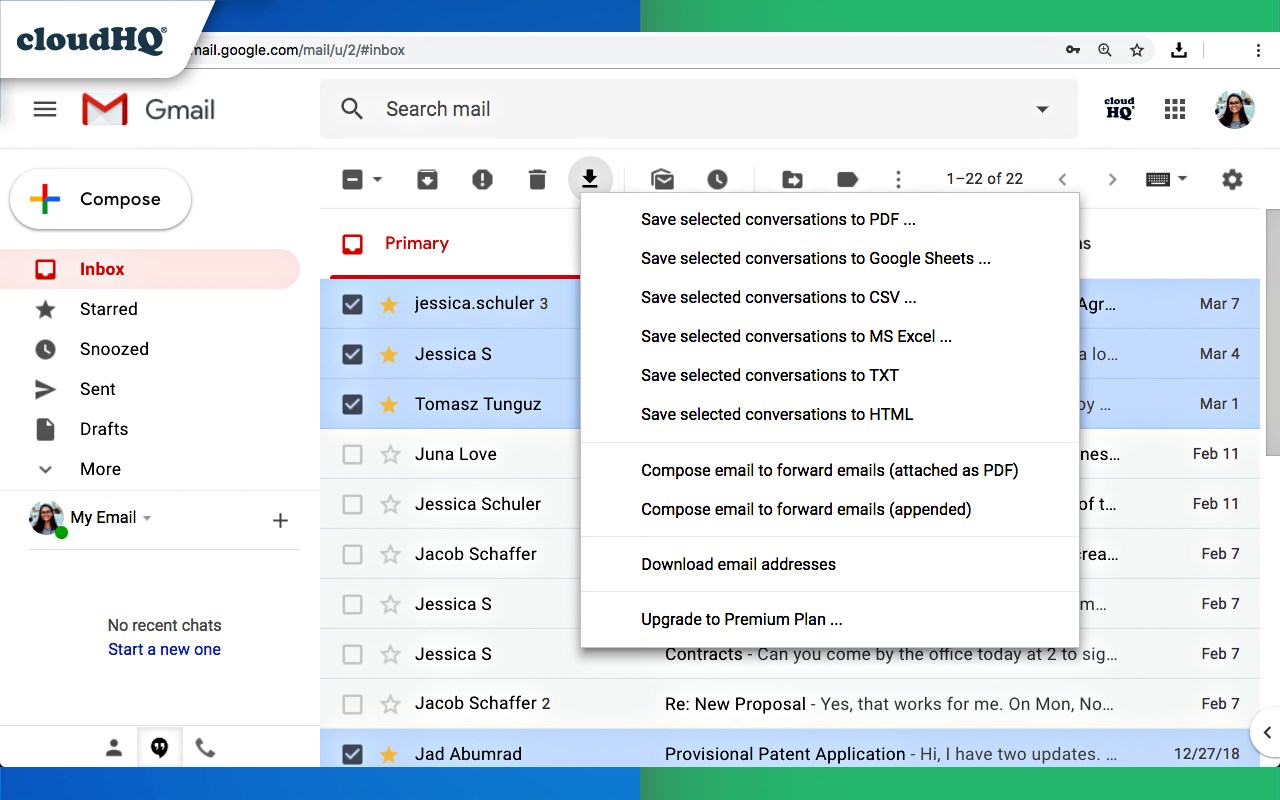
* Forward your Gmail mails as a pdf attachment to someone else
* Save your online conversation as one document with your selection
* Convert and save your online conversation as a zip file with each Gmail message or conversation in separate PDF files
* Convert and save your online communication one text (TXT) file
* Convert and save your online communication as one HTML document
* Share packages with your online conversations using secure share links
We know that not one size fits all—especially when it comes to your Google e-mail, but with these flexible features, you should be covered with this extension.
cloudHQ. Helping your productivity, 1 click at a time.
cloudHQ website: https://www.cloudhq.net
Website: https://www.save-emails-as-pdf.com
Pricing: https://www.save-emails-as-pdf.com/pricing
Support page: https://support.cloudhq.net/category/browser-extensions/save-emails-to-pdf/
Blog: https://blog.cloudhq.net
Gmail, Google Calendar, and Google Workspace are trademarks of Google LLC. Use of these trademarks is subject to Google Permissions.
cloudHQ is trademark of cloudHQ LLC. https://www.cloudhq.net/trademark
Save Emails as PDF by cloudHQ 是做什么的
Save Emails as PDF by cloudHQ 是一款面向 Edge 的实用工具类扩展,主要用来解决浏览器里某类具体的小问题。官方对它的介绍是:将 Gmail™ 电子邮件导出、转换和保存为 PDF 文档在微软 Edge 加载项商店上,它当前版本 1.1.2.22,评分 5(11 人评价),约 306 名用户。
适合什么人用
从功能定位看,Save Emails as PDF by cloudHQ 更适合想补上浏览器原生缺失功能的用户。如果你平时只是偶尔遇到相关需求,用浏览器自带功能也能凑合;但如果这件事每天都发生,装一个专门处理它的扩展通常比手动操作省事得多。
怎么安装 Save Emails as PDF by cloudHQ
- 打开微软 Edge 加载项商店上的官方页面;
- 点「添加到浏览器」并确认权限提示;
- 装好后在扩展列表里固定图标,方便随时开关。
本站只做索引与介绍,安装包来自官方商店。如果商店页面提示当前地区不可用,说明该扩展未在你所在区域上架。
常见问题
Save Emails as PDF by cloudHQ 是免费的吗?
Save Emails as PDF by cloudHQ 在微软 Edge 加载项商店免费提供下载。它是浏览器扩展,装上就能直接用,不需要注册账号。
Save Emails as PDF by cloudHQ 安全吗?
它只申请了 0 项权限,范围比较克制,没有申请「读取所有网站数据」这种大权限。
Save Emails as PDF by cloudHQ 支持哪些浏览器?
当前收录的版本来自微软 Edge 加载项商店,适用于 Edge。同一个扩展在其他商店可能有对应版本,但功能与版本号不一定相同。
怎么卸载 Save Emails as PDF by cloudHQ?
在扩展管理页找到 Save Emails as PDF by cloudHQ,点移除即可。它在本地保存的设置会一起清掉,不会残留数据。
权限清单 来自 manifest.json 原文
接口权限 3
backgroundscriptingstorage