
MailKing: Email Campaigns in Gmail by cloudHQ EN
cloudHQ · EEdge MV3
Send text message reminders and mass emails directly from Gmail
截图


简介
Searching for top-tier mass email software for marketing or notifications?
MailKing sends your campaigns directly from your Gmail address, ensuring higher open rates. It operates seamlessly within Gmail for easy access whenever you need it. Campaign setup is straightforward, intuitive, and highly effective.
MailKing offers a wealth of features. Here are some key highlights:
✅ Higher open rates
✅ Send emails from your Gmail, not "noreply@url.com"
✅ Thousands of professionally designed email templates to choose from
✅ Intuitive drag-and-drop email design editor for custom designs
✅ HTML design editor available
✅ Import templates from Mailchimp or Hubspot
✅ Easily upload CSV files from Mailchimp, Yesware, Salesforce, Zoho, and other CRMs
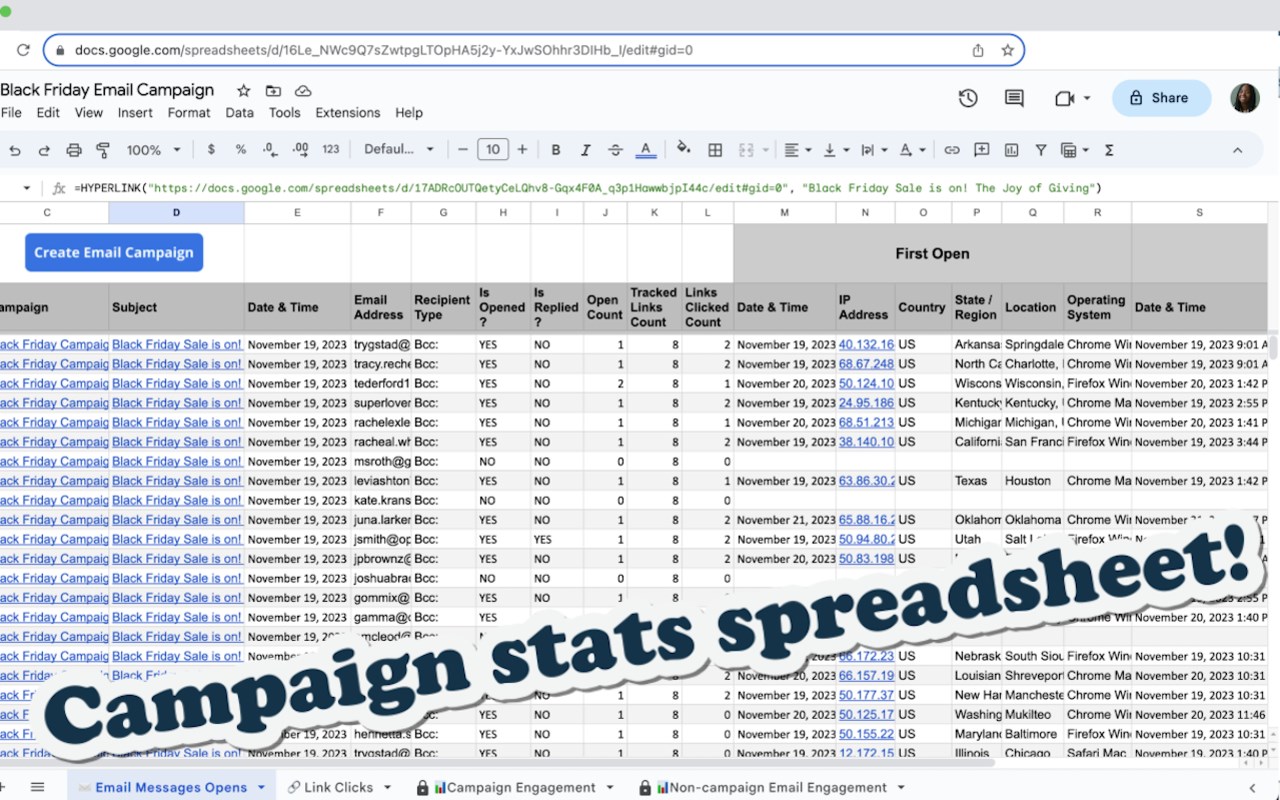
✅ Mail merge capabilities with any spreadsheet
✅ Email list builder
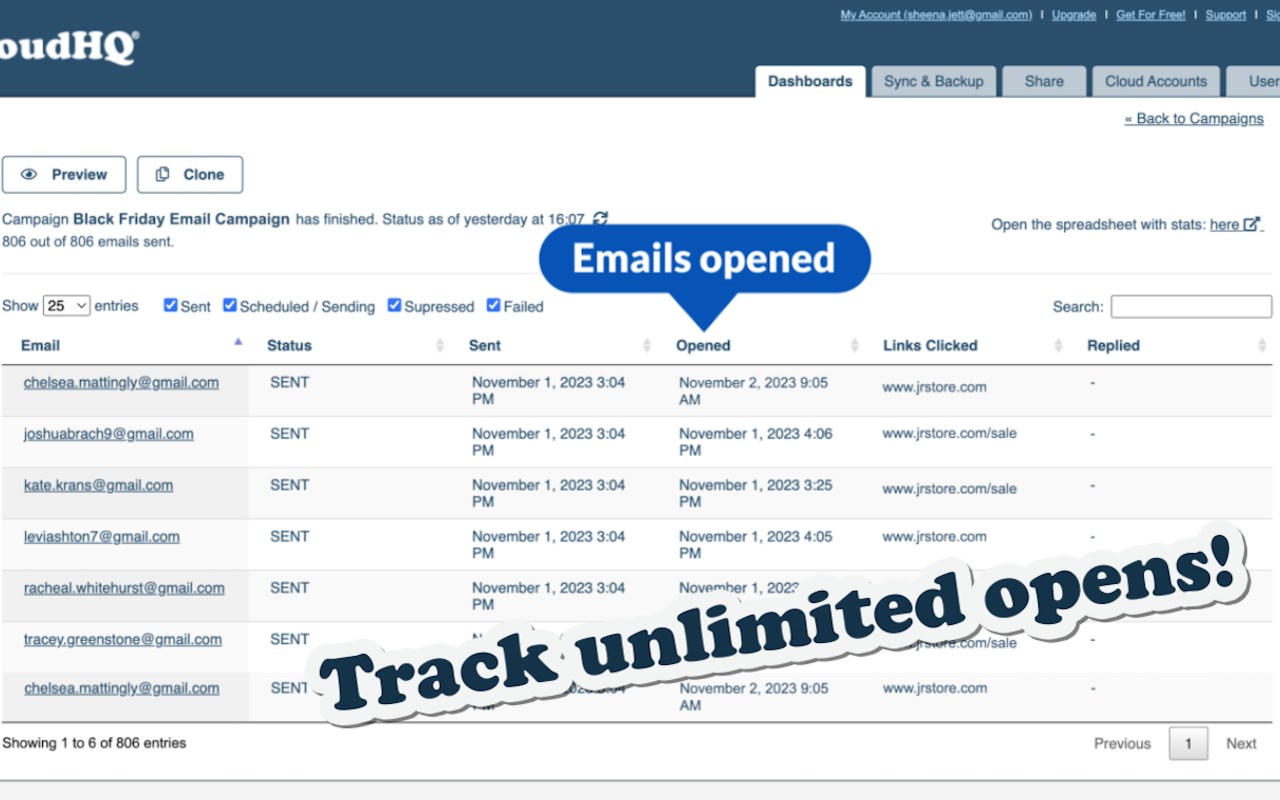
✅ Track unlimited opens and clicks in your campaigns
✅ Sequence and follow-up email campaigns
✅ Personalize names, emails, or other data
✅ Detailed email campaign analytics
✅ Text message campaigns (US & Canada only), using your phone number if desired
✅ Send up to 2000 emails/day based on Gmail's limits, upgrade to the Premium Plan to remove the logo at the bottom
In summary:
This robust email marketing software is designed to help small to medium-sized businesses stand out and get noticed. Enjoy this comprehensive app, which offers best-in-class email and text message marketing software.
Who uses MailKing?
- SMB business owners needing reliable email marketing solutions
- companies for internal emails
- Salespeople looking to close deals faster
- Marketers in small businesses or marketing contractors
- Anyone needing to convey the same message to many recipients
cloudHQ. Helping your productivity, 1 click at a time.
Website: https://www.mailking.io
Pricing: https://www.mailking.io/pricing
Support page: https://support.cloudhq.net/category/browser-extensions/gmail_campaigns/
Blog: https://blog.cloudhq.net
MailKing: Email Campaigns in Gmail by cloudHQ 是做什么的
MailKing: Email Campaigns in Gmail by cloudHQ 是一款面向 Edge 的实用工具类扩展,主要用来解决浏览器里某类具体的小问题。官方对它的介绍是:Send text message reminders and mass emails directly from Gmail在微软 Edge 加载项商店上,它当前版本 1.0.2.1,评分 5(10 人评价),约 58 名用户。
适合什么人用
从功能定位看,MailKing: Email Campaigns in Gmail by cloudHQ 更适合想补上浏览器原生缺失功能的用户。如果你平时只是偶尔遇到相关需求,用浏览器自带功能也能凑合;但如果这件事每天都发生,装一个专门处理它的扩展通常比手动操作省事得多。
怎么安装 MailKing: Email Campaigns in Gmail by cloudHQ
- 打开微软 Edge 加载项商店上的官方页面;
- 点「添加到浏览器」并确认权限提示;
- 装好后在扩展列表里固定图标,方便随时开关。
本站只做索引与介绍,安装包来自官方商店。如果商店页面提示当前地区不可用,说明该扩展未在你所在区域上架。
常见问题
MailKing: Email Campaigns in Gmail by cloudHQ 是免费的吗?
MailKing: Email Campaigns in Gmail by cloudHQ 在微软 Edge 加载项商店免费提供下载。它是浏览器扩展,装上就能直接用,不需要注册账号。
MailKing: Email Campaigns in Gmail by cloudHQ 安全吗?
它只申请了 0 项权限,范围比较克制,没有申请「读取所有网站数据」这种大权限。
MailKing: Email Campaigns in Gmail by cloudHQ 支持哪些浏览器?
当前收录的版本来自微软 Edge 加载项商店,适用于 Edge。同一个扩展在其他商店可能有对应版本,但功能与版本号不一定相同。
怎么卸载 MailKing: Email Campaigns in Gmail by cloudHQ?
在扩展管理页找到 MailKing: Email Campaigns in Gmail by cloudHQ,点移除即可。它在本地保存的设置会一起清掉,不会残留数据。
权限清单 来自 manifest.json 原文
接口权限 3
backgroundscriptingstorage