Attach Files as PDF EN
cloudHQ · EEdge MV3
Convert any file to PDF and attach it to your Gmail message in one click.
截图
简介
Securely Attach Files as PDFs with cloudHQ for Efficient Emailing
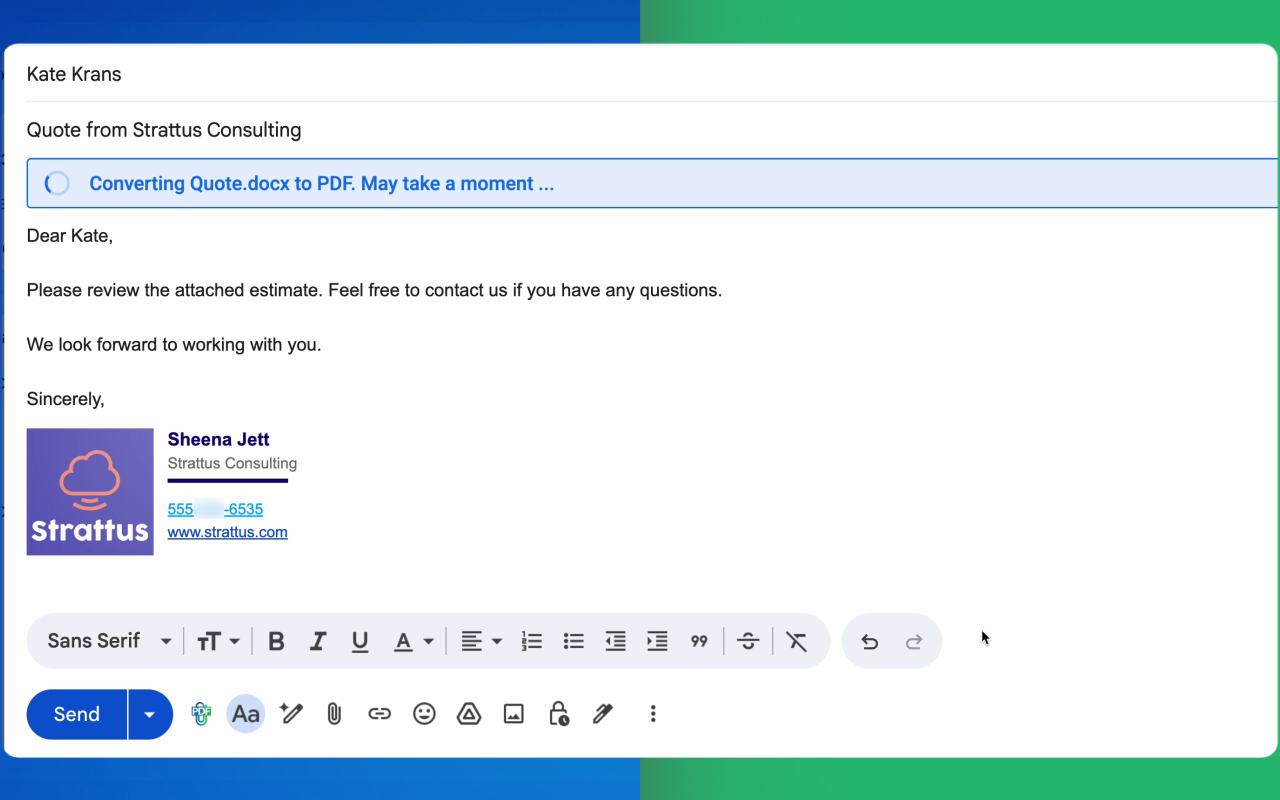
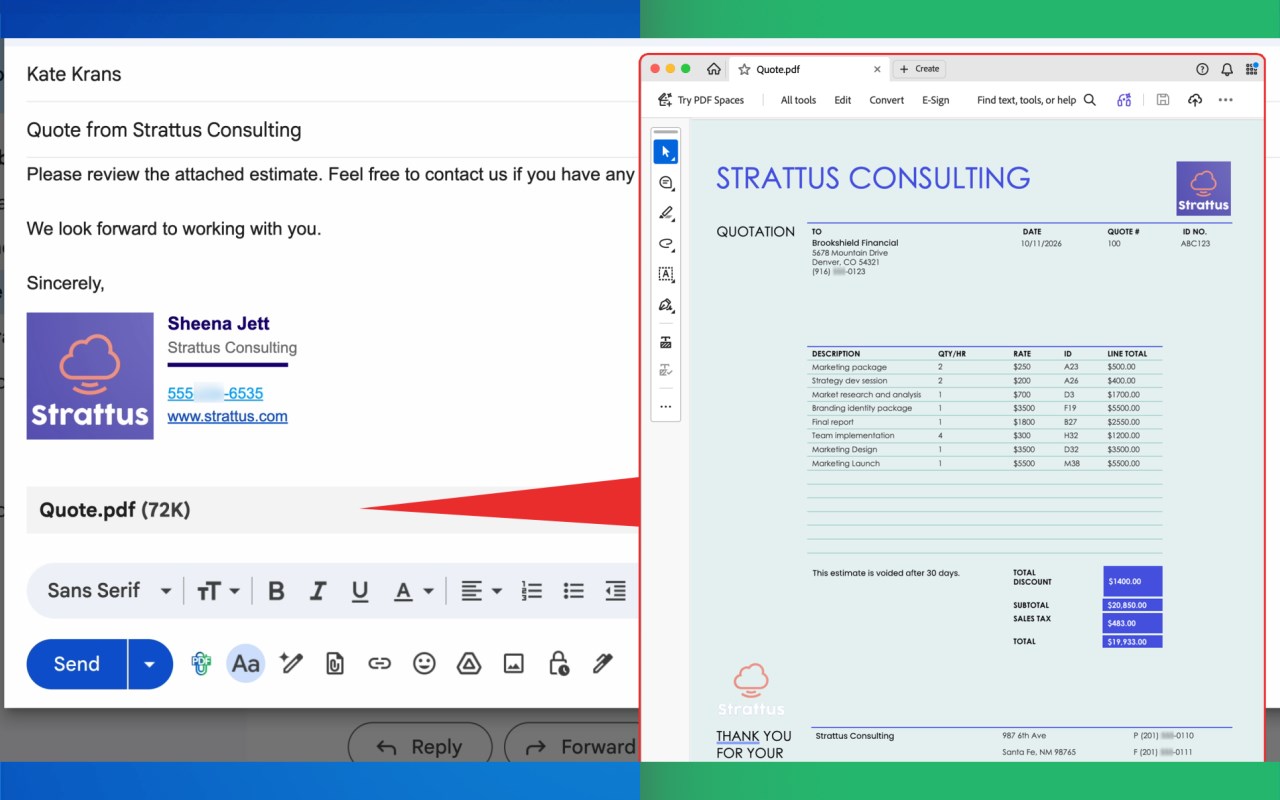
The cloudHQ extension for MS Edge simplifies the process of attaching documents as PDFs in Gmail with a single click. It seamlessly transforms Word documents, Excel files, PowerPoint presentations, images, or any attachments into neatly formatted PDFs that accompany your emails automatically—eliminating the need for manual conversions, separate tools, or managing different file versions.
Benefits of Using PDFs for Attachments
Opting for PDFs is a favored choice among professionals due to their reliability, consistency, and security:
* Consistent appearance: PDFs maintain a uniform look across platforms, be it Windows, Mac, mobile, or browsers like Gmail and Outlook, unlike Word and Excel files, which can vary in fonts and layouts based on the software used by the recipient.
* Easy accessibility: PDFs can be opened universally on most devices without the need for additional software like Microsoft Word or Google Docs.
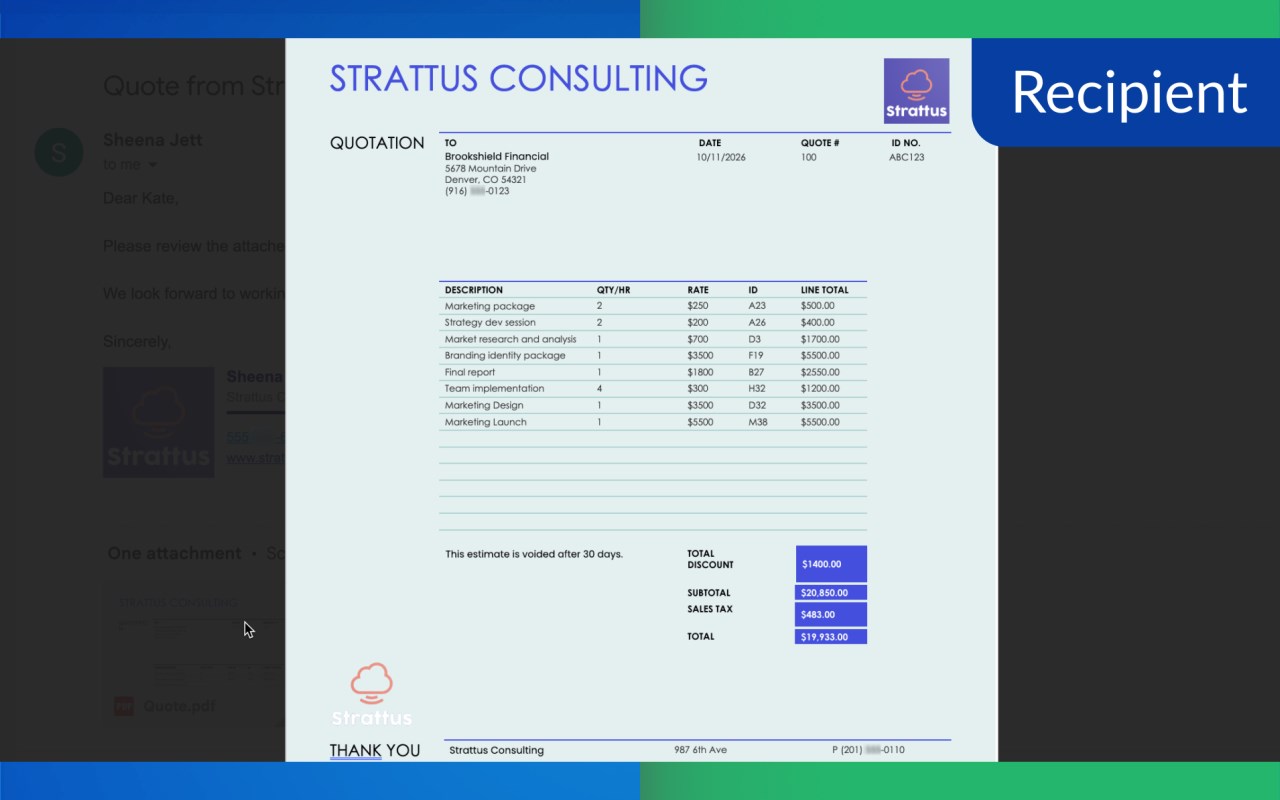
* Professional presentation: For official documents like contracts, invoices, and reports, PDFs represent a finalized version, unlike the draft-like appearance of Word files.
* Reduced risk of unintended edits: PDFs are more resistant to unintentional modifications, making them ideal for situations where documents need reading, printing, or approval without changes.
* Enhances sharing security: Word documents can hide macros, comments, and editing trails. PDFs help prevent this exposure during sharing.
* Consistent printing output: PDFs ensure that printed documents match their on-screen appearance in terms of layout and formatting.
* Suitable for long-term archiving: PDFs preserve documents in their original format, making them ideal for storing over extended periods.
Addressing PDF Conversion Challenges
Manually converting files to PDFs for emails can to two key issues:
1. The risk of using outdated versions of documents for conversion following any edits.
2. Difficulty in converting various file formats, such as legacy Office files and different image types.
The solution lies in cloudHQ’s extension, which resolves these concerns by converting the most current version of your document during email composition for seamless attachment. This simplified workflow supports a wide range of file types.
Key Features:
* One-click PDF creation within the MS Edge interface for Gmail, bypassing the need for extra apps or Google Drive permissions.
* Instant updating ensures your attachments are the latest PDF version at the time of.
* Comprehensive file type compatibility, including Word, Excel, PowerPoint, text, RTF, HTML, OpenDocument, images, and more.
* Automatic compression for PDFs to fit Gmail's attachment size limits.
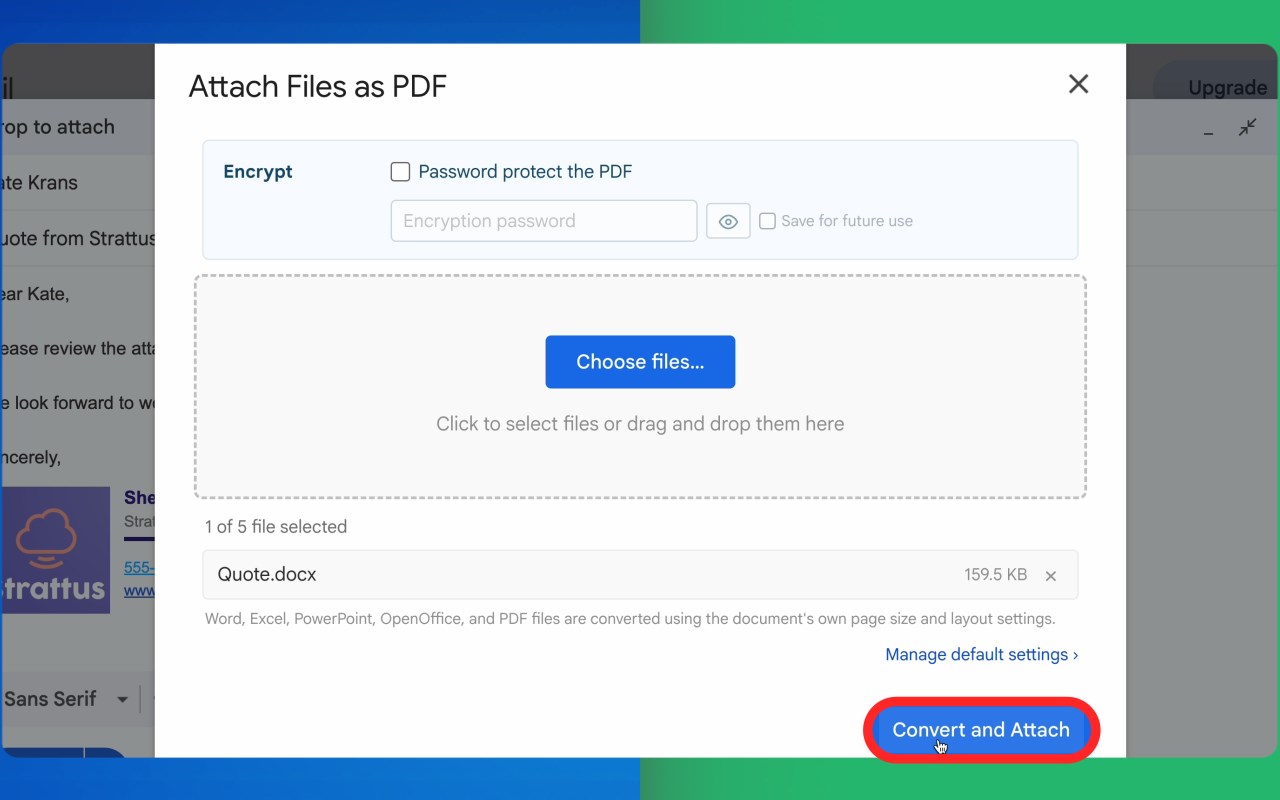
* Optional encryption for protecting sensitive PDFs with a password.
Application Scenarios:
* Sales teams can effortlessly send polished proposals and contracts as consistent PDFs.
* Customer support agents share clear, printable instructions and reports.
* HR professionals distribute resumes and policy documents without alteration risks.
* Finance departments forward invoices and statements in non-editable formats.
* Real estate listings and brochures maintain their professional appearance.
* Legal documents can be sent for approvals or signatures without internal notes or changes visible.
* Educators ensure lesson plans and study materials appear consistently to students.
* Nonprofits and event planners share receipts and events info that looks professional on all devices.
Usage Steps:
1. Install the MS Edge browser extension.
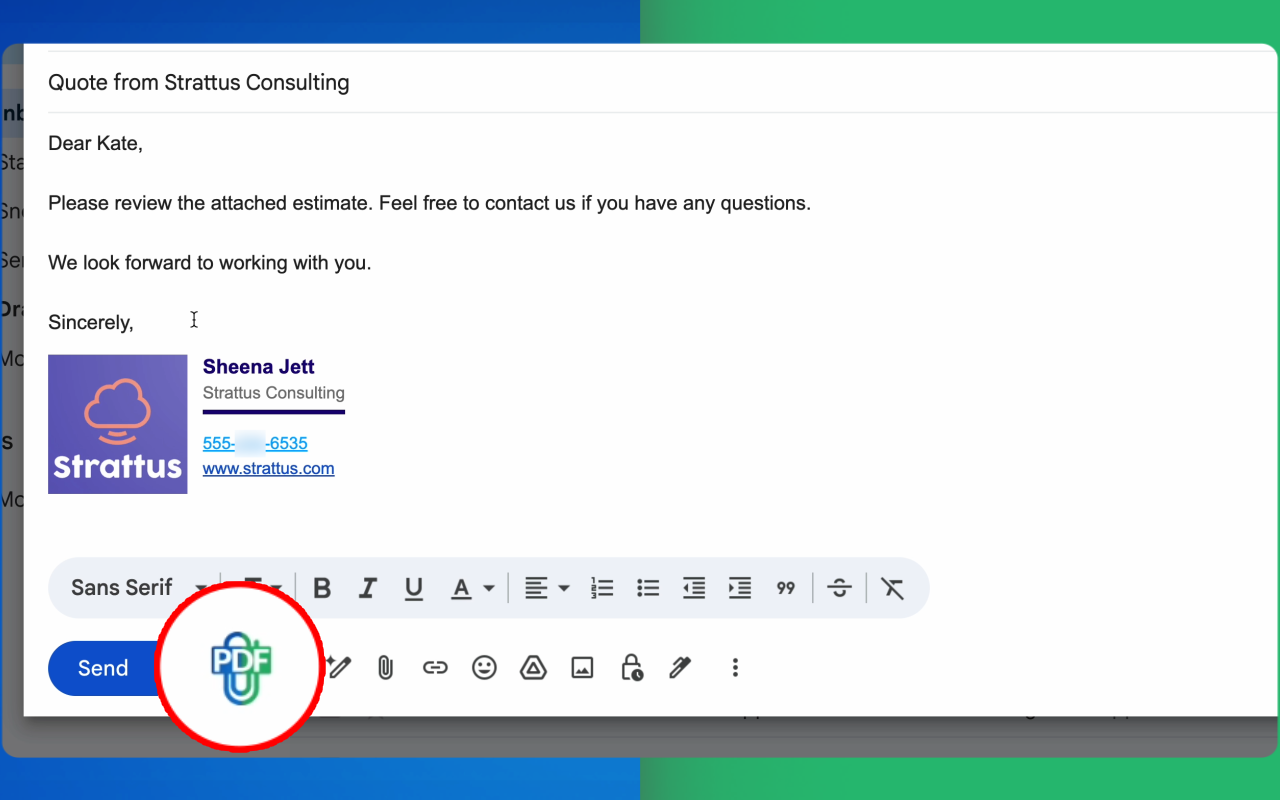
2. Open Gmail and click "Compose."
3. Use the "Attach Files as PDF" icon within the composer toolbar.
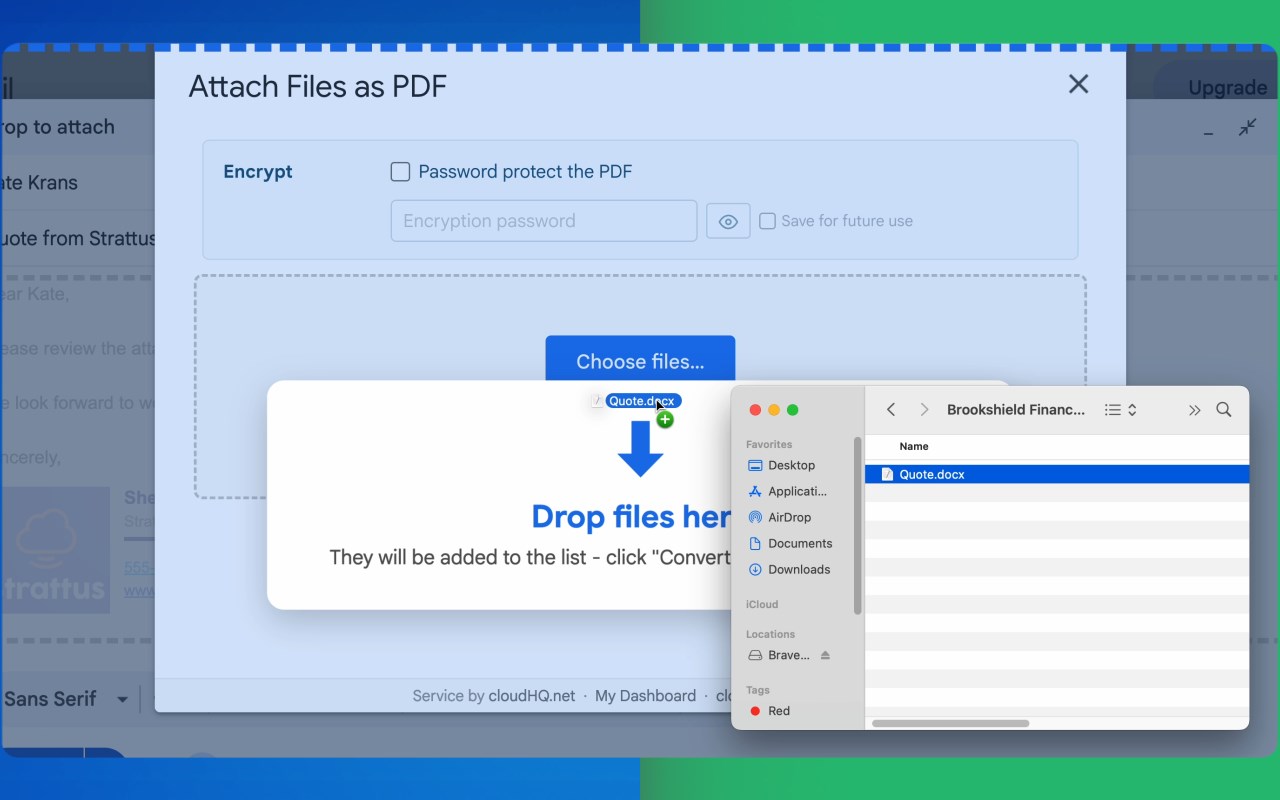
4. Choose a file from your device, and it will be automatically converted and attached to your email.
cloudHQ. Helping your productivity, 1 click at a time.
cloudHQ website: https://www.cloudhq.net/
Web page: https://www.attach-files-as-pdf.com/
Support page: https://support.cloudhq.net/category/browser-extensions/gmail-attach-as-pdf
Blog: https://blog.cloudhq.net
"Attach Files as PDF by cloudHQ" is not affiliated with, endorsed by, or sponsored by Microsoft Corporation. Microsoft, Outlook, and the Outlook logo are trademarks of Microsoft Corporation.
Gmail and Google Workspace are trademarks of Google LLC. Use of these trademarks is subject to Google Permissions.
cloudHQ is trademark of cloudHQ LLC. https://www.cloudhq.net/trademark
Attach Files as PDF 是做什么的
Attach Files as PDF 是一款面向 Edge 的实用工具类扩展,主要用来解决浏览器里某类具体的小问题。官方对它的介绍是:Convert any file to PDF and attach it to your Gmail message in one click.在微软 Edge 加载项商店上,它当前版本 1.0.0.5,评分 5(10 人评价),约 8 名用户。
适合什么人用
从功能定位看,Attach Files as PDF 更适合想补上浏览器原生缺失功能的用户。如果你平时只是偶尔遇到相关需求,用浏览器自带功能也能凑合;但如果这件事每天都发生,装一个专门处理它的扩展通常比手动操作省事得多。
怎么安装 Attach Files as PDF
- 打开微软 Edge 加载项商店上的官方页面;
- 点「添加到浏览器」并确认权限提示;
- 装好后在扩展列表里固定图标,方便随时开关。
本站只做索引与介绍,安装包来自官方商店。如果商店页面提示当前地区不可用,说明该扩展未在你所在区域上架。
常见问题
Attach Files as PDF 是免费的吗?
Attach Files as PDF 在微软 Edge 加载项商店免费提供下载。它是浏览器扩展,装上就能直接用,不需要注册账号。
Attach Files as PDF 安全吗?
它只申请了 0 项权限,范围比较克制,没有申请「读取所有网站数据」这种大权限。
Attach Files as PDF 支持哪些浏览器?
当前收录的版本来自微软 Edge 加载项商店,适用于 Edge。同一个扩展在其他商店可能有对应版本,但功能与版本号不一定相同。
怎么卸载 Attach Files as PDF?
在扩展管理页找到 Attach Files as PDF,点移除即可。它在本地保存的设置会一起清掉,不会残留数据。
权限清单 来自 manifest.json 原文
接口权限 3
backgroundscriptingstorage