
Send fax with WiseFax EN
Vanaia · Firefox
Send fax quickly and easily with WiseFax! WiseFax enables you to send fax from any PC, Mac, smartphone or tablet connected to the internet to any fax number in the world. Perfect efax solution!
截图
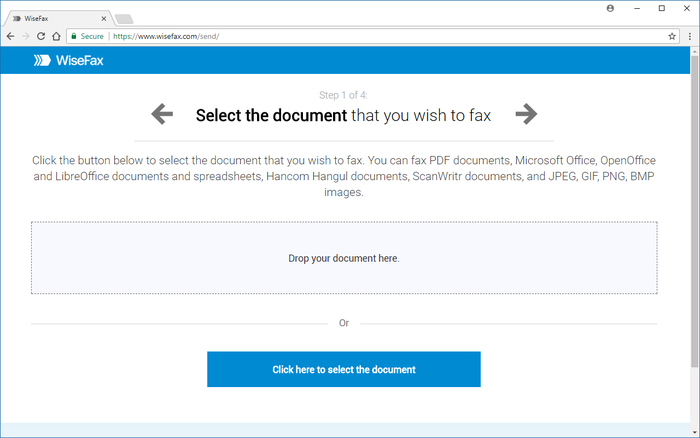
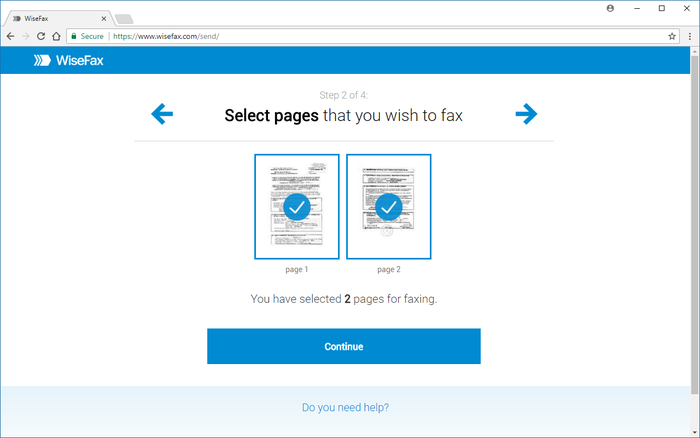
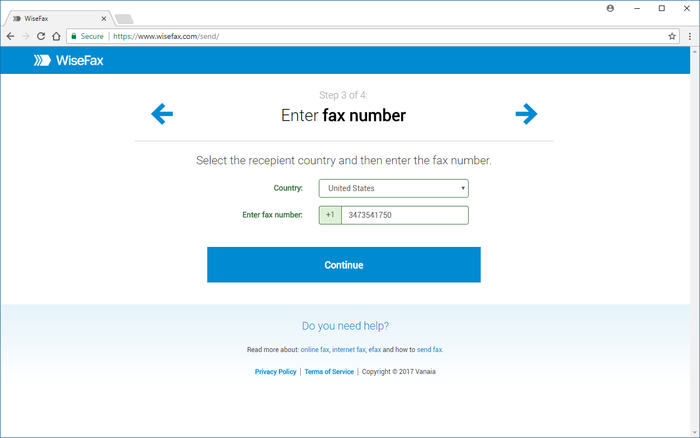
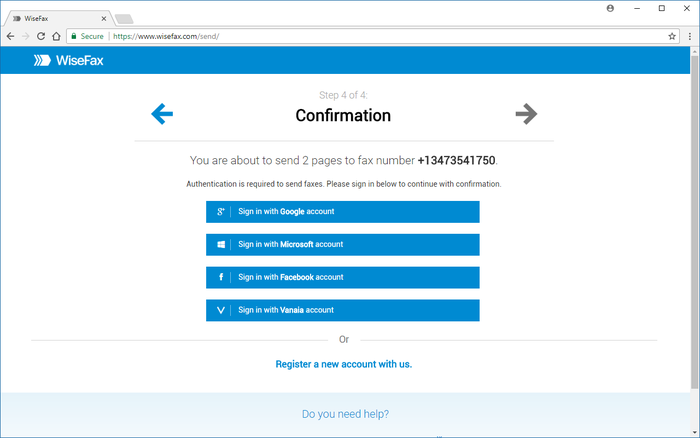
简介
Send fax quickly and easily with WiseFax!
Send fax with WiseFax quickly and easily. You only need internet connection on your smartphone, tablet or computer. Send fax in four simple steps from Mac, Windows or Linux computer, iPhone or iPad, Android phone or tablet without app installation. Just open responsive Wisefax.com web page on your Chrome, Edge, Firefox, Safari browser which will look and feel the same on each device and includes complete integration with your browser. Pay as you go, with no monthly or yearly subscription and send fax anywhere in the world.
WiseFax supports numerous document and file formats such as PDF documents, Microsoft Office, OpenOffice and LibreOffice documents and spreadsheets, Hancom Hangul documents, ScanWritr documents, and JPEG, GIF, PNG, BMP images. New ones are pending to be released. On your tablet or smartphone you can always take a picture and send fax directly. When doing so WiseFax efficiently detects edges of your document or picture (edge detection) and makes picture clearer (picture enhancement) in order to make scanning easier and fax more readable. When you select requested documents you can just by clicking easily select which pages you want to send to fax (if not all). On your screen pages looks the same as they will come out on fax at recipient side. Type fax number and wait for response. If it was successful or no you will get email notification.
Send fax with WiseFax as simple as that. Try it, you’ll like it.
Four easy steps of how to send fax with WiseFax are:
1. Upload your existing document from your computer or Box cloud storage in numerous formats or take a picture with your phone or tablet of the documents you want to fax.
2. Click and select / deselect pages you want to send to fax (if not all) and check them on screen as you already see them as they will come out on fax.
3. Select among 240 countries where you want to send your fax and type fax number.
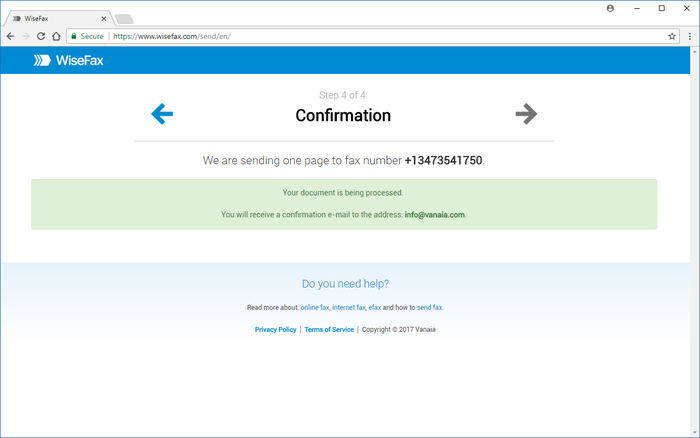
4. Authenticate with your existing account on Facebook, Google, Windows Live and Vanaia or create a new one. Buy fax token (if you already didn’t do so) and send fax. Wait for fax sent status and in many countries legally valid confirmation which you will receive to your mail.
Send fax with WiseFax 是做什么的
Send fax with WiseFax 是一款面向 Firefox 的实用工具类扩展,主要用来解决浏览器里某类具体的小问题。官方对它的介绍是:Send fax quickly and easily with WiseFax! WiseFax enables you to send fax from any PC, Mac, smartphone or tablet connected to the internet to any fax number in the world. Perfect efax solution!在Firefox 附加组件商店(AMO)上,它当前版本 1.5resigned1,评分 4.79(19 人评价),约 151 名用户。
适合什么人用
从功能定位看,Send fax with WiseFax 更适合想补上浏览器原生缺失功能的用户。如果你平时只是偶尔遇到相关需求,用浏览器自带功能也能凑合;但如果这件事每天都发生,装一个专门处理它的扩展通常比手动操作省事得多。
怎么安装 Send fax with WiseFax
- 打开Firefox 附加组件商店(AMO)上的官方页面;
- 点「添加到浏览器」并确认权限提示;
- 装好后在扩展列表里固定图标,方便随时开关。
本站只做索引与介绍,安装包来自官方商店。如果商店页面提示当前地区不可用,说明该扩展未在你所在区域上架。
常见问题
Send fax with WiseFax 是免费的吗?
Send fax with WiseFax 在Firefox 附加组件商店(AMO)免费提供下载。它是浏览器扩展,装上就能直接用,不需要注册账号。
Send fax with WiseFax 安全吗?
它只申请了 0 项权限,范围比较克制,没有申请「读取所有网站数据」这种大权限。
Send fax with WiseFax 支持哪些浏览器?
当前收录的版本来自Firefox 附加组件商店(AMO),适用于 Firefox。同一个扩展在其他商店可能有对应版本,但功能与版本号不一定相同。
怎么卸载 Send fax with WiseFax?
在扩展管理页找到 Send fax with WiseFax,点移除即可。它在本地保存的设置会一起清掉,不会残留数据。
权限清单 来自 manifest.json 原文
接口权限 2
activeTabtabs