

 uBlock Origin
一款高效的网络请求过滤工具,占用极低的内存和 CPU。
Firefox

Private Bookmarks EN
rharel · Firefox
Enables a password-protected bookmark folder.
4.1/5
300 人评分
7.3千用户
v0.1.19a当前版本
截图
简介
Private Bookmarks enables a special password-protected bookmark folder. Your private bookmarks are encrypted with your chosen password. This is not an online service, and you are in control of what data leaves your machine (if at all).
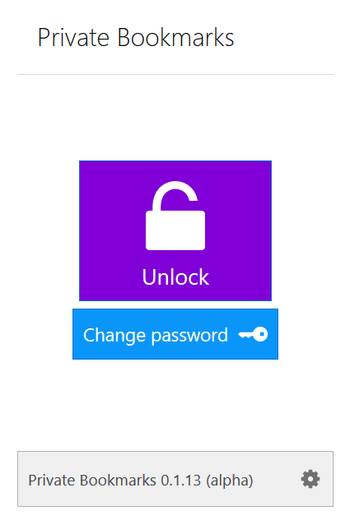
When you unlock your private bookmarks, a new 'Private Bookmarks' folder appears under 'Other Bookmarks'. You can add/remove items to it and when ready, lock it. Whenever an item is added/removed, the contents of the folder are encrypted and stored on your machine. When locked, the folder itself is removed from your browser's bookmarks collection.
By default, Private Bookmarks can only be accessed when in private browsing (to help avoid accidents), however that can be changed via the options page.
Be aware!
You should backup your bookmarks periodically to be safe. Also, since I am bound by Firefox regarding what it allows extensions to do, I cannot guarantee complete privacy. Mobile versions of Firefox are not supported because they do not yet allow extensions access to your bookmarks the way desktop versions do.
A note for Firefox Sync users
Refrain from switching between devices while your private bookmarks are unlocked. Although personally I wasn't able to reproduce, there have been some reports of Sync getting confused and it may result in a copy of the folder remaining visible on other devices. I recommend unlocking, using, and locking all on the same device. If you encounter these issues, I also advise to trigger a sync from the Firefox menu after every lock so that you're sure the deletion of the folder goes through to your other devices. Sorry about the inconvenience.
Custom folder location and name
You can move/rename the folder, and the next time you unlock it will appear in that location and with that name.
Auto-locking
There are a few cases where the extension auto locks your private bookmarks:
- If you have selected the "disable outside of private browsing" option (it is on by default) Private Bookmarks auto-locks when the last private window is closed.
- If you have selected the "auto-lock when idle" option Private Bookmarks auto-locks once the system's been idle for a user-specified amount of time.
- If you manually delete the Private Bookmarks folder.
- If you close the browser while your private bookmarks are unlocked, the next time you open it the leftover Private Bookmarks folder is deleted immediately.
Backup
You can export both encrypted/plain versions of your private bookmark data from within the options page. However, to import an encrypted backup file you must remember the password you used when that backup was made.
Keyboard shortcuts
The following shortcuts are available:
- Alt+Shift+8 opens the menu in a new tab. If you have selected the "disable outside of private browsing" option (it is on by default) the tab will open in a private window.
- Ctrl+Shift+8 adds the current page to your private bookmarks (requires unlocked bookmarks).
- Ctrl+Shift+F8 adds all tabs in the current window to your private bookmarks (requires unlocked bookmarks).
- Ctrl+Shift+L locks the folder (requires unlocked bookmarks).
Something's not working? Got a question and/or suggestion? Post an issue.
Private Bookmarks 是做什么的
Private Bookmarks 是一款面向 Firefox 的隐私与安全类扩展,主要用来拦截追踪器、屏蔽广告、管理 Cookie、加固浏览器指纹。官方对它的介绍是:Enables a password-protected bookmark folder.在Firefox 附加组件商店(AMO)上,它当前版本 0.1.19a,评分 4.12(300 人评价),约 7,303 名用户。
适合什么人用
从功能定位看,Private Bookmarks 更适合在意上网被跟踪、希望减少广告干扰的用户。如果你平时只是偶尔遇到相关需求,用浏览器自带功能也能凑合;但如果这件事每天都发生,装一个专门处理它的扩展通常比手动操作省事得多。
怎么安装 Private Bookmarks
- 打开Firefox 附加组件商店(AMO)上的官方页面;
- 点「添加到浏览器」并确认权限提示;
- 装好后在扩展列表里固定图标,方便随时开关。
本站只做索引与介绍,安装包来自官方商店。如果商店页面提示当前地区不可用,说明该扩展未在你所在区域上架。
常见问题
Private Bookmarks 是免费的吗?
Private Bookmarks 在Firefox 附加组件商店(AMO)免费提供下载。它是浏览器扩展,装上就能直接用,不需要注册账号。
Private Bookmarks 安全吗?
它只申请了 0 项权限,范围比较克制,没有申请「读取所有网站数据」这种大权限。
Private Bookmarks 支持哪些浏览器?
当前收录的版本来自Firefox 附加组件商店(AMO),适用于 Firefox。同一个扩展在其他商店可能有对应版本,但功能与版本号不一定相同。
怎么卸载 Private Bookmarks?
在扩展管理页找到 Private Bookmarks,点移除即可。它在本地保存的设置会一起清掉,不会残留数据。
权限清单 来自 manifest.json 原文
接口权限 3
bookmarksstoragetabs
接口权限(可选) 1
idle
标签 点标签看同类扩展
uBlock Origin
一款高效的网络请求过滤工具,占用极低的内存和 CPU。
Firefox
 Privacy Badger
自动学习屏蔽隐藏的追踪器。由领先的数字权利非营利组织电子前哨…
Firefox
 AdGuard AdBlocker
AdGuard 广告拦截器可有效的拦截所有网页上的所有类型的…
Firefox
 DuckDuckGo Privacy Essentials
⚡保护您的数据。支持可选 AI 的私密搜索、私密浏览和广告拦…
Firefox
 AdBlocker Ultimate
Completely remove ALL ads. No …
Firefox
 Ghostery – 隐私广告拦截工具
Ghostery 是强大的隐私保护扩展程序。拦截广告,停止跟…
Firefox
 Facebook Container
Prevent Facebook from tracking…
Firefox
 Malwarebytes Browser Guard
Fast and safe browsing that pr…
Firefox