




 Facebook Container
Prevent Facebook from tracking…
Firefox

Voila – AI Assistant, Copilot and AI Writer EN
Browser extensions · Firefox
Seamless personal AI assistant powered by GPT-4o to help you create, write, summarize, brainstorm, and research Get things done with a simple keyboard shortcut – Improve your writing, get answers to all your questions and draft high-quality content.
4.2/5
30 人评分
2.9千用户
v1.7.9当前版本
权限提示
该扩展申请访问所有网站(
<all_urls>),意味着它可以读取你在任意站点的页面内容,包括已登录的页面。这是许多扩展正常工作的必要条件,但也值得你确认来源可信。
截图
简介
AI Assistant, Copilot and AI Writer powered by ChatGPT4
Voilà is a powerful browser assistant, copilot and AI writer designed to level up your productivity and help you with your everyday tasks.
Get things done with a simple keyboard shortcut – Create high-quality content, respond to emails, improve your writing, brainstorm and research. All in one place.
Features and AI Tools:
- Use ChatGPT (GPT-4o, GPT-4) on any website
- Library of expert, battle-tested prompts
- Web Access & ability to read URLs
- Email AI writing assistant (Gmail integration)
- Convert web pages into any content
- Summarize websites
- YouTube video summarizer
- AI Translator
- Prompt generator and optimizer
- Team collaboration
- Works everywhere you do
- Supports 50+ output languages
- Secure and Private Personal assistant
- Mobile app for iOS / Android
- Desktop app for Mac and Windows (Beta)
🧞♂️ Ask any question
Voilà can answer any question, look up any information and explain any concept. Experience the magic of getting instant answers to any question or topic.
🖋️ AI Writer – Create Professional Content
Our library of expert, battle-tested prompts is fine-tuned to help you write a wide range of long-form content, from blog posts and essays to professional, domain-specific documents in product development, UX, marketing, engineering, sales, advertising, and SEO.
💌 Gmail AI Writer – Master Your Inbox
Imagine opening your inbox to find every email already prepared with a draft response – All you need to do is review, make any necessary edits, and hit send. Create professional and effective messages, now with AI-powered Instant Reply.
🎓 Research with Web Access
Dive deep into any topic with comprehensive, relevant, and reliable information from across the web. From the latest news and trends to real-time data, Voilà extracts the key insights and helps you make data-driven decisions.
✅ AI Writing Assistant - Fix spelling & grammar
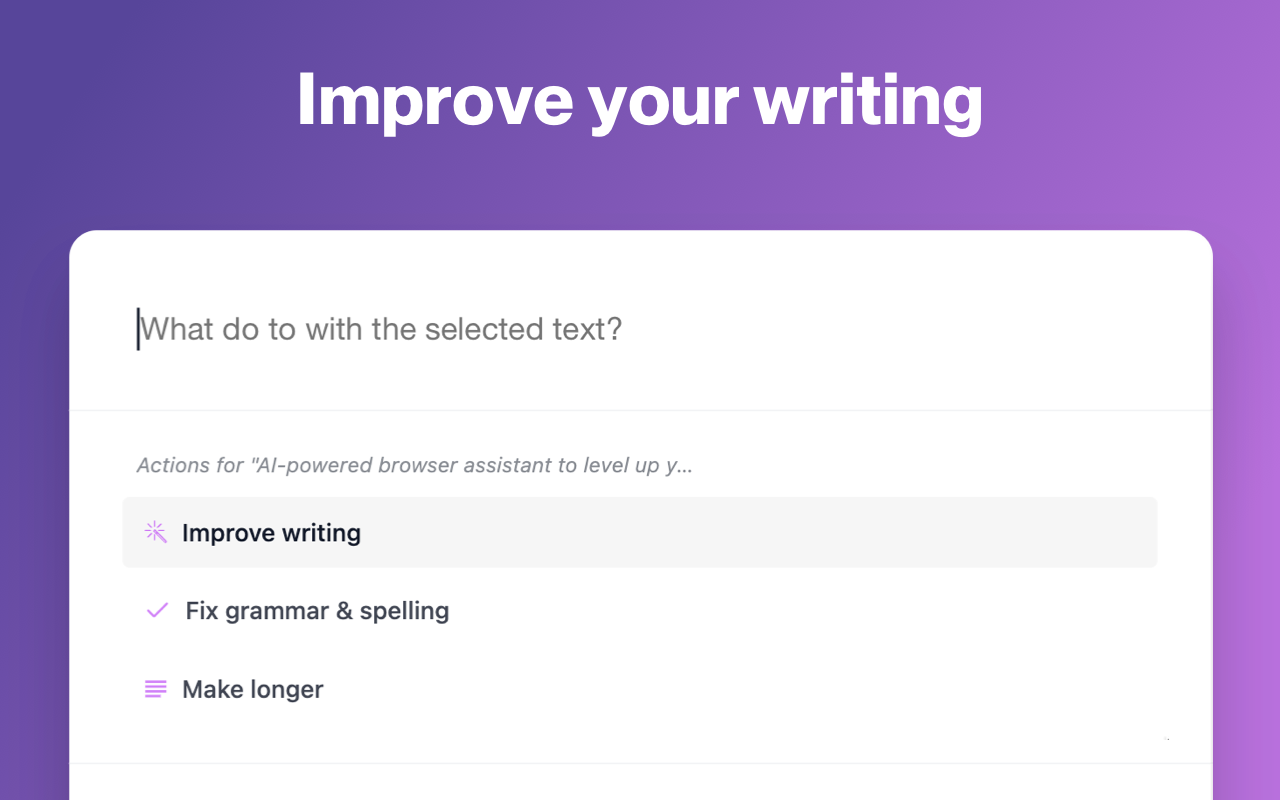
Write with confidence - Use Voilà to improve your writing, fix spelling or grammar mistakes. Make text longer, improve readability, simplify or paraphrase with AI writing assistant.
🌎 Web AI Copilot and AI Sidekick
Use Voilà on any website directly with the content of the current page - summarize, translate text and extract key information from any document.
⽭ AI Translator
Accurately translate text between any languages. AI Language translation tools are more accurate and nuanced than traditional translation tools. They use advanced AI models to understand the context of the text and provide more accurate translations that compare to human-level translations.
📄 Turn websites into original content
Voilà makes it easy to work with web pages and URLs, summarize them, or turn them into any type of content.
⚡️ Supercharge your browser
Strealime your browser experience with convenient shortcuts for all common browser and work-related actions, making your daily tasks faster and easier than ever before.
📝 Prompt Generator - Effortlessly create expert prompts for remarkable AI responses.
Voilà AI Prompt Genius uses the most advanced AI models to analyze your prompt to generate an optimized prompt that is more likely to produce the desired output.
🌐 Voilà works where you do
Use Voilà on all websites across the web – from social media platforms to documents, tools, messages, and emails.
🤖 What can Voilà do?
• Answer any question, look up any information
• Write great email responses with seamless Gmail integration
• Write comments or social media posts
• Come up with an idea for a blog post
• Create high-quality domain-specific documents in product development, UX, marketing, engineering, sales, advertising, and SEO.
• Fix spelling & grammar
• Summarize, improve, rephrase or translate text
• Write and explain code
• Streamline your browser experience with shortcuts for common browser actions
🥷🏽 Designed for your privacy
Voilà respects your privacy. Your content and AI conversations are never stored on our servers or used for training the AI.
🐞 How to get support, report a bug or request a feature?
Send us an email to hello@getvoila.ai
🪵 Changelog
v1.5.2
- Ability to share conversation via URL
- Support for rendering of math expressions
- Text-to-speech support
- Ability to specify a CSS selector for custom actions
- Improved gmail integration
v1.5.0
- Improved plaintext formatting of lists
- Ability to bookmark chats
- Ability to copy entire chat conversation
v1.4.8
Fix: Preferred output language when using Voilà browser's the context menu
v1.4.7
- Allow to set model, output language and custom instructions for Custom actions
v1.4.0
- Allow to use predefined and custom actions in the secondary prompt
- Add send button
- Add copy button for previous responses
- Open links from Voilà's response in the new tab
v1.3.6
- Allow continuing a conversation from the history
v1.3.5
- Voilà for Teams!
- Allow to categorize Custom actions
- UX improvements
v1.3.4
- Improved web search
- Ability to Copy code blocks
- Insert response into original field
- UI and performance improvements
- Bugfix: Incomplete chat history
v1.3.3
- UI improvements
- Allow to set temperature for custom actions
- Allow to use YouTube video as context
v1.3.2
- Minor improvements
v1.3.1
- Code highlighting
- UX and accessibility improvements
- Keyboard navigation improvements
- Allow to insert / replace text selection
v1.3.0
- Ability to use the content of current page
- Automatic URL parsing
- Summarize YouTube videos
- Template tags for custom actions
v1.2.8
- Synchronization of custom actions
v1.2.7
- Ability to change tone
- Inline actions related to writing assistance
v1.2.6
- MS Outlook integration
- Ability to move Voilà's dialog
- Voice input
- Internationalization improvements
v1.2.5
- Improvements for Gmail and Google Docs integration
- Stability and UI improvements
v1.2.3
- Ability to set output language
- Ability to set custom API key
- Fix: Allow to generate response while…
Voila – AI Assistant, Copilot and AI Writer 是做什么的
Voila – AI Assistant, Copilot and AI Writer 是一款面向 Firefox 的资讯订阅类扩展,主要用来订阅 RSS、聚合新闻、跟踪博客更新。官方对它的介绍是:Seamless personal AI assistant powered by GPT-4o to help you create, write, summarize, brainstorm, and research Get things done with a simple keyboard shortcut – Improve your writing, get answers to all your questions and draft high-quality content.在Firefox 附加组件商店(AMO)上,它当前版本 1.7.9,评分 4.2(30 人评价),约 2,853 名用户。
适合什么人用
从功能定位看,Voila – AI Assistant, Copilot and AI Writer 更适合想摆脱算法推荐、自己掌控信息源的用户。如果你平时只是偶尔遇到相关需求,用浏览器自带功能也能凑合;但如果这件事每天都发生,装一个专门处理它的扩展通常比手动操作省事得多。需要注意的是它作用于所有网站,装上后建议先观察一两天,确认不影响常用站点的正常使用。
怎么安装 Voila – AI Assistant, Copilot and AI Writer
- 打开Firefox 附加组件商店(AMO)上的官方页面;
- 点「添加到浏览器」并确认权限提示;
- 装好后在扩展列表里固定图标,方便随时开关。
本站只做索引与介绍,安装包来自官方商店。如果商店页面提示当前地区不可用,说明该扩展未在你所在区域上架。
常见问题
Voila – AI Assistant, Copilot and AI Writer 是免费的吗?
Voila – AI Assistant, Copilot and AI Writer 在Firefox 附加组件商店(AMO)免费提供下载。它是浏览器扩展,装上就能直接用,不需要注册账号。
Voila – AI Assistant, Copilot and AI Writer 安全吗?
它只申请了 0 项权限,范围比较克制,没有申请「读取所有网站数据」这种大权限。
Voila – AI Assistant, Copilot and AI Writer 支持哪些浏览器?
当前收录的版本来自Firefox 附加组件商店(AMO),适用于 Firefox。同一个扩展在其他商店可能有对应版本,但功能与版本号不一定相同。
怎么卸载 Voila – AI Assistant, Copilot and AI Writer?
在扩展管理页找到 Voila – AI Assistant, Copilot and AI Writer,点移除即可。它在本地保存的设置会一起清掉,不会残留数据。
权限清单 来自 manifest.json 原文
站点访问 4
*://*/*<all_urls>http://*/*https://*/*
接口权限 4
alarmscontextMenusstoragetabs
标签 点标签看同类扩展
Facebook Container
Prevent Facebook from tracking…
Firefox
 整页截图工具 — FireShot
FireShot 可捕获整页截图、可见区域以及超出屏幕范围的…
Firefox
 Global Speed: 视频速度控制
设置视频和音频的默认速度。
Firefox
 FastProxy - Россия
Простой способ обхода блокиров…
Firefox
 Raindrop.io
All-in-one bookmark manager
Firefox
 Feedbro
Advanced Feed Reader - Read ne…
Firefox
 Privacy Extension For WhatsApp™ Web
The Privacy Extension For What…
Firefox
 Emoji
It permits just with a single …
Firefox