
Vimium EN
Phil Crosby · Firefox
The Hacker's Browser. Vimium provides keyboard shortcuts for navigation and control in the spirit of Vim.
<all_urls>),意味着它可以读取你在任意站点的页面内容,包括已登录的页面。这是许多扩展正常工作的必要条件,但也值得你确认来源可信。
截图
简介
Keyboard Bindings
Modifier keys are specified as <c-x>, <m-x>, and <a-x> for ctrl+x, meta+x, and alt+x respectively. See the next section for how to customize these bindings.
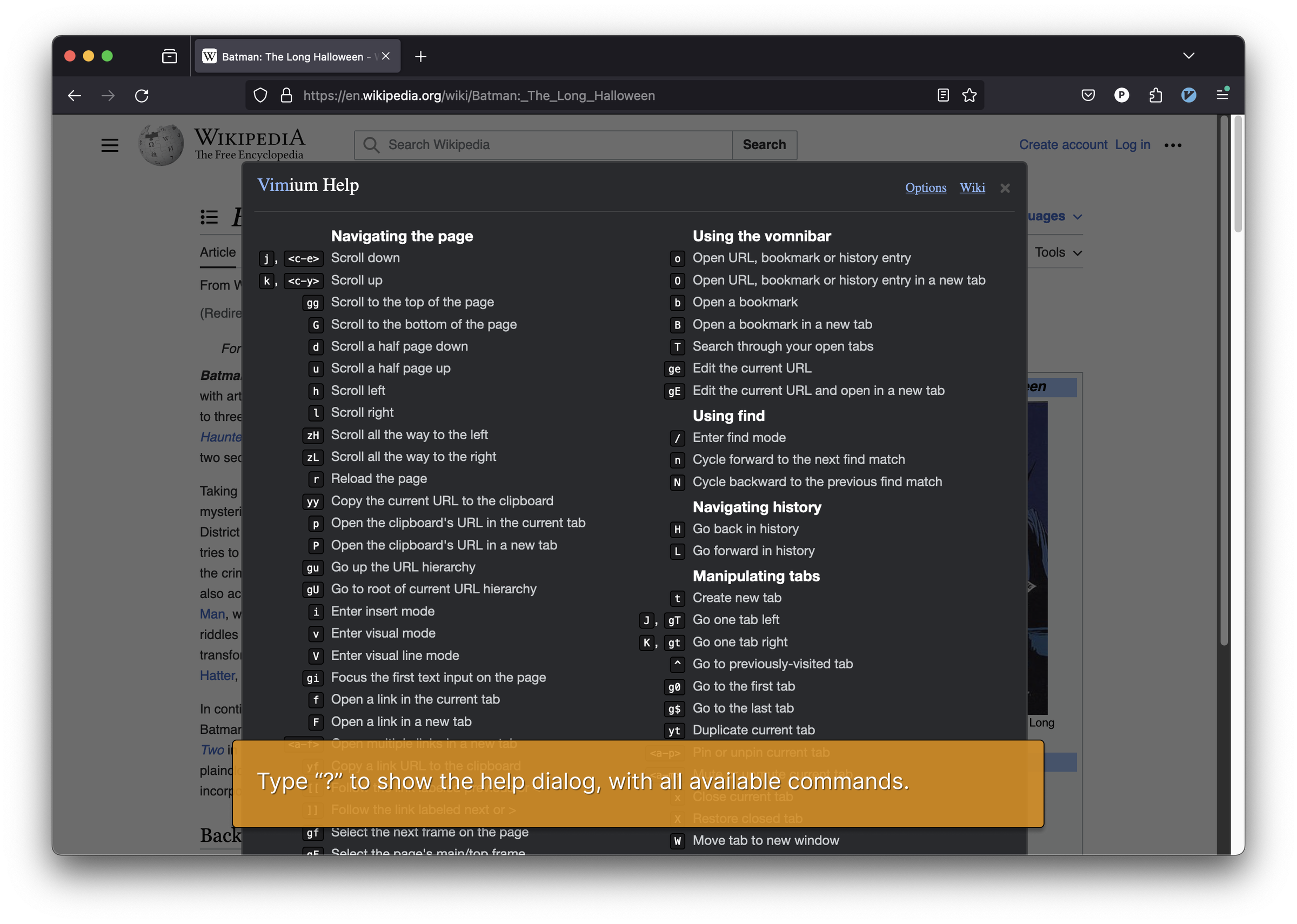
Once you have Vimium installed, you can see this list of key bindings at any time by typing ?.
Navigating the current page:
? show the help dialog for a list of all available keys
h scroll left
j scroll down
k scroll up
l scroll right
gg scroll to top of the page
G scroll to bottom of the page
d scroll down half a page
u scroll up half a page
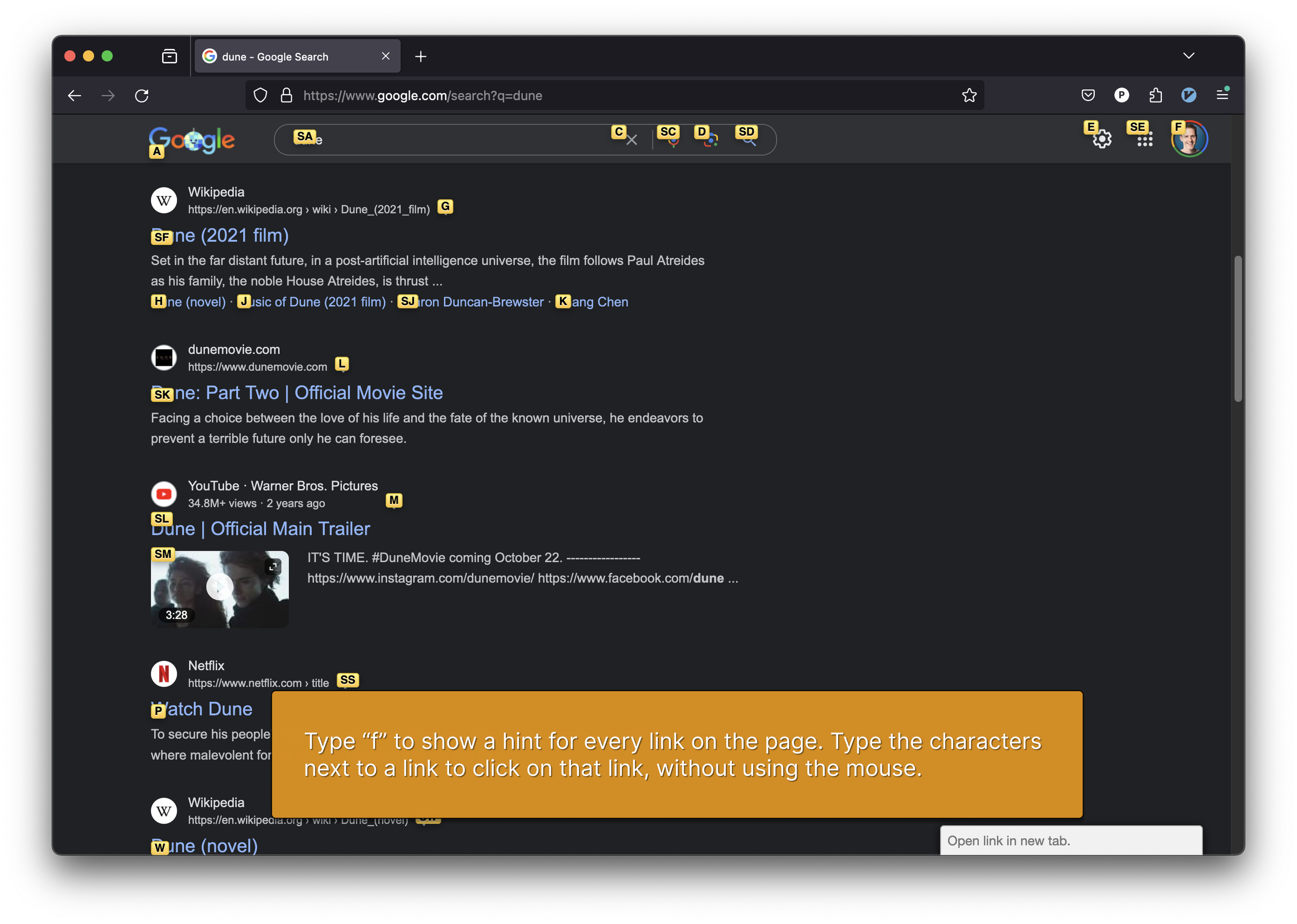
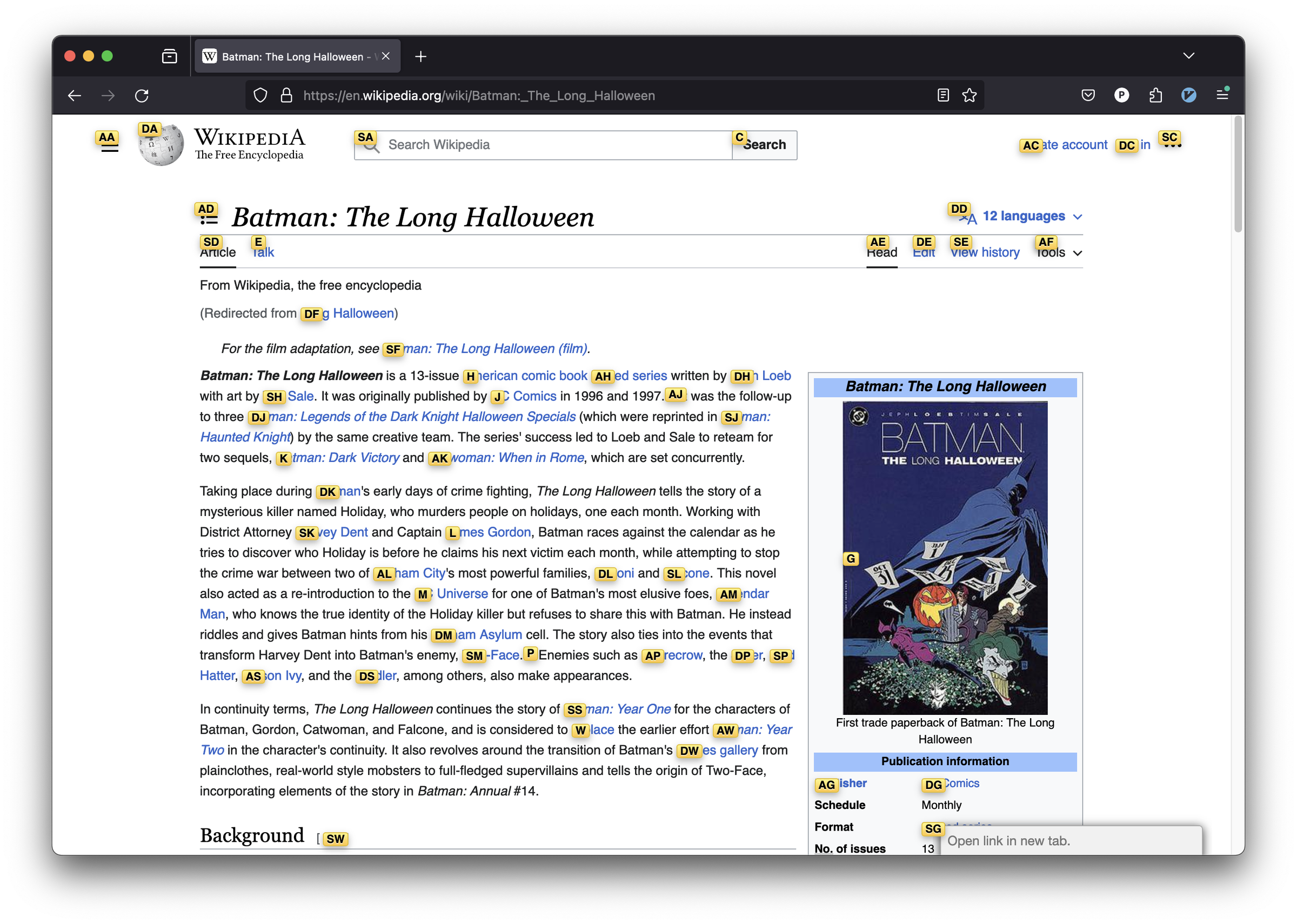
f open a link in the current tab
F open a link in a new tab
r reload
gs view source
i enter insert mode -- all commands will be ignored until you hit Esc to exit
yy copy the current url to the clipboard
yf copy a link url to the clipboard
gf cycle forward to the next frame
gF focus the main/top frame
Navigating to new pages:
o Open URL, bookmark, or history entry
O Open URL, bookmark, history entry in a new tab
b Open bookmark
B Open bookmark in a new tab
Using find:
/ enter find mode
-- type your search query and hit enter to search, or Esc to cancel
n cycle forward to the next find match
N cycle backward to the previous find match
For advanced usage, see regular expressions on the wiki.
Navigating your history:
H go back in history
L go forward in history
Manipulating tabs:
J, gT go one tab left
K, gt go one tab right
g0 go to the first tab
g$ go to the last tab
^ visit the previously-visited tab
t create tab
yt duplicate current tab
x close current tab
X restore closed tab (i.e. unwind the 'x' command)
T search through your open tabs
<a-p> pin/unpin current tab
Using marks:
ma, mA set local mark "a" (global mark "A")
`a, `A jump to local mark "a" (global mark "A")
`` jump back to the position before the previous jump
-- that is, before the previous gg, G, n, N, / or `a
Additional advanced browsing commands:
]], [[ Follow the link labeled 'next' or '>' ('previous' or '<')
- helpful for browsing paginated sites
<a-f> open multiple links in a new tab
gi focus the first (or n-th) text input box on the page
gu go up one level in the URL hierarchy
gU go up to root of the URL hierarchy
ge edit the current URL
gE edit the current URL and open in a new tab
zH scroll all the way left
zL scroll all the way right
v enter visual mode; use p/P to paste-and-go, use y to yank
V enter visual line mode
Vimium supports command repetition so, for example, hitting 5t will open 5 tabs in rapid succession. <Esc> (or <c-[>) will clear any partial commands in the queue and will also exit insert and find modes.
There are some advanced commands which aren't documented here; refer to the help dialog (type ?) for a full list.
Vimium 是做什么的
Vimium 是一款面向 Firefox 的搜索增强类扩展,主要用来补充搜索结果、切换搜索引擎、过滤无效结果。官方对它的介绍是:The Hacker's Browser. Vimium provides keyboard shortcuts for navigation and control in the spirit of Vim.在Firefox 附加组件商店(AMO)上,它当前版本 2.4.2,评分 4.81(600 人评价),约 44,977 名用户。
适合什么人用
从功能定位看,Vimium 更适合每天大量搜索、希望结果更干净准确的用户。如果你平时只是偶尔遇到相关需求,用浏览器自带功能也能凑合;但如果这件事每天都发生,装一个专门处理它的扩展通常比手动操作省事得多。需要注意的是它作用于所有网站,装上后建议先观察一两天,确认不影响常用站点的正常使用。
怎么安装 Vimium
- 打开Firefox 附加组件商店(AMO)上的官方页面;
- 点「添加到浏览器」并确认权限提示;
- 装好后在扩展列表里固定图标,方便随时开关。
本站只做索引与介绍,安装包来自官方商店。如果商店页面提示当前地区不可用,说明该扩展未在你所在区域上架。
常见问题
Vimium 是免费的吗?
Vimium 在Firefox 附加组件商店(AMO)免费提供下载。它是浏览器扩展,装上就能直接用,不需要注册账号。
Vimium 安全吗?
它只申请了 0 项权限,范围比较克制,没有申请「读取所有网站数据」这种大权限。
Vimium 支持哪些浏览器?
当前收录的版本来自Firefox 附加组件商店(AMO),适用于 Firefox。同一个扩展在其他商店可能有对应版本,但功能与版本号不一定相同。
怎么卸载 Vimium?
在扩展管理页找到 Vimium,点移除即可。它在本地保存的设置会一起清掉,不会残留数据。
权限清单 来自 manifest.json 原文
站点访问 1
<all_urls>
接口权限 11
bookmarksclipboardReadclipboardWritehistorynotificationsscriptingsearchsessionsstoragetabswebNavigation