
View Image Info Reborn EN
jscher2000 · Firefox
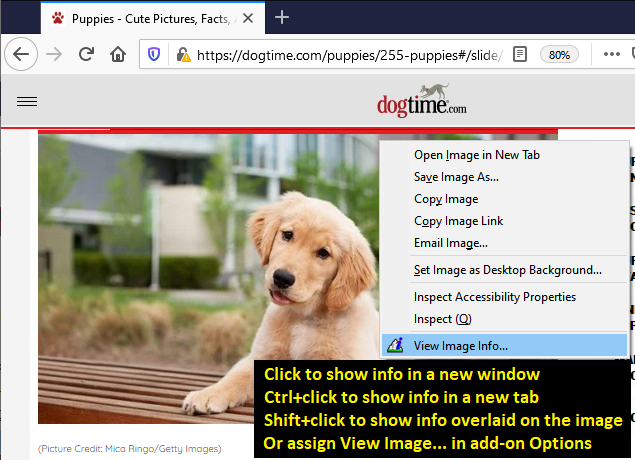
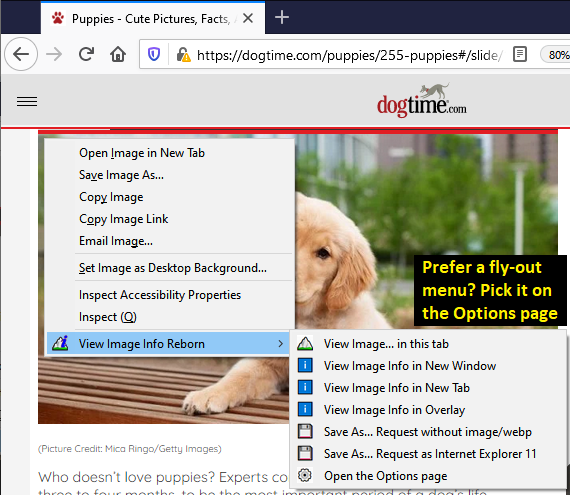
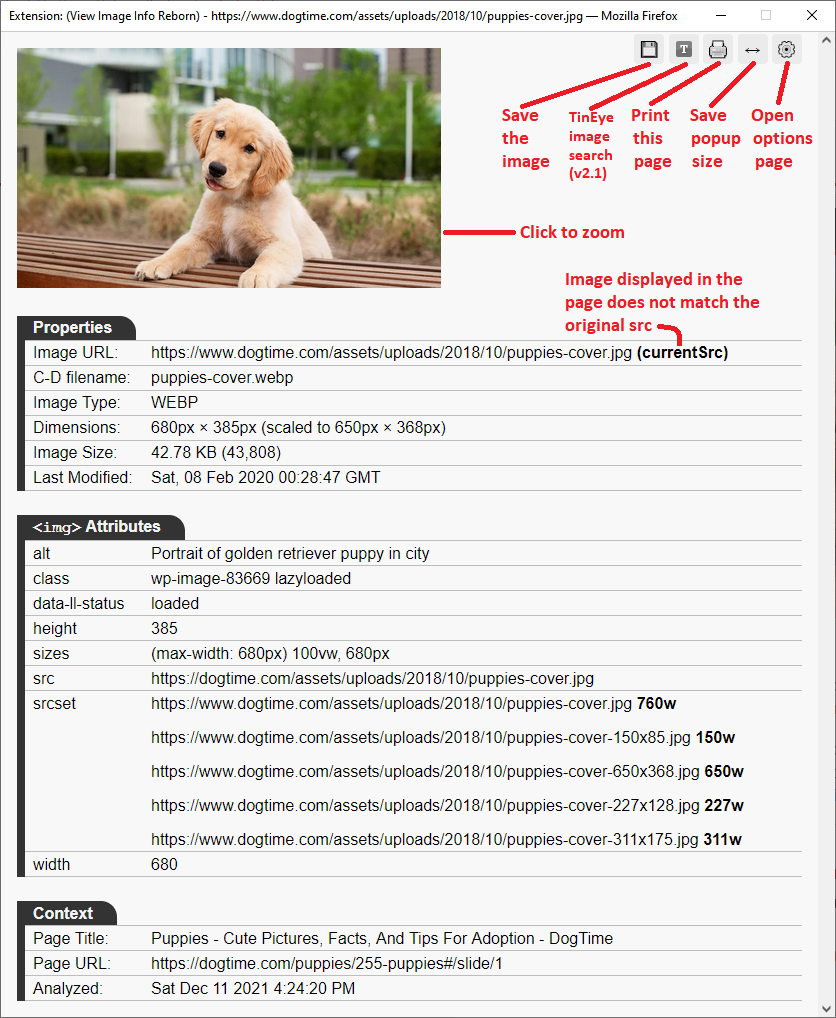
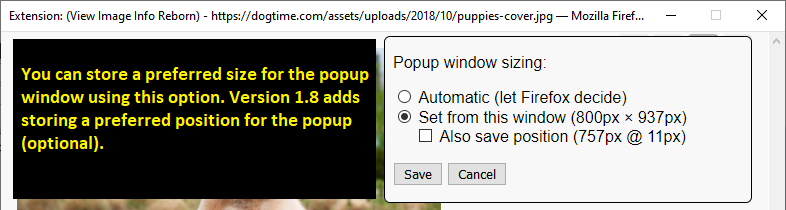
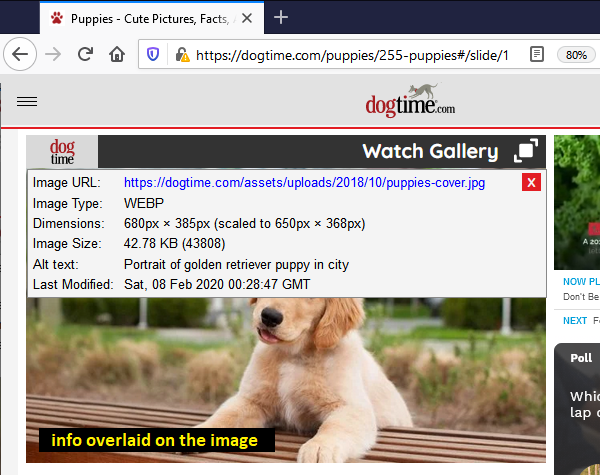
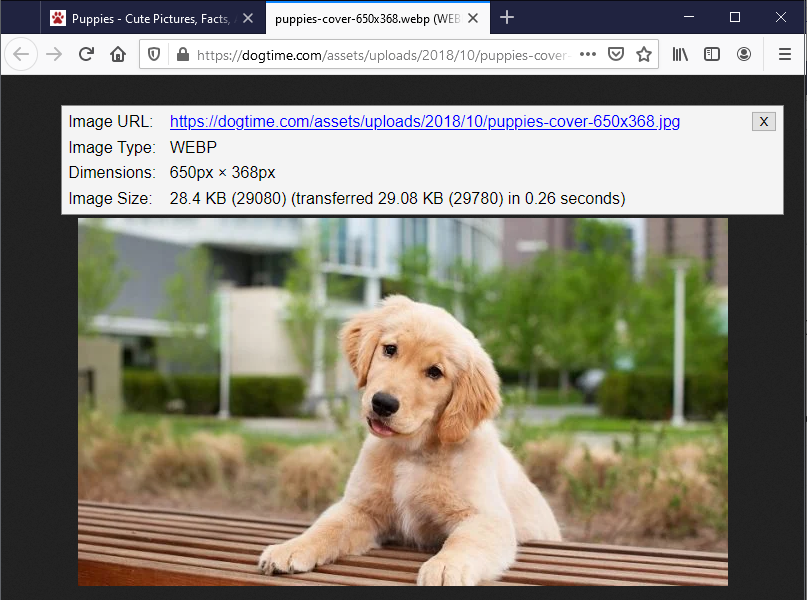
Display info for the current image in a new window, new tab, or overlaid on the image. Convert WEBP images to PNG or JPEG. Send an image URL to TinEye for reverse image search. "View image..." in same tab? Check the screenshots for all the options.
<all_urls>),意味着它可以读取你在任意站点的页面内容,包括已登录的页面。这是许多扩展正常工作的必要条件,但也值得你确认来源可信。
截图
简介
Do you miss the View Image Info option on the right-click context menu? You can add it back, but this extension adds some unique features you might find useful.
Restoring the native feature: in the Firefox about:config preference editor, double-click browser.menu.showViewImageInfo to switch its value to true.
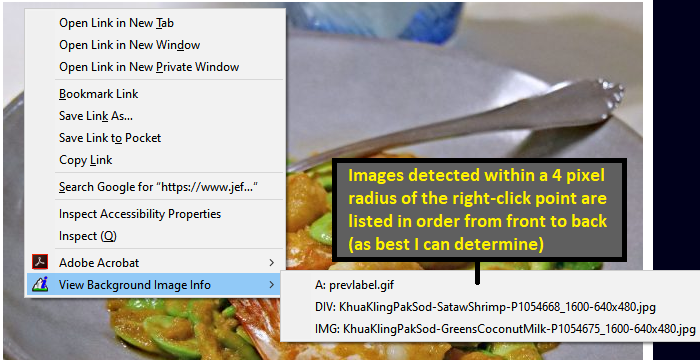
Using This Extension: right-click an image and you'll find either:
- "View Image Info..." -- click to launch a small popup window with info about the image.
- "View Background Image Info" -- expand the sub-menu and click an image name to launch a small popup window with info about the image.
Note: If you hold the Shift key when right-clicking, the background image detection doesn't run.
Note: Ctrl+click is for Windows and Linux, on Mac, please use Command+click.
Glitches and Missing/Future Features
Occasionally a Save as... link will open the image in the popup window instead of showing a download dialog. For now, please close the window and call it up again. Hopefully I'll figure out what causes that.
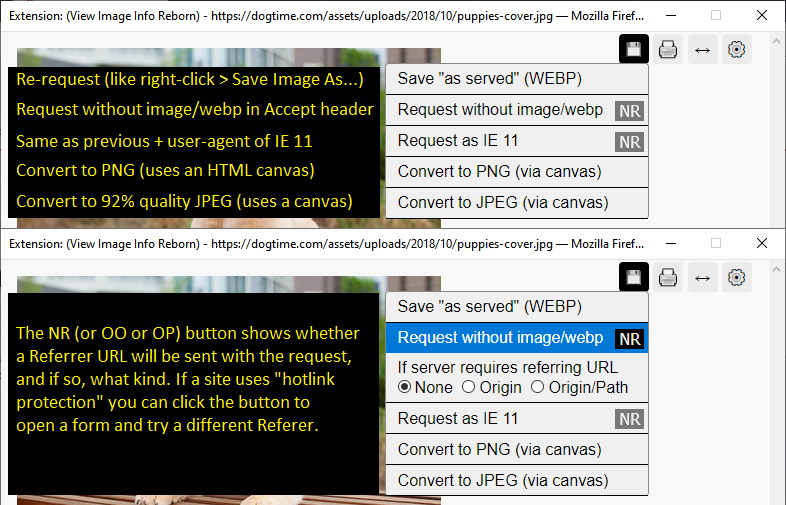
Sometimes the "Request without image/webp" and "Request as IE11" links a second click to bypass the cached image. Still trying to find a workaround for this.
Images from some sites will not appear in the popup and may save as HTML files, due to "hotlink protection" intended to prevent them from displaying outside of the original page. Starting in version 1.7, click the NR button next to the applicable Save as option to choose what to send as Referer.
If you discover a problem on a particular site, or have ideas for additional functions, feel free to reach out: you can open an issue on Github or email the support address (see links in the left column of this page).
About Permissions
I know it sounds extreme to require permission to access every page. The reason for this is that many sites embed images from other servers, and broad permissions are needed to access "cross-site" image information. To discover Type and Last-Modified information, and to enable the Save as... Options, the add-on also sets up a monitor for new image requests it triggers.
It isn't practical to try to list in advance all the possible sites you would retrieve images from. Maybe someday I'll discover a better way.
Looking for other options?
Here are some image info extensions that work a bit differently:
- Image Data - displays dimensions and sizes when you hover your mouse over an image.
- Image Info - displays dimensions and sizes when you hover your mouse over an image.
- Get Image Info - features detailed information for photographers like EXIF and histograms.
Hat Tip: Version 2.0's feature to view background image info borrows code from the amazing behind! extension.
View Image Info Reborn 是做什么的
View Image Info Reborn 是一款面向 Firefox 的开发者工具类扩展,主要用来调试页面、查看样式与请求、测试接口、辅助前端开发。官方对它的介绍是:Display info for the current image in a new window, new tab, or overlaid on the image. Convert WEBP images to PNG or JPEG. Send an image URL to TinEye for reverse image search. "View image..." in same tab? Check the screenshots for all the options.在Firefox 附加组件商店(AMO)上,它当前版本 2.1.1,评分 4.82(38 人评价),约 4,866 名用户。
适合什么人用
从功能定位看,View Image Info Reborn 更适合前端工程师、测试与需要经常查看页面结构的用户。如果你平时只是偶尔遇到相关需求,用浏览器自带功能也能凑合;但如果这件事每天都发生,装一个专门处理它的扩展通常比手动操作省事得多。需要注意的是它作用于所有网站,装上后建议先观察一两天,确认不影响常用站点的正常使用。
怎么安装 View Image Info Reborn
- 打开Firefox 附加组件商店(AMO)上的官方页面;
- 点「添加到浏览器」并确认权限提示;
- 装好后在扩展列表里固定图标,方便随时开关。
本站只做索引与介绍,安装包来自官方商店。如果商店页面提示当前地区不可用,说明该扩展未在你所在区域上架。
常见问题
View Image Info Reborn 是免费的吗?
View Image Info Reborn 在Firefox 附加组件商店(AMO)免费提供下载。它是浏览器扩展,装上就能直接用,不需要注册账号。
View Image Info Reborn 安全吗?
它只申请了 0 项权限,范围比较克制,没有申请「读取所有网站数据」这种大权限。
View Image Info Reborn 支持哪些浏览器?
当前收录的版本来自Firefox 附加组件商店(AMO),适用于 Firefox。同一个扩展在其他商店可能有对应版本,但功能与版本号不一定相同。
怎么卸载 View Image Info Reborn?
在扩展管理页找到 View Image Info Reborn,点移除即可。它在本地保存的设置会一起清掉,不会残留数据。
权限清单 来自 manifest.json 原文
站点访问 1
<all_urls>
接口权限 4
menusstoragewebRequestwebRequestBlocking