
Canned Responses by typedesk EN
typedesk · Firefox
This extension offers quick and convenient canned responses and supercharges your clipboard. Learn more on https://www.typedesk.com
<all_urls>),意味着它可以读取你在任意站点的页面内容,包括已登录的页面。这是许多扩展正常工作的必要条件,但也值得你确认来源可信。
截图




简介
Canned Responses, Supercharged!
typedesk is the leading app to reclaim time wasted typing the same things over and over again!
Create text templates of your every day sentences and messages, and typedesk makes reusing them quick and easy.
➤ How it works
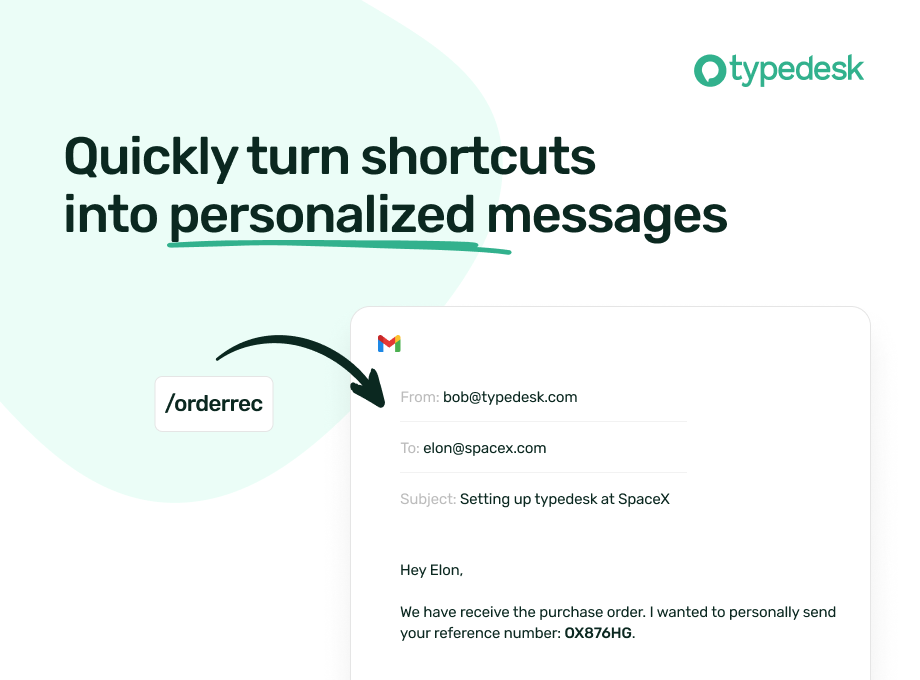
Use the / character followed by your custom shortcuts to quickly insert your response. For instance, typedesk can transform "/eml" into your email address, or "/tmpl" into a full email with your opening line and signature.
Need something more visual? Hit Alt+C and typedesk's search bar opens up instantly to quickly and easily find and insert the responses you need.
➤ It works where you do
Whether you need your snippets within your email client, word document, code editor or backoffice, typedesk works out of the box with all the apps and websites you use daily. Our apps for Windows, Mac and all the major browsers are giving you typing superpowers everywhere you work!
• Google Docs
• Gmail
• Word & Excel
• YouTube
• Twitter
• Linkedin
• Instagram
• Facebook
• And more!
➤ Powerful variables for personalised responses
Personalising messages can be daunting, let alone making sure you didn't leave a placeholder before hitting "Send"! typedesk's powerful engine allows you to create interactive forms to personalise each response quickly and easily so you always hit the right spot!
➤ Designed for teams
typedesk has been designed from the ground up to work great with teams. Invite as many users as you want on your account, and share one or more folders with specific permissions for each user.
➤ Built for privacy
Unlike most text expanders, typedesk never listens to your keyboard before you request it with a shortcut. Your data is encrypted with LUKS and SSL to ensure complete peace of mind.
➤ Get our desktop apps
Need your responses outside of your browser? No problem, get our apps for Windows and Mac to experience the same typing speed in your favorite native apps.
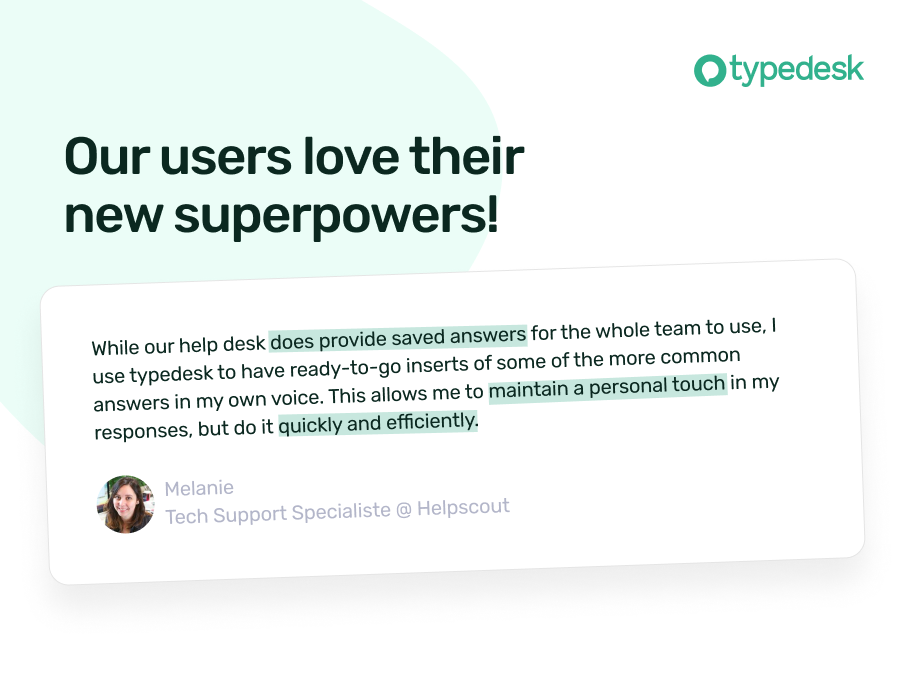
➤ Don't take our word for it!
typedesk is acclaimed on many review platforms!
"We're loving typedesk! It's easy to use, and saves us tons of time when it comes to sending emails to our customers."
Seb Fontan, Founder @ TripHitz Marketing Agency
"We keep finding new ways to use typedesk. It started with the obvious canned email responses, especially for the repetitive emails we get every day. Recently, we've implemented it with social media posts, especially YouTube videos descriptions, and this is where Variables comes in handy."
Ninos M., Creative Director
"The set up was quick and painless and adding in new templates or using the templates after they are added takes no time at all, making working with emails a short and simple process."
Tori, Customer Success @ BookRetreats
Canned Responses by typedesk 是做什么的
Canned Responses by typedesk 是一款面向 Firefox 的语言辅助类扩展,主要用来划词翻译、语法校对、词典查询。官方对它的介绍是:This extension offers quick and convenient canned responses and supercharges your clipboard. Learn more on https://www.typedesk.com在Firefox 附加组件商店(AMO)上,它当前版本 4.0.2,评分 3.43(7 人评价),约 44 名用户。
适合什么人用
从功能定位看,Canned Responses by typedesk 更适合需要阅读外文资料或写英文内容的用户。如果你平时只是偶尔遇到相关需求,用浏览器自带功能也能凑合;但如果这件事每天都发生,装一个专门处理它的扩展通常比手动操作省事得多。需要注意的是它作用于所有网站,装上后建议先观察一两天,确认不影响常用站点的正常使用。
怎么安装 Canned Responses by typedesk
- 打开Firefox 附加组件商店(AMO)上的官方页面;
- 点「添加到浏览器」并确认权限提示;
- 装好后在扩展列表里固定图标,方便随时开关。
本站只做索引与介绍,安装包来自官方商店。如果商店页面提示当前地区不可用,说明该扩展未在你所在区域上架。
常见问题
Canned Responses by typedesk 是免费的吗?
Canned Responses by typedesk 在Firefox 附加组件商店(AMO)免费提供下载。它是浏览器扩展,装上就能直接用,不需要注册账号。
Canned Responses by typedesk 安全吗?
它只申请了 0 项权限,范围比较克制,没有申请「读取所有网站数据」这种大权限。
Canned Responses by typedesk 支持哪些浏览器?
当前收录的版本来自Firefox 附加组件商店(AMO),适用于 Firefox。同一个扩展在其他商店可能有对应版本,但功能与版本号不一定相同。
怎么卸载 Canned Responses by typedesk?
在扩展管理页找到 Canned Responses by typedesk,点移除即可。它在本地保存的设置会一起清掉,不会残留数据。
权限清单 来自 manifest.json 原文
站点访问 3
<all_urls>http://*/*https://*/*
接口权限 9
activeTabclipboardReadclipboardWritecontextMenusdevtoolsnotificationsscriptingstoragetabs