
Substital EN
Gaëtan Covelli · Firefox
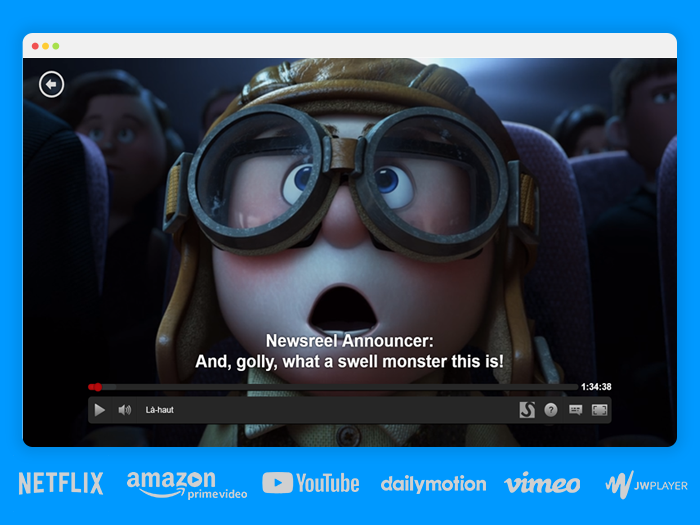
Add subtitles to any video or movie online. Be it on Netflix, Disney+, Youtube or any other online streaming platform.
截图


简介
Be it on Netflix, Disney+, Amazon Prime, Vimeo, Youtube or any other online streaming website - Our mission is to fill any language gap that exists whether for entertainment, language learning or to make videos accessible to the Deaf and Hard-of-Hearing.
RECENT UPDATES:
- Added support for Disney+ and HBO Max
FEATURES:
- Supports Netflix, Disney+, Amazon Prime Video, HBO Max, YouTube, Dailymotion, Vimeo and many other video platforms (except live streams).
- Search for subtitles with the built-in-search feature.
- Add your own subtitles with drag and drop (supported format: SubRip (.SRT) or ZIP archive containing a .SRT).
- Manually synchronize the subtitles, if they are out of sync.
- Change the subtitles font size, text colour and background color.
- Supports special characters for languages like Greek or Arabic.
- Substital is passive by default and won't inject anything in the pages you visit. Only YOU decide when to add subtitles to a video.
HOW TO USE:
- Add the extension to your browser.
- Pin it, so you can find it easily (Highly recommended).
- Navigate to a website containing a video.
- Click on the Substital extension at the top right of your browser. It will open a pop-over.
- Select the detected video.
- Add subtitles by searching or drop your own file.
Enjoy watching and if you like our product, please leave a review or let us know how we can make Substital even better!
🌞 Happy customers 🌞
“I've tried 9 different desktop media players but none of them display subtitles as accurately on time and precise as Substital”
“This is an awesome extension for watching things on third party sites, would hundred percent recommend it.”
“Very useful for non native english speakers such as me to watch movies and series in english”
CONTACT:
To report a bug or suggestion: support@substital.com
Twitter: @substital
Substital is completely free, without any ads and no hidden costs.Therefore donations are very appreciated to help me to maintain the extension. Rating and reviewing helps a lot as well.
You can donate here: https://substital.com/donations
or bitcoins here: https://substital.com/donations/btc
Substital 是做什么的
Substital 是一款面向 Firefox 的语言辅助类扩展,主要用来划词翻译、语法校对、词典查询。官方对它的介绍是:Add subtitles to any video or movie online. Be it on Netflix, Disney+, Youtube or any other online streaming platform.在Firefox 附加组件商店(AMO)上,它当前版本 2.10.6,评分 4.27(153 人评价),约 13,776 名用户。
适合什么人用
从功能定位看,Substital 更适合需要阅读外文资料或写英文内容的用户。如果你平时只是偶尔遇到相关需求,用浏览器自带功能也能凑合;但如果这件事每天都发生,装一个专门处理它的扩展通常比手动操作省事得多。
怎么安装 Substital
- 打开Firefox 附加组件商店(AMO)上的官方页面;
- 点「添加到浏览器」并确认权限提示;
- 装好后在扩展列表里固定图标,方便随时开关。
本站只做索引与介绍,安装包来自官方商店。如果商店页面提示当前地区不可用,说明该扩展未在你所在区域上架。
常见问题
Substital 是免费的吗?
Substital 在Firefox 附加组件商店(AMO)免费提供下载。它是浏览器扩展,装上就能直接用,不需要注册账号。
Substital 安全吗?
它只申请了 0 项权限,范围比较克制,没有申请「读取所有网站数据」这种大权限。
Substital 支持哪些浏览器?
当前收录的版本来自Firefox 附加组件商店(AMO),适用于 Firefox。同一个扩展在其他商店可能有对应版本,但功能与版本号不一定相同。
怎么卸载 Substital?
在扩展管理页找到 Substital,点移除即可。它在本地保存的设置会一起清掉,不会残留数据。
权限清单 来自 manifest.json 原文
接口权限 3
activeTabscriptingstorage