
SN Developer Productivity EN
Jens Jawer · Firefox
Provides functionalities to improve productivity for ServiceNow development.
<all_urls>),意味着它可以读取你在任意站点的页面内容,包括已登录的页面。这是许多扩展正常工作的必要条件,但也值得你确认来源可信。
截图
简介
This addon adds following functionalities:
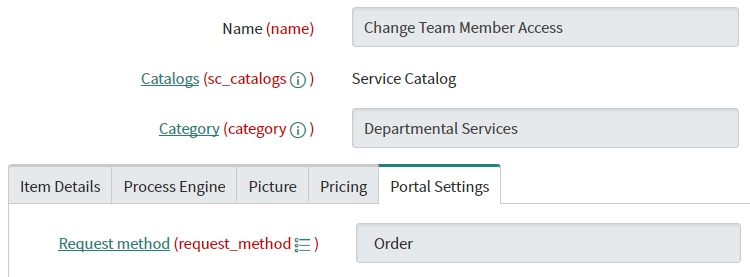
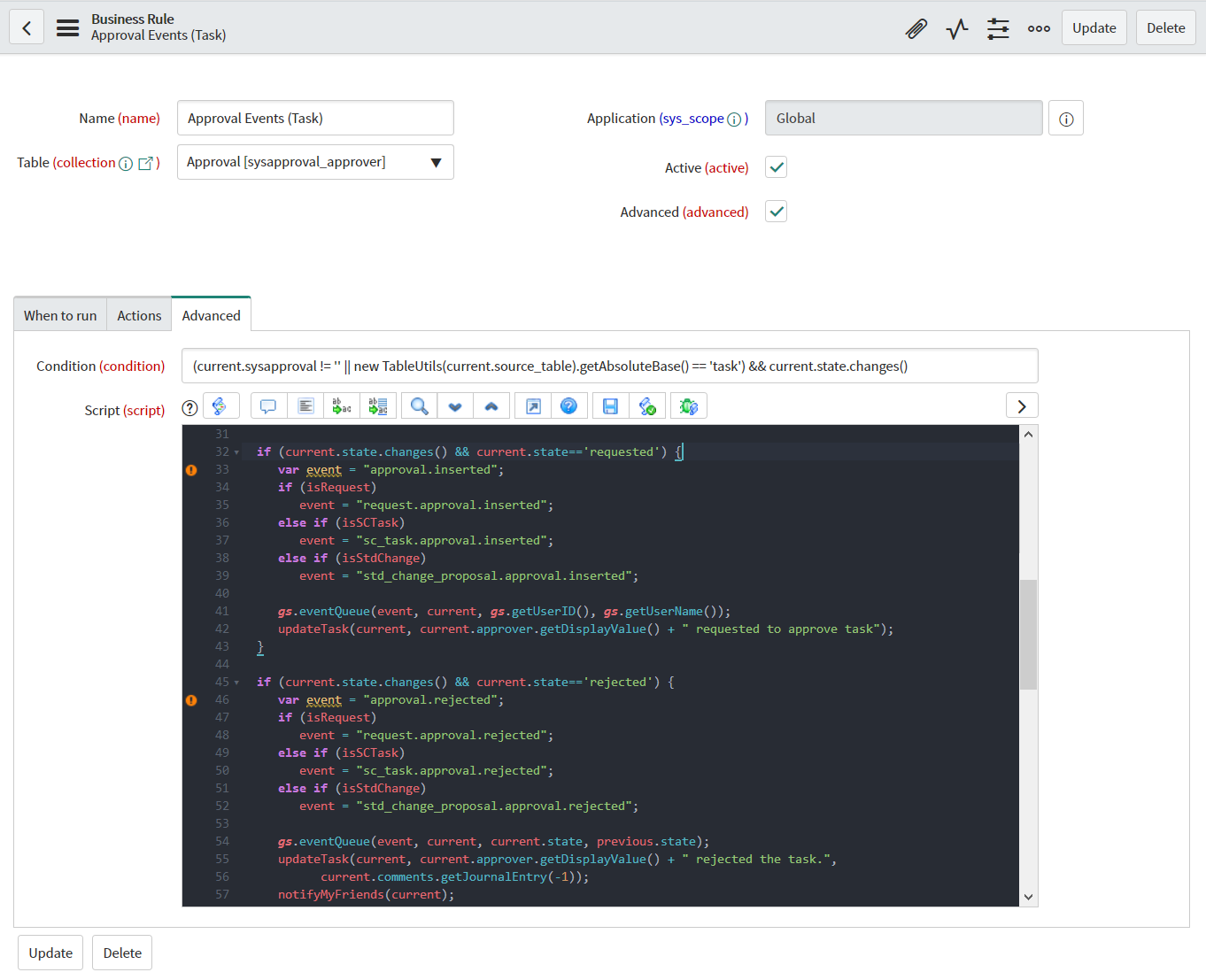
- Display of technical field and variable names
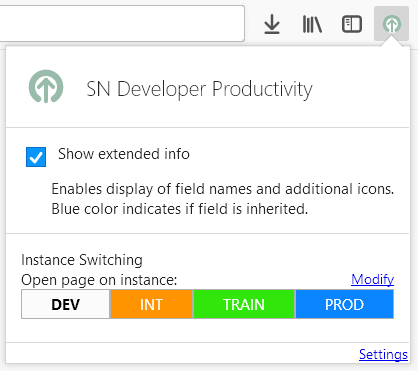
- Quickly switch to page on other instance; focusses tab, if already open
- Depending on field type, there additional information or functionalities
- In classical interface and portal:
- Show choice lists
- In classical interface:
- Open selected record in new tab (if list type, open first record)
- Open selected table in new tab, or open table definition in new tab
- Format text as JSON
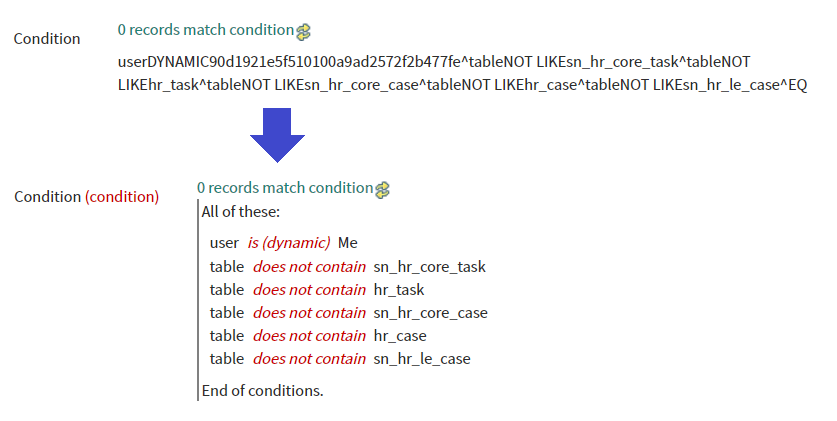
- Display filters/condition strings in human-readable form of readonly records
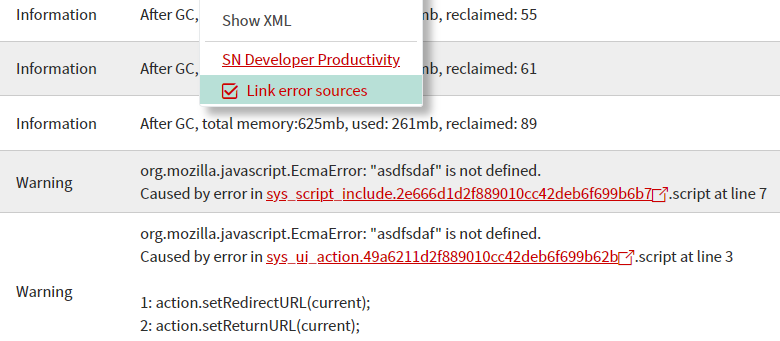
- Add links to error sources in syslog
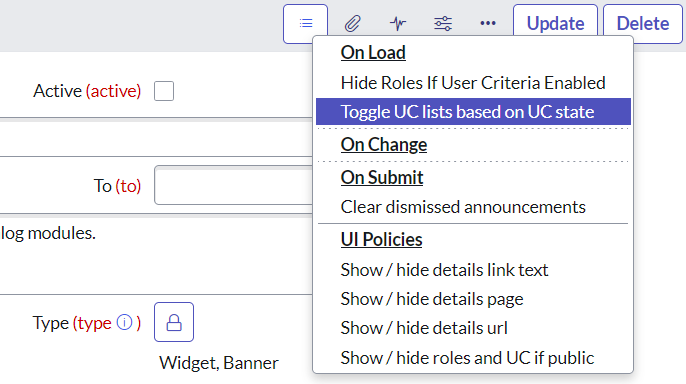
- List client scripts New: and UI policies
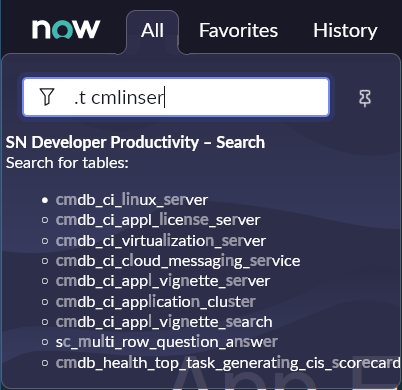
- Quick search function in navigator (must be enabled from addon settings)
- Select whole column in lists via button
- Quick edit query text of lists and related lists using middle mouse button on filter icon
- New: Copy values to clipboard using [Ctrl]+[Click] on technical field name
- New: Beta: A "Show around" item in context menu of date time list fields (must be enabled from addon settings)
- In portal:
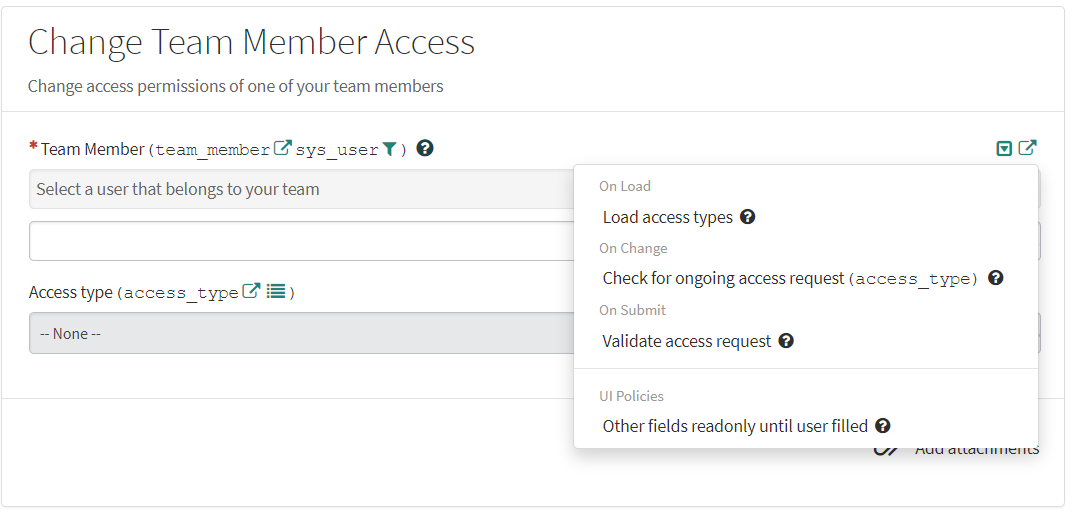
- List and view details of client scripts and ui policies
- Open catalog item definition
- Open variable definition in new tab
- Open widget editor of macro variable in new tab
- Referred table name
- View reference qualifier
- In classical interface and portal:
- Dark theme in script fields 😎 (must be enabled via addon settings)
By default, the addon is enabled for all instances hosted on subdomains of service-now.com.
Further domains (e.g. on-premises instances) can be enabled via the functionality offered when clicking on the addon icon in the toolbar.
The information and functionalities added by the addon can be shown/hidden via the checkbox "Show extended info".
This applies to all tabs and all domains.
Required permissions:
- *.service-now.com: Add functionalities to ServiceNow instances
- Tabs: For the instance switcher to search and select an existing tab
Note: The author of this add-on is not affiliated with ServiceNow.
SN Developer Productivity 是做什么的
SN Developer Productivity 是一款面向 Firefox 的开发者工具类扩展,主要用来调试页面、查看样式与请求、测试接口、辅助前端开发。官方对它的介绍是:Provides functionalities to improve productivity for ServiceNow development.在Firefox 附加组件商店(AMO)上,它当前版本 1.4.0,评分 5(4 人评价),约 43 名用户。
适合什么人用
从功能定位看,SN Developer Productivity 更适合前端工程师、测试与需要经常查看页面结构的用户。如果你平时只是偶尔遇到相关需求,用浏览器自带功能也能凑合;但如果这件事每天都发生,装一个专门处理它的扩展通常比手动操作省事得多。需要注意的是它作用于所有网站,装上后建议先观察一两天,确认不影响常用站点的正常使用。
怎么安装 SN Developer Productivity
- 打开Firefox 附加组件商店(AMO)上的官方页面;
- 点「添加到浏览器」并确认权限提示;
- 装好后在扩展列表里固定图标,方便随时开关。
本站只做索引与介绍,安装包来自官方商店。如果商店页面提示当前地区不可用,说明该扩展未在你所在区域上架。
常见问题
SN Developer Productivity 是免费的吗?
SN Developer Productivity 在Firefox 附加组件商店(AMO)免费提供下载。它是浏览器扩展,装上就能直接用,不需要注册账号。
SN Developer Productivity 安全吗?
它只申请了 0 项权限,范围比较克制,没有申请「读取所有网站数据」这种大权限。
SN Developer Productivity 支持哪些浏览器?
当前收录的版本来自Firefox 附加组件商店(AMO),适用于 Firefox。同一个扩展在其他商店可能有对应版本,但功能与版本号不一定相同。
怎么卸载 SN Developer Productivity?
在扩展管理页找到 SN Developer Productivity,点移除即可。它在本地保存的设置会一起清掉,不会残留数据。
权限清单 来自 manifest.json 原文
站点访问(可选) 1
*://*/*
接口权限 3
activeTabstoragetabs