
SelectorsHub EN
SelectorsHub · Firefox
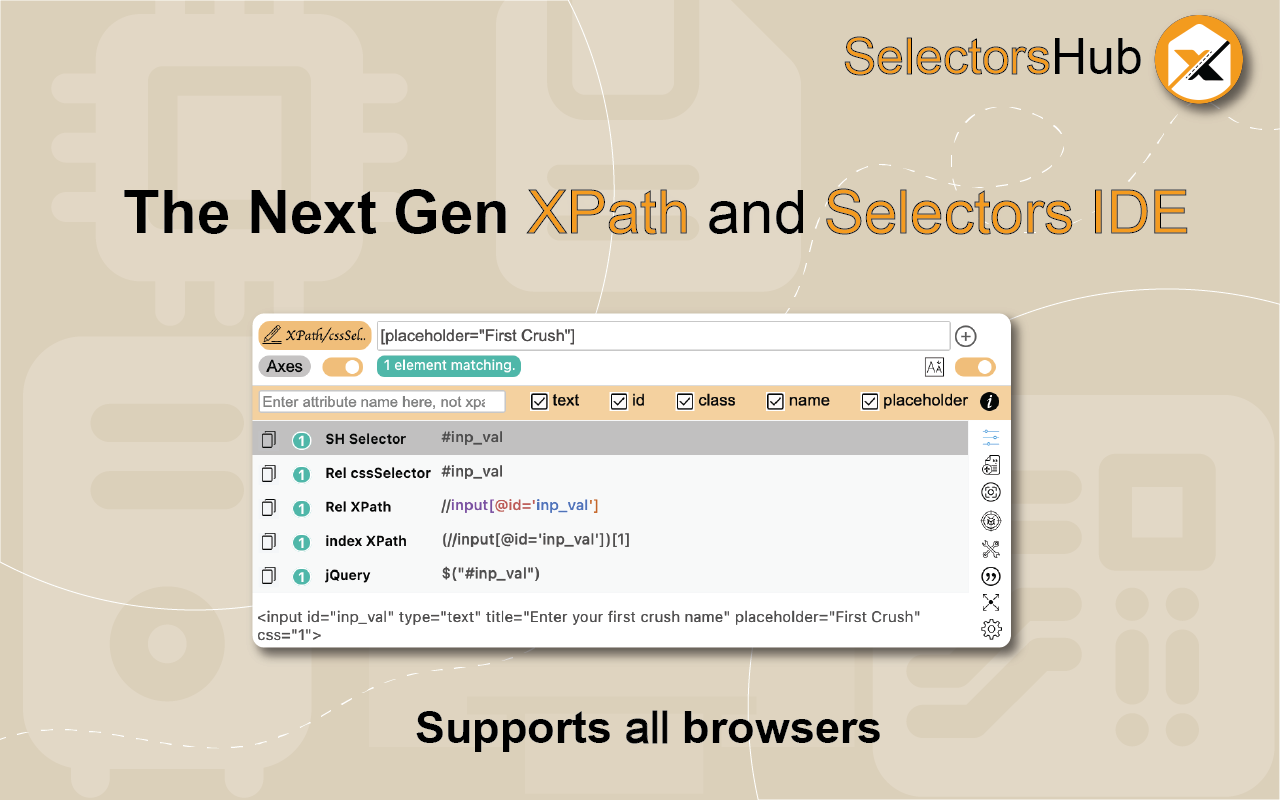
xPath plugin to generate, write and verify xpath & cssSelector. It auto generates all kinds of relative xpath, axes xpath, index xpath, css selector.
<all_urls>),意味着它可以读取你在任意站点的页面内容,包括已登录的页面。这是许多扩展正常工作的必要条件,但也值得你确认来源可信。
截图


简介
SelectorsHub is the Next Gen xPath Plugin & cssSelectors tool. It supports all kinds of XPath, locators, shadow dom, iframe, svg, dynamic elements, multi selectors generation and xpath error handling. It generates Axes based relative xpath, index xpath, relative xpath with parent, absolute xpath, jQuery, JS Path, id, className, relative cssSelector and all possible selectors. It helps to verify all XPath of a locators page in one go within seconds. It can also generate xpath for multiple elements. It tells upfront what error you will get in automation.
This is Free version. It is recommended to use the paid version of the products if they are being used inside the company for the company work. Free version contains the Ads so by using the free version you agree that it can show the Ads. If you want to go Ads free then please use the Pro version.
Watch this video tutorial to make the best use of SelectorsHub xPath plugin and solve all xpath problems. This xpath plugin will save a lot of time while writing xpath and generating xpath.
https://youtu.be/pUI9EiMCwI0
For online training on XPath, CSS Selectors, SelectorsHub etc by Creator Sanjay Kumar, register here.
https://selectorshub.com/selectorshub-training/
Very simple steps to use this xpath tool-
1. Open DevTools.
2. Click on SelectorsHub tab (refer screenshot).
3. Here it will show all possible xpath, selectors for inspected element.
Inspect the element for which you want to generate the xpath and selectors. It will generate all possible selectors along with xpath for that element.
4. To build your own xpath or CSS Selector, start typing in the selector input box.
5. SelectorsHub will automatically suggest all attributes and xpath functions like a smart editor to build xpath quickly. Now you need not to copy and paste attribute values anymore. With this you can save a huge amount of time.
6. After typing, just press enter.
7. It will highlight all matching nodes and list them down in the SelectorsHub tab.
8. It will also scroll the web element to the viewable area.
9. To copy the xpath and selector's value, click on the copy icon.
10. To edit xpath and selector’s value, click on that xpath/selector value.
SelectorsHub Features:
1. xpath Smart editor which auto suggest all possible XPath & selectors functions along with their occurrences while typing.
2. Generate all possible types of xpath and selectors for inspected element in single click.
3. xpath Error handling. It gives the proper error message like what is wrong in your xpath and cssSelector.
4. Supports iframe and nested iframes web elements. It generates xpath for all iframes.
5. Supports shadow dom and nested shadow dom elements. It generates selectors for shadow elements and shadow root host.
6. Support SVG elements and generates the xpath for svg elements.
7. Gives proper information about what kind of the inspected element like it is svg, or inside shadow dom or in iframe etc.
8. Debugger feature to inspect dynamic invisible web element like dropdown menu options. It also generates the xpath for dynamic dropdowns.
9. Feature to copy xpath and selectors value direct from right click context menu on the web element, no need to open SelectorsHub tab.
10. Feature to customise contextMenu.
11. Generate case insensitive xpath and selectors.
12. Generate Multiple xpath & selectors in single go.
13. Gives complete script to handle shadow DOM elements.
14. Save the xpath & selector values in SelectorsHub.
15. Feature to disable and enable SelectorsHub in contextMenu.
16. It generates robust unique relative cssSelector and xpath.
17. Generate the index based xpath in auto suggest while building own xpath.
18. Feature to generate xpath and selectors with the desired attribute.
19. Feature to generate xpath and selectors with driver command.
20. Option to Customise the UI as users need.
21. All the config will be saved in local so next time when user open it, it open with user’s config.
22. To copy the xpath or Selector’s value, just click on the Selector’s Header. For example to copy Rel XPath, click on Rel XPath.
23. To edit xpath or Selector’s value, just click on selector’s value, it will put the value in box where you can edit it and verify.
If you are facing any issue or want to give a feedback, feel free to reach out to me at support@selectorshub.com
Please find the change log here-
https://www.selectorshub.com/changelog/
For more details please checkout homepage-
https://www.selectorshub.com/
SelectorsHub 是做什么的
SelectorsHub 是一款面向 Firefox 的开发者工具类扩展,主要用来调试页面、查看样式与请求、测试接口、辅助前端开发。官方对它的介绍是:xPath plugin to generate, write and verify xpath & cssSelector. It auto generates all kinds of relative xpath, axes xpath, index xpath, css selector.在Firefox 附加组件商店(AMO)上,它当前版本 5.3.2,评分 4.18(66 人评价),约 3,166 名用户。
适合什么人用
从功能定位看,SelectorsHub 更适合前端工程师、测试与需要经常查看页面结构的用户。如果你平时只是偶尔遇到相关需求,用浏览器自带功能也能凑合;但如果这件事每天都发生,装一个专门处理它的扩展通常比手动操作省事得多。需要注意的是它作用于所有网站,装上后建议先观察一两天,确认不影响常用站点的正常使用。
怎么安装 SelectorsHub
- 打开Firefox 附加组件商店(AMO)上的官方页面;
- 点「添加到浏览器」并确认权限提示;
- 装好后在扩展列表里固定图标,方便随时开关。
本站只做索引与介绍,安装包来自官方商店。如果商店页面提示当前地区不可用,说明该扩展未在你所在区域上架。
常见问题
SelectorsHub 是免费的吗?
SelectorsHub 在Firefox 附加组件商店(AMO)免费提供下载。它是浏览器扩展,装上就能直接用,不需要注册账号。
SelectorsHub 安全吗?
它只申请了 0 项权限,范围比较克制,没有申请「读取所有网站数据」这种大权限。
SelectorsHub 支持哪些浏览器?
当前收录的版本来自Firefox 附加组件商店(AMO),适用于 Firefox。同一个扩展在其他商店可能有对应版本,但功能与版本号不一定相同。
怎么卸载 SelectorsHub?
在扩展管理页找到 SelectorsHub,点移除即可。它在本地保存的设置会一起清掉,不会残留数据。
权限清单 来自 manifest.json 原文
站点访问 1
<all_urls>
接口权限 7
clipboardWritecontextMenuscookiesdevtoolsnotificationsstoragetabs