
Saka EN
eejdoowad · Firefox
Saka - elegent tab search, selection, and beyond
<all_urls>),意味着它可以读取你在任意站点的页面内容,包括已登录的页面。这是许多扩展正常工作的必要条件,但也值得你确认来源可信。
截图

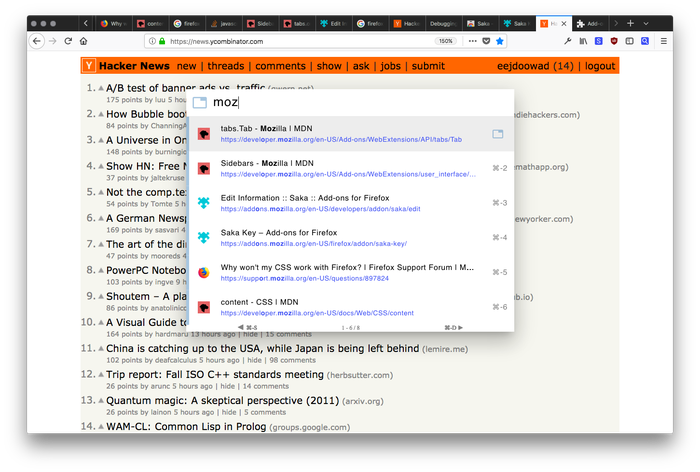
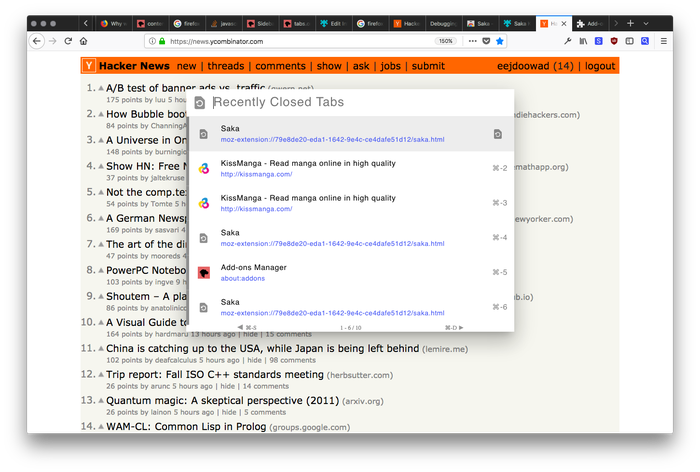
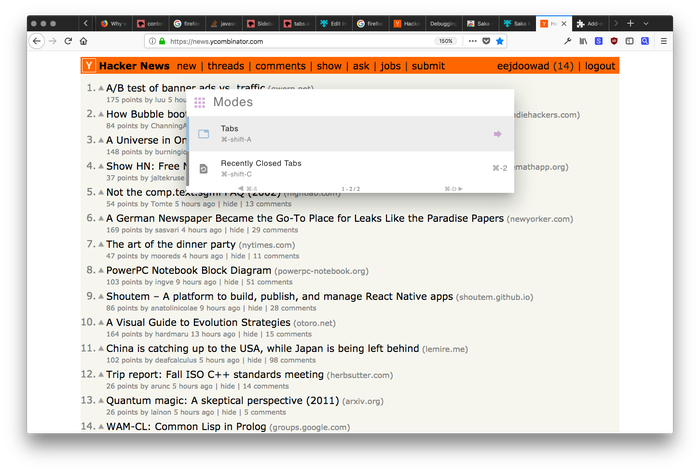
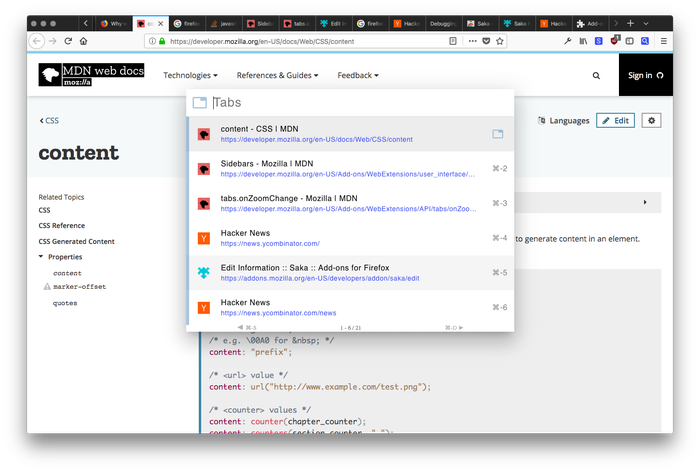
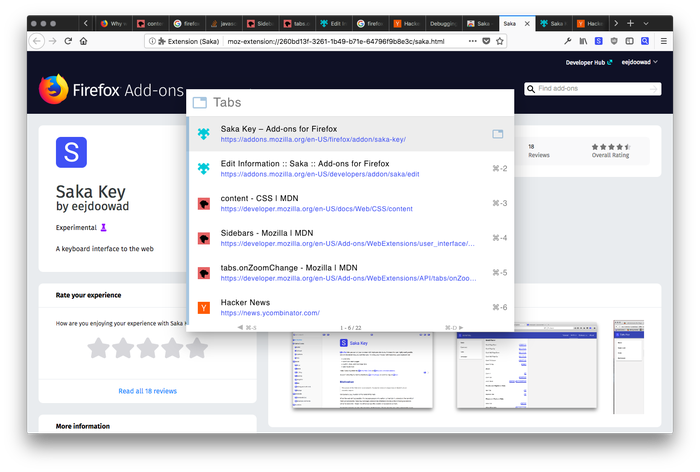
简介
A browser navigation assistant designed to be fast, intuitive, and beautiful. Inspired by Spotlight. Keyboard-focused but mouse friendly too.
* Lists tabs in order of recency by default, then fuzzy search by title or URL.
* Search recently closed tabs
* Search all bookmarks
* Search all browsing history
homepage: https://saka.io
github: https://github.com/lusakasa/saka
---
1. Activate the extension by entering CTRL+SPACE or ALT+SPACE on Macs.
2. Search your tabs by title or URL
3. Switch between suggestions using the arrow keys or TAB and SHIFT+TAB.
4. Switch to a tab by pressing ENTER or clicking on a suggestion
5. Try other search modes using SHIFT+SPACE
If Saka Key (https://key.saka.io) is installed, Saka can be activated by pressing L.
---
Useful keyboard shortcuts:
* CTRL+K (or CMD+K on Macs) - Clear the search
* CTRL+S (or CMD+S on Macs) - View the previous page of suggestions
* CTRL+D (or CMD+D on Macs) - View the next page of suggestions
* CTRL+Backspace (or CMD+Delete on Macs) - Close selected tab
* DOWN ARROW or TAB - Select the next suggestions
* UP ARROW or SHIFT-TAB - Select the previous suggestion
Mode shortcuts
* SHIFT+SPACE - switch modes
* SPACE (but only if the search bar is empty) - switch modes
---
Custom keyboard shortcuts are not supported on Firefox. Install Saka Key (https://key.saka.io) to specify custom shortcuts.
---
Why does Saka need so many permission?
1. Read and change all your data on the websites you visit - needed to insert Saka into each page
2. Read and change your browsing history - needed for upcoming features: history search and recency-based tab switching
3. Read and change your bookmarks - needed for upcoming feature: bookmarks search
---
Like this extension?
Check out my other open source extension for keyboard-only browsing Saka Key.
https://addons.mozilla.org/firefox/addon/saka-key/
---
Release Notes:
0.17.1
* Added feature to close selected tab in Saka when hotkey (ctrl+backspace) is pressed
0.16.4
* Improved fuzzy search to not penalize search results based on length
* Improved mode switcher UI to make it more obvious that it is clickable
* Added restoring of window sessions
0.16.1
* Fixed issue where Saka could not be launched using a custom hotkey in Saka Key
0.16.0
* Added a tab bar at the top of Saka to allow for easy switching between modes
0.15.0
* Added 'Recently Viewed' search mode for all open tabs, closed tabs and browsing history at the same time
0.14.2
* Added optional highlighting + fuzzy search for bookmark and history search
0.14.1
* Fix bug where active selection icon was misaligned
* Fix bug where mode selection was not rendering ⌘ correctly
* Fix bug where suggestions were hidden on new installs first load
0.14.0
* Added History Search
* Added Saka hotkey list on the options page
* Fixed bug where incognito tab favicons could leak into the non-incognito favicon cache when a user loaded Saka while having incognito tabs open (https://github.com/lusakasa/saka/issues/28)
0.13.0
* Added options page for customizing Saka settings
* Choose default mode that Saka opens in
* Enable/Disable suggestions list when Saka first opens
0.12.1
* Added bookmark search
0.12.0
* Rearchitected to support Firefox
* Better viewport and zoom independence
0.11.0
* Improved multi-window support
0.10.0
* Added mode for searching recently closed tabs
* Added mode for selecting what type of search to perform
* The Action button now indicates the current mode
* The active suggestion now shows an icon corresponding to the suggestion type
* Many new keyboard shortcuts
0.9.0
* Added Saka to right-click menu (will make this optional in future)
* Fixed match highlighting bug
0.8.0
* Match highlighting
* Recently closed tabs now appear at end of list when no search text is entered
* Action button icon now changes based on the active suggestion
0.7.0
* Use your mouse wheel to scroll through suggestions!
0.6.0
* Pagination to support viewing more than 6 results
* Moved "activation button" to left side of search bar as part of an upcoming feature
0.5.0
* Lists tabs by recency by default
0.4.0
* CMD+K no longer toggles Saka. Instead, it clears the search bar.
* Integration with Saka Key
0.3.0
* Saka is now zoom independent so its size and location are fixed for common zoom levels and viewport sizes
* When Saka is activated from a reserved page, the opened tab now uses a screenshot of the reserved page as it's background image.
0.2.0
* bug fixes
* changed to persistent background page for reduced latency
0.1.0
* Initial Beta Release
Saka 是做什么的
Saka 是一款面向 Firefox 的搜索增强类扩展,主要用来补充搜索结果、切换搜索引擎、过滤无效结果。官方对它的介绍是:Saka - elegent tab search, selection, and beyond在Firefox 附加组件商店(AMO)上,它当前版本 0.17.2resigned1,评分 4.71(14 人评价),约 55 名用户。
适合什么人用
从功能定位看,Saka 更适合每天大量搜索、希望结果更干净准确的用户。如果你平时只是偶尔遇到相关需求,用浏览器自带功能也能凑合;但如果这件事每天都发生,装一个专门处理它的扩展通常比手动操作省事得多。需要注意的是它作用于所有网站,装上后建议先观察一两天,确认不影响常用站点的正常使用。
怎么安装 Saka
- 打开Firefox 附加组件商店(AMO)上的官方页面;
- 点「添加到浏览器」并确认权限提示;
- 装好后在扩展列表里固定图标,方便随时开关。
本站只做索引与介绍,安装包来自官方商店。如果商店页面提示当前地区不可用,说明该扩展未在你所在区域上架。
常见问题
Saka 是免费的吗?
Saka 在Firefox 附加组件商店(AMO)免费提供下载。它是浏览器扩展,装上就能直接用,不需要注册账号。
Saka 安全吗?
它只申请了 0 项权限,范围比较克制,没有申请「读取所有网站数据」这种大权限。
Saka 支持哪些浏览器?
当前收录的版本来自Firefox 附加组件商店(AMO),适用于 Firefox。同一个扩展在其他商店可能有对应版本,但功能与版本号不一定相同。
怎么卸载 Saka?
在扩展管理页找到 Saka,点移除即可。它在本地保存的设置会一起清掉,不会残留数据。
权限清单 来自 manifest.json 原文
站点访问 1
<all_urls>
接口权限 8
activeTabalarmsbookmarkscontextMenushistorysessionsstoragetabs