
 BTRoblox - Making Roblox Better
BTRoblox, or Better Roblox, is…
Firefox

RoNew EN
ThatTimothy · Firefox
In a single click, join the newest server of any Roblox experience!
5.0/5
2 人评分
244用户
v2.1.3当前版本
截图
简介
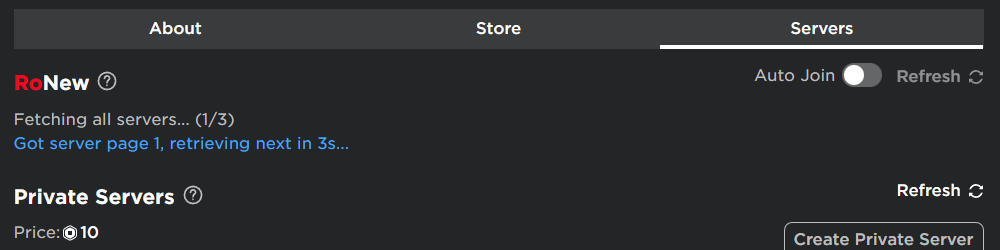
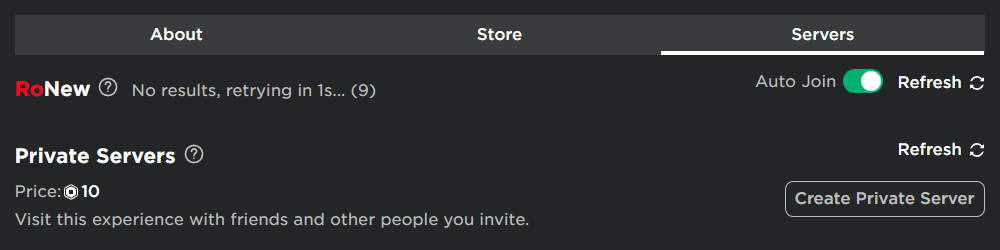
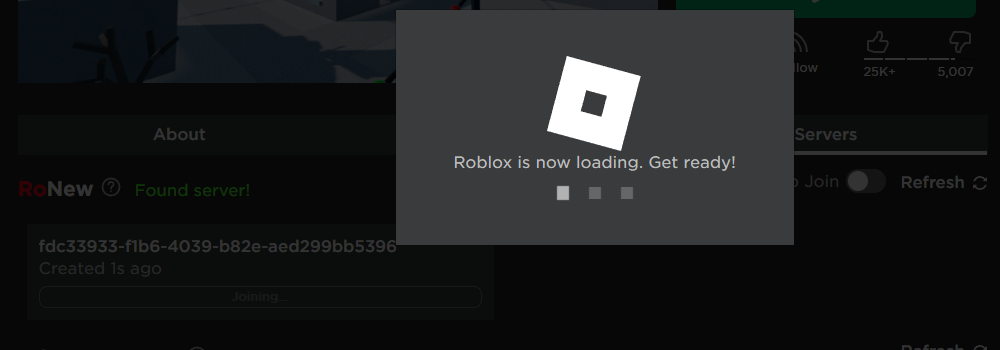
This extension allows you to automatically join the newest server of a Roblox experience, by waiting for the newest server to show up.
Features
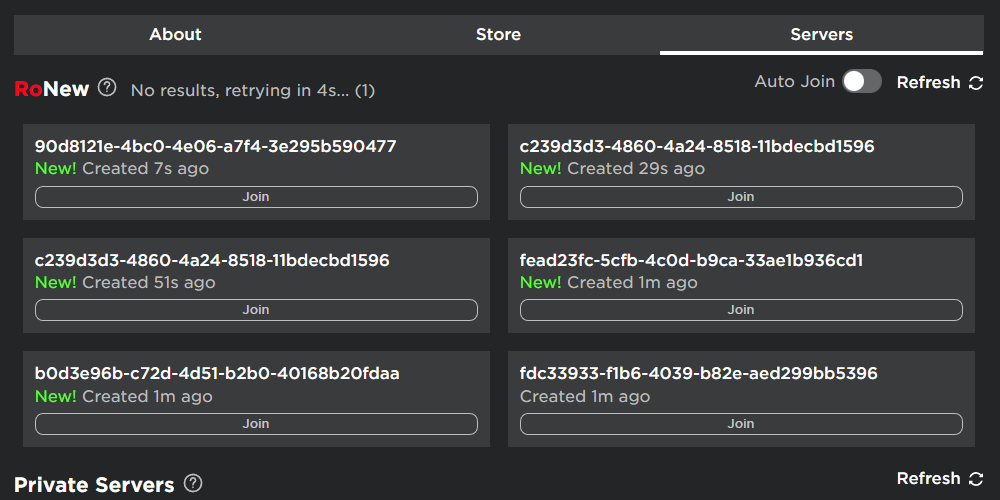
- Get newest Roblox servers for any game
- Seamless integration
- Auto Join
- Refresh
Usage
1. Navigate to a roblox game page
2. Allow permissions Extensions -> RoNew Settings -> Always allow on roblox.com
3. Go to the Servers tab
4. You should see a RoNew section
5. Click Load New Servers
6. Enjoy!
Note that it may take a while on certain games, as Roblox can stop creating new servers periodically.
RoNew 是做什么的
RoNew 是一款面向 Firefox 的游戏娱乐类扩展,主要用来增强游戏社区功能、显示额外数据。官方对它的介绍是:In a single click, join the newest server of any Roblox experience!在Firefox 附加组件商店(AMO)上,它当前版本 2.1.3,评分 5(2 人评价),约 244 名用户。
适合什么人用
从功能定位看,RoNew 更适合游戏玩家与游戏社区常客。如果你平时只是偶尔遇到相关需求,用浏览器自带功能也能凑合;但如果这件事每天都发生,装一个专门处理它的扩展通常比手动操作省事得多。
怎么安装 RoNew
- 打开Firefox 附加组件商店(AMO)上的官方页面;
- 点「添加到浏览器」并确认权限提示;
- 装好后在扩展列表里固定图标,方便随时开关。
本站只做索引与介绍,安装包来自官方商店。如果商店页面提示当前地区不可用,说明该扩展未在你所在区域上架。
常见问题
RoNew 是免费的吗?
RoNew 在Firefox 附加组件商店(AMO)免费提供下载。它是浏览器扩展,装上就能直接用,不需要注册账号。
RoNew 安全吗?
它只申请了 0 项权限,范围比较克制,没有申请「读取所有网站数据」这种大权限。
RoNew 支持哪些浏览器?
当前收录的版本来自Firefox 附加组件商店(AMO),适用于 Firefox。同一个扩展在其他商店可能有对应版本,但功能与版本号不一定相同。
怎么卸载 RoNew?
在扩展管理页找到 RoNew,点移除即可。它在本地保存的设置会一起清掉,不会残留数据。
权限清单 来自 manifest.json 原文
未解析到权限条目。
标签 点标签看同类扩展
BTRoblox - Making Roblox Better
BTRoblox, or Better Roblox, is…
Firefox
 RoGold - Level Up Roblox
Your new and improved Roblox e…
Firefox
 RoSeal - Augmented Roblox Experience
Improve your Roblox website ex…
Firefox
 RoQoL - Improve your Roblox experience
Multiple changes to the roblox…
Firefox
 Roblox+
Extends the features available…
Firefox
 BetterBLOX - Better Roblox Extension
See when any Roblox user was l…
Firefox
 AutoClicker: Automatic Tap
AutoClicker is designed to aut…
Firefox
 BloxFinder - 加入 Roblox 上的任何人
即使关闭了加入功能,也可以加入任何 Roblox 用户的游戏…
Firefox