
Quick Commands EN
victal · Firefox
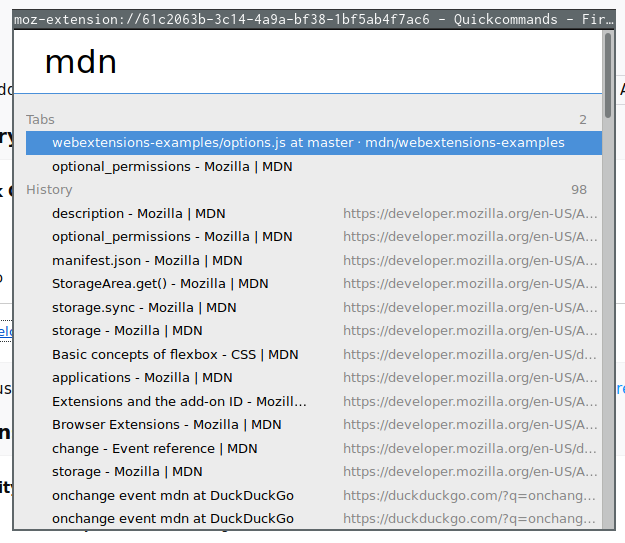
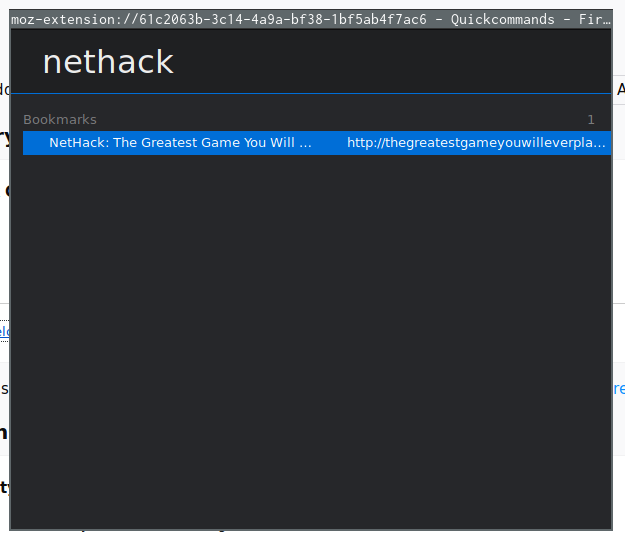
Provides a fast way to search and change between open Tabs or open tabs from History and Bookmarks. Inspired by Vivaldi's Quick Commands (see help.vivaldi.com/article/quick-commands/) Use the shortcut (Alt+Shift+R) to open the menu window.
截图
简介
<strong>Warning:</strong> This extension is not under active development/maintenance
Quick commands is an add-on inspired by Vivaldi's Quick Commands that provides a similar window to search and open existing and former tabs.
<strong>Usage:</strong>
Open the quick-commands window with <code>Alt+Shift+R</code> (customizable via Firefox's "Manage Extension Shortcuts")
Search and browse with the <code>Up/Down Arrows</code>.
Open the selected tab with <code>Enter</code>.
<code>Esc</code> closes the window, and your current shortcut for closing a tab (Ctrl+W/Cmd+W) will work just as well
<strong>Permissions:</strong>
The following permissions are requested upon installation (most are quite self-explanatory):
- tabs: For searching and switching between current open tabs
- history: To be able to search and display links from history
- bookmarks: To be able to search and display links from your bookmarks
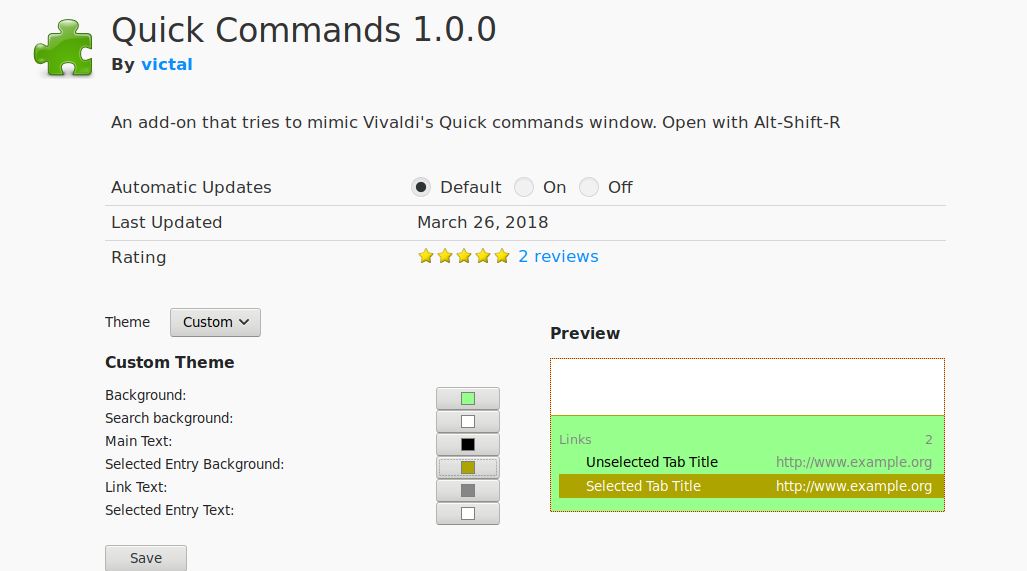
- storage: To save your theme preferences (and sync them between devices if you are logged into your Firefox Account)
- search: To add "Search with..." functionality
<strong>Ideas/Suggestions/Bugs:</strong>
This extension is not under active maintenance anymore.
- However, feel free to open a Issue on Github (https://github.com/victal/quickcommands/issues)
Quick Commands 是做什么的
Quick Commands 是一款面向 Firefox 的实用工具类扩展,主要用来解决浏览器里某类具体的小问题。官方对它的介绍是:Provides a fast way to search and change between open Tabs or open tabs from History and Bookmarks. Inspired by Vivaldi's Quick Commands (see help.vivaldi.com/article/quick-commands/) Use the shortcut (Alt+Shift+R) to open the menu window.在Firefox 附加组件商店(AMO)上,它当前版本 1.5.2,评分 4.38(8 人评价),约 26 名用户。
适合什么人用
从功能定位看,Quick Commands 更适合想补上浏览器原生缺失功能的用户。如果你平时只是偶尔遇到相关需求,用浏览器自带功能也能凑合;但如果这件事每天都发生,装一个专门处理它的扩展通常比手动操作省事得多。
怎么安装 Quick Commands
- 打开Firefox 附加组件商店(AMO)上的官方页面;
- 点「添加到浏览器」并确认权限提示;
- 装好后在扩展列表里固定图标,方便随时开关。
本站只做索引与介绍,安装包来自官方商店。如果商店页面提示当前地区不可用,说明该扩展未在你所在区域上架。
常见问题
Quick Commands 是免费的吗?
Quick Commands 在Firefox 附加组件商店(AMO)免费提供下载。它是浏览器扩展,装上就能直接用,不需要注册账号。
Quick Commands 安全吗?
它只申请了 0 项权限,范围比较克制,没有申请「读取所有网站数据」这种大权限。
Quick Commands 支持哪些浏览器?
当前收录的版本来自Firefox 附加组件商店(AMO),适用于 Firefox。同一个扩展在其他商店可能有对应版本,但功能与版本号不一定相同。
怎么卸载 Quick Commands?
在扩展管理页找到 Quick Commands,点移除即可。它在本地保存的设置会一起清掉,不会残留数据。
权限清单 来自 manifest.json 原文
接口权限 5
bookmarkshistorysearchstoragetabs