
Procrastination Friction EN
Matt · Firefox
Waste less time on the internet. This addon makes sites you spend a lot of time on a bit harder to access. Helps you think twice before visiting a site. Only works on sites of your choosing.
<all_urls>),意味着它可以读取你在任意站点的页面内容,包括已登录的页面。这是许多扩展正常工作的必要条件,但也值得你确认来源可信。
截图



简介
This extension is for people who spend a lot of time procrastinating on the internet. I built this because I would waste hours watching useless youtube videos or browsing facebook. This extension helps interrupt browsing habits and gives the users a chance to think before accessing a site. Since I started using it I spend much less time procrastinating and more time doing the things I want to get done!
How it works:
- It only operates on sites of your choice. Choose a list of sites for the extension to be active on.
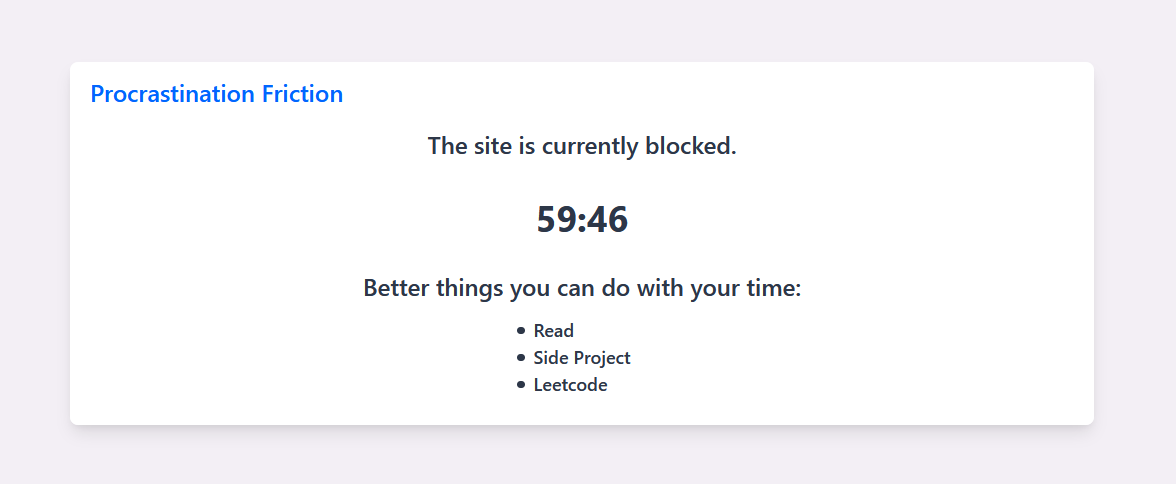
- When visiting an active site an overlay will appear, this will remind you to think twice and will show a list of alternative activities of your choice.
- If you choose to visit the site to procrastinate you will have to wait a set amount of time (you can customise this in the settings). The activities will remain displayed and it will suggest you think about leaving. Once the timer is up a button will appear allowing you to proceed to the site.
- If you choose not to visit the site the site will be blocked for a period of time (again this can be customised in settings).
- There is also an option to proceed to a site by clicking the work button. This will not make you wait at all. You have to be honest! Don't click it if you are procrastinating.
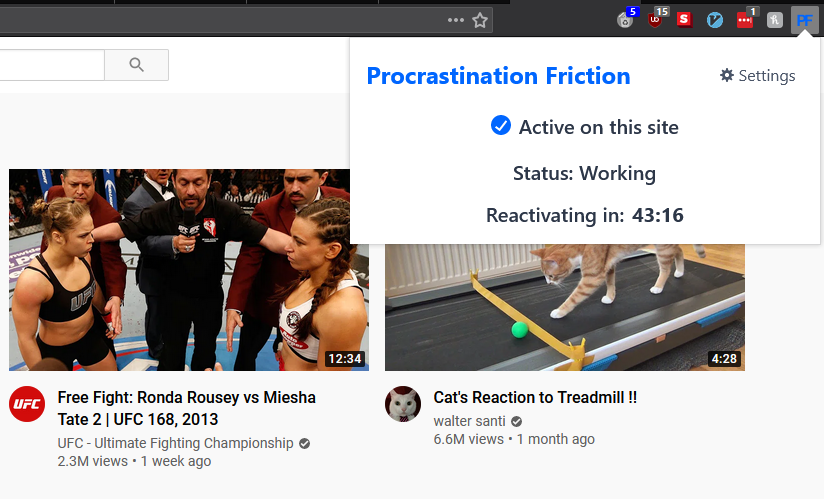
- Once you are on the site (either working or procrastinating) a timer will start, when this timer is up the overlay will reappear when you next interact with the site (this time is also customisable in settings).
We hope this extension helps you out and saves you some of your valuable time. If you come across any problems or have found the extension helpful we would love to hear from you.
Procrastination Friction 是做什么的
Procrastination Friction 是一款面向 Firefox 的实用工具类扩展,主要用来解决浏览器里某类具体的小问题。官方对它的介绍是:Waste less time on the internet. This addon makes sites you spend a lot of time on a bit harder to access. Helps you think twice before visiting a site. Only works on sites of your choosing.在Firefox 附加组件商店(AMO)上,它当前版本 1.0.3,评分 4.5(6 人评价),约 26 名用户。
适合什么人用
从功能定位看,Procrastination Friction 更适合想补上浏览器原生缺失功能的用户。如果你平时只是偶尔遇到相关需求,用浏览器自带功能也能凑合;但如果这件事每天都发生,装一个专门处理它的扩展通常比手动操作省事得多。需要注意的是它作用于所有网站,装上后建议先观察一两天,确认不影响常用站点的正常使用。
怎么安装 Procrastination Friction
- 打开Firefox 附加组件商店(AMO)上的官方页面;
- 点「添加到浏览器」并确认权限提示;
- 装好后在扩展列表里固定图标,方便随时开关。
本站只做索引与介绍,安装包来自官方商店。如果商店页面提示当前地区不可用,说明该扩展未在你所在区域上架。
常见问题
Procrastination Friction 是免费的吗?
Procrastination Friction 在Firefox 附加组件商店(AMO)免费提供下载。它是浏览器扩展,装上就能直接用,不需要注册账号。
Procrastination Friction 安全吗?
它只申请了 0 项权限,范围比较克制,没有申请「读取所有网站数据」这种大权限。
Procrastination Friction 支持哪些浏览器?
当前收录的版本来自Firefox 附加组件商店(AMO),适用于 Firefox。同一个扩展在其他商店可能有对应版本,但功能与版本号不一定相同。
怎么卸载 Procrastination Friction?
在扩展管理页找到 Procrastination Friction,点移除即可。它在本地保存的设置会一起清掉,不会残留数据。
权限清单 来自 manifest.json 原文
站点访问 1
<all_urls>
接口权限 2
storagetabs