
POE TradeNinja EN
Khanification · Firefox
Adds a Trade button to items in Path of Exile build pages
截图


简介
PoE TradeNinja: Effortless Item Searches from Builds
Elevate your Path of Exile trading experience with PoE Trade Ninja — an essential Firefox extension for players who rely on PoE Ninja for build exploration and item pricing. Seamlessly search for items from any PoE Ninja build with just a click, saving you time and maximizing your trading efficiency.
Install PoE Trade Ninja now and take full control of your Path of Exile trading strategy. Easily search for build items and stay ahead of the competition with this powerful tool.
Key Features:
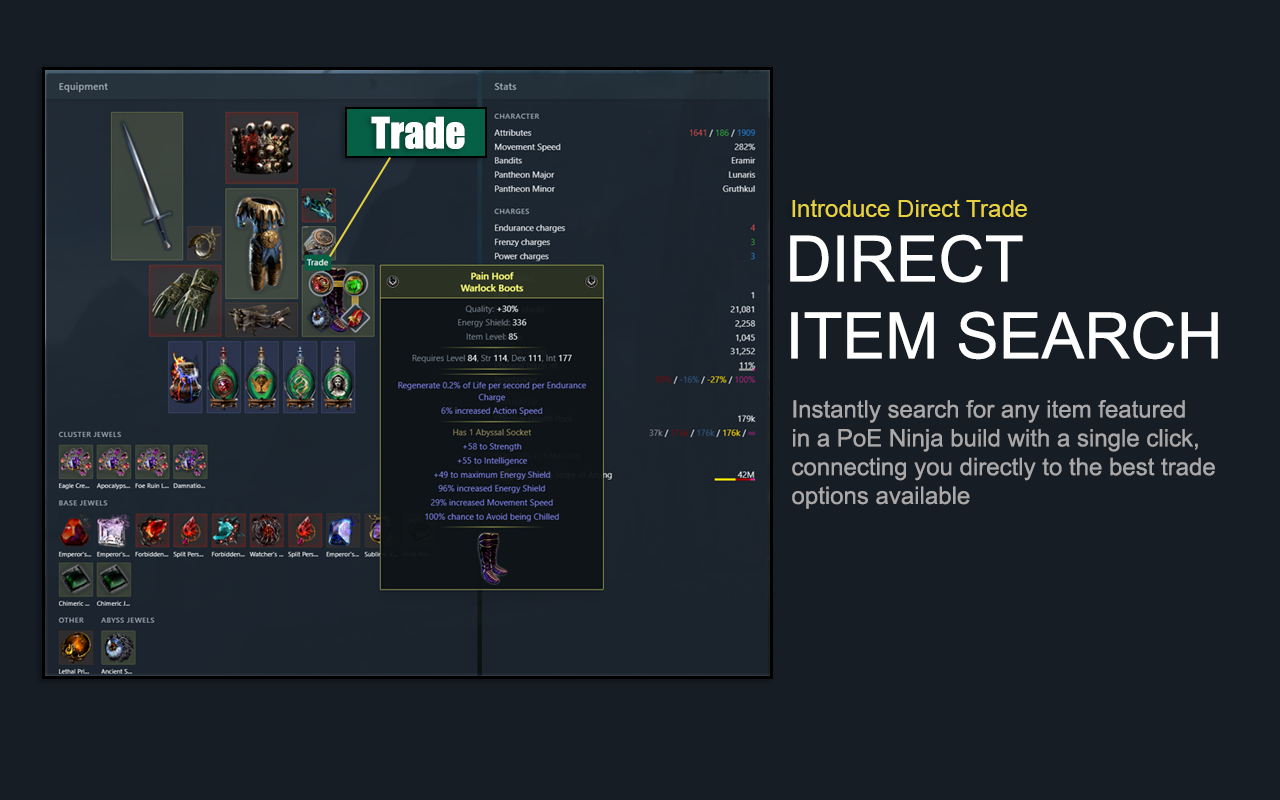
Direct Item Search: Instantly search for any item featured in a PoE Ninja build with a single click, connecting you directly to the best trade options available.
Automatic Build Parsing: Effortlessly analyze any build on PoE Ninja and find the exact items used in the build, including mods and variations.
Seamless Integration: Fully integrated with PoE Ninja, ensuring you get the most accurate and up-to-date item information.
User-Friendly Interface: Simple and intuitive design that fits naturally into your PoE Ninja browsing experience.
How It Works:
PoE TradeNinja enhances your experience on the poe.ninja website by adding an additional layer of functionality. As you explore builds on PoE Ninja, this extension allows you to instantly search for the exact items used in those builds. With just a single click, you can search the market for the items, mods, and variations that you need, ensuring you can replicate any build or optimize your trading decisions.
If you frequently use PoE Ninja to browse builds or price-check items, this extension is a must-have. It cuts down the time spent manually searching for items by providing instant access to trade searches directly from the build pages. Whether you're trying to copy a top-tier build or simply looking for price trends, PoE TradeNinja makes it easier and faster.
Compatibility:
PoE TradeNinja is designed to work seamlessly with the PoE Ninja website and is compatible with the latest versions of Firefox, Chrome and Chromium-based browsers.
Updates and Improvements:
We're constantly working to improve PoE TradeNinja with new features and enhancements. Stay tuned for updates that will further expand the extension's capabilities and make your Path of Exile experience even better.
POE TradeNinja 是做什么的
POE TradeNinja 是一款面向 Firefox 的游戏娱乐类扩展,主要用来增强游戏社区功能、显示额外数据。官方对它的介绍是:Adds a Trade button to items in Path of Exile build pages在Firefox 附加组件商店(AMO)上,它当前版本 1.0.3,评分 3.4(5 人评价),约 674 名用户。
适合什么人用
从功能定位看,POE TradeNinja 更适合游戏玩家与游戏社区常客。如果你平时只是偶尔遇到相关需求,用浏览器自带功能也能凑合;但如果这件事每天都发生,装一个专门处理它的扩展通常比手动操作省事得多。
怎么安装 POE TradeNinja
- 打开Firefox 附加组件商店(AMO)上的官方页面;
- 点「添加到浏览器」并确认权限提示;
- 装好后在扩展列表里固定图标,方便随时开关。
本站只做索引与介绍,安装包来自官方商店。如果商店页面提示当前地区不可用,说明该扩展未在你所在区域上架。
常见问题
POE TradeNinja 是免费的吗?
POE TradeNinja 在Firefox 附加组件商店(AMO)免费提供下载。它是浏览器扩展,装上就能直接用,不需要注册账号。
POE TradeNinja 安全吗?
它只申请了 0 项权限,范围比较克制,没有申请「读取所有网站数据」这种大权限。
POE TradeNinja 支持哪些浏览器?
当前收录的版本来自Firefox 附加组件商店(AMO),适用于 Firefox。同一个扩展在其他商店可能有对应版本,但功能与版本号不一定相同。
怎么卸载 POE TradeNinja?
在扩展管理页找到 POE TradeNinja,点移除即可。它在本地保存的设置会一起清掉,不会残留数据。
权限清单 来自 manifest.json 原文
接口权限 2
cookiesstorage