 uBlock Origin
一款高效的网络请求过滤工具,占用极低的内存和 CPU。
Firefox

OZZI: IOC Search EN
mcortt · Firefox
Use this extension to analyze IOCs using various freeware OSINT sites.
5.0/5
2 人评分
25用户
v2.1.1当前版本
截图
简介
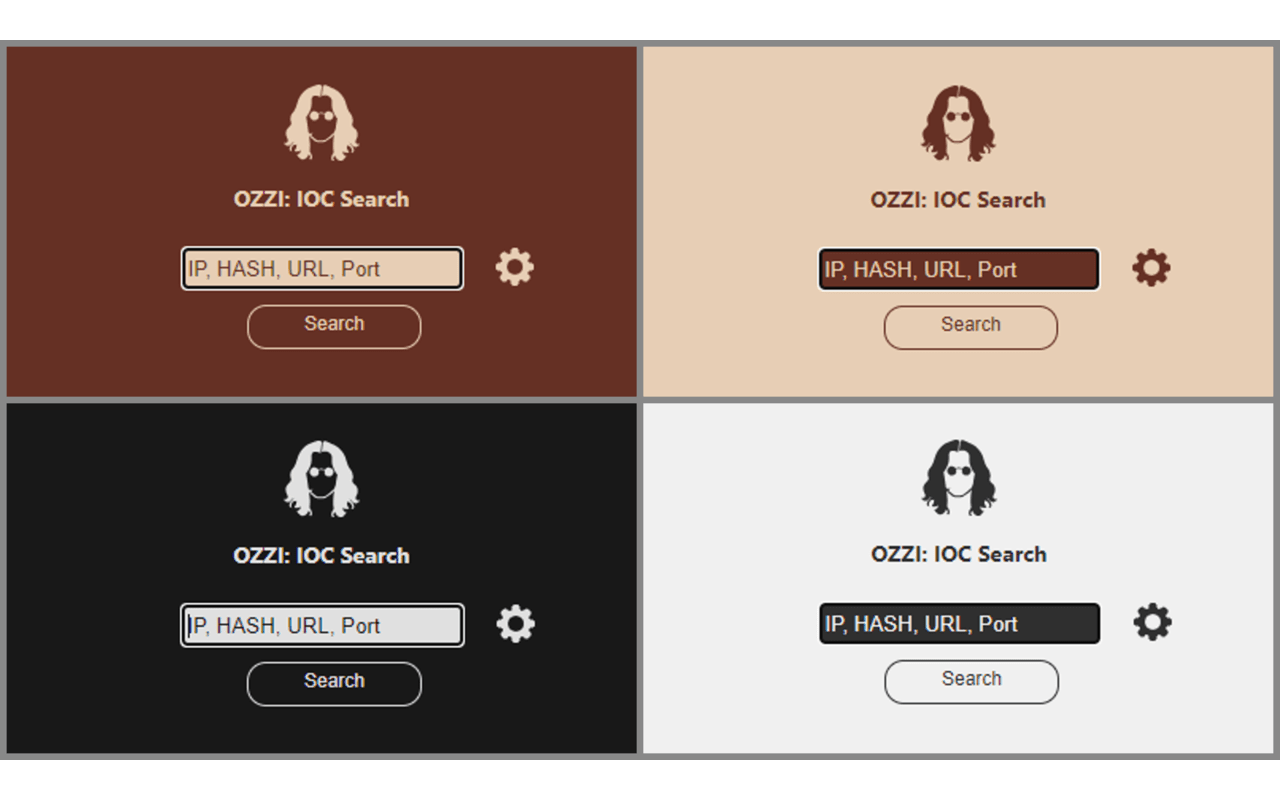
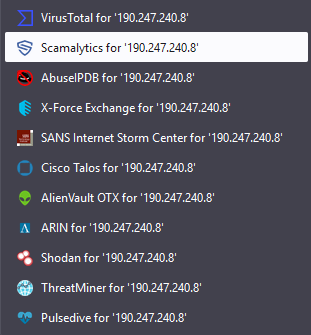
Gives a popup that will allow you to search via a single input either IP address, file HASH, URL, or port number across multiple free use OSINT platforms. It opens the results as new tabs in the background.
=======
Usage
=======
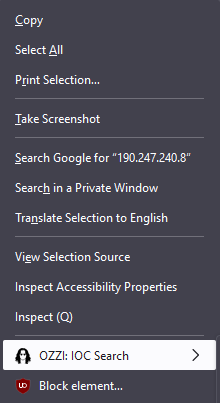
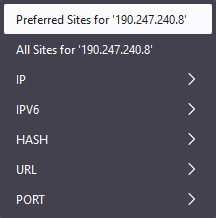
Highlight an IOC on a webpage and right-click or right-click a link:
* Select Preferred Sites to search your chosen OSINT sites
* Select All Sites to search all OSINT sites
* Select IP,IPV6,HASH,URL,PORT to search a specific site for that type of IOC
--OR--
- Launch extension - click icon or keyboard shortcut: Ctrl + Shift + F
- Type or paste the IOC:
- IP address (IPv4 or IPv6)
- File HASH (MD5, SHA1, or SHA256)
- URL (including Defanged URLs)
- Port Number
- Hit Enter or click Search
- The extension should launch relevant OSINT sources in background tabs, depending on your input type.
=======
Options
=======
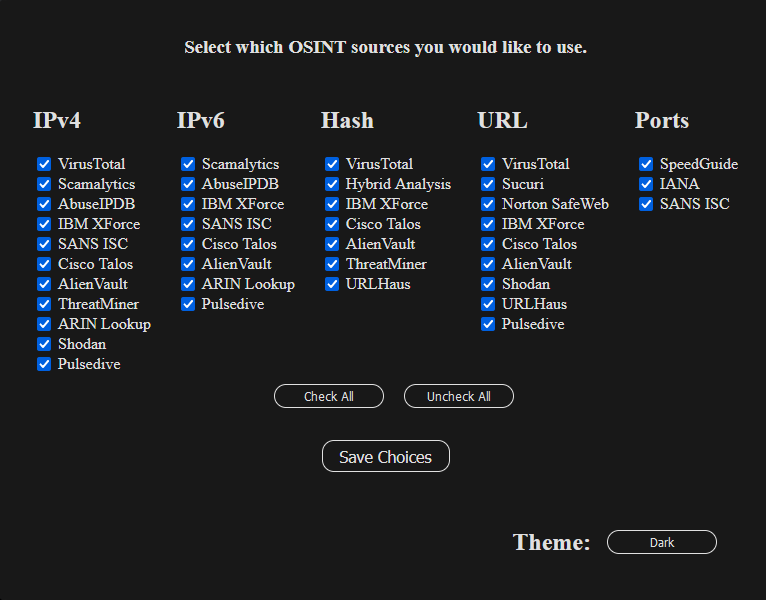
You now have the option to select the OSINT sites you would like to search for each IOC type.
- Launch the extension and click the gear icon next to the search button.
- Check the OSINT sites you would like to use.
- You can also select which theme you would like to use for the extension.
- Hit save at the bottom when done selecting. You should get a message that your settings have been saved.
=======
Credit
=======
Icon/Logo
Created by Anna Bączkowska
Source: Daily Icon - Google Drive
OSINT Sources - IP
============
VirusTotal - IPv4 ONLY
Scamalytics
AbuseIPDB
IBM X-Force
ISC SANS
Cisco Talos
AlienVault
ARIN
Shodan - IPv4 ONLY
Threatminer - IPv4 ONLY
Pulsedive
OSINT Sources - HASH
==============
VirusTotal
Hybrid Analysis
IBM X-Force
Cisco Talos - SHA256 ONLY
AlienVault
Threatminer
URLHaus - MD5 and SHA256 ONLY
OSINT Sources - URL
==============
VirusTotal
Norton SafeWeb
<a href="https://prod.outgoing.prod.webservices.mozgcp.net/v1/200ded30945653066ae319ce3a58bef509483…
OZZI: IOC Search 是做什么的
OZZI: IOC Search 是一款面向 Firefox 的隐私与安全类扩展,主要用来拦截追踪器、屏蔽广告、管理 Cookie、加固浏览器指纹。官方对它的介绍是:Use this extension to analyze IOCs using various freeware OSINT sites.在Firefox 附加组件商店(AMO)上,它当前版本 2.1.1,评分 5(2 人评价),约 25 名用户。
适合什么人用
从功能定位看,OZZI: IOC Search 更适合在意上网被跟踪、希望减少广告干扰的用户。如果你平时只是偶尔遇到相关需求,用浏览器自带功能也能凑合;但如果这件事每天都发生,装一个专门处理它的扩展通常比手动操作省事得多。
怎么安装 OZZI: IOC Search
- 打开Firefox 附加组件商店(AMO)上的官方页面;
- 点「添加到浏览器」并确认权限提示;
- 装好后在扩展列表里固定图标,方便随时开关。
本站只做索引与介绍,安装包来自官方商店。如果商店页面提示当前地区不可用,说明该扩展未在你所在区域上架。
常见问题
OZZI: IOC Search 是免费的吗?
OZZI: IOC Search 在Firefox 附加组件商店(AMO)免费提供下载。它是浏览器扩展,装上就能直接用,不需要注册账号。
OZZI: IOC Search 安全吗?
它只申请了 0 项权限,范围比较克制,没有申请「读取所有网站数据」这种大权限。
OZZI: IOC Search 支持哪些浏览器?
当前收录的版本来自Firefox 附加组件商店(AMO),适用于 Firefox。同一个扩展在其他商店可能有对应版本,但功能与版本号不一定相同。
怎么卸载 OZZI: IOC Search?
在扩展管理页找到 OZZI: IOC Search,点移除即可。它在本地保存的设置会一起清掉,不会残留数据。
权限清单 来自 manifest.json 原文
接口权限 2
contextMenusstorage
标签 点标签看同类扩展
uBlock Origin
一款高效的网络请求过滤工具,占用极低的内存和 CPU。
Firefox
 AdGuard AdBlocker
AdGuard 广告拦截器可有效的拦截所有网页上的所有类型的…
Firefox
 AdBlocker Ultimate
Completely remove ALL ads. No …
Firefox
 Bitwarden – 免费密码管理器
安全免费的跨平台密码管理器
Firefox
 Malwarebytes Browser Guard
Fast and safe browsing that pr…
Firefox
 Firefox Multi-Account Containers
Firefox Multi-Account Containe…
Firefox
 LastPass Password Manager
LastPass是一款让您的上网浏览更便捷更安全的免费在线密…
Firefox
 1Password: Password Manager
The best way to experience 1Pa…
Firefox