
Contextual Wiktionary EN
Aesara · Firefox
The fastest and most intuitive way to define words on the web.
截图


简介
Simple. Fast. Integrated.The Contextual Wiktionary add-on takes the annoyance out of touching up on definitions or learning new words you encounter.
Three Ways to Search
- A beautiful and lightweight popup menu allows you to search for what you need to know with minimal distractions.
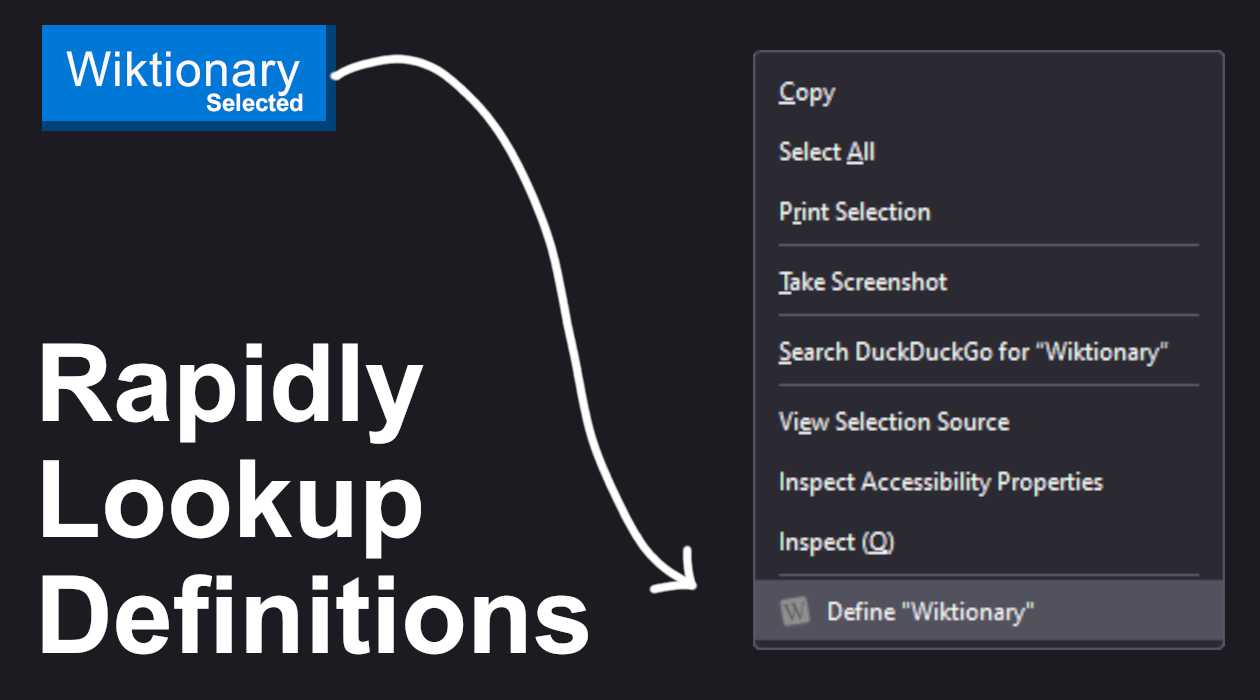
- Select a word and right-click to easily define words you encounter.
- Set up a keyboard shortcut and you'll be shaving off the accumulative seconds between you and learning a new word.
Why an add-on?
- Seamlessly tangent through definitions with embedded links and a magical search that points you directly to definitions.
- A self-contained design avoids build-up of tabs, and an external link button lets you view the Wiktionary page.
- Themed for both light and dark modes; Wiktionary's website may blind you at night, but this add-on won't.
Why Wiktionary?
- Use and contribute to the world's largest open dictionary.
- View English definitions for non-English words.
- Minimal support for non-English Wiktionaries (due to API limitations).
Report Issues
Acknowledgements
- The Contextual Wiktionary is an evolution of Losnappas brilliant Context Menu Wiktionary (GitLab, AMO).
- Neither myself, nor Losnappas are officially affiliated with Wiktionary, or the Wikimedia Foundation in any way.
- In the same vein as Losnappas before me, if you like the work done on this add-on, please consider supporting a charity.
Permissions
Contextual Wiktionary was designed to ask for the bare minimum.
- Context menus
- Wiktionary API https://en.wiktionary.org/api/rest_v1/page/definition/*
- Storage (for setting configuration)
- Active Tab (optional, only if using shortcuts)
- Scripting (optional, only if using shortcuts)
Contextual Wiktionary 是做什么的
Contextual Wiktionary 是一款面向 Firefox 的搜索增强类扩展,主要用来补充搜索结果、切换搜索引擎、过滤无效结果。官方对它的介绍是:The fastest and most intuitive way to define words on the web.在Firefox 附加组件商店(AMO)上,它当前版本 1.5,评分 4.71(14 人评价),约 221 名用户。
适合什么人用
从功能定位看,Contextual Wiktionary 更适合每天大量搜索、希望结果更干净准确的用户。如果你平时只是偶尔遇到相关需求,用浏览器自带功能也能凑合;但如果这件事每天都发生,装一个专门处理它的扩展通常比手动操作省事得多。
怎么安装 Contextual Wiktionary
- 打开Firefox 附加组件商店(AMO)上的官方页面;
- 点「添加到浏览器」并确认权限提示;
- 装好后在扩展列表里固定图标,方便随时开关。
本站只做索引与介绍,安装包来自官方商店。如果商店页面提示当前地区不可用,说明该扩展未在你所在区域上架。
常见问题
Contextual Wiktionary 是免费的吗?
Contextual Wiktionary 在Firefox 附加组件商店(AMO)免费提供下载。它是浏览器扩展,装上就能直接用,不需要注册账号。
Contextual Wiktionary 安全吗?
它只申请了 0 项权限,范围比较克制,没有申请「读取所有网站数据」这种大权限。
Contextual Wiktionary 支持哪些浏览器?
当前收录的版本来自Firefox 附加组件商店(AMO),适用于 Firefox。同一个扩展在其他商店可能有对应版本,但功能与版本号不一定相同。
怎么卸载 Contextual Wiktionary?
在扩展管理页找到 Contextual Wiktionary,点移除即可。它在本地保存的设置会一起清掉,不会残留数据。
权限清单 来自 manifest.json 原文
接口权限 2
contextMenusstorage
接口权限(可选) 2
activeTabscripting