
Metrication EN
DeltaMikeCharlie · Firefox
Helps users of the metric system by converting and replacing Imperial and US units of measure with metric (SI) units directly within a web page. A hotspot will popup with the original value, conversion workings and potential ambiguities.
<all_urls>),意味着它可以读取你在任意站点的页面内容,包括已登录的页面。这是许多扩展正常工作的必要条件,但也值得你确认来源可信。
截图
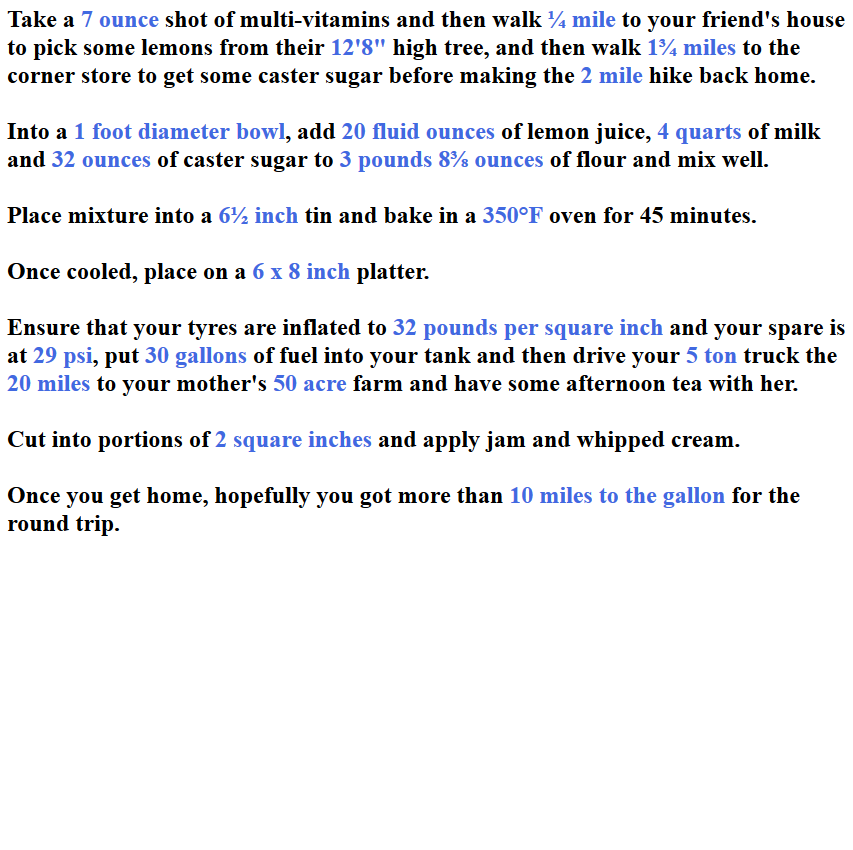
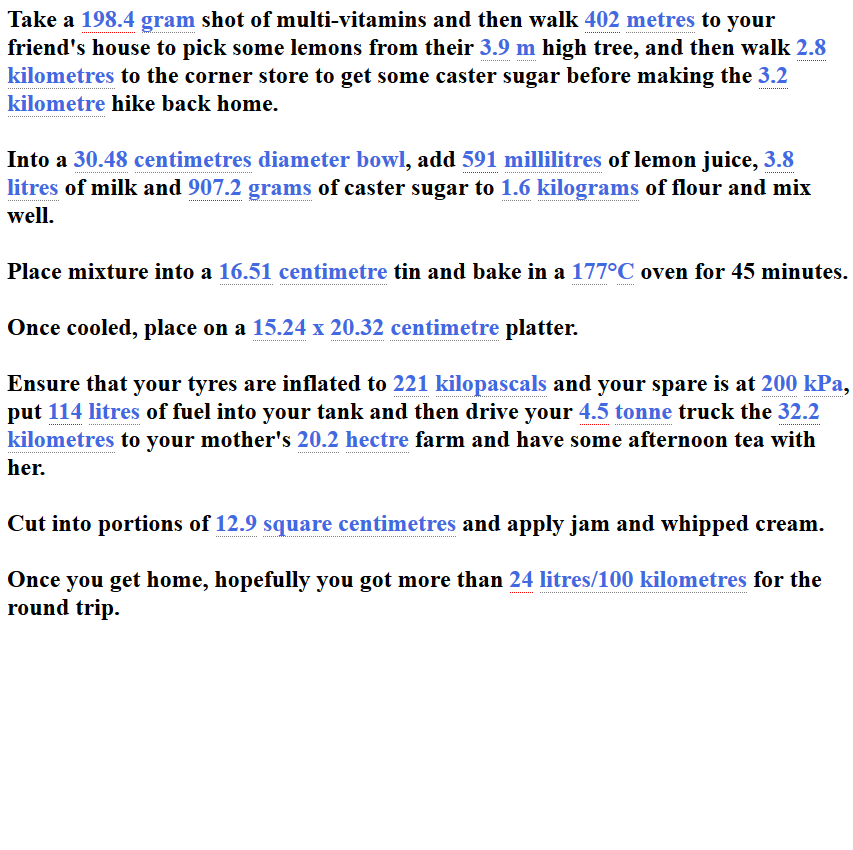
简介
Metrication is an add-on for Firefox that identifies Imperial/US customary units and converts them to appropriate metric units.
When an Imperial/US unit is identified, Metrication hides it and inserts an appropriate metric value and unit so that the document reads as if it were originally written for a metric audience.
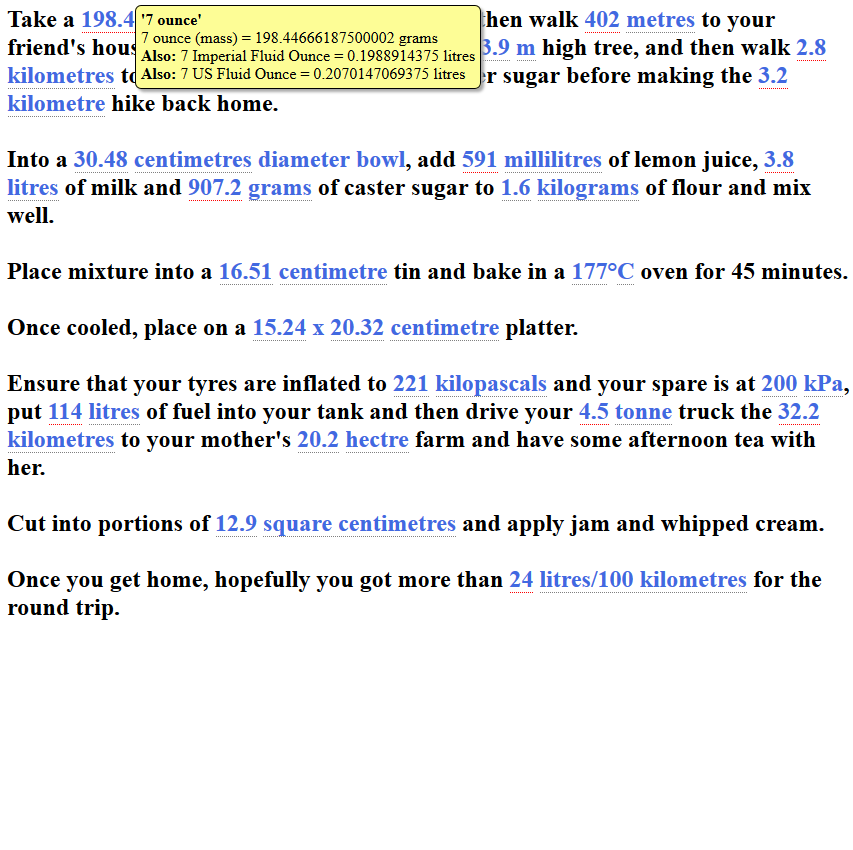
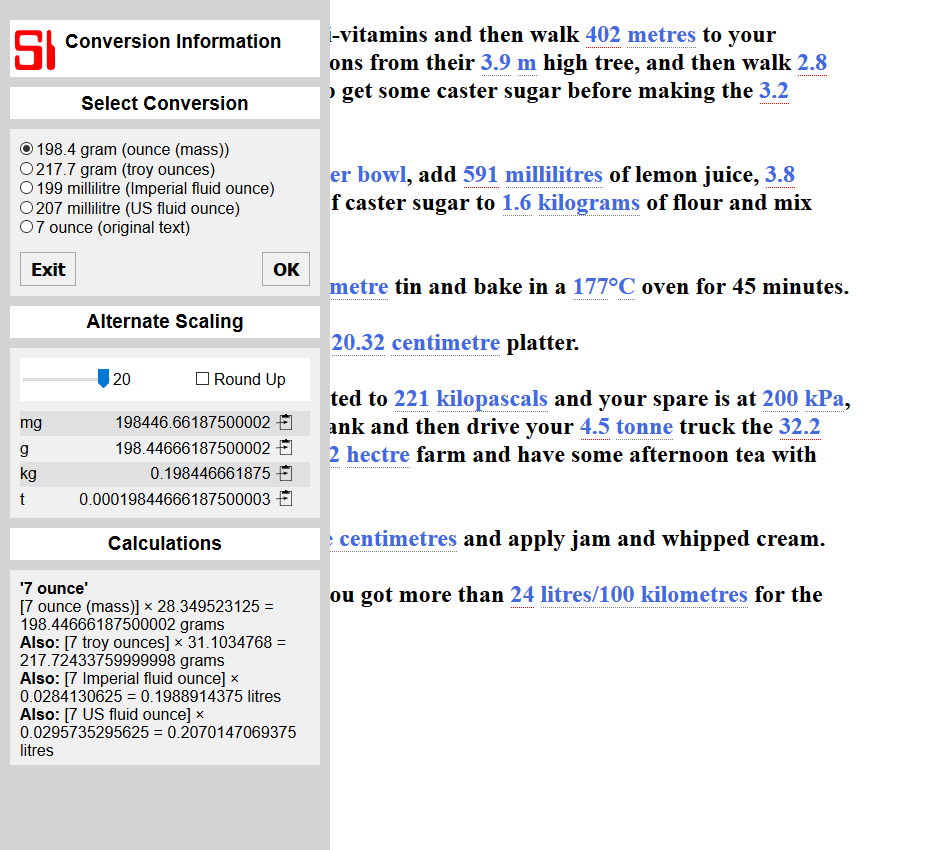
The replacement metric value and unit are embedded within a hotspot that will popup a small window containing: 1) the original text; 2) the working involved in the conversion to a higher number of decimal places; and 3) any other conversions that may have been possible due to cultural or other ambiguities.
If the user deems the default conversion to be inappropriate, a popup menu will also allow the selection of an alternate conversion or reversion to the original text.
The Metrication add-on attempts to provide "appropriate metric units" by varying the output unit on the scale of the output value and not be fixed to the input unit. For example, "40 miles" will be represented as "64.4 kilometres" whereas "⅛ miles" will be represented as "201 metres". This scaling can also be limited so that values like "30,000 feet" will be represented as "9,144 metres" in line with convention.
Scaling is also applied to decimal places as output values increase. As previously stated, "40 miles" will be represented as "64.4 kilometres" however, "200 miles" will be represented as "322 kilometres" and not as "321.868 kilometres".
The Metrication add-on will detect both full unit names like "feet" and abbreviated unit names like "ft". The add-on will use full names or abbreviated names in its output depending upon which is detected in the input. For example: "40 mi." will be converted to "64.4 km.". This can lead to some false positives: for example, the abbreviation for "font point size" is "pt" however, this could also be seen as an attempt to abbreviate "pint". The popup will explain the conversion used and hopefully the context will reveal that there is no such text size as "5.7 l" (litres).
The Metrication add-on recognises fractions in two distinct ways: 1) Unicode characters expressing fractions, for example "⅘" is Unicode character 8536 (decimal, 2158 in hexadecimal); and 2) textual representation of fractions using numerals, spaces and slashes, for example "4 1/2". There are also Unicode representations of superscript and subscript numerals, for example "⁶" (Unicode 8310 decimal) and "₆" (Unicode 8326 decimal) that are interpreted as numerators and denominators accordingly when separated by a slash.
Ambiguity may arise as the unit "Gallon" may actually refer the traditional gallon used within the United Kingdom (and formerly some commonwealth nations), sometimes referred to as the "Imperial Gallon" or the "U.S. Gallon" as used in the United States. The Metrication add-on attempts to resolve cultural ambiguity by detecting the language of the webpage in 3 ways: 1) the explicit language defined in the web page, for example "<html lang="en-GB">"; 2) the implied language derived from the domain name, for example "domain.co.uk"; and 3) the presence of English/US spelling variants such as "neighbour" and "neighbor" on the web page. As none of these methods are 100% reliable, the Metrication add-on will assume "U.S." variants where none of the above methods are definitive.
Ambiguity may also arise as the unit "ounce" may actually refer to the unit of mass or as shorthand for "fluid ounce" where context could be used to determine which one was meant. Consider the sentence "add 2 ounces of sugar to 20 ounces of lemon juice": from the context, a human reader would understand that as "lemon juice" is a liquid, "fluid ounces" is the most likely unit to apply. When encountering "ounces" the Metrication add-on will always convert based on mass, however, it will provide an alternate volume conversion in the popup. When encountering "fluid ounces", however, the Metrication add-on will always convert to volume only.
The Metrication add-on can also cater for what it refers to as "compound values". A "compound value" is a value such as "5 feet 11¾ inches" containing 2 sub-values of independent sub-units. Both feet and inches are valid individual units that could be converted to metres and centimetres independently, but would make little sense in a metric context. Instead, the above example is taken as a single value that is converted to "1.8 metres". The Metrication add-on will show its working as " (5 feet = 1.524 metres) + (11.75 inches = 0.29845 metres) = 1.82245 metres".
The Metrication add-on also caters for what it refers to as "compound units". A "compound unit" is a single value that references multiple sub-units, for example "21 miles per gallon". There is a single value "21" but the unit that it refers to is comprised of 2 sub-units, "miles" and "gallons". A simple conversion would yield a non-sensical phrase like "33.8 kilometres per gallon". The Metrication add on can recognise compound units and provide a more appropriate "11.2 litres/100 kilometres" as the output value.
Metrication 是做什么的
Metrication 是一款面向 Firefox 的实用工具类扩展,主要用来解决浏览器里某类具体的小问题。官方对它的介绍是:Helps users of the metric system by converting and replacing Imperial and US units of measure with metric (SI) units directly within a web page. A hotspot will popup with the original value, conversion workings and potential ambiguities.在Firefox 附加组件商店(AMO)上,它当前版本 0.0.7,评分 3.64(11 人评价),约 75 名用户。
适合什么人用
从功能定位看,Metrication 更适合想补上浏览器原生缺失功能的用户。如果你平时只是偶尔遇到相关需求,用浏览器自带功能也能凑合;但如果这件事每天都发生,装一个专门处理它的扩展通常比手动操作省事得多。需要注意的是它作用于所有网站,装上后建议先观察一两天,确认不影响常用站点的正常使用。
怎么安装 Metrication
- 打开Firefox 附加组件商店(AMO)上的官方页面;
- 点「添加到浏览器」并确认权限提示;
- 装好后在扩展列表里固定图标,方便随时开关。
本站只做索引与介绍,安装包来自官方商店。如果商店页面提示当前地区不可用,说明该扩展未在你所在区域上架。
常见问题
Metrication 是免费的吗?
Metrication 在Firefox 附加组件商店(AMO)免费提供下载。它是浏览器扩展,装上就能直接用,不需要注册账号。
Metrication 安全吗?
它只申请了 0 项权限,范围比较克制,没有申请「读取所有网站数据」这种大权限。
Metrication 支持哪些浏览器?
当前收录的版本来自Firefox 附加组件商店(AMO),适用于 Firefox。同一个扩展在其他商店可能有对应版本,但功能与版本号不一定相同。
怎么卸载 Metrication?
在扩展管理页找到 Metrication,点移除即可。它在本地保存的设置会一起清掉,不会残留数据。
权限清单 来自 manifest.json 原文
站点访问 1
<all_urls>
接口权限 4
clipboardWritemenusstoragetabs