
Integrated Inbox for Gmail and Google Apps EN
MichaelAtUVa · Firefox
Tired of having multiple tabs open just to view your favorite Google services and other Apps like Feedly, Evernote, Twitter and more? Now you can see them right from your Gmail Inbox. Install now or visit www.integratedinbox.com for more info.
<all_urls>),意味着它可以读取你在任意站点的页面内容,包括已登录的页面。这是许多扩展正常工作的必要条件,但也值得你确认来源可信。
截图

简介
Your inbox can have it all... And you can, too.
With Integrated Inbox for Gmail, you can add all your favorite Google web apps— right in your inbox. Everything you use—will be at your fingertips.
Get a productivity boost and see what Integrated Inbox has benefits galore:
Dramatically increase your productivity.
We’re not kidding. Do you know how much time it wastes to constantly switch between screens and tasks? A lot. Imagine everything you use right in front of you for easy access (Google Calendar, Drive, News). Better workflow, guaranteed.
Even your Notifications are integrated.
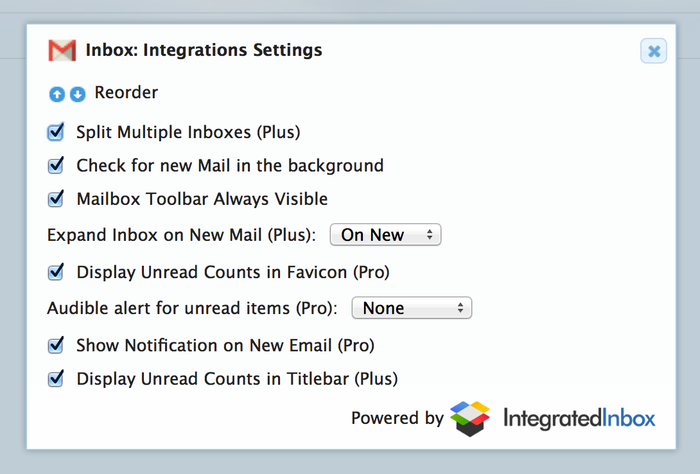
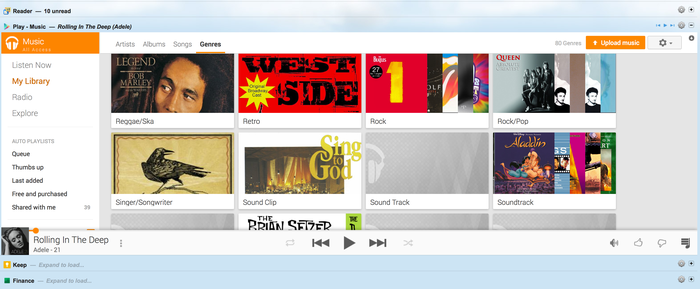
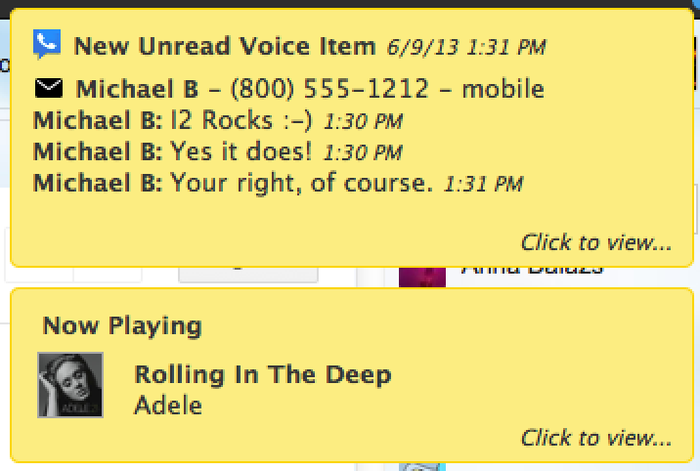
Be updated automatically when new things happen… new Gmail messages, new Google Voice items, and if that wasn’t enough, new Tracks as they change in your Google Play music. (Available for Plus & Pro users)
Quickly Access All Your Google Services in One Place.
It’s like having an Inbox for everything!
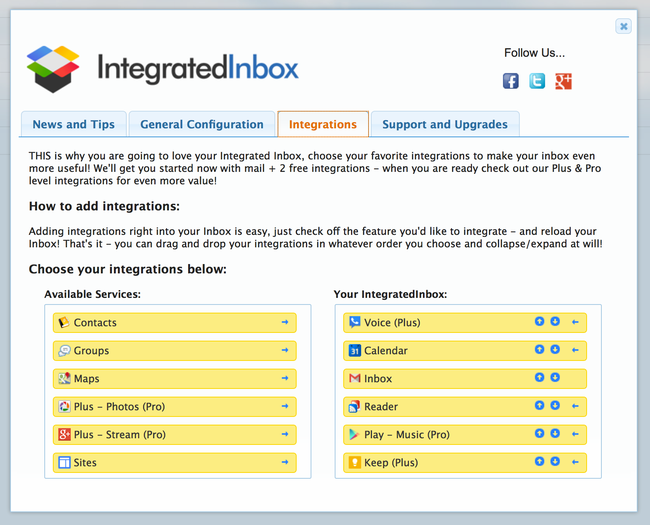
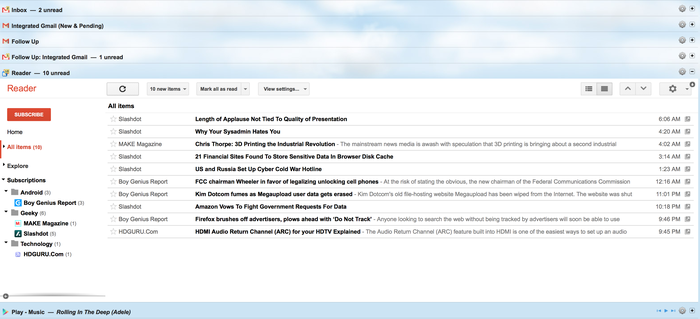
Expand and collapse your own unique Integrated Inbox of features like Google Calendar, Google Reader, Google News, Google Contacts and more… upgrade to our Plus or Pro editions and get access to features like Google Plus, Google Voice, Google Play – Music & Books, Google Keep, and even Custom Integrations coming soon!
Not only that-it’s customizable
Not everyone loves things the same way… with Integrated Inbox for Gmail, you can choose your own configuration! Hide things that aren’t relevant, and bring what’s important to you to the front.
Not only can you pick which integrations you’d like from Google Calendar to Google Voice — but you can drag and drop them in any order — until you get your inbox just how you like it. Want your 2 week calendar above your inbox? Go for it… for once you are in control, all in ONE TAB.
Multiple Account Support — Gmail & Google Apps
It just works, whether you are in Gmail or Google Apps — setup the perfect mix of integrations for each account, and even login to multple accounts — your integrations will know which account you are logged on with and just work!
Sync to the Cloud (coming soon...).
Once you get your integrations setup just right, you’ll want them everywhere — we don’t blame you! With our new Cloud Settings (available in the Plus & Pro editions), just install IntegratedInbox at another location — work, home, laptop, or even at your Moms — and sync your settings from your existing setup, allowing you to get back to work quickly. Even save multiple configurations — so you can run as lean, creative or integrated as you want!
You get our commitment.
When Gmail changes, we change too. You have our 100% commitment. We promise to keep Integrated Inbox user-friendly, time-saving and as helpful as possibleYou get our commitment.
When Gmail changes, we change too. You have our 100% commitment. We promise to keep Integrated Inbox user-friendly, time-saving and as helpful as possible
Note: Why does Integrated Inbox require these permissions?
*Access your data for all websites:* We don't store or track any information about your activity, this is addition just required because the new Firefox addons API requires these permissions for an Addon to detect the sites you are using as integrations as well as the regional Google domains.
Integrated Inbox for Gmail and Google Apps 是做什么的
Integrated Inbox for Gmail and Google Apps 是一款面向 Firefox 的资讯订阅类扩展,主要用来订阅 RSS、聚合新闻、跟踪博客更新。官方对它的介绍是:Tired of having multiple tabs open just to view your favorite Google services and other Apps like Feedly, Evernote, Twitter and more? Now you can see them right from your Gmail Inbox. Install now or visit www.integratedinbox.com for more info.在Firefox 附加组件商店(AMO)上,它当前版本 4.0.4,评分 4.16(58 人评价),约 468 名用户。
适合什么人用
从功能定位看,Integrated Inbox for Gmail and Google Apps 更适合想摆脱算法推荐、自己掌控信息源的用户。如果你平时只是偶尔遇到相关需求,用浏览器自带功能也能凑合;但如果这件事每天都发生,装一个专门处理它的扩展通常比手动操作省事得多。需要注意的是它作用于所有网站,装上后建议先观察一两天,确认不影响常用站点的正常使用。
怎么安装 Integrated Inbox for Gmail and Google Apps
- 打开Firefox 附加组件商店(AMO)上的官方页面;
- 点「添加到浏览器」并确认权限提示;
- 装好后在扩展列表里固定图标,方便随时开关。
本站只做索引与介绍,安装包来自官方商店。如果商店页面提示当前地区不可用,说明该扩展未在你所在区域上架。
常见问题
Integrated Inbox for Gmail and Google Apps 是免费的吗?
Integrated Inbox for Gmail and Google Apps 在Firefox 附加组件商店(AMO)免费提供下载。它是浏览器扩展,装上就能直接用,不需要注册账号。
Integrated Inbox for Gmail and Google Apps 安全吗?
它只申请了 0 项权限,范围比较克制,没有申请「读取所有网站数据」这种大权限。
Integrated Inbox for Gmail and Google Apps 支持哪些浏览器?
当前收录的版本来自Firefox 附加组件商店(AMO),适用于 Firefox。同一个扩展在其他商店可能有对应版本,但功能与版本号不一定相同。
怎么卸载 Integrated Inbox for Gmail and Google Apps?
在扩展管理页找到 Integrated Inbox for Gmail and Google Apps,点移除即可。它在本地保存的设置会一起清掉,不会残留数据。
权限清单 来自 manifest.json 原文
站点访问 1
*://*/*
接口权限 5
storagetabswebNavigationwebRequestwebRequestBlocking