
HTTPZ EN
claustromaniac · Firefox
Fat-free hardenable opportunistic encryption
<all_urls>),意味着它可以读取你在任意站点的页面内容,包括已登录的页面。这是许多扩展正常工作的必要条件,但也值得你确认来源可信。
截图
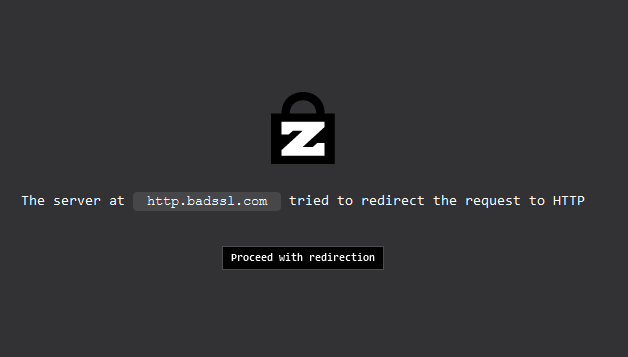
简介
There are numerous similar extensions out there, but HTTPZ is different because it is not smart: it is Zmart. The following summarizes how it works with the default settings:
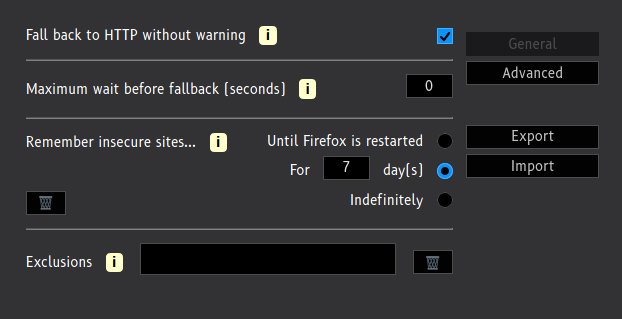
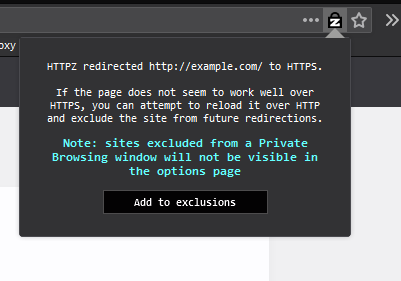
- When you are about to navigate to a site over HTTP, that request is aborted and a new one is started over HTTPS. If that new request results in an error, it is automatically redirected back to HTTP. If navigating to the site over HTTP throws an error too, HTTPZ does nothing more then. Otherwise, that host is added to the list of known insecure sites, and all subsequent requests to it are ignored by the extension for seven days
- When you navigate to a site over HTTPS by yourself, or because of some external factor (like HSTS preloading), HTTPZ does not do anything to that request, regardless of the outcome.
- When you navigate to a site over HTTPS and *the server* downgrades the request to HTTP, the extension notices this and allows it. It adds that site to the list of known insecure sites, and does not try to load it over HTTPS for the next seven days
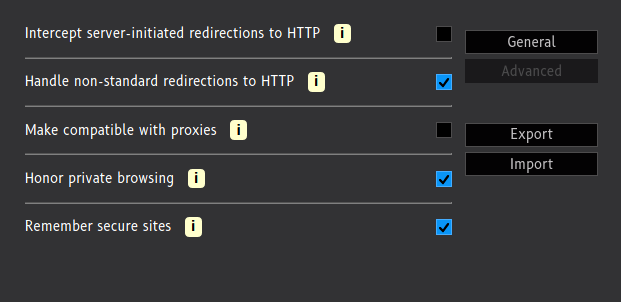
HTTPZ is meant to be unobtrusive and lightweight, it respects your privacy, and is free of trans fats. Additionally, it is very configurable, and should be slightly more secure than some of the alternatives out there, since it has a couple of built-in defenses against SSL-stripping attacks.
It also gets along well with extensions that I recommend for managing contextual identities (containers), such as Containerise and Temporary Containers
Limitations
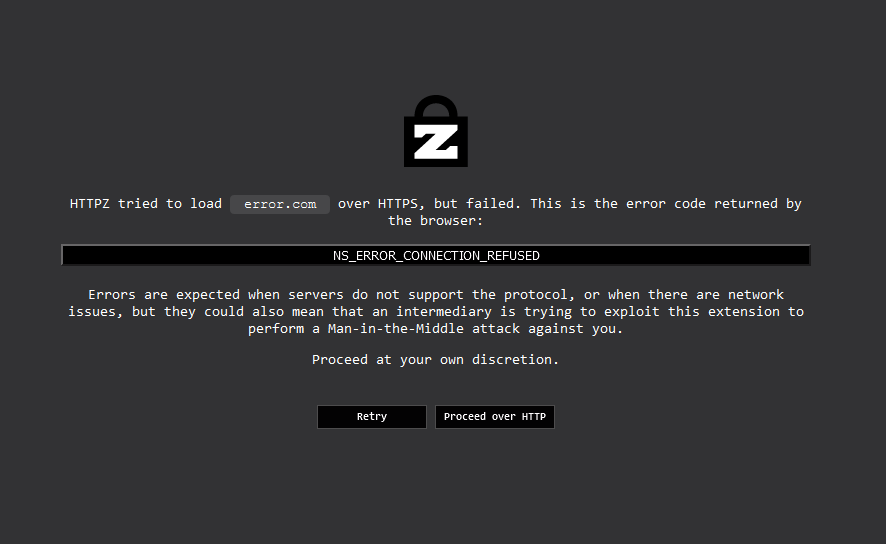
- When the initial request over HTTPS results in an error, Firefox starts loading an internal page that describes the error. HTTPZ does not wait for Firefox to finish loading those error pages, it immediately retries the request over HTTP, which causes them to load partially, and it does not look good. This is only a cosmetic issue, and a negligible one at that.
- Unlike HTTPS Everywhere, this extension does not take care of sub-requests triggered from HTTP-only sites. For now, it outright ignores those requests, because using the same approach with those (retrying on error) is very complicated and has significant drawbacks.
Interested in more recommendations? Head over to the ghacks-user.js GitHub repository. It is an amazing project for hardening Firefox that I have contributed to, and a great source of information (including extension recommendations).
Acknowledgments
HTTPZ would not be what it is if not for its testers' feedback on GitHub.
HTTPZ 是做什么的
HTTPZ 是一款面向 Firefox 的隐私与安全类扩展,主要用来拦截追踪器、屏蔽广告、管理 Cookie、加固浏览器指纹。官方对它的介绍是:Fat-free hardenable opportunistic encryption在Firefox 附加组件商店(AMO)上,它当前版本 0.12.0,评分 4.84(38 人评价),约 141 名用户。
适合什么人用
从功能定位看,HTTPZ 更适合在意上网被跟踪、希望减少广告干扰的用户。如果你平时只是偶尔遇到相关需求,用浏览器自带功能也能凑合;但如果这件事每天都发生,装一个专门处理它的扩展通常比手动操作省事得多。需要注意的是它作用于所有网站,装上后建议先观察一两天,确认不影响常用站点的正常使用。
怎么安装 HTTPZ
- 打开Firefox 附加组件商店(AMO)上的官方页面;
- 点「添加到浏览器」并确认权限提示;
- 装好后在扩展列表里固定图标,方便随时开关。
本站只做索引与介绍,安装包来自官方商店。如果商店页面提示当前地区不可用,说明该扩展未在你所在区域上架。
常见问题
HTTPZ 是免费的吗?
HTTPZ 在Firefox 附加组件商店(AMO)免费提供下载。它是浏览器扩展,装上就能直接用,不需要注册账号。
HTTPZ 安全吗?
它只申请了 0 项权限,范围比较克制,没有申请「读取所有网站数据」这种大权限。
HTTPZ 支持哪些浏览器?
当前收录的版本来自Firefox 附加组件商店(AMO),适用于 Firefox。同一个扩展在其他商店可能有对应版本,但功能与版本号不一定相同。
怎么卸载 HTTPZ?
在扩展管理页找到 HTTPZ,点移除即可。它在本地保存的设置会一起清掉,不会残留数据。
权限清单 来自 manifest.json 原文
站点访问 3
<all_urls>http://*/*https://*/*
接口权限 5
idlestoragetabswebRequestwebRequestBlocking
接口权限(可选) 1
downloads