
HoverTranslator EN
HT · Firefox
Easy way to get on the fly translation of words / sentences by hovering on the text
<all_urls>),意味着它可以读取你在任意站点的页面内容,包括已登录的页面。这是许多扩展正常工作的必要条件,但也值得你确认来源可信。
截图
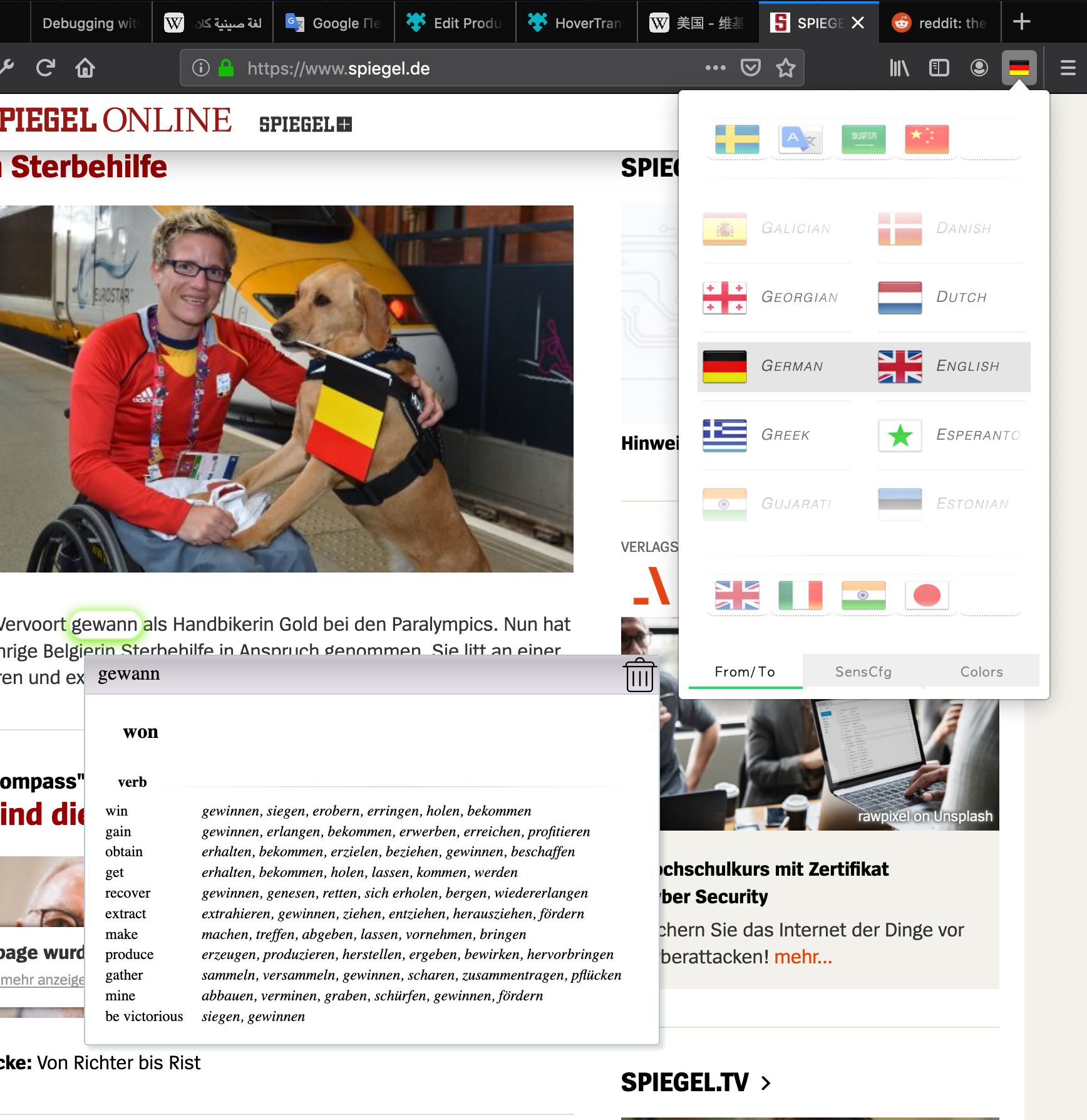


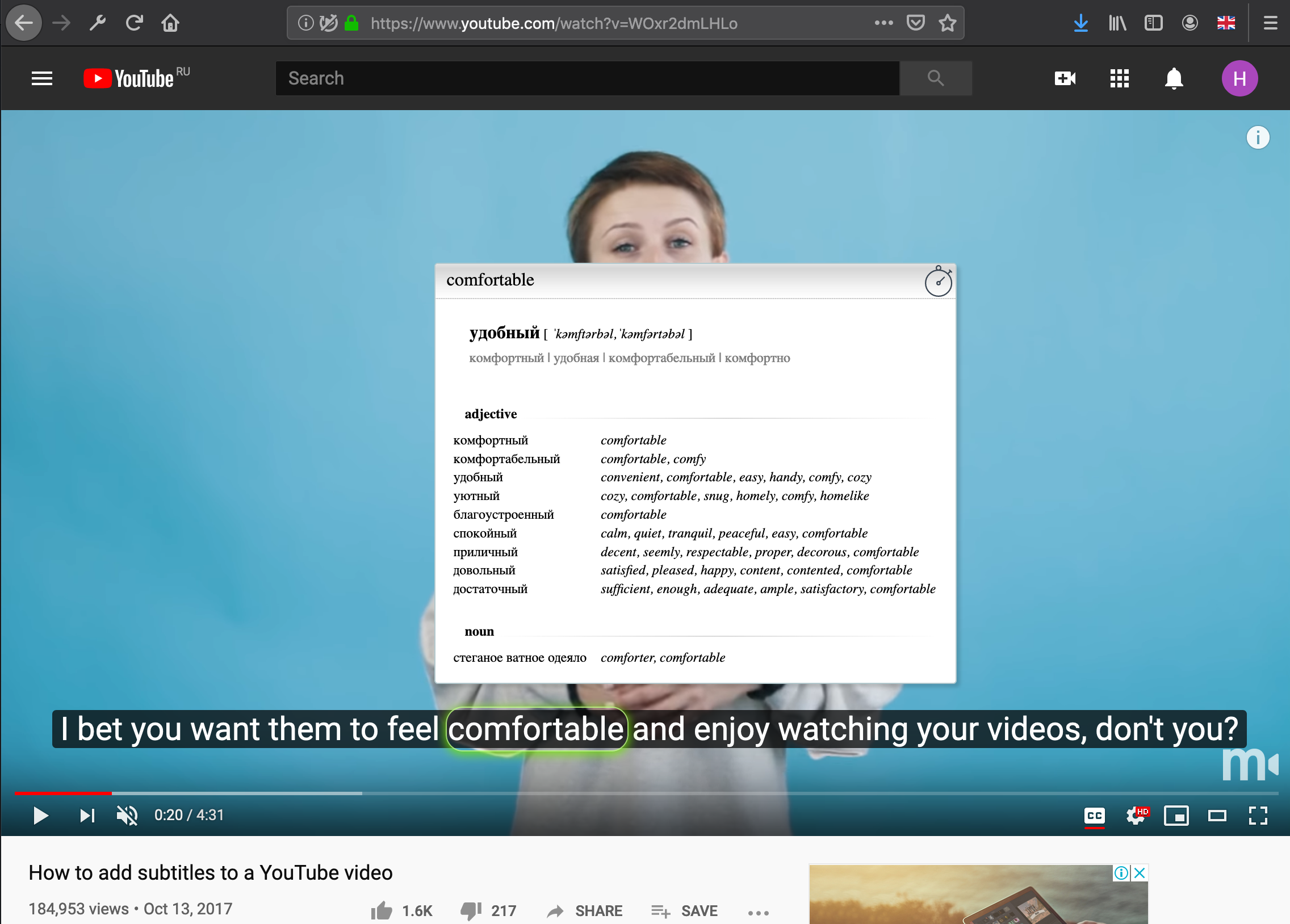
简介
/* Addon status: Discontinued */ Thanks to all for testing! :)
HT is a friendly user interface to Google translation server.
Forget about copying and pasting words: save your time!
Even text selection and clicks are not needed anymore.
All what you need for first time - to get to used to it :)
When this addon could be useful for u?
- you probably have elementary knowledge of foreign language, but need to get fast translation of specified words / sentences sometimes;
- you prefer to view web-page in original language without complete translation of page;
- you meet multi-language content in same page ( like comments for popular thread ) and other ...
How it works?
Imagine what every text word on web-page located inside invisible rectangle.
Use your pointer device ( touch or mouse ) to highlight this rectangle slightly and receive translation.
Before start please look at this short VIDEO (2 min) with explanation of basic usage: https://youtu.be/tuYrqYga-po
Comfortable way for working with touchpad is circular motion ( like at video above );
for mouse - horizontal moving ( from right to left or vice versa )
AFTER installation: finish the Master of settings in 3 questions:
- select your native language
- select primary foreign language ( if web-page has no 'lang' attribute, this lang will be used by default )
- pointer sensitivity: for trackpads / touchpads sensitivity could be lower, for mouse pointer - higher. Try it right there
How to change foreign language of the page ( i.e. translate FROM )?
- Click on taskbar icon to display a list of languages;
- scroll up/down to needed language ( left column );
- changing the strip color from GREY to GREEN indicates successful change of language pair ( you also can click to needed language icon, if you can't 'catch' it during scroll)
MAIN FEATURES:
- gesture control of translation process;
- Youtube subtitles translation supported;
- get translation in compact modal window without opening new tabs;
- handwritten lightweight code: no any additional JS libraries are included;
- completely FREE for all, no any advertisements and payments;
- there are 102 languages available for now (and 'auto' language too)
HANDLING USER DATA
Next data are stored in your local machine ( localStorage ).
This data is not transmitted outside of your browser.
- native language / default foreign language
- pointer sensitivity value
- set of languages shortcuts for fast access (up to 10 pcs)
NETWORK COMMUNICATIONS AND PERMISSIONS
HoverTranslatior communicates only with Google translation API server at address translate.googleapis.com using safe connection (HTTPS).
Google Analytics or any similar software are not used in HoverTranslatior extension.
Extension is requires access to all websites and its content for its work.
HoverTranslator 是做什么的
HoverTranslator 是一款面向 Firefox 的语言辅助类扩展,主要用来划词翻译、语法校对、词典查询。官方对它的介绍是:Easy way to get on the fly translation of words / sentences by hovering on the text在Firefox 附加组件商店(AMO)上,它当前版本 0.13,评分 3.8(5 人评价),约 41 名用户。
适合什么人用
从功能定位看,HoverTranslator 更适合需要阅读外文资料或写英文内容的用户。如果你平时只是偶尔遇到相关需求,用浏览器自带功能也能凑合;但如果这件事每天都发生,装一个专门处理它的扩展通常比手动操作省事得多。需要注意的是它作用于所有网站,装上后建议先观察一两天,确认不影响常用站点的正常使用。
怎么安装 HoverTranslator
- 打开Firefox 附加组件商店(AMO)上的官方页面;
- 点「添加到浏览器」并确认权限提示;
- 装好后在扩展列表里固定图标,方便随时开关。
本站只做索引与介绍,安装包来自官方商店。如果商店页面提示当前地区不可用,说明该扩展未在你所在区域上架。
常见问题
HoverTranslator 是免费的吗?
HoverTranslator 在Firefox 附加组件商店(AMO)免费提供下载。它是浏览器扩展,装上就能直接用,不需要注册账号。
HoverTranslator 安全吗?
它只申请了 0 项权限,范围比较克制,没有申请「读取所有网站数据」这种大权限。
HoverTranslator 支持哪些浏览器?
当前收录的版本来自Firefox 附加组件商店(AMO),适用于 Firefox。同一个扩展在其他商店可能有对应版本,但功能与版本号不一定相同。
怎么卸载 HoverTranslator?
在扩展管理页找到 HoverTranslator,点移除即可。它在本地保存的设置会一起清掉,不会残留数据。
权限清单 来自 manifest.json 原文
站点访问 1
*://*/*
接口权限 1
storage