
 uBlock Origin
一款高效的网络请求过滤工具,占用极低的内存和 CPU。
Firefox

Hide n' Seek EN
damianmgarcia.com · Firefox
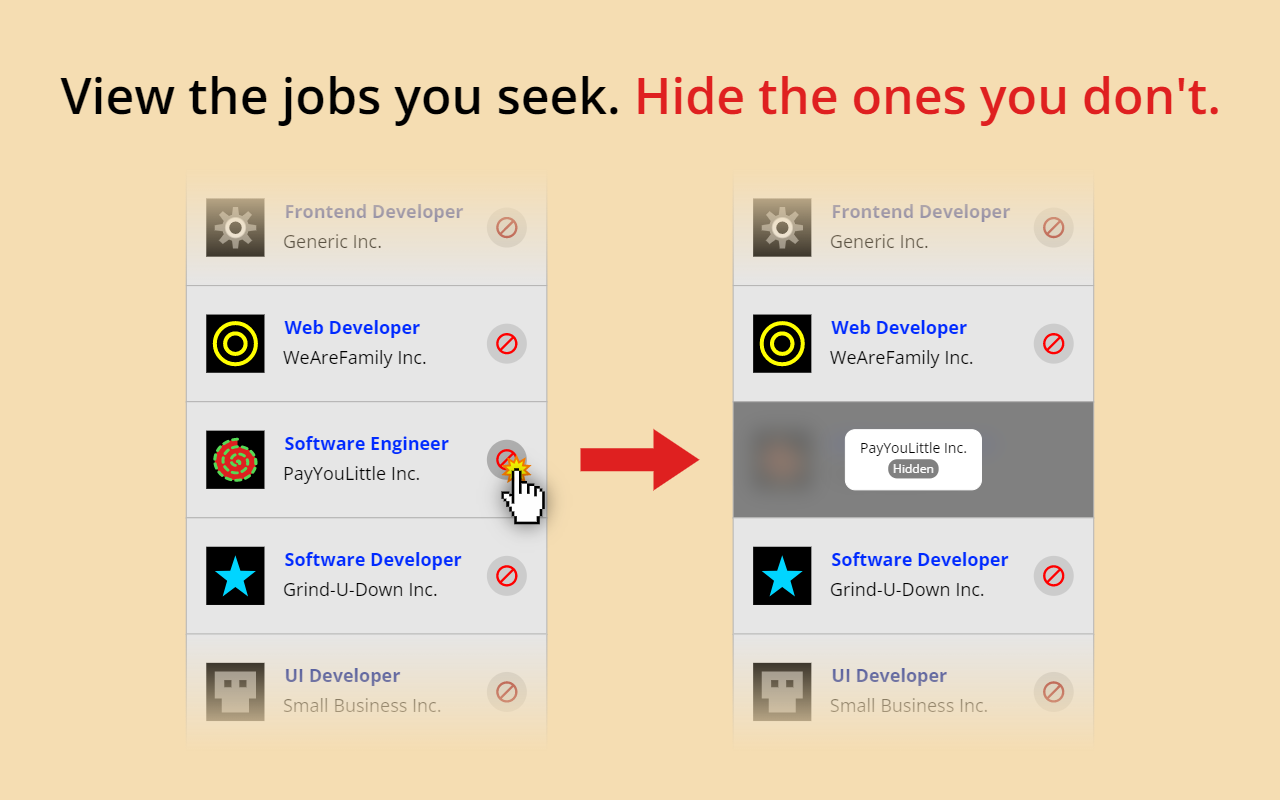
View the jobs you seek. Hide the ones you don't. Easily hide promoted jobs and companies on LinkedIn, Indeed, and Glassdoor.
4.7/5
7 人评分
604用户
v10.0.3当前版本
截图
简介
Hide n' Seek lets you easily remove promoted job postings and companies from your search results on LinkedIn, Indeed, and Glassdoor. You can also block job listings by keyword.
⭐ Usage
❗IMPORTANT: The first time you use Hide n' Seek on a job board you'll need to grant permissions in order for it to work, otherwise you won't see the block buttons on the listings. You'll know if you need to grant permissions if you see a yellow alert notification bubble next to the Hide n' Seek button on your browser's toolbar. You can grant permissions by clicking the Hide n' Seek button and then clicking the "Enable Hide n' Seek on {Job Board}" button.
You can search for a job by clicking the Hide n' Seek button on the browser's toolbar or you can go directly to a supported job board's website to perform your search if you prefer.
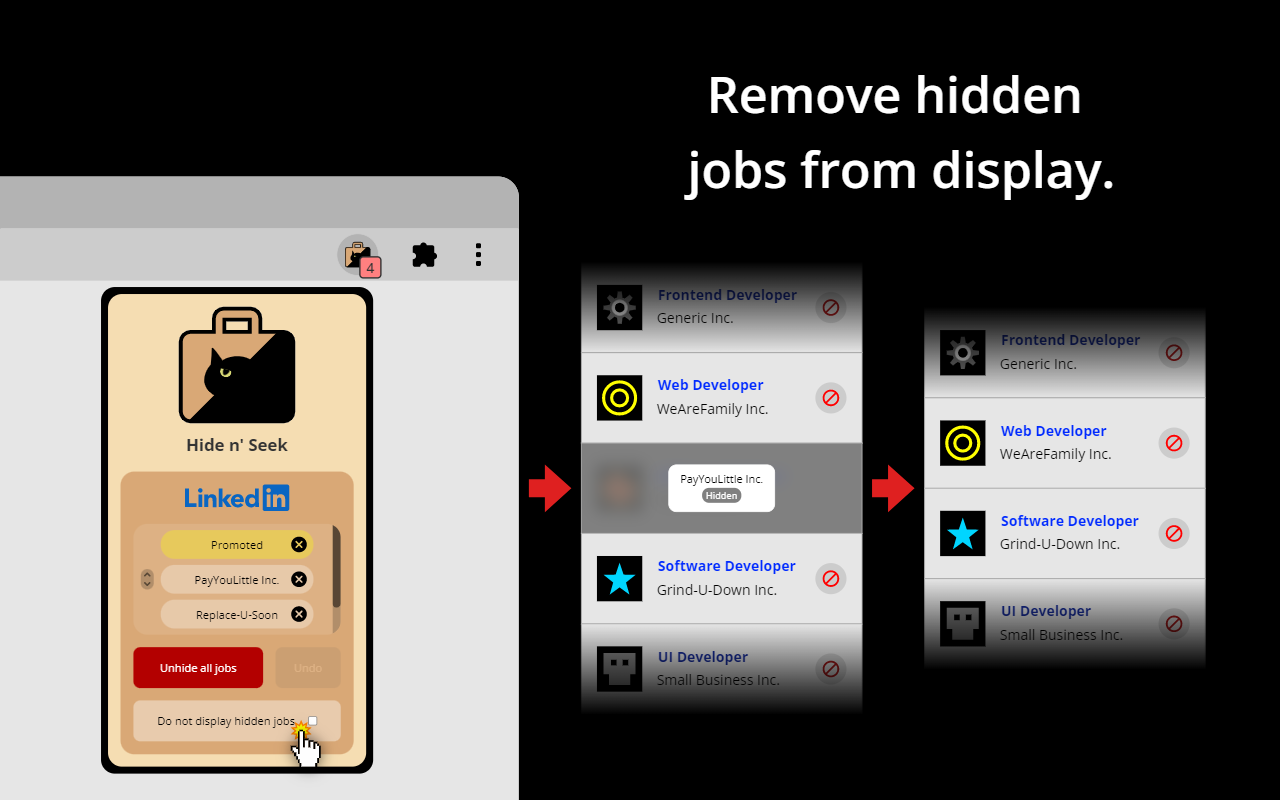
“Block” buttons are added next to every listing. If you see a listing you don’t like, simply click the button to hide it. By default, the listing will be hidden under an overlay. Alternatively, you can completely eliminate it from search results by enabling the “Do not display hidden jobs” option.
To hide promoted jobs, click the “block” button on any promoted listing and then activate the “Promoted” toggle.
To hide jobs by keyword, visit one of the supported job boards, click the Hide n' Seek button on your browser's toolbar, and then add keywords using the "Block by keyword" field.
You can also view a list of everything you've hidden, and backup and restore your data by clicking the Hide n’ Seek button on your browser’s toolbar.
📋Supported Job Boards
Glassdoor
Indeed
LinkedIn
🔒 Privacy
Your data remains completely private and is never shared. All data is stored locally on your device and may sync across your devices if browser synchronization is enabled.
🔑 Permissions
Hide n' Seek requires browser permissions to function. When you first try to use it on a job board, you'll be asked to grant permissions.
"Read and change your data on all {Job Board} sites"
This permission allows the addition of "Block" buttons and other UI elements to listings.
"Read your browsing history"
This permission enables the detection of LinkedIn, Indeed, and Glassdoor so the extension knows when to look for listings.
Permissions are granted for a specific job board, so if you use multiple job boards, such as LinkedIn and Indeed, you'll need to grant permissions for each one individually.
Some job boards, such as Glassdoor, use many country-specific domains (for example glassdoor.com, glassdoor.co.uk, glassdoor.ca), and in these cases Hide n' Seek will ask for permissions for all the domains used by the job board.
Hide n' Seek 是做什么的
Hide n' Seek 是一款面向 Firefox 的搜索增强类扩展,主要用来补充搜索结果、切换搜索引擎、过滤无效结果。官方对它的介绍是:View the jobs you seek. Hide the ones you don't. Easily hide promoted jobs and companies on LinkedIn, Indeed, and Glassdoor.在Firefox 附加组件商店(AMO)上,它当前版本 10.0.3,评分 4.71(7 人评价),约 604 名用户。
适合什么人用
从功能定位看,Hide n' Seek 更适合每天大量搜索、希望结果更干净准确的用户。如果你平时只是偶尔遇到相关需求,用浏览器自带功能也能凑合;但如果这件事每天都发生,装一个专门处理它的扩展通常比手动操作省事得多。
怎么安装 Hide n' Seek
- 打开Firefox 附加组件商店(AMO)上的官方页面;
- 点「添加到浏览器」并确认权限提示;
- 装好后在扩展列表里固定图标,方便随时开关。
本站只做索引与介绍,安装包来自官方商店。如果商店页面提示当前地区不可用,说明该扩展未在你所在区域上架。
常见问题
Hide n' Seek 是免费的吗?
Hide n' Seek 在Firefox 附加组件商店(AMO)免费提供下载。它是浏览器扩展,装上就能直接用,不需要注册账号。
Hide n' Seek 安全吗?
它只申请了 0 项权限,范围比较克制,没有申请「读取所有网站数据」这种大权限。
Hide n' Seek 支持哪些浏览器?
当前收录的版本来自Firefox 附加组件商店(AMO),适用于 Firefox。同一个扩展在其他商店可能有对应版本,但功能与版本号不一定相同。
怎么卸载 Hide n' Seek?
在扩展管理页找到 Hide n' Seek,点移除即可。它在本地保存的设置会一起清掉,不会残留数据。
权限清单 来自 manifest.json 原文
接口权限 3
scriptingstoragetabs
标签 点标签看同类扩展
uBlock Origin
一款高效的网络请求过滤工具,占用极低的内存和 CPU。
Firefox
 Privacy Badger
自动学习屏蔽隐藏的追踪器。由领先的数字权利非营利组织电子前哨…
Firefox
 AdGuard AdBlocker
AdGuard 广告拦截器可有效的拦截所有网页上的所有类型的…
Firefox
 DuckDuckGo Privacy Essentials
⚡保护您的数据。支持可选 AI 的私密搜索、私密浏览和广告拦…
Firefox
 AdBlocker Ultimate
Completely remove ALL ads. No …
Firefox
 Ghostery – 隐私广告拦截工具
Ghostery 是强大的隐私保护扩展程序。拦截广告,停止跟…
Firefox
 SponsorBlock - Skip Sponsorships on YouTube
Easily skip YouTube video spon…
Firefox
 Enhancer for YouTube™
控制并提升您的 YouTube 用户体验!
Firefox