



 Reddit Enhancement Suite
 (RES)…
Firefox

Headgear EN
Hal Blackburn · Firefox
Copy/paste/save high-quality images of your Reddit Avatar.
5.0/5
3 人评分
22用户
v0.8.1当前版本
截图
简介
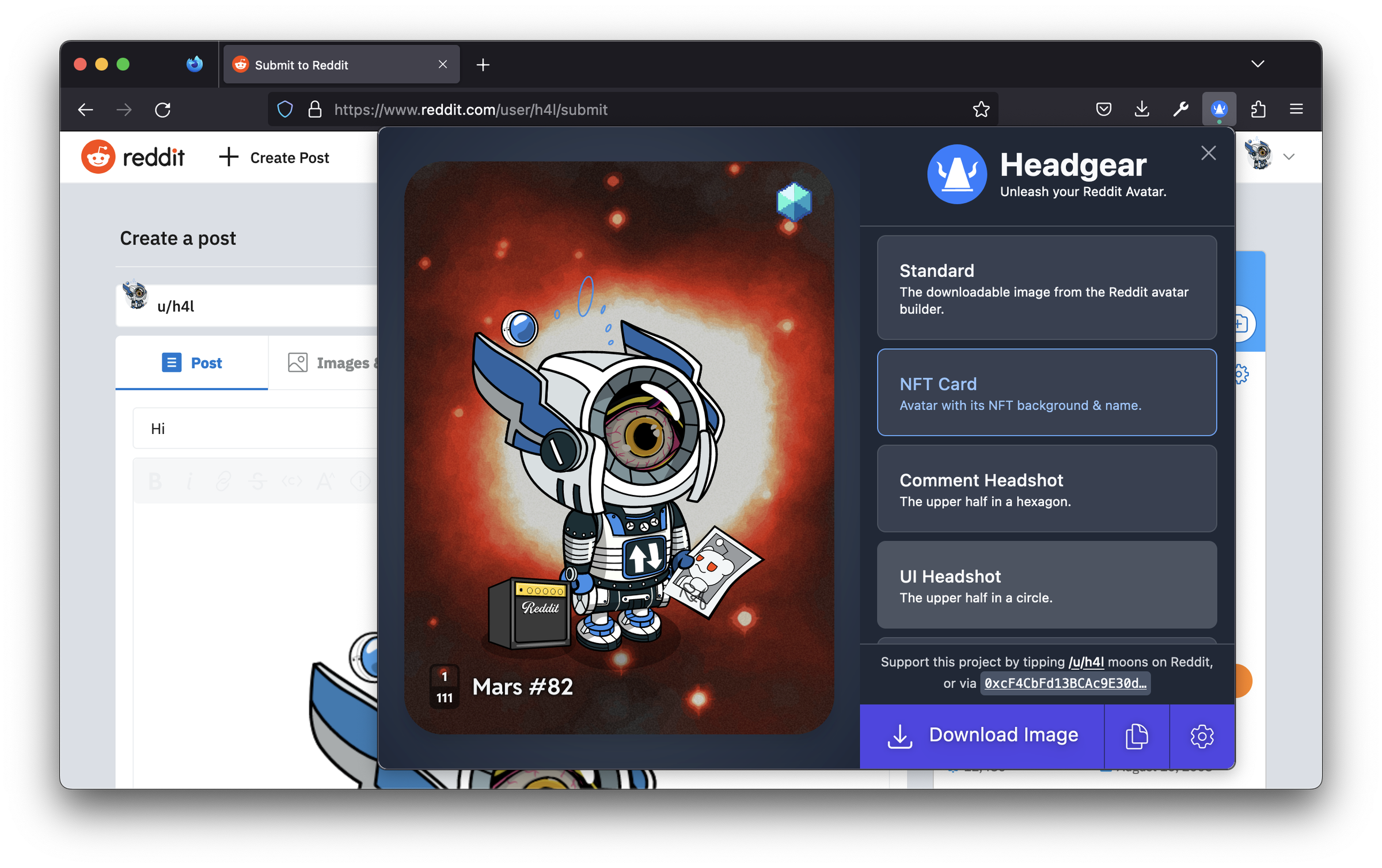
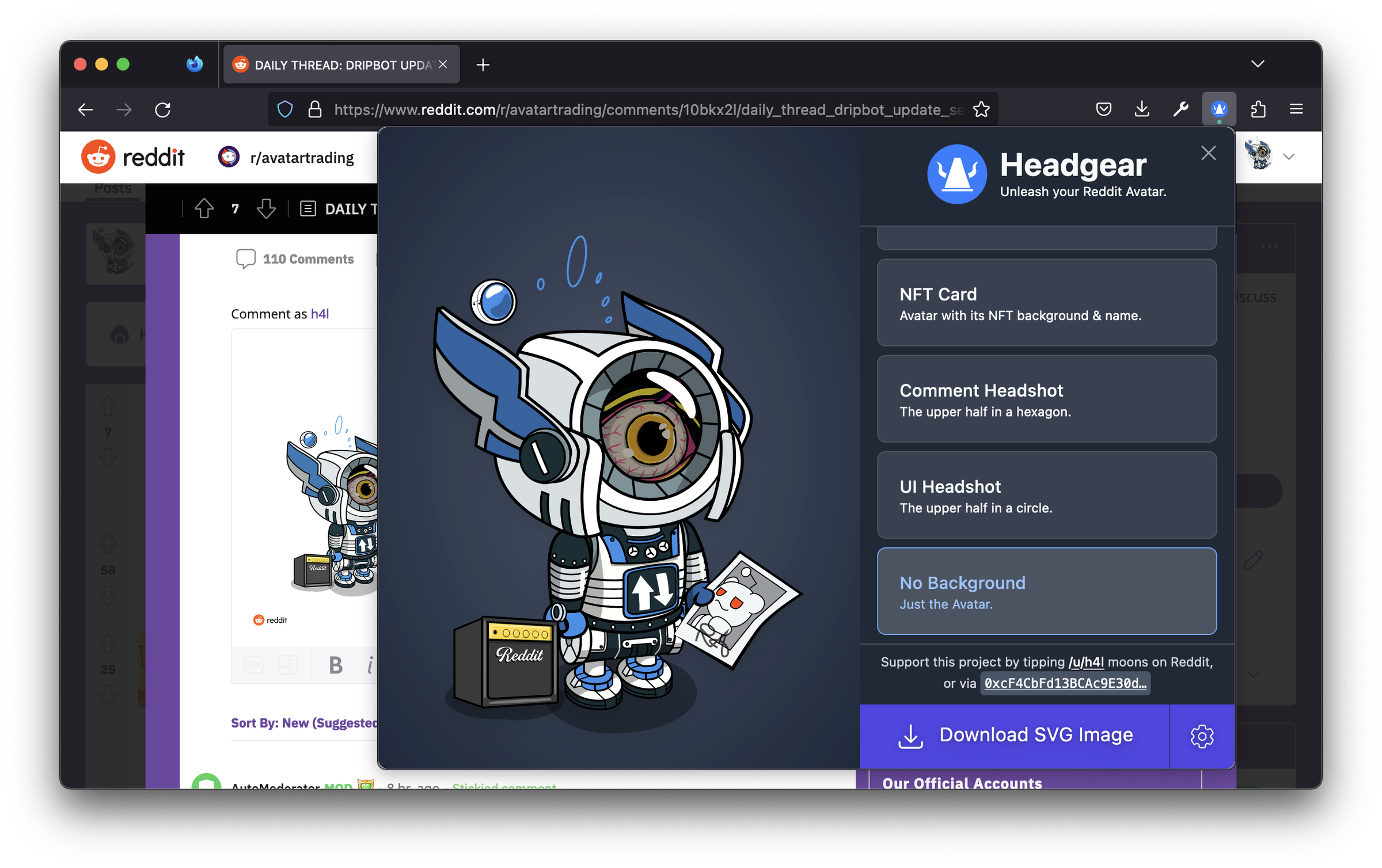
With Headgear, you can share images of your customised Avatar with maximum detail — no more pixelated screenshots or unwanted backgrounds. Headgear allows images to be copied to the clipboard, so posting images to Discord, Reddit posts or image upload sites is as easy as copy & paste.
Download your Avatar in a variety of styles:
- Standard "Share" image from the Avatar Builder (white background & Reddit logo)
- NFT Card, with your NFT Avatar's name and serial number
- Hexagon and circle backgrounds (used in Reddit comments & navigation bars)
- Without any background or logos
You can download high-res images to make crisp physical prints of your favourite Avatar on posters, t-shirts, etc. Or create images for social media apps, like profile banner images.
As well as regular PNG files, Headgear can create vector SVG files, which can be scaled to any size with no loss of detail. Use a vector-graphics editor (such as Inkscape or Illustrator) to pull out individual Avatar accessories to create image macros/memes.
Headgear is an independent open-source project, not affiliated with Reddit in any way. Keep your NFTs safe — never enter your Reddit Vault password in a browser that has extensions with access to Reddit installed. Either create a separate browser Profile without extensions, or only use the Reddit mobile app to access your Vault.
Headgear 是做什么的
Headgear 是一款面向 Firefox 的社交通讯类扩展,主要用来增强社交网站功能、管理消息与通知。官方对它的介绍是:Copy/paste/save high-quality images of your Reddit Avatar.在Firefox 附加组件商店(AMO)上,它当前版本 0.8.1,评分 5(3 人评价),约 22 名用户。
适合什么人用
从功能定位看,Headgear 更适合重度使用社交平台的用户。如果你平时只是偶尔遇到相关需求,用浏览器自带功能也能凑合;但如果这件事每天都发生,装一个专门处理它的扩展通常比手动操作省事得多。
怎么安装 Headgear
- 打开Firefox 附加组件商店(AMO)上的官方页面;
- 点「添加到浏览器」并确认权限提示;
- 装好后在扩展列表里固定图标,方便随时开关。
本站只做索引与介绍,安装包来自官方商店。如果商店页面提示当前地区不可用,说明该扩展未在你所在区域上架。
常见问题
Headgear 是免费的吗?
Headgear 在Firefox 附加组件商店(AMO)免费提供下载。它是浏览器扩展,装上就能直接用,不需要注册账号。
Headgear 安全吗?
它只申请了 0 项权限,范围比较克制,没有申请「读取所有网站数据」这种大权限。
Headgear 支持哪些浏览器?
当前收录的版本来自Firefox 附加组件商店(AMO),适用于 Firefox。同一个扩展在其他商店可能有对应版本,但功能与版本号不一定相同。
怎么卸载 Headgear?
在扩展管理页找到 Headgear,点移除即可。它在本地保存的设置会一起清掉,不会残留数据。
权限清单 来自 manifest.json 原文
接口权限 4
clipboardWritecookiesscriptingstorage
标签 点标签看同类扩展
Reddit Enhancement Suite
Reddit Enhancement Suite (RES)…
Firefox
 Global Speed: 视频速度控制
设置视频和音频的默认速度。
Firefox
 Old Reddit Redirect
Ensure Reddit always loads the…
Firefox
 Raindrop.io
All-in-one bookmark manager
Firefox
 Feedbro
Advanced Feed Reader - Read ne…
Firefox
 Load Reddit Images Directly
Loads reddit images directly i…
Firefox
 Reddit NSFW Unblocker
Unblock and remove these pesky…
Firefox
 UltraWideo
Remove black bars and zoom any…
Firefox