
Glances - A Simplified Customer View EN
Glances.com · Firefox
Unify your apps with a simplified customer view
<all_urls>),意味着它可以读取你在任意站点的页面内容,包括已登录的页面。这是许多扩展正常工作的必要条件,但也值得你确认来源可信。
截图
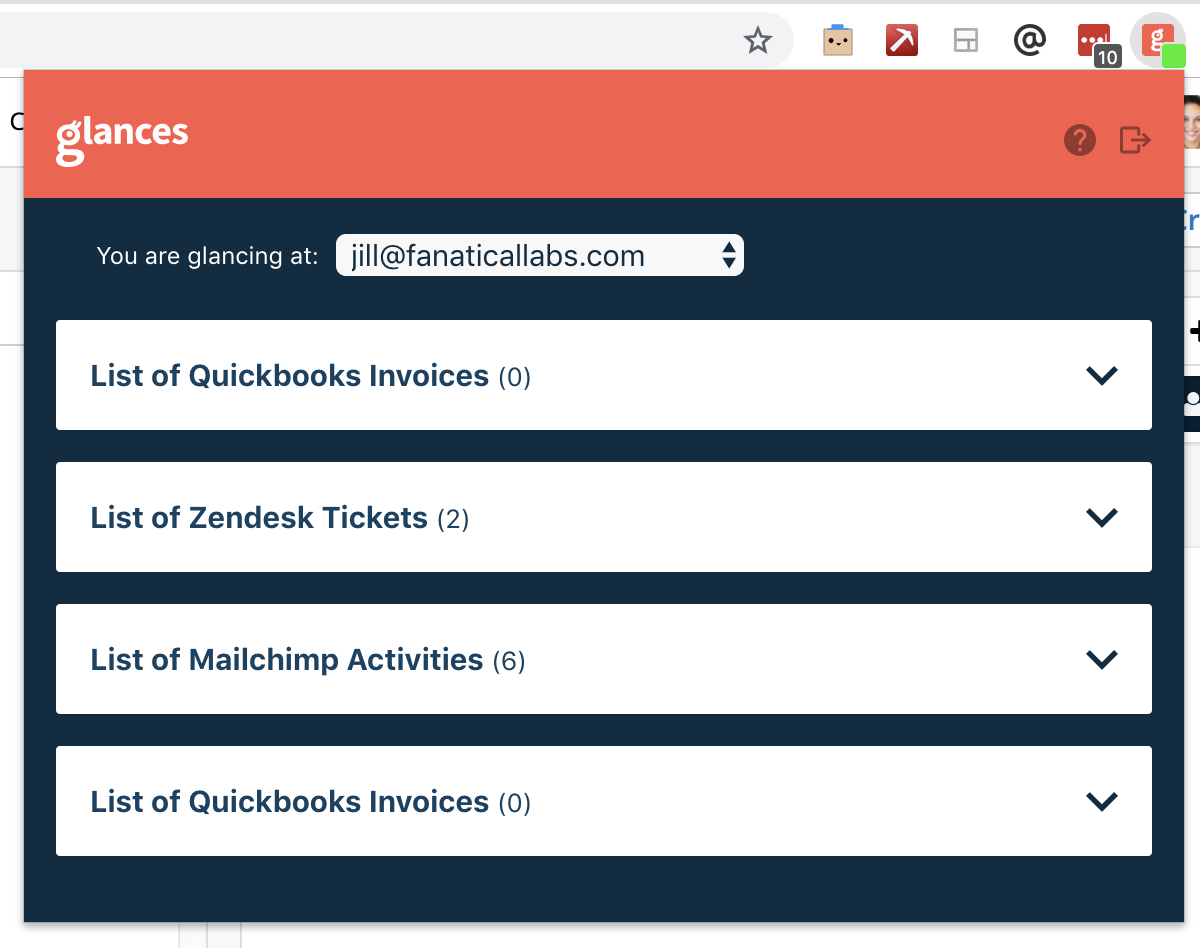
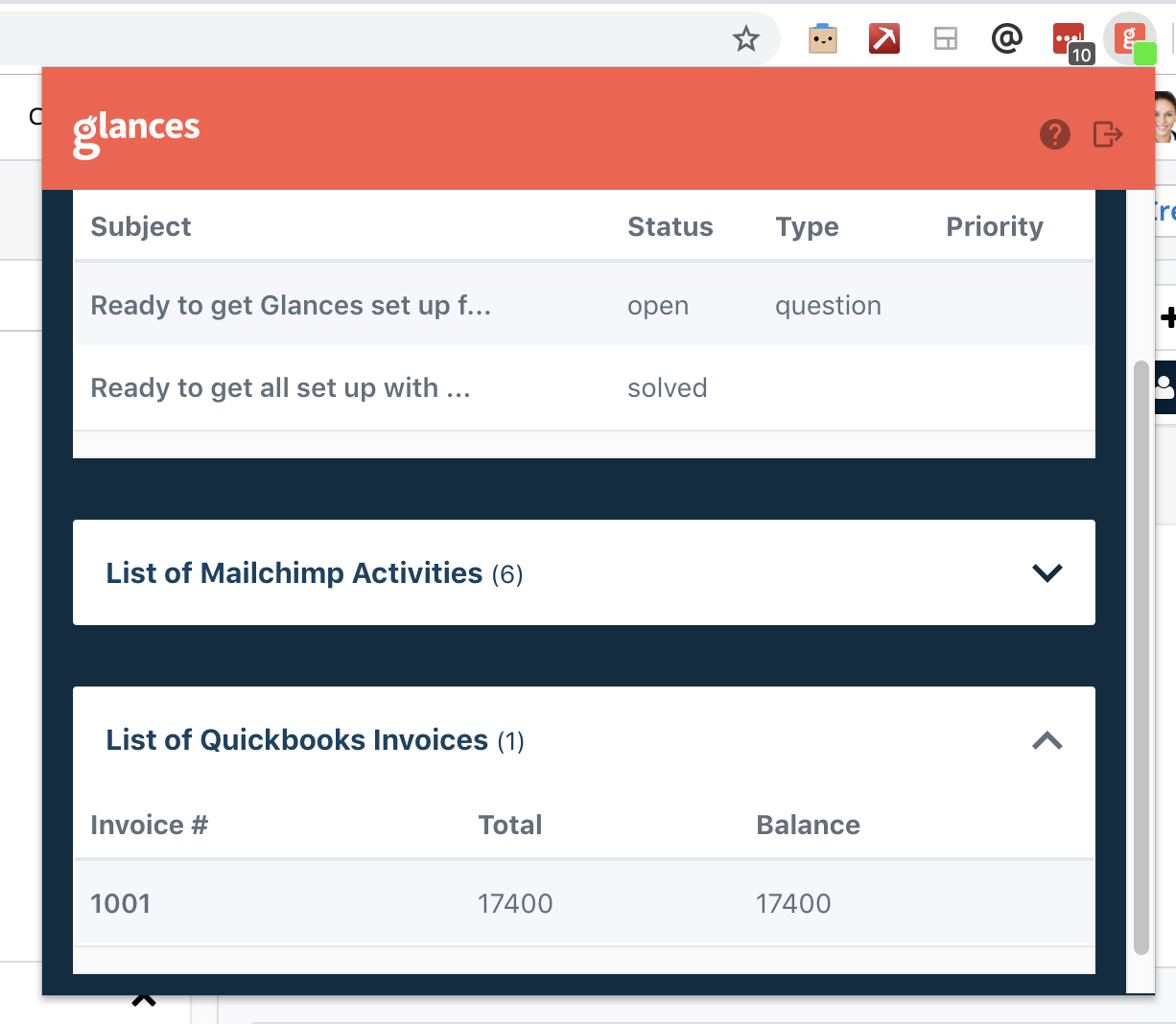
简介
The single customer view you have always wanted is here. Glances unifies your apps in a simplified, easy-to-use customer view that provides real-time data from within any app that you are using. In minutes, securely connect your apps and eliminate tab switching, searching, and clicking around to find important information.
Do the hustle without the hassle
Finding customer information within multiple programs is the hassle that ruins your workflow hustle. Glances brings your favorite online apps together, securely showing your customer data in a single view from whatever app you are using.
An integration the way it should be
It’s like iPaaS, but without the pain. Not time consuming, expensive, or untrustworthy. Glances is a new way to do integrations with a true no-code approach; no data syncing or scheduling jobs. See how it takes just minutes to connect your apps and start using a simplified customer view with Glances.
Glances is designed to support any application that provides an industry standard API, including custom applications. Here is a sample of some of the supported applications:
● Salesforce
● Slack
● QuickBooks
● Shopify
● Zendesk
● Stripe
● Mailchimp
● Intercom
● JIRA
● SugarCRM
● Zoho
● Constant Contact
● Freshdesk
● Freshsales
● SuiteCRM
● Groove
● Pipedrive
● and many more
Stay in your main work application.
In whichever role you are in, sales, support, marketing, etc, stay in the application you need the most and use Glances to view the data you need from other applications..
For example: before up-selling, stay in your CRM and check for any open support cases or recent marketing campaign engagements in Glances without having to open up those other applications.
Stop Tab Switching
Stay focused on whatever you are working on with a single customer view. Need to know something important about what you are working on, but it is in another system? Use Glances to view it right now to avoid painful app switching.
See What Matters
See what matters to you right here, right now. Whether working on a support case, a new lead, or anything else, glance at any emails, invoices, notes, etc residing in some other app when you need it, in a unified view.
Just Minutes To Set Up
Glances greatly simplifies what integrations are well known for: complexity and time consuming configuration. Set up is as easy as 1...2...3. 1) Connect your apps 2) Install the browser extension 3) Enjoy your new unified customer view
Reduce License Costs
Not every user in your company needs to log into each and every one of your applications. Save on licensing costs by giving them just the insights they need with Glances.
Some quests that you might have:
Do I need to write code?
Thank heavens, no! All you do is log into your apps to connect them and we handle the rest. It’s what the hipsters are calling a “no code” solution to your integration needs.
How is our data stored?
We do not store data from your apps. When a Glance is displayed it is pulling information in real-time directly from your applications and displaying it in the Glance view. Only the minimally required information to connect to your applications is encrypted and stored.
Which ways can Glances be used?
Through browsers such as Chrome, Firefox, Microsoft Edge, and Brave or through standalone apps such as Slack.
Is it as complicated to set up like other integrations?
It takes just minutes to set up. Why? Glances greatly simplifies what integrations are well known for: complexity and time consuming configuration. Since we are not moving data back and forth between multiple systems we avoid all of the error prone failure points that give integrations a bad name.
Do I need to pay or use a credit card to try it out?
No credit card is needed to start a trial. We want you to see for yourself how this is a game changer for how you work.
Glances - A Simplified Customer View 是做什么的
Glances - A Simplified Customer View 是一款面向 Firefox 的搜索增强类扩展,主要用来补充搜索结果、切换搜索引擎、过滤无效结果。官方对它的介绍是:Unify your apps with a simplified customer view在Firefox 附加组件商店(AMO)上,它当前版本 1.7.5,评分 5(1 人评价),约 57 名用户。
适合什么人用
从功能定位看,Glances - A Simplified Customer View 更适合每天大量搜索、希望结果更干净准确的用户。如果你平时只是偶尔遇到相关需求,用浏览器自带功能也能凑合;但如果这件事每天都发生,装一个专门处理它的扩展通常比手动操作省事得多。需要注意的是它作用于所有网站,装上后建议先观察一两天,确认不影响常用站点的正常使用。
怎么安装 Glances - A Simplified Customer View
- 打开Firefox 附加组件商店(AMO)上的官方页面;
- 点「添加到浏览器」并确认权限提示;
- 装好后在扩展列表里固定图标,方便随时开关。
本站只做索引与介绍,安装包来自官方商店。如果商店页面提示当前地区不可用,说明该扩展未在你所在区域上架。
常见问题
Glances - A Simplified Customer View 是免费的吗?
Glances - A Simplified Customer View 在Firefox 附加组件商店(AMO)免费提供下载。它是浏览器扩展,装上就能直接用,不需要注册账号。
Glances - A Simplified Customer View 安全吗?
它只申请了 0 项权限,范围比较克制,没有申请「读取所有网站数据」这种大权限。
Glances - A Simplified Customer View 支持哪些浏览器?
当前收录的版本来自Firefox 附加组件商店(AMO),适用于 Firefox。同一个扩展在其他商店可能有对应版本,但功能与版本号不一定相同。
怎么卸载 Glances - A Simplified Customer View?
在扩展管理页找到 Glances - A Simplified Customer View,点移除即可。它在本地保存的设置会一起清掉,不会残留数据。
权限清单 来自 manifest.json 原文
站点访问 3
*://*/*http://*/*https://*/*
接口权限 3
activeTabalarmstabs