
FoxyImage EN
erosman · Firefox
Collection of Image Related Actions
<all_urls>),意味着它可以读取你在任意站点的页面内容,包括已登录的页面。这是许多扩展正常工作的必要条件,但也值得你确认来源可信。
截图
简介
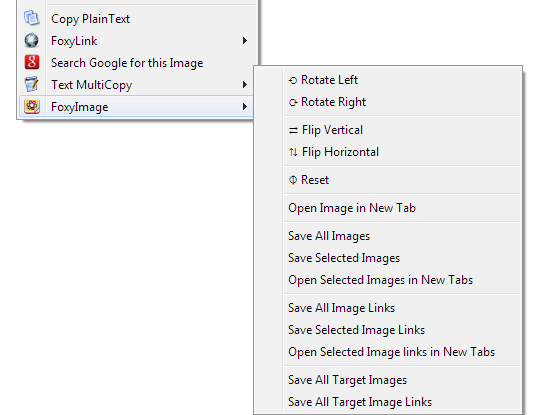
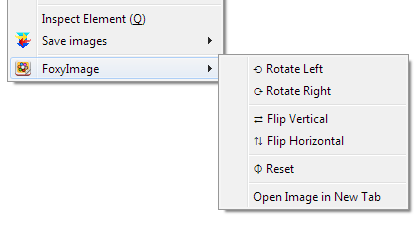
FoxyImage is a tiny multi-process extension that adds a number of Image related actions to the Context Menu.
Let me know if you want other functions added.
Note: None of my extensions contain any tracking, advertising or privacy infringement.
Features
- Multi Process Compatible
- Works on any site or local files opened by the browser
(Firefox restricts some functions on some URLs.) - Removes duplicate URLs
- Option to filter downloads (v1.3)
- Import/Export Preferences (v1.4)
- Container Support: New Tab will be opened in the same container (v1.5) (requires cookie permission)
Actions
- Rotate Left/Right & 180° (v1.5)
- Flip Vertical/Horizontal
- Reset
- Open Image in New Tab
- Copy Image as Data:URI (requires clipboardWrite permission) (v1.5)
- Save All Images (v1.1)
- Save Selected Images (v1.1)
- Open Selected Images in New Tabs (v1.1)
- Save All Image Links (v1.1)
- Save Selected Image Links (v1.1)
- Open Selected Image links in New Tabs (v1.1)
- Save All Target Images (from a link) (v1.1)
- Save All Target Image Links (from a link) (v1.1)
- Save Images from Tabs Left/Right (v1.5)
- Save Image Links from Tabs Left/Right (v1.5)
- Reload Image/All Images (v1.7)
Permissions Explanation:
- Access your data for all websites: Used to get remote Images
- Input data to the clipboard: Used to Copy to Clipboard (v1.5)
- Download files and read and modify the browser’s download history: Used to download images only
- Display notifications to you: Used to inform users
FoxyImage 是做什么的
FoxyImage 是一款面向 Firefox 的下载管理类扩展,主要用来接管浏览器下载、批量抓取资源、加速大文件。官方对它的介绍是:Collection of Image Related Actions在Firefox 附加组件商店(AMO)上,它当前版本 1.8resigned1,评分 4.47(32 人评价),约 589 名用户。
适合什么人用
从功能定位看,FoxyImage 更适合经常下载视频、素材或整站资源的用户。如果你平时只是偶尔遇到相关需求,用浏览器自带功能也能凑合;但如果这件事每天都发生,装一个专门处理它的扩展通常比手动操作省事得多。需要注意的是它作用于所有网站,装上后建议先观察一两天,确认不影响常用站点的正常使用。
怎么安装 FoxyImage
- 打开Firefox 附加组件商店(AMO)上的官方页面;
- 点「添加到浏览器」并确认权限提示;
- 装好后在扩展列表里固定图标,方便随时开关。
本站只做索引与介绍,安装包来自官方商店。如果商店页面提示当前地区不可用,说明该扩展未在你所在区域上架。
常见问题
FoxyImage 是免费的吗?
FoxyImage 在Firefox 附加组件商店(AMO)免费提供下载。它是浏览器扩展,装上就能直接用,不需要注册账号。
FoxyImage 安全吗?
它只申请了 0 项权限,范围比较克制,没有申请「读取所有网站数据」这种大权限。
FoxyImage 支持哪些浏览器?
当前收录的版本来自Firefox 附加组件商店(AMO),适用于 Firefox。同一个扩展在其他商店可能有对应版本,但功能与版本号不一定相同。
怎么卸载 FoxyImage?
在扩展管理页找到 FoxyImage,点移除即可。它在本地保存的设置会一起清掉,不会残留数据。
权限清单 来自 manifest.json 原文
站点访问 1
<all_urls>
接口权限 7
activeTabclipboardWritecontextMenuscookiesdownloadsnotificationsstorage