 Video Download Helper
Download videos from the web. …
Firefox

Download Plenty EN
fluks · Firefox
Yet another download addon.
4.5/5
2 人评分
33用户
v1.0.0当前版本
权限提示
该扩展申请访问所有网站(
<all_urls>),意味着它可以读取你在任意站点的页面内容,包括已登录的页面。这是许多扩展正常工作的必要条件,但也值得你确认来源可信。
截图
简介
Yet another download addon.
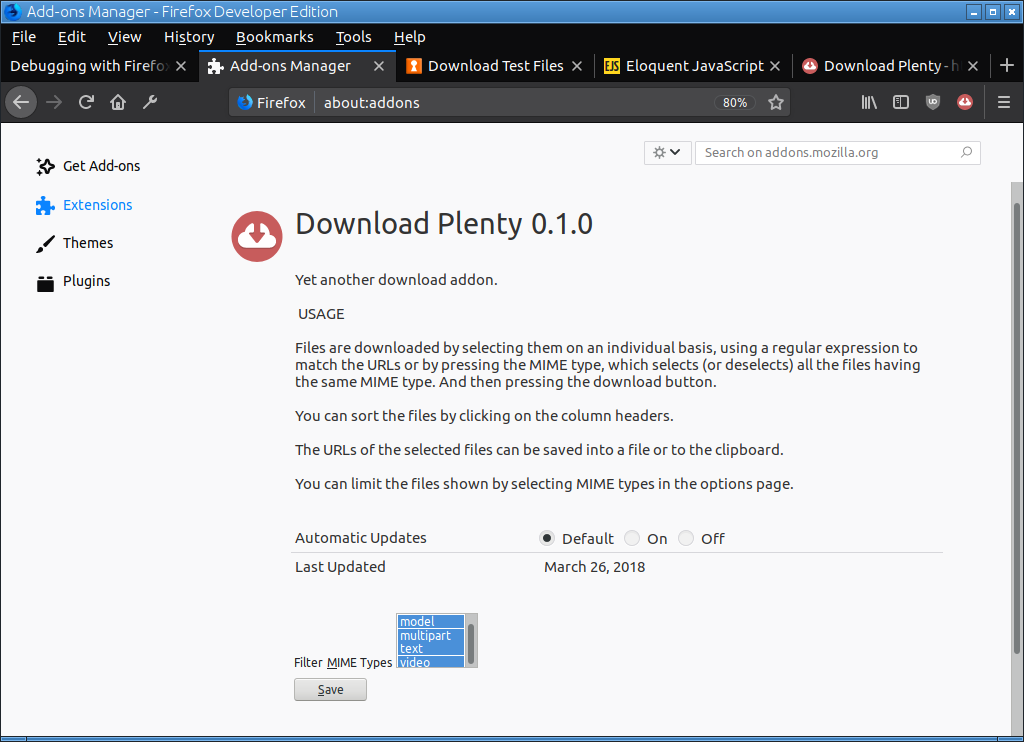
USAGE
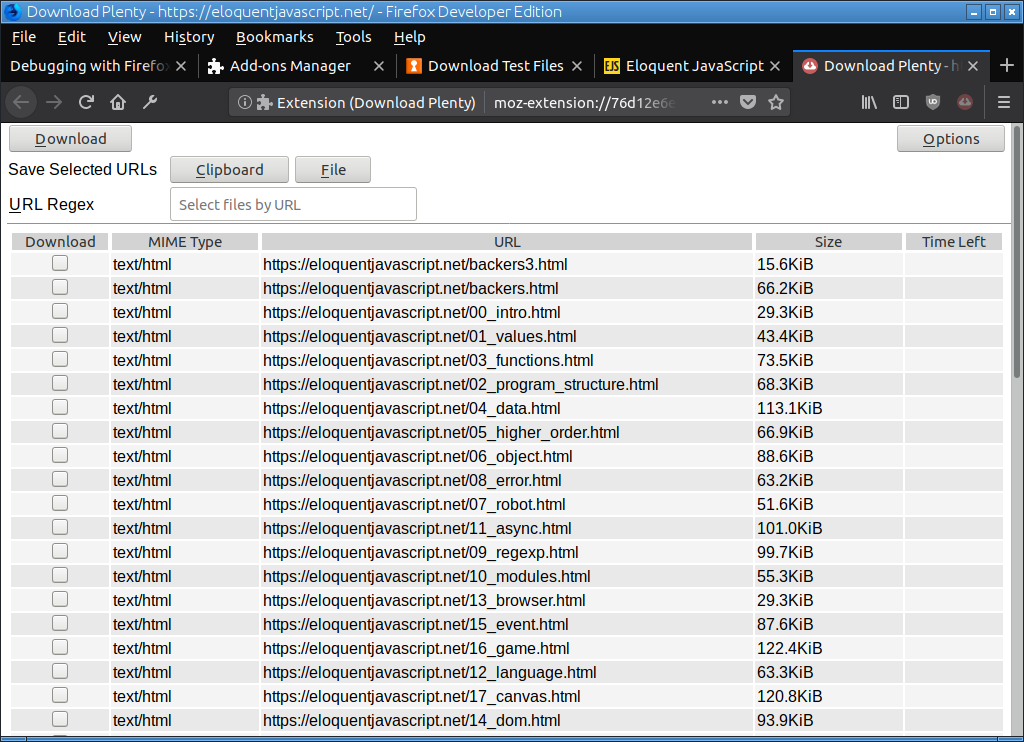
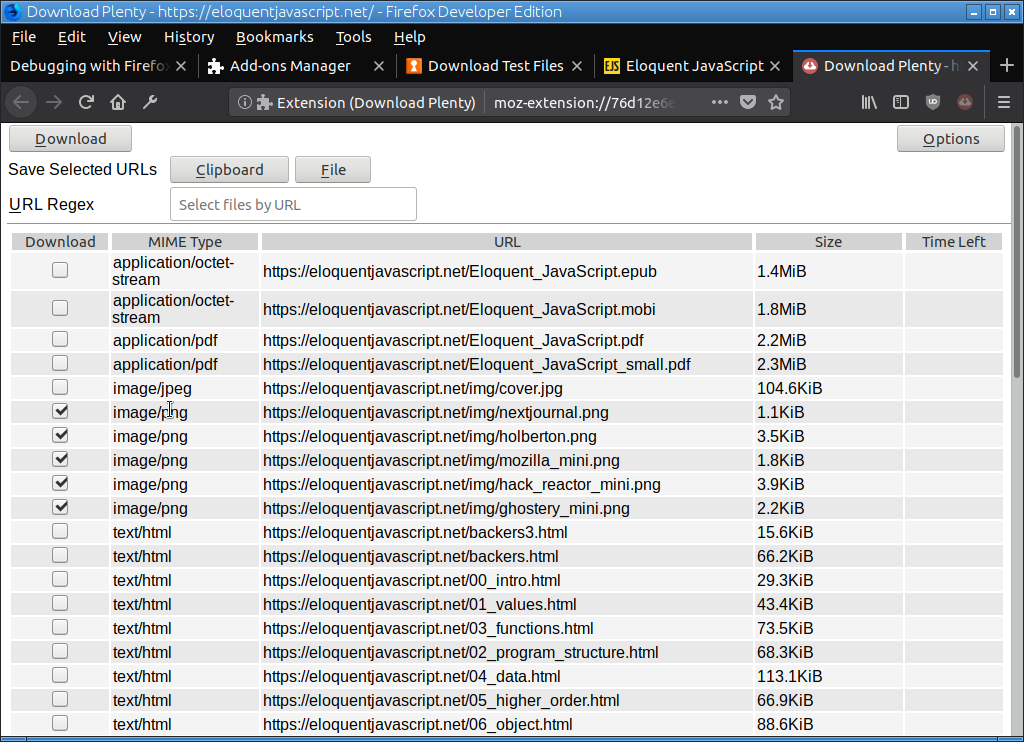
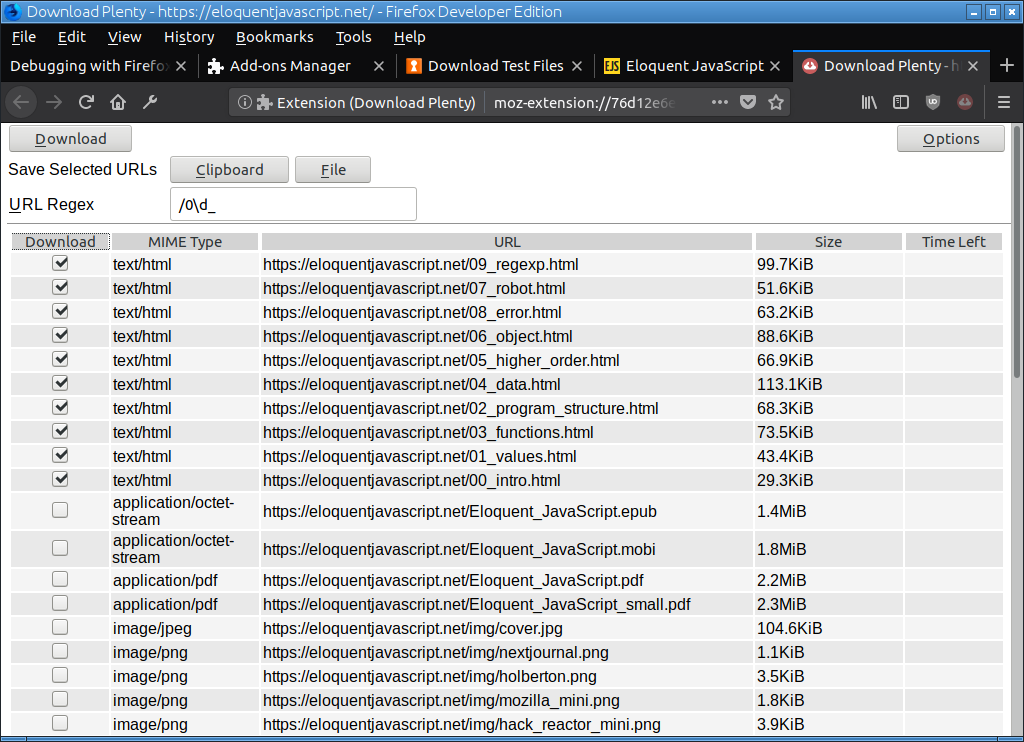
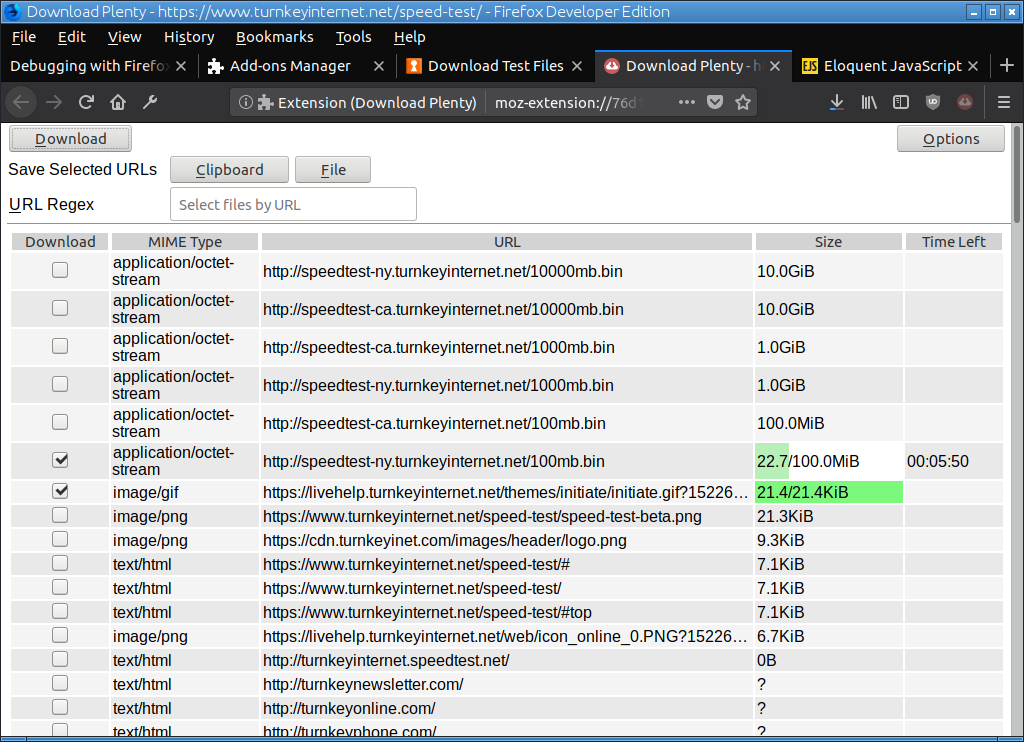
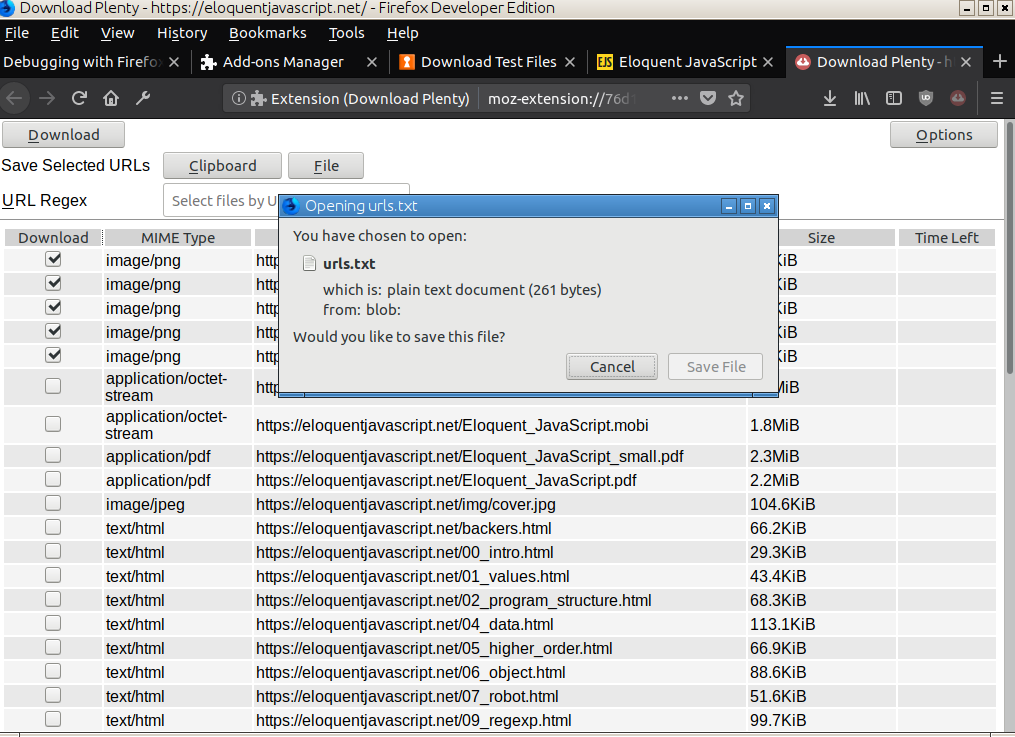
Files are downloaded by selecting them on an individual basis, using a regular expression to match the URLs or by pressing the MIME type, which selects (or deselects) all the files having the same MIME type. And then pressing the download button.
You can sort the files by clicking on the column headers.
The URLs of the selected files can be saved into a file or to the clipboard.
You can limit the files shown by selecting MIME types in the options page.
LIMITATIONS
- The addon doesn't work if fetch is not allowed in NoScript.
- Streams can't be downloaded, for example from YouTube.
PERMISSIONS
Access your data for all websites
This permission is needed for getting a MIME type and size of a file, which is located on some other host (e.g. on a page at host a.com there is a link to a file on host b.com, a HEAD request is made to b.com/file).
Download files and read and modify the browser’s download history
Reason for this permission should be obvious.
Download Plenty 是做什么的
Download Plenty 是一款面向 Firefox 的下载管理类扩展,主要用来接管浏览器下载、批量抓取资源、加速大文件。官方对它的介绍是:Yet another download addon.在Firefox 附加组件商店(AMO)上,它当前版本 1.0.0,评分 4.5(2 人评价),约 33 名用户。
适合什么人用
从功能定位看,Download Plenty 更适合经常下载视频、素材或整站资源的用户。如果你平时只是偶尔遇到相关需求,用浏览器自带功能也能凑合;但如果这件事每天都发生,装一个专门处理它的扩展通常比手动操作省事得多。需要注意的是它作用于所有网站,装上后建议先观察一两天,确认不影响常用站点的正常使用。
怎么安装 Download Plenty
- 打开Firefox 附加组件商店(AMO)上的官方页面;
- 点「添加到浏览器」并确认权限提示;
- 装好后在扩展列表里固定图标,方便随时开关。
本站只做索引与介绍,安装包来自官方商店。如果商店页面提示当前地区不可用,说明该扩展未在你所在区域上架。
常见问题
Download Plenty 是免费的吗?
Download Plenty 在Firefox 附加组件商店(AMO)免费提供下载。它是浏览器扩展,装上就能直接用,不需要注册账号。
Download Plenty 安全吗?
它只申请了 0 项权限,范围比较克制,没有申请「读取所有网站数据」这种大权限。
Download Plenty 支持哪些浏览器?
当前收录的版本来自Firefox 附加组件商店(AMO),适用于 Firefox。同一个扩展在其他商店可能有对应版本,但功能与版本号不一定相同。
怎么卸载 Download Plenty?
在扩展管理页找到 Download Plenty,点移除即可。它在本地保存的设置会一起清掉,不会残留数据。
权限清单 来自 manifest.json 原文
站点访问 1
<all_urls>
接口权限 3
activeTabdownloadsstorage
标签 点标签看同类扩展
Video Download Helper
Download videos from the web. …
Firefox
 IDM Integration Module
Download files with Internet D…
Firefox
 Easy Youtube Video Downloader Express
A simple extension for superfa…
Firefox
 Download All Images
Easily save images with a wide…
Firefox
 SingleFile | 将完整的页面保存到一个 HTML 文件中
SingleFile 网页保存(Save Page)扩展,离…
Firefox
 Popup Blocker (strict)
Strictly block all popup reque…
Firefox
 Obsidian Web Clipper
Save and highlight web pages i…
Firefox
 Turbo Download Manager
A download manager with the ab…
Firefox