
Cookie Quick Manager EN
Ysard · Firefox
An addon to manage cookies (view, search, create, edit, remove, backup, restore, protect from deletion and much more). Firefox 57+ is supported.
<all_urls>),意味着它可以读取你在任意站点的页面内容,包括已登录的页面。这是许多扩展正常工作的必要条件,但也值得你确认来源可信。
截图

简介
Overview
Cookie Quick Manager: A complete manager for cookies accumulated during browsing.
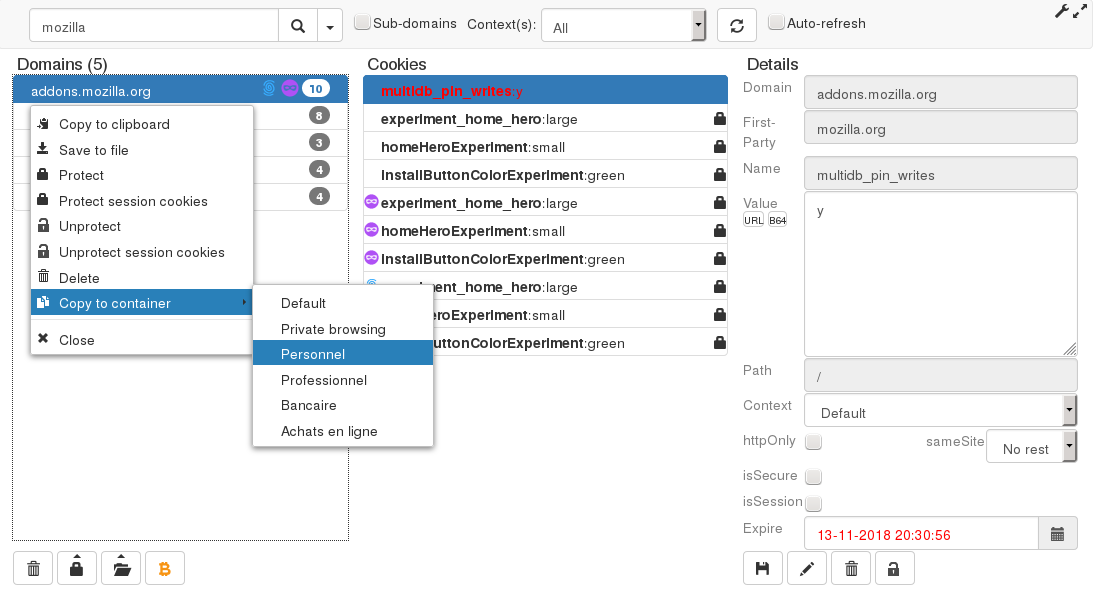
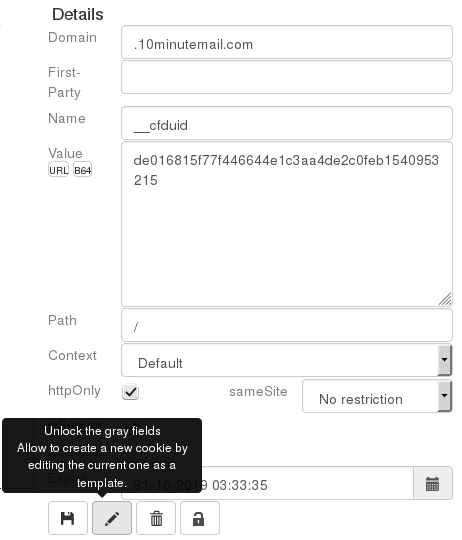
It allows you to view, edit, create, delete, backup, restore cookies and search them by domain names. Contextual Identities such as Private Browsing, First-Party Isolation, and SameSite flag are also supported.
In addition, the LocalStorage of the page viewed can be deleted (see below).
Cookie Quick Manager is designed for developers, testers or people
concerned about their privacy on the Internet.
This WebExtension is compatible with Firefox 57 and is inspired by addons like Cookies Manager+ and Advanced Cookie Manager whose development has been discontinued due to the withdrawal of the support for "Legacy" extensions.
November 2018: Cookie Quick Manager is now available on Android!
Features
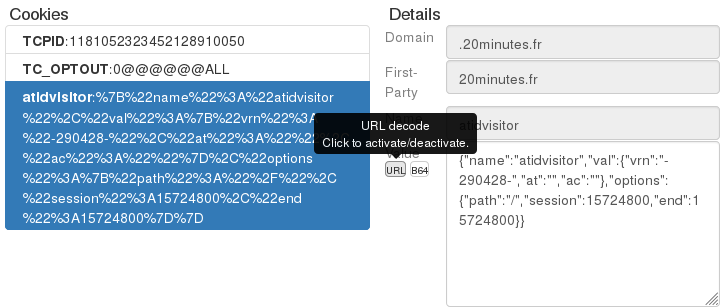
- User friendly: Clear and structured user interface. Each parameter and functionality is described when the mouse is over the element.
- Windowed and tab mode: Choose the opening in a tab to get a wider view.
- Transparency and security: The source code is free (under GPLv3) and published on a public platform, the only way to allow reviews and external contributions.
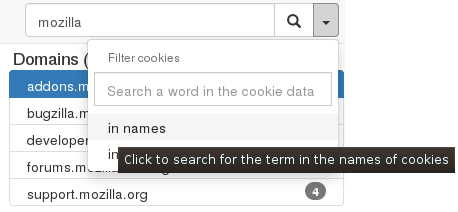
- Search: A user can search for cookies of a domain and subdomains which depend on it.
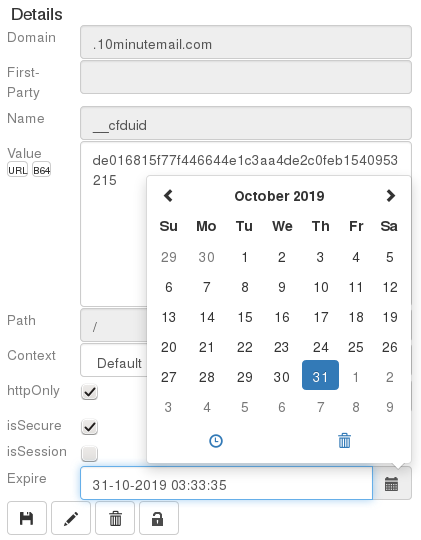
- Edit/Create: All the attributes of a cookie can be modified: domain, path, name, value, expiration date, as well as secure and httponly flags.
- Delete: Remove the cookies of the current website in two clicks.
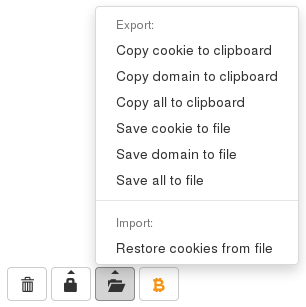
- Export: The export and import of one or many cookies from one or many domains at a time in JSON or Netscape format is just as easy.
- First-Party Isolation: Supported with some limitations (due to API bugs) on Firefox 59, 60, and 61, and without limitations on Firefox 62 (scheduled on September 2018).
- Contexts: Contexts (also called Multi-Account Containers, or Contextual Identities) are supported. A user can search and display cookies inside a container, or copy cookies from a container to another, or save a cookie in a specific context.
- SameSite: The SameSite flag is supported. This is a partial protection against the risks associated with Cross-Site Request Forgery (CSRF) and Cross-Site Script Inclusion (XSSI) attacks, implemented since Firefox 63.
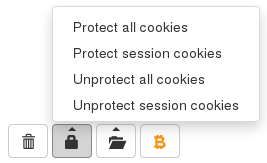
- Cookie protection: Delete cookies except protected ones, with two clicks at anytime from the website you are viewing. An option can also prevent cookies from being deleted by the sites themselves.
- Protection of session cookies: Session cookies can be protected in two clicks to prevent accidental logout from websites after cleaning normal cookies.
- Cleaning and privacy: Can automatically delete all cookies at startup.
- LocalStorage: Keys/values of the page viewed can be deleted.
Privacy
This addon does not store or leak any personal information.
It requires the following permissions to operate:
- Host permission for all urls: This allows you to edit the cookies and to delete the Localstorage of any site visited.
- Cookies: Allows access to the browser's cookie store.
- ActiveTab: Allows access to the currently consulted url, and its favicon if it exists.
- Storage: Allows the storage of the following user settings:
- size of the windowed mode,
- protected cookies (only the name of the domains),
- the template used to import/export the cookies,
- the skin. - Browsing data: Enables extensions to clear the data that is accumulated while the user is browsing (LocalStorage here).
- Contextual Identities: Allows the addon to list the containers.
- Privacy: Access and modify various privacy-related browser settings (the FirstPartyIsolation flag here).
- ClipboardWrite (optional): Allows the export of cookies to the clipboard from Firefox 63.
About cookie protection
The protection of cookies is limited to the current addon actions, to the deletions that can be made by the sites themselves, or to the deletions made in the browser's "Cookies and Site Data" options.
This means that if you choose the browser option to delete all cookies when it closes, the addon will be unable to restore them (the method used by the browser does not send the necessary signal to notify the addon). However, a similar option is reimplemented in the addon itself in order to keep only the protected cookies when restarting the browser.
What is "Delete Current Site Local Storage" on the popup menu?
This item allows a user to delete LocalStorage keys from the viewed page.
The LocalStorage is a quite new feature of HTML5 that allows developers to create data in your browser using JavaScript. Cookies are just one type of storage among others.
You will also find the term "SessionStorage", a LocalStorage where data is stored temporarily (deleted on browser restart), but the important thing is that LocalStorage is persistent, and cleared only at the discretion of the visited websites.
You may erase all of the LocalStorage store by following the procedure described in the documentation of Firefox, and by selecting "Offline Website Data".
From the point of view of privacy and security:
This kind of persistant data (even after clearing cache), was invented to store small data allowing the operation of online applications, but also offers new and better accurate ways of tracking thanks to the memoriz…
Cookie Quick Manager 是做什么的
Cookie Quick Manager 是一款面向 Firefox 的开发者工具类扩展,主要用来调试页面、查看样式与请求、测试接口、辅助前端开发。官方对它的介绍是:An addon to manage cookies (view, search, create, edit, remove, backup, restore, protect from deletion and much more). Firefox 57+ is supported.在Firefox 附加组件商店(AMO)上,它当前版本 0.5rc2,评分 4.36(398 人评价),约 46,840 名用户。
适合什么人用
从功能定位看,Cookie Quick Manager 更适合前端工程师、测试与需要经常查看页面结构的用户。如果你平时只是偶尔遇到相关需求,用浏览器自带功能也能凑合;但如果这件事每天都发生,装一个专门处理它的扩展通常比手动操作省事得多。需要注意的是它作用于所有网站,装上后建议先观察一两天,确认不影响常用站点的正常使用。
怎么安装 Cookie Quick Manager
- 打开Firefox 附加组件商店(AMO)上的官方页面;
- 点「添加到浏览器」并确认权限提示;
- 装好后在扩展列表里固定图标,方便随时开关。
本站只做索引与介绍,安装包来自官方商店。如果商店页面提示当前地区不可用,说明该扩展未在你所在区域上架。
常见问题
Cookie Quick Manager 是免费的吗?
Cookie Quick Manager 在Firefox 附加组件商店(AMO)免费提供下载。它是浏览器扩展,装上就能直接用,不需要注册账号。
Cookie Quick Manager 安全吗?
它只申请了 0 项权限,范围比较克制,没有申请「读取所有网站数据」这种大权限。
Cookie Quick Manager 支持哪些浏览器?
当前收录的版本来自Firefox 附加组件商店(AMO),适用于 Firefox。同一个扩展在其他商店可能有对应版本,但功能与版本号不一定相同。
怎么卸载 Cookie Quick Manager?
在扩展管理页找到 Cookie Quick Manager,点移除即可。它在本地保存的设置会一起清掉,不会残留数据。
权限清单 来自 manifest.json 原文
站点访问 1
<all_urls>
接口权限 6
activeTabbrowsingDatacontextualIdentitiescookiesprivacystorage
接口权限(可选) 1
clipboardWrite